
Introdución
This manual provides essential instructions for the safe and efficient operation of your NEC VT670 Value LCD Video Projector. Please read this manual thoroughly before using the projector and keep it for future reference. The NEC VT670 is designed for clear image projection with a native resolution of 1024 x 768 and a brightness of up to 2,100 ANSI lumens.
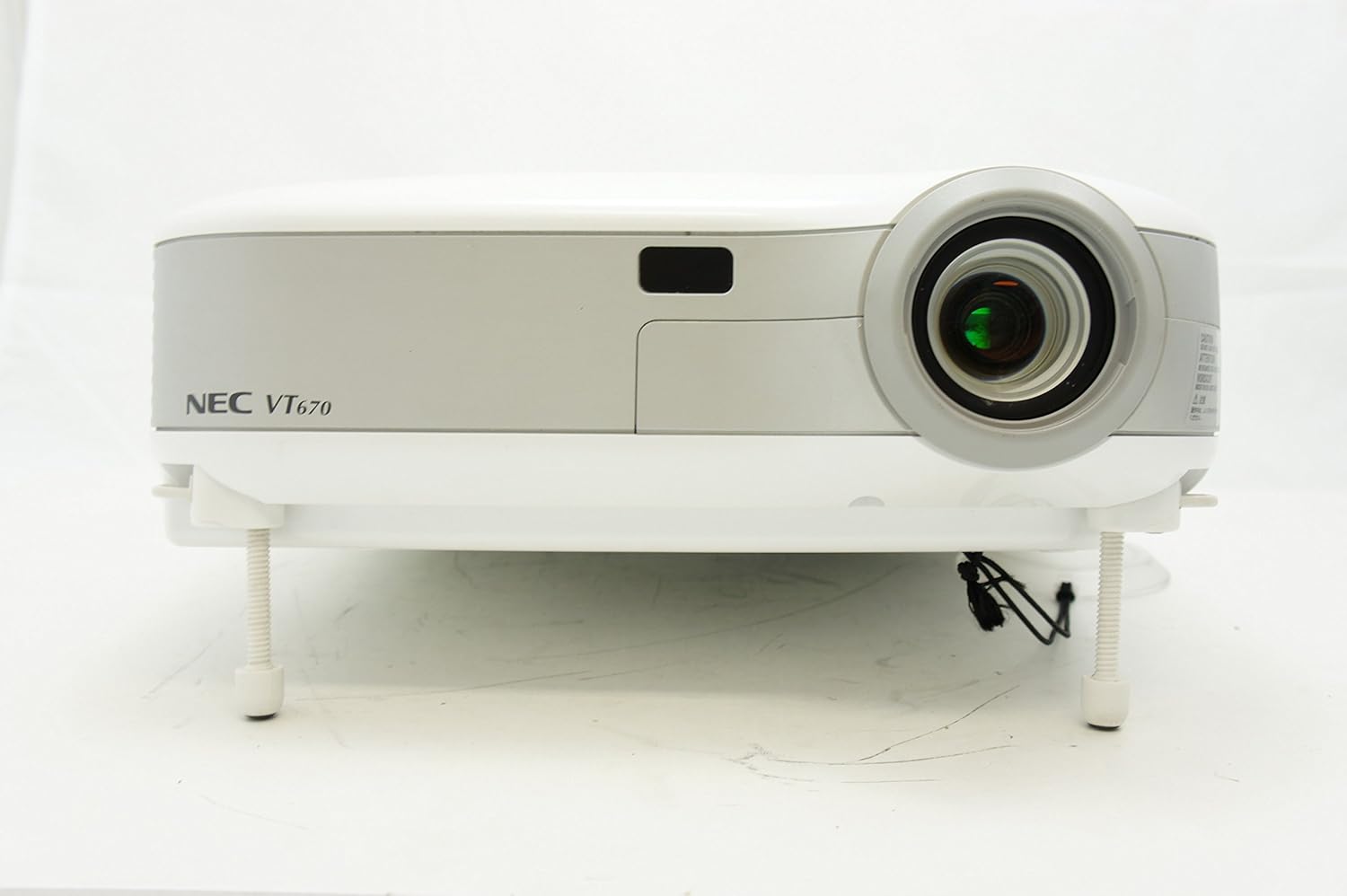
Figura 1: Fronte view of the NEC VT670 projector, showing the lens and front panel.
Configuración
Follow these steps to set up your NEC VT670 projector:
- Colocación: Position the projector on a stable, flat surface or mount it according to the instructions for your specific mounting solution. Ensure adequate ventilation around the unit. The projector is designed for tabletop mounting.
- Conexión de alimentación: Conecte o cable de alimentación á entrada de corrente do proxector e despois a unha toma de corrente con conexión a terra.
- Conexión de orixe: Connect your video source (e.g., computer, DVD player) to the appropriate input port on the projector. The VT670 supports VGA (D-Sub), S-Video, and composite video inputs. Use the color-coded connections for ease of setup.
- Conexións por cable: Ensure all necessary cables, such as the VGA cable for computer input, are securely connected to both the projector and the source device.
- Conexión de audio: If your source provides audio, connect it to the projector's audio input ports. The projector features built-in speakers.
- Encendido inicial: Prema o botón de acendido do proxector ou do mando a distancia para acender a unidade.

Figura 2: Rear panel of the NEC VT670 projector, illustrating various input and output ports including VGA, S-Video, and audio connections.

Figura 3: Example of a VGA cable (left) and a power cable (right) used for connecting the projector.
Instrucións de funcionamento
This section details the basic operation of your projector.
Encendido/apagado
- Para acender, prema POTENCIA button once. The power indicator will illuminate.
- Para apagar, prema POTENCIA button twice. The projector will enter a cooling cycle before shutting down completely.
Selección da fonte de entrada
- Usa o ENTRADA or dedicated source buttons (e.g., ORDENADOR 1, VIDEO) on the control panel or remote to cycle through available input sources.

Figura 4: Top control panel of the NEC VT670 projector, showing power, input selection, and navigation buttons.
Axuste de enfoque e zoom
- Axustar o ENFOQUE ring on the lens until the image is sharp and clear.
- Usa o ZOOM lever on the lens to adjust the image size to fit your screen.
Navegación de menús
- Preme o MENÚ button to access the on-screen display (OSD) menu.
- Use os botóns de frecha (UP, ABAIXO, ESQUERDO, DEREITO) para navegar polas opcións do menú.
- Preme ENTRAR or SELECCIONAR para confirmar unha selección.
- Preme SAIR or MENÚ again to close the OSD menu.
Mantemento
Un mantemento regular garante un rendemento óptimo e prolonga a vida útil do proxector.
Lamp Substitución
O proxector lamp ten unha vida útil limitada. Cando o lamp o indicador acéndese ou a imaxe se volve escura, o lamp pode precisar substitución. Consulte o manual de servizo completo para obter información detalladaamp replacement procedures. Always allow the projector to cool down completely before attempting lamp substitución.
Limpeza do filtro de aire
Dust accumulation on the air filter can reduce cooling efficiency and affect projector performance. Clean the air filter regularly (e.g., every 100 hours of operation) by removing it and gently brushing off dust or using a vacuum cleaner. Replace the filter if it is damaged.
Limpeza de lentes
Limpe con coidado a lente do proxector cun pano suave e sen fiapos deseñado especificamente para superficies ópticas. Non empregue produtos de limpeza abrasivos nin aplique unha forza excesiva.
Resolución de problemas
Esta sección ofrece solucións a problemas comúns cos que podes atoparte.
| Problema | Causa posible | Solución |
|---|---|---|
| Non se mostra ningunha imaxe |
|
|
| A imaxe está borrosa |
|
|
| Sen son |
|
|
Especificacións
Key technical specifications for the NEC VT670 Value LCD Video Projector:
- Nome do modelo: VT670
- Tipo de visualización: LCD
- Resolución nativa: 1024 x 768 (XGA)
- Brillo máximo: 2,100 lúmenes ANSI
- Relación de contraste: 400:1
- Tecnoloxía de conectividade: VGA (D-Sub), S-Video, Composite Video
- Conectividade de hardware: D-Sub, VGA
- Tamaño máximo da imaxe: 300 polgadas
- Factor de forma: Portátil
- Tipo de montaxe: Soporte de mesa
- Tipo de controlador: Control de botón
- Peso do artigo: 9.2 libras
- Características adicionais: Altofalantes incorporados
- Sinais soportados: PC, NTSC, PAL, SECAM, HDTV
Información da garantía
The NEC VT670 Value LCD Video Projector comes with a 2 ano de garantía. This warranty covers defects in materials and workmanship under normal use. For specific terms and conditions, please refer to the warranty card included with your product or contact NEC customer support.
Apoio
For further assistance, technical support, or service inquiries regarding your NEC VT670 projector, please visit the official NEC website or contact their customer service department. Keep your product model number (VT670) and serial number ready when contacting support.
Recursos en liña: www.nec.com