
1. Introdución
The iRobot Roomba 560 is an autonomous robotic vacuum cleaner designed to efficiently clean various floor types. It features advanced navigation, comprehensive cleaning coverage, and a fine-filtration system to capture dust and allergens. This manual provides essential information for setting up, operating, maintaining, and troubleshooting your Roomba 560.

Figura 1: Arriba view of the Roomba 560.
2. Contido do paquete
Asegúrate de que todos os elementos estean presentes no paquete:
- iRobot Roomba 560 Vacuuming Robot
- Self-charging Home Base
- Power Source (Charger)
- 2 Auto Virtual Walls
- Ferramenta de limpeza do cepillo
- Filtro extra
3. Configuración
3.1 Carga da batería
Before first use, fully charge the Roomba's battery. Place the Roomba on its Home Base or connect the power source directly to the robot. A full charge can take up to 3 hours and provides up to 120 minutes of continuous cleaning.
3.2 Placing the Home Base
Position the Home Base against a wall in an open, uncluttered area. Ensure there is at least 3 feet (1 meter) of clear space on either side of the Home Base and 6 feet (2 meters) in front of it. This allows the Roomba to easily dock and recharge.
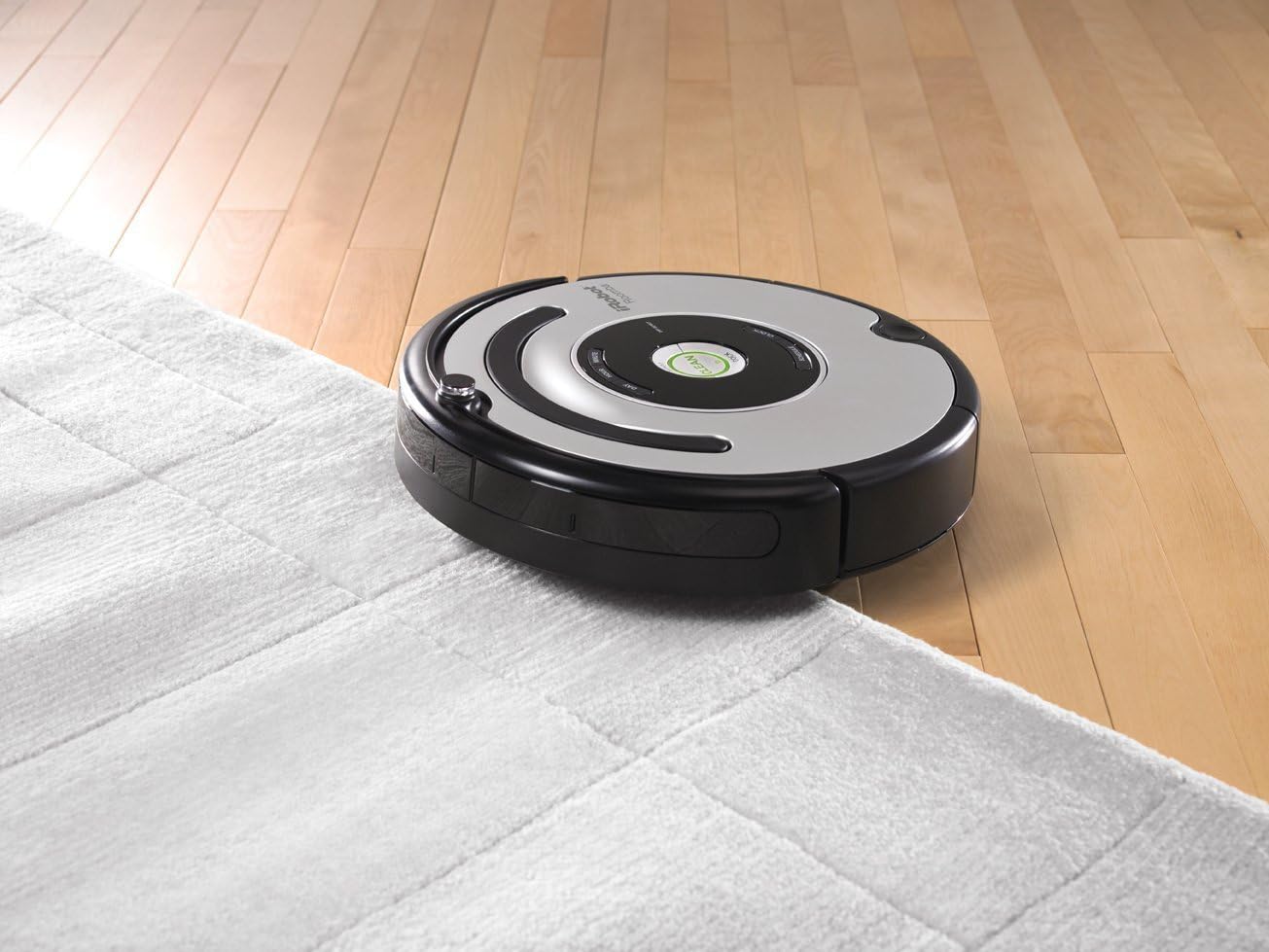
Figure 2: Roomba 560 returning to its Home Base.
3.3 Setting up Virtual Walls
Use the included Auto Virtual Walls to create invisible barriers, preventing the Roomba from entering specific areas. Place a Virtual Wall at a doorway or other opening and adjust the infrared beam setting to match the desired boundary distance. The Roomba will detect the beam and not cross it.
4. Instrucións de funcionamento
4.1 Inicio dun ciclo de limpeza
Preme o grande LIMPO button on the top of the Roomba to start a cleaning cycle. The robot will automatically navigate and clean your floors, adjusting its cleaning head for different surfaces like wood, tile, linoleum, and carpets.

Figure 3: Roomba 560 cleaning across different floor types.
4.2 Automatic Docking
When the battery runs low or a cleaning cycle is complete, the Roomba will automatically return to its Home Base to recharge.
4.3 Tecnoloxía antienredos
The Roomba 560 is equipped with anti-tangle technology. If the unit encounters cords or rug fringes, it will automatically reverse its brushes to prevent entanglement and continue cleaning.
4.4 sensores de acantilado
Built-in cliff sensors prevent the Roomba from falling down stairs or other drop-offs.
4.5 Gentle-Touch Bumper System
The robot uses a gentle-touch bumper system to sense obstacles, slowing its approach and gently touching objects before redirecting to clean around or under them.
4.6 Vídeo oficial do produto
Vídeo 1: Un overview of the iRobot Roomba 560's features and operation, demonstrating its cleaning capabilities and navigation.
5. Mantemento
Regular maintenance ensures optimal performance of your Roomba 560.
5.1 Baleirar o colector de po
Empty the bagless dust bin after each cleaning cycle. Press the bin release button and slide out the bin. Open the bin door and discard debris.
5.2 Cepillos de limpeza
Periodically remove and clean the main brushes and side brush. Use the included brush cleaning tool to remove hair and debris tangled around the brushes and their bearings.

Figura 4: Interno view of the Roomba 560's cleaning mechanism.
5.3 Limpeza dos filtros
Clean the fine-filtration system filter regularly. Tap the filter against a trash can to remove dust. Replace the filter every 1-2 months, or as needed, to maintain suction performance.
5.4 Limpeza de sensores
Wipe the cliff sensors and bumper sensors with a clean, dry cloth to ensure they function correctly.
6 Solución de problemas
- Roomba non carga: Ensure the Home Base is plugged in and positioned correctly. Clean the charging contacts on both the Roomba and the Home Base.
- Roomba atascado: Clear the cleaning area of excessive cords, loose rugs, or small objects. Clean the anti-tangle brushes.
- Baixo rendemento de limpeza: Empty the dust bin, clean or replace the filter, and clean the main brushes and side brush.
- Roomba not returning to Home Base: Ensure the Home Base is in an open area and not blocked. Check if Virtual Walls are interfering with the signal.
7. Especificacións
| Característica | Especificación |
|---|---|
| Marca | iRobot |
| Nome do modelo | 560 |
| Dimensións do produto | 16.75 cm de longo x 5 cm de ancho x 16.75 cm de alto |
| Peso do elemento | 14.3 libras |
| Duración da batería | Ata 120 minutos |
| Tipo de filtro | Cartucho |
| Método de control | Toca |
| Recomendación de superficie | Carpet, Tile, Wood, Linoleum |
8. Garantía e soporte
8.1 Información da garantía
The iRobot Roomba 560 comes with a 1-year limited warranty. Please refer to the warranty card included in your product packaging for detailed terms and conditions.
8.2 Atención ao cliente
For technical assistance, replacement parts, or further inquiries, please visit the official iRobot website or contact their customer support line. Keep your product model number and purchase information readily available.