
1. Produto rematadoview
The Mad Catz Officially Licensed Controller for Xbox 360 is designed to enhance your gaming experience. This controller features analog triggers and joysticks, along with vibration feedback technology, to immerse you in your favorite games. Its soft touch elastomere finish ensures comfort during extended gaming sessions.
Características principais:
- Officially Licensed Product for Xbox 360
- Integrated vibration feedback technology
- Responsive analog triggers and joysticks
- PC USB compatible for versatile use
- Durable construction with a comfortable soft touch elastomere finish
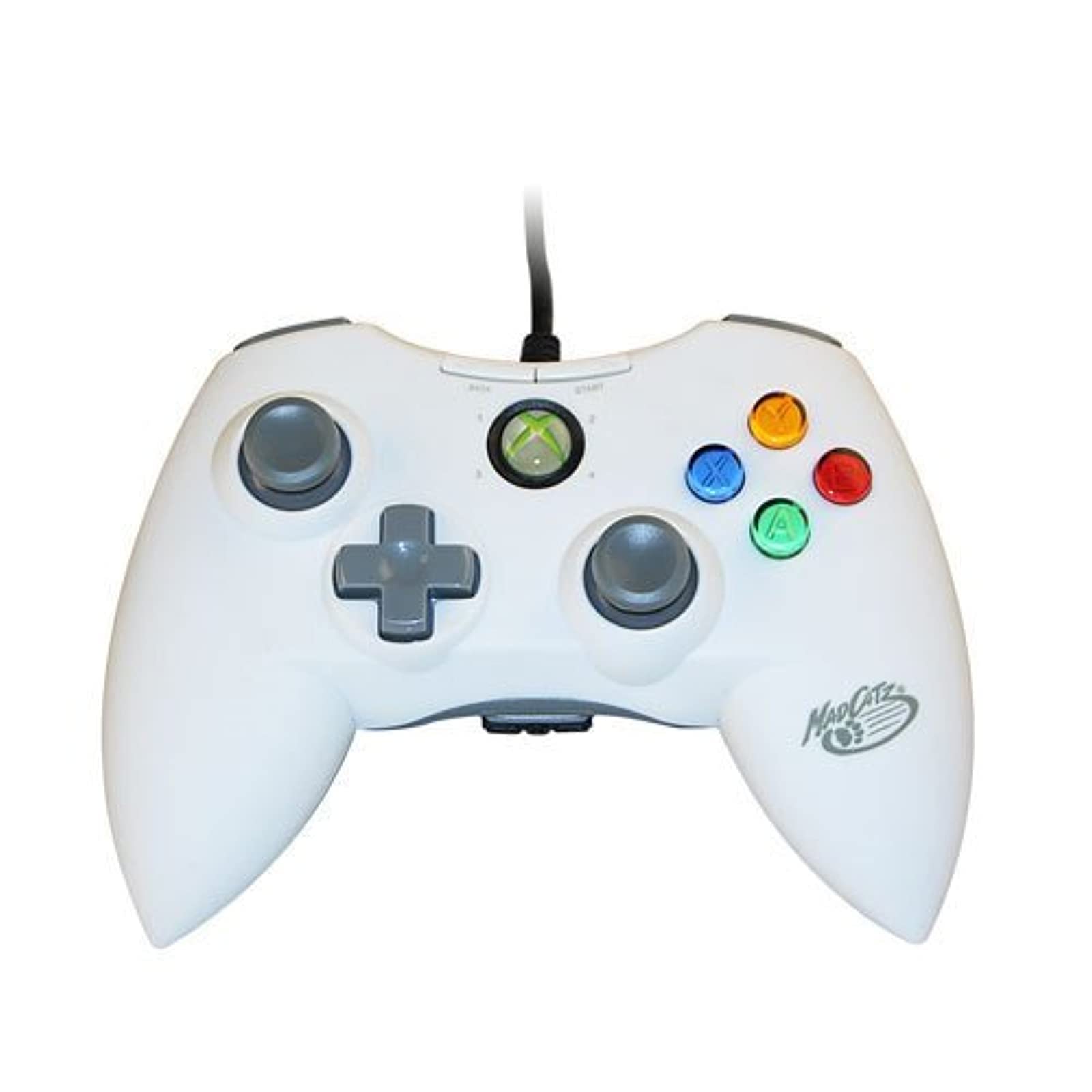
Imaxe 1.1: Fronte view of the Mad Catz Officially Licensed Controller for Xbox 360 in White.
2. Instrucións de configuración
2.1 Connecting to Xbox 360
- Locate an available USB port on your Xbox 360 console.
- Plug the USB connector of the Mad Catz controller firmly into the USB port.
- The controller will automatically be recognized by the console. The guide button LED will illuminate to indicate a successful connection and assigned player number.
2.2 Conexión ao PC
- Locate an available USB port on your personal computer.
- Plug the USB connector of the Mad Catz controller firmly into the USB port.
- For most Windows operating systems, the necessary drivers will install automatically. Follow any on-screen prompts.
- Once drivers are installed, the controller should be ready for use with compatible PC games. You may need to configure controller settings within individual game menus.
3. Funcionamento do controlador
The Mad Catz controller features a standard layout for Xbox 360, ensuring familiarity and ease of use.
- Manetas analóxicas esquerda e dereita: Used for character movement, camera control, or menu navigation.
- D-Pad (panel direccional): Ofrece unha entrada direccional precisa, que se usa a miúdo para a navegación polos menús ou para accións específicas no xogo.
- Botóns A, B, X, Y: Primary action buttons, typically color-coded and labeled.
- Botóns de inicio e retroceso: Used for pausing games, accessing in-game menus, or confirming selections.
- Parachoques esquerdo e dereito (LB, RB): Located on the top edge of the controller, used for various in-game functions.
- Gatillo esquerdo e dereito (LT, RT): Analog triggers located on the underside of the controller's top edge, providing pressure-sensitive input for actions like acceleration or firing weapons.
- Botón de guía: The central button with the Xbox logo, used to access the Xbox Guide or dashboard.
Feedback de vibración: The controller incorporates vibration motors that provide tactile feedback during gameplay, enhancing immersion by simulating in-game events like impacts or explosions.
4. Mantemento
Proper care will extend the life of your Mad Catz controller.
- Limpeza: Use a soft, dry cloth to wipe down the controller. Avoid using liquid cleaners, solvents, or abrasive materials, as these can damage the finish or internal components.
- Almacenamento: Garda o controlador nun lugar fresco e seco, lonxe da luz solar directa e de temperaturas extremas. Evita colocar obxectos pesados enriba do controlador.
- Coidado do cable: Do not sharply bend or pull the USB cable. Always grasp the plug when disconnecting the controller.
5 Solución de problemas
Se tes problemas co teu controlador, consulta as seguintes solucións habituais:
- O controlador non responde:
- Asegúrate de que o cable USB estea conectado correctamente tanto ao controlador como á consola/PC.
- Tenta conectar o controlador a un porto USB diferente.
- Restart your Xbox 360 console or PC.
- Vibration Feedback Not Working:
- Check the in-game settings of the game you are playing to ensure vibration feedback is enabled.
- Verify that the controller is properly connected and recognized by the system.
- Buttons or Analog Sticks Malfunctioning:
- Inspect for any visible debris or obstructions around the buttons or analog sticks.
- If issues persist, the controller may require service.
- PC Compatibility Issues:
- Asegúrate de que o sistema operativo do teu PC estea actualizado.
- For some PC games, manual configuration of controller settings within the game's options menu may be necessary.
6. Especificacións
| Marca | Catz tolo |
| Número de modelo | MCP471600M01/04/1 |
| Plataforma de hardware | Xbox 360 |
| Compatible Console Models | Microsoft Xbox 360, Microsoft Xbox 360 E |
| Cor | Branco |
| Peso do elemento | 233 gramos |
| Dimensións do artigo (L x W x H) | 8 x 5.5 x 3.5 polgadas |
| UPC | 071030164833, 080050412176, 072090440974, 151903469828, 728658009656 |
7. Garantía e soporte
Specific warranty details and direct support contact information are not provided in this manual. Please refer to the product packaging or the official Mad Catz websitio web para obter a información máis actualizada sobre a garantía e as opcións de atención ao cliente.