
Introdución
This manual provides detailed instructions for the operation and maintenance of your Garmin GPSMAP 78sc 2.6-Inch Waterproof Marine GPS and Chartplotter. The GPSMAP 78sc series is designed for recreational navigation, featuring a bright 2.6-inch LCD color display, built-in basemap, and a high-sensitivity GPS receiver. All models are waterproof to IPX7 standards and float in water, making them suitable for boating and watersports. Key features include a built-in microSD card slot for additional maps and a dedicated Man Over Board (MOB) button.
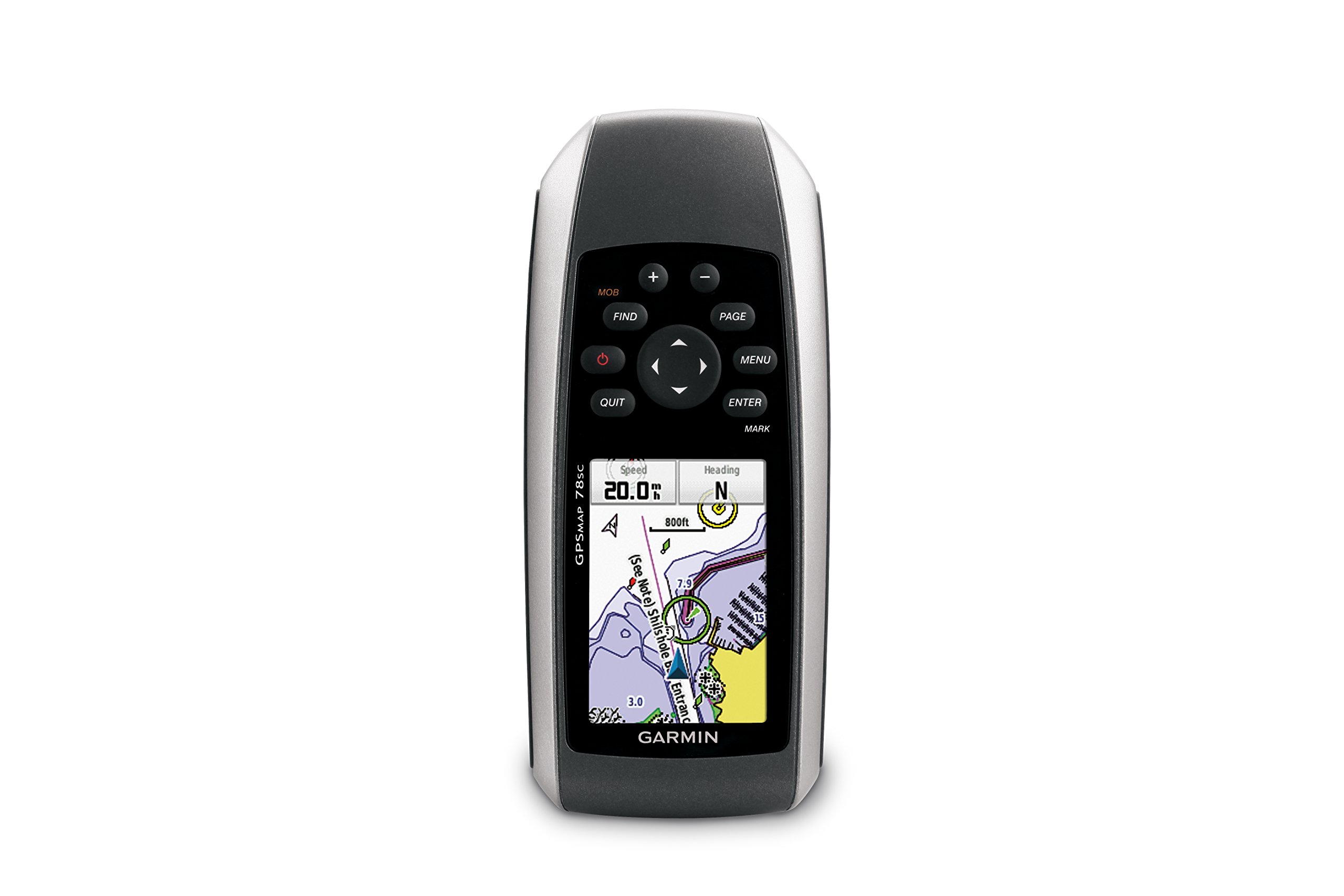
Figura 1: Fronte view of the Garmin GPSMAP 78sc handheld marine GPS and chartplotter.
Produto rematadoview
Características principais:
- Marine-friendly handheld with high-sensitivity GPS receiver and 2.6-inch color TFT display.
- Waterproof to IPX7 standards; floats in water.
- Built-in BlueChart g2 U.S./Bahamas coastal charts with shorelines, depth contours, navaids, harbors, marinas, and more.
- Built-in 3-axis tilt-compensated electronic compass and barometric altimeter for heading, altitude, and weather information.
- Wireless sharing of waypoints, tracks, routes, and geocaches with other compatible devices.
Que hai na caixa:
- GPSMAP 78sc device
- Correa de pulso
- cable USB
- Manual

Figura 2: En ángulo view of the Garmin GPSMAP 78sc, highlighting its button interface.
Vídeos do produto:
Garmin GPSmap 78 handheld GPS Overview
Este vídeo ofrece unha visión xeralview of the Garmin GPSMAP 78 handheld GPS, demonstrating its features and design.
Produto rematadoview Vídeo
A concise product overview video from the seller, highlighting key aspects of the device.
Configuración
1. Instalación de baterías:
The GPSMAP 78sc operates on two AA batteries (not included). To install:
- Localiza a tapa do compartimento da batería na parte traseira do dispositivo.
- Xire a anella en D en sentido antihorario para desbloquear e retirar a tapa.
- Introduza dúas pilas AA, asegurándose de manter a polaridade correcta (+ e -).
- Volva colocar a tapa e xire a anel en D no sentido das agullas do reloxo para asegurala.

Figura 3: Atrás view of the Garmin GPSMAP 78sc, illustrating the battery compartment.
2. Acendido/apagado:
Manteña premido o Poder button (located on the left side) to turn the device on or off. A short press will adjust the backlight.
3. Configuración inicial:
Upon first use, the device may prompt you to set language, time zone, and other preferences. Follow the on-screen instructions using the directional pad and ENTRAR botón.
En funcionamento
Navigation Basics:
- Menú principal: Preme o MENÚ button twice to access the main menu.
- Botón de páxina: Preme PÁX to cycle through the main pages (Map, Compass, Trip Computer, etc.).
- Pad direccional: Use the directional pad to scroll through menus, pan the map, or adjust settings.
- Botón ENTER: Preme ENTRAR para seleccionar un elemento ou confirmar unha acción.
- QUIT Button: Preme SAÍR to return to the previous page or cancel an action.
Creación de puntos de referencia:
To mark your current location as a waypoint:
- Preme o MARCA botón.
- Edit the waypoint name, symbol, and coordinates if desired.
- Seleccione Feito or Gardar to store the waypoint.
Man Over Board (MOB) Function:
En caso de emerxencia, prema o botón MOB button to immediately mark the current location and initiate navigation back to that point. This feature is critical for safety in marine environments.
Mantemento
Limpeza do dispositivo:
Limpe o dispositivo cun pano dampened with a mild detergent solution. Dry thoroughly. Avoid using abrasive cleaners or solvents that could damage the device's finish or screen.
Coidado da batería:
Always use fresh, high-quality AA batteries. If the device will not be used for an extended period, remove the batteries to prevent leakage and corrosion.
Actualizacións de software:
Periodically check the Garmin website for software updates to ensure optimal performance and access to the latest features. Updates can typically be installed by connecting the device to a computer via the USB cable.
Resolución de problemas
O dispositivo non se acende:
- Asegúrese de que as baterías estean instaladas correctamente e completamente cargadas.
- Proba con pilas novas.
- Comprobe os contactos da batería por corrosión.
Sinal GPS deficiente:
- Asegúrate de que o dispositivo teña unha imaxe clara view do ceo.
- Avoid areas with tall buildings, dense foliage, or other obstructions.
- Allow sufficient time for the device to acquire satellites, especially after being off for a long period.
Pantalla sen resposta:
- Perform a soft reset by removing and reinserting the batteries.
- Asegúrate de que a pantalla estea limpa e libre de residuos.
Especificacións
| Característica | Detalle |
|---|---|
| Marca | Garmin |
| Nome do modelo | mapa gps |
| Número de modelo | 010-00864-02 |
| Tamaño da pantalla | 2.6 polgadas |
| Tipo de visualización | LCD |
| Resolución | 160 x 240 píxeles |
| Clasificación impermeable | IPX7 (floats) |
| Duración da batería | 20 horas (típico) |
| Tipo de batería | 2 pilas AA (non incluídas) |
| Capacidade de almacenamento da memoria | 1 GB |
| Compatible Flash Memory Type | microSD |
| Sistema de navegación por satélite compatible | GPS |
| Características especiais | Rugged case, Barometric altimeter, Garmin Connect compatible, Electromagnetic compass, Garmin HotFix, Custom POIs, Automatic routing, Hunt/fish calendar, Geocaching, Photo navigation |
| Dimensións do artigo L x W x H | 2.6 cm de longo x 6 cm de ancho x 1.2 cm de alto |
| Peso do elemento | 7.7 onzas |
Garantía e Soporte
The Garmin GPSMAP 78sc comes with a 1 Year Limited Warranty. For detailed warranty information, product support, or service inquiries, please refer to the official Garmin website or contact Garmin customer service directly. The included manual also contains contact information and further support resources.