
Introdución
This manual provides essential information for the safe and efficient use of your Doro PhoneEasy 105wr cordless phone. Please read these instructions carefully before using the phone and retain them for future reference.
Contido do paquete
Antes de comezar, asegúrate de que todos os elementos estean presentes no paquete:
- Doro PhoneEasy 105wr Handset
- Unidade base
- Adaptador de corrente para a unidade base
- Cable de Liña Telefónica
- Pilas recargables (NiMH)
- Manual de usuario (este documento)
Configuración
1. Conexión da unidade base
- Conecte o adaptador de alimentación: Plug the small end of the power adapter into the DC IN socket on the back of the base unit. Plug the other end into a wall power outlet.
- Connect the Telephone Line Cord: Plug one end of the telephone line cord into the LINE socket on the back of the base unit. Plug the other end into your telephone wall socket.
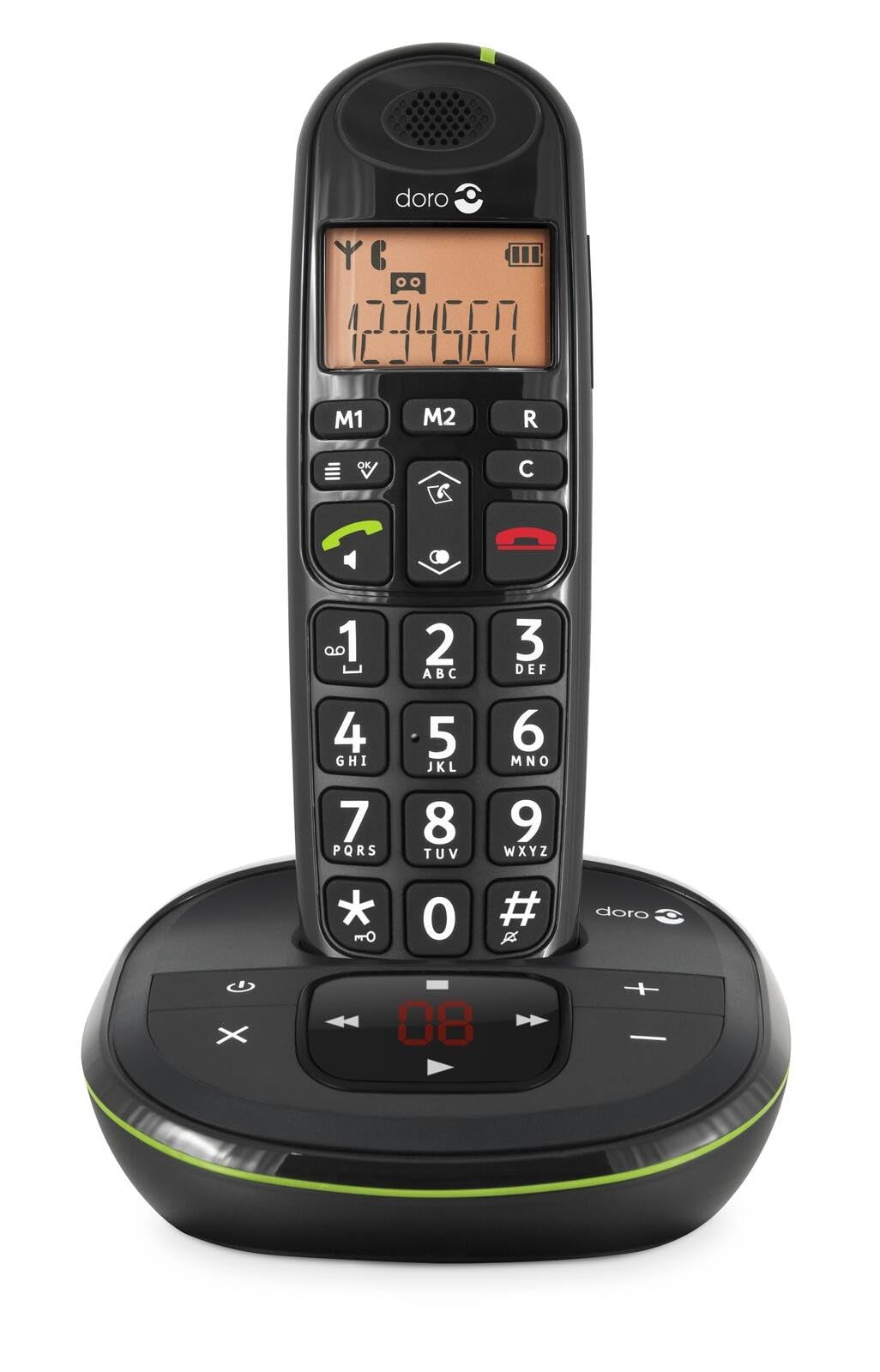 Image: The Doro PhoneEasy 105wr handset docked in its base unit, showing the keypad and display.
2. Installing Batteries in the Handset
- Abre o compartimento da batería: Slide the battery compartment cover on the back of the handset downwards and remove it.
- Inserir pilas: Insert the supplied rechargeable NiMH batteries, observing the correct polarity (+ and -) as indicated inside the compartment.
- Pecha o compartimento: Volva colocar a tapa do compartimento da batería deslizándoa cara arriba ata que encaixe no seu lugar.
3. Cargando o auricular
Place the handset on the base unit. The battery icon on the handset display will animate to indicate charging. For optimal battery performance, charge the handset for at least 10-12 hours before its first use, even if the display indicates a full charge sooner.
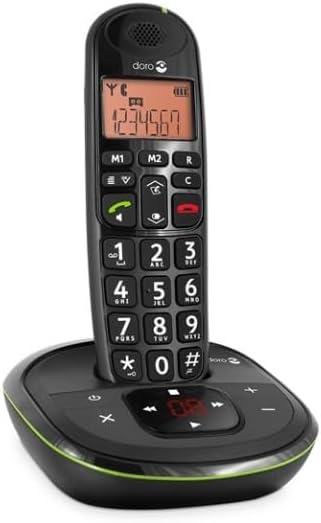
 Image: A slightly angled view of the Doro PhoneEasy 105wr handset in its charging cradle, highlighting its ergonomic design.
Instrucións de funcionamento
Facendo unha chamada
- Marcación: Colla o teléfono ou prema o botón Green Call button. Enter the phone number using the keypad.
- Finalizando unha chamada: Preme o Red End Call button ou volva colocar o auricular na unidade base.
Recibindo unha chamada
Cando soe o teléfono, prema a tecla Green Call button to answer. To end the call, press the Red End Call button or return the handset to the base unit.
Axuste do volume
Durante unha chamada, use o Up e Abaixo botóns de navegación do auricular para axustar o volume do auricular.
Axenda telefónica
Your Doro PhoneEasy 105wr can store up to 20 entries in its phonebook.
- Engadindo unha entrada:
- Preme o Menú botón.
- Vaia a "Axenda telefónica" e seleccione "Engadir nova".
- Enter the name and number, then save.
- Chamando desde a axenda telefónica:
- Preme o Axenda telefónica button (often a book icon).
- Scroll through the entries using the navigation buttons.
- Preme o Green Call button para marcar a entrada seleccionada.
Answering Machine (if applicable)
The Doro PhoneEasy 105wr features a digital answering machine with a recording capacity of 20 minutes.
- Reproducindo mensaxes: Preme o Xogar/Parar botón na unidade base.
- Eliminando mensaxes: During message playback, press the Eliminar botón na unidade base.
- Gravando a mensaxe de saída: Refer to the handset menu for options to record or select a pre-recorded outgoing message.
 Imaxe: Unha fronte directa view of the Doro PhoneEasy 105wr cordless phone, showing the large buttons and clear display on the handset, and the answering machine controls on the base.
Mantemento
- Limpeza: Limpe o teléfono e a unidade base cun pano suave eamp pano. Non use produtos de limpeza ou disolventes abrasivos.
- Coidado da batería: Use only the specified rechargeable batteries. If the phone will not be used for an extended period, remove the batteries to prevent leakage.
- Condicións ambientais: Evite expoñer o teléfono a temperaturas extremas, á luz solar directa ou á humidade.
Resolución de problemas
| Problema | Causa posible | Solución |
|---|---|---|
| Sen ton de marcación | Cable da liña telefónica non conectado ou avariado. | Check the telephone line cord connection to the base unit and wall socket. Test with another phone if possible. |
| O teléfono non carga | Handset not correctly placed on the base unit; dirty charging contacts; faulty batteries. | Ensure the handset is seated correctly. Clean charging contacts on both handset and base with a dry cloth. Replace batteries if old. |
| Mala calidade de son | Handset too far from base unit; interference; low battery. | Move closer to the base unit. Avoid placing the base near other electronic devices. Charge the handset battery. |
| Non se poden facer/recibir chamadas | No power to base unit; handset not registered. | Check power adapter connection. Refer to the full manual for handset registration instructions if needed. |
Especificacións
| Característica | Detalle |
|---|---|
| Marca | Doro |
| Número de modelo | 380102 |
| Cor | Negro |
| Tipo de teléfono | Sen fíos |
| Material | Metal (compoñentes internos) |
| Fonte de enerxía | Alimentado por batería (incluída unha batería de 1 A) |
| Tipo de marcador | Teclado único |
| Dimensións do artigo (L x W x H) | 19.4 x 15.4 x 10.3 centímetros |
| Peso do elemento | 706 gramos |
| Tipo de contestador automático | Dixital |
| Tempo de conversa | 600 Minutes (10 hours) |
| Tempo de espera | 100 horas |
| Capacidade de gravación | 20 minutos |
| Identificador de chamada | Si |
| Independent Test Certification | Energy Star |
Garantía e Soporte
Information regarding specific warranty terms and customer support contact details is not available in this document. Please refer to the warranty card included with your product or visit the official Doro websitio para obter a información máis actualizada.
For further assistance, you may contact Doro customer service through their official channels.