
1. Introdución
Thank you for choosing the Rocketfish RF-HDWEB 720p HD USB Webcam. This manual provides essential information for the proper installation, operation, and maintenance of your webcam. Designed for clear video communication and high-resolution photo capture, this webcam features a true 2 MP sensor with a wide-angle glass lens, delivering 720p HD video at up to 30 frames per second. It also supports photo capture up to 8 MP through interpolation. The integrated autofocus technology ensures sharp images, and the built-in microphone with noise cancellation provides clear audio. This device is compatible with both PC (32-bit) and Mac systems.

Figure 1: Rocketfish RF-HDWEB 720p HD USB Webleva.
2. Que hai na caixa
Comprobe o contido do paquete para asegurarse de que estean presentes todos os elementos:
- Cable USB
- Camera Body (Rocketfish RF-HDWEB Webleva)
- Installation CD (for optional drivers and software)

Figure 2: Retail packaging of the Rocketfish RF-HDWEB Webcam, showing the product and its features.
3. Configuración
- Conecta o Webleva: Conecte o cable USB da webconectouse a un porto USB 2.0 dispoñible do teu ordenador.
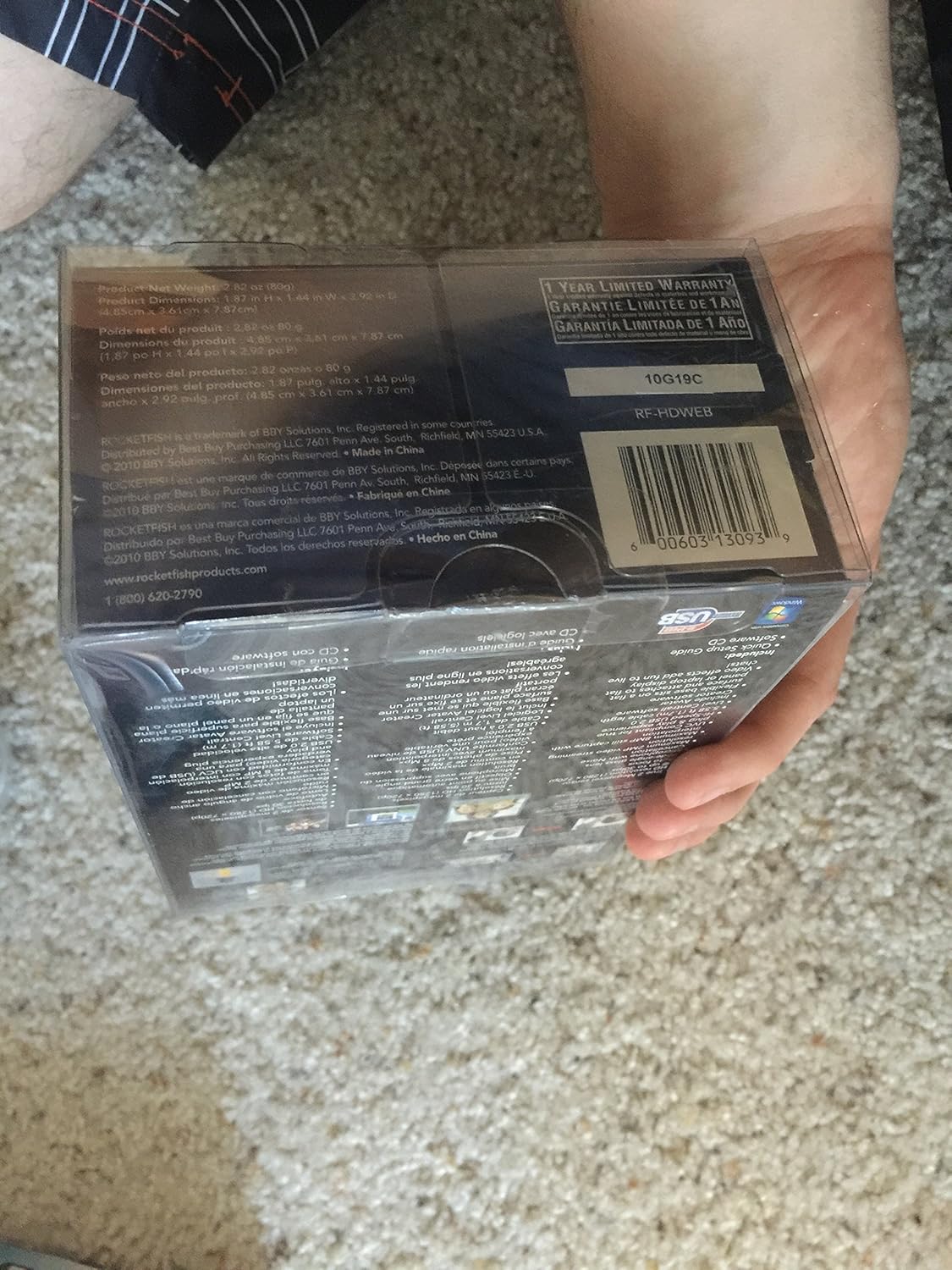
Figure 3: The Rocketfish RF-HDWEB Webcam, ready for connection.
- Instalación do controlador (Windows): For Windows 7 and newer operating systems, the computer should automatically detect the webcam and install default drivers within a few minutes. This allows basic functionality with most applications.
- Driver Installation (Mac): O webcam is compatible with Mac systems and typically works without additional driver installation for basic functions.
- Instalación de software opcional: An installation CD is included with the webcam. This CD contains additional drivers and software (e.g., Live! Central by Creative) that may offer more options, effects, and advanced settings.
- To install the optional software, first ensure any default Windows drivers for the webcam are uninstalled (via Device Manager > Imaging Devices > Rocketfish HD Webleva).
- Insert the installation CD and follow the on-screen prompts.
- Nota: Some users have reported issues with the included software on Windows 7, leading to "error 15". If you encounter this, uninstall the software and rely on the default Windows drivers for basic functionality.
- Posicionando o Webleva: O webcam features a sturdy base designed to fit securely on top of most monitor frames or to be placed flat on a desktop. Adjust the angle as needed for optimal viewing.
4. Instrucións de funcionamento
Unha vez que webcam is connected and drivers are installed, you can begin using it with various applications.
- Video Communication: The Rocketfish RF-HDWEB webcam works seamlessly with most instant messenger services, including AIM, Yahoo! Messenger, MSN Messenger, and Skype.
- Open your preferred video communication application.
- Navigate to the video/audio settings and select "Rocketfish HD Webcam" como dispositivo de entrada de vídeo.
- Select the integrated microphone as your audio input device if desired.
- O webcam provides HD resolution 720p (1280x720p) video streaming at up to 30 frames per second.
- Captura de fotos: O webcam can capture still images up to 8 MP through interpolation.
- Use compatible software (e.g., the included Live! Central software, or third-party applications) to access photo capture features.
- Enfoque automático: O webcam features autofocus technology to maintain clear and detailed images.
- In some applications or with the optional software, you may have the ability to disable autofocus and set manual focus if preferred.
- Micrófono: The built-in microphone includes noise cancellation for clearer audio during calls.
- Asegurar o webcam's microphone is selected as the input device in your application's audio settings.
5. Mantemento
To ensure the longevity and optimal performance of your Rocketfish RF-HDWEB webcámara, siga estas pautas de mantemento:
- Limpeza: Gently wipe the lens with a soft, lint-free cloth. For the camera body, use a dry or slightly damp pano. Evite produtos químicos agresivos ou materiais abrasivos.
- Almacenamento: Cando non estea en uso, almacene o webgardar nun lugar limpo e seco, lonxe de temperaturas extremas e da luz solar directa.
- Coidado do cable: Avoid bending or kinking the USB cable excessively to prevent internal damage.
6 Solución de problemas
| Problema | Causa posible | Solución |
|---|---|---|
| Webcam not detected or not working. |
|
|
| A imaxe está borrosa ou desenfocada. |
|
|
| "Error 15" when installing or using included software. |
|
|
| Poor video quality or low frame rate. |
|
|
7. Especificacións
| Característica | Detalle |
|---|---|
| Número de modelo | RF-HDWEB |
| Tipo de sensor | True 2 MP Sensor (MOS Photo Sensor Technology) |
| Resolución de vídeo | 720p HD (1280x720) up to 30fps (maximum 2MP video streaming resolution) |
| Resolución fotográfica | Up to 8 MP (with interpolation) |
| Tipo de lente | Wide-angle glass lens |
| Foco | Tecnoloxía de autofoco |
| Micrófono | Built-in with Noise Cancellation |
| Conectividade | USB 2.0 de alta velocidade |
| Compatibilidade | PC (32-bit) and Mac compatible |
| Dimensións do produto | 7.3 x 5.2 x 3.1 polgadas |
| Peso do elemento | 8.8 onzas |
| Data de primeira dispoñibilidade | 22 de decembro de 2010 |
| UPC | 0600603130939 |
8. Garantía e soporte
The Rocketfish RF-HDWEB Webcámara vén cunha Garantía limitada de 1 anos. For specific terms and conditions, please refer to the warranty information provided with your product packaging or visit the official Rocketfish websitio.
For technical support or customer service, you may contact Rocketfish directly:
- Teléfono: 1 (800) 620-2790
- Websitio: rocketfishproducts.com

Figure 4: Product packaging displaying warranty details and UPC (0600603130939).