
Introdución
The Vanco 281442 HDMI 4x2 Matrix Selector Switch is designed to connect up to four HDMI audio/video source devices to two independent HDMI displays. This device ensures high-quality, uncompressed digital video and surround sound audio transmission without signal loss. It supports 3D content when connected to compatible devices and high-definition resolutions up to 1080p. The switch is compliant with the DDWG standard for HDMI monitors and H.D.C.P. (High-Bandwidth Digital Content Protection).
As características principais inclúen:
- Vídeo ampAncho de banda lifier: 2.25 Gbps
- Input connector type: (4) HDMI (19 pin - type A) female
- Output connector type: (2) HDMI (19 pin - type A) female
- IR remote control port
- Alimentación: 5 V DC
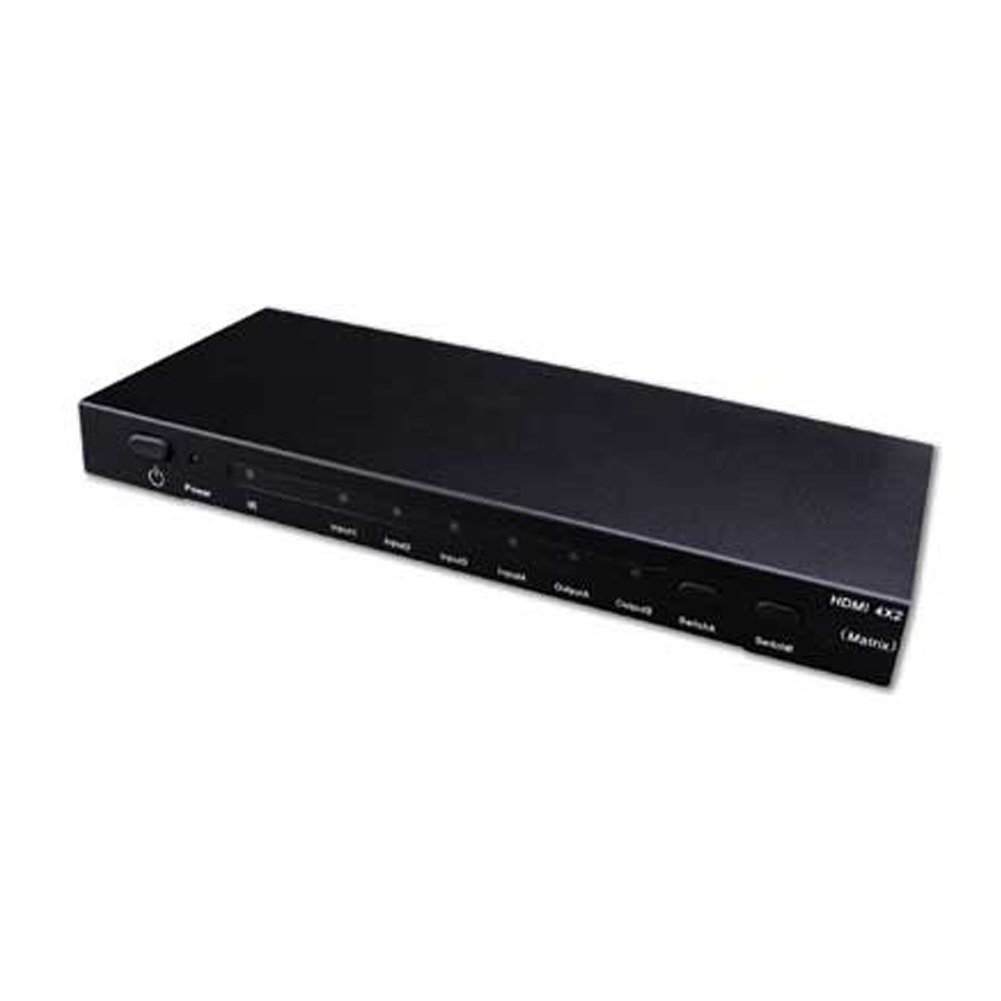
Image showing the Vanco 281442 HDMI 4x2 Matrix Selector Switch, a device designed to connect multiple HDMI sources to multiple HDMI displays.
Instrucións de configuración
- Apagar dispositivos: Ensure all HDMI source devices (e.g., Blu-ray player, game console, cable box) and HDMI display devices (e.g., TV, projector) are powered off before making connections.
- Conectar fontes HDMI: Connect up to four HDMI source devices to the HDMI input ports (labeled INPUT 1-4) on the Vanco 281442 switch using high-quality HDMI cables.
- Conectar pantallas HDMI: Connect your two HDMI display devices to the HDMI output ports (labeled OUTPUT A and OUTPUT B) on the Vanco 281442 switch using high-quality HDMI cables.
- Conectar o adaptador de alimentación: Plug the included 5V DC power adapter into the DC 5V port on the switch, then plug the adapter into a standard electrical outlet.
- Dispositivos de encendido: Power on your HDMI display devices first, then power on your HDMI source devices.
- Verificar a conexión: The switch should automatically detect the connected devices. You can now proceed to the operation section to select your desired input and output combinations.
Instrucións de funcionamento
The Vanco 281442 HDMI 4x2 Matrix Selector Switch can be operated using the front panel push-buttons or the included IR remote control.
Control do panel frontal:
- Selección de entrada: Use the 'INPUT' buttons (1, 2, 3, 4) to select which of the four HDMI sources is routed to the active output.
- Selección de saída: Use the 'OUTPUT A' and 'OUTPUT B' buttons to independently select which input is displayed on each respective output. For example, you can select Input 1 for Output A and Input 2 for Output B simultaneously.
Operación de control remoto:
The included IR remote control provides the same functionality as the front panel buttons, allowing for convenient operation from a distance. Point the remote control towards the IR receiver window on the front panel of the switch.
- Botóns de entrada (1-4): Selects the corresponding HDMI input source.
- Output A/B Buttons: Assigns the currently selected input to Output A or Output B.
Especificacións
| Número de modelo | 281442 |
| Dimensións do produto | 13 x 12 x 4 polgadas |
| Peso do elemento | 2.5 libras |
| Fabricante | Vanco |
| Tipo de conector | HDMI |
| Dispositivos compatibles | Monitor, Projector |
| Tipo de cable | HDMI |
| Vídeo AmpAncho de banda máis vivo | 2.25 Gbps |
| Conectores de entrada | (4) HDMI (19 pin - type A) female |
| Conectores de saída | (2) HDMI (19 pin - type A) female |
| Fonte de alimentación | 5V DC |
Mantemento
To ensure the longevity and optimal performance of your Vanco 281442 HDMI 4x2 Matrix Selector Switch, follow these maintenance guidelines:
- Limpeza: Use a soft, dry cloth to clean the exterior of the unit. Avoid using abrasive cleaners, solvents, or strong detergents, as these can damage the finish or internal components.
- Ventilación: Asegúrate de colocar a unidade nunha zona ben ventilada para evitar o sobrequecemento. Non bloquees ningunha abertura de ventilación.
- Xestión de cables Avoid excessive bending or pulling of HDMI cables, which can damage the connectors or internal wiring.
- Fonte de alimentación: Use only the provided 5V DC power adapter. Using an incorrect power supply can damage the device.
- Almacenamento: Se garda o dispositivo durante un período prolongado, desconécteo da corrente e gárdeo nun lugar fresco e seco, lonxe da luz solar directa e de temperaturas extremas.
Resolución de problemas
If you encounter issues with your Vanco 281442 HDMI 4x2 Matrix Selector Switch, refer to the following common troubleshooting steps:
- Sen sinal na pantalla:
- Ensure all HDMI cables are securely connected to both the source devices, the switch, and the display devices.
- Verify that the correct input source is selected on the matrix switch for the desired output.
- Check that the display device is set to the correct HDMI input.
- Try bypassing the switch by connecting an HDMI source directly to a display to confirm the source and display are working correctly.
- Power cycle all devices (source, switch, display) by unplugging them from power for a few seconds and then plugging them back in.
- Sinal intermitente ou parpadeante:
- Replace HDMI cables with higher quality or shorter cables, especially for longer runs or high-resolution signals.
- Ensure the power adapter is firmly connected and providing stable power to the switch.
- Comprobe se hai posibles interferencias doutros dispositivos electrónicos.
- Incorrect Resolution or Aspect Ratio:
- Ensure your source device's output resolution is compatible with your display device.
- Some display devices may require manual adjustment of aspect ratio or scaling settings.
- If using HDMI extenders, ensure they are compatible and functioning correctly, as they can sometimes interfere with EDID communication.
- O control remoto non funciona:
- Comprobe as pilas do control remoto e substitúaas se é necesario.
- Asegúrate de que non haxa obstrucións entre o mando a distancia e o receptor de infravermellos do interruptor.
- Make sure you are within the effective range and angle of the IR receiver.
Garantía e Soporte
Specific warranty information for the Vanco 281442 HDMI 4x2 Matrix Selector Switch is not provided within this manual. For detailed warranty terms, technical support, or service inquiries, please refer to the documentation included with your purchase or visit the official Vanco websitio.