
Introdución
This manual provides detailed instructions for the proper use and care of your Calypso K5571/1 digital watch. Please read this manual thoroughly to ensure optimal performance and longevity of your timepiece. Keep this manual for future reference.
Configuración
1. Configuración inicial da data e da hora
Your Calypso K5571/1 watch features a digital display. To set the time and date:
- Preme o MODO botón (normalmente na parte inferior esquerda) repetidamente ata que se mostre o modo de axuste da hora (a miúdo indicado por díxitos intermitentes).
- Usa o ADJ or SET button (usually top left or right) to select the digit you wish to change (hours, minutes, year, month, day).
- Usa o INICIAR/PARAR or LUZ button (usually top right or bottom right) to adjust the selected digit up or down.
- Repeat steps 2 and 3 until the correct time and date are set.
- Preme o MODO botón de novo para saír do modo de configuración.
2. Información da batería
The Calypso K5571/1 watch is powered by a battery. When the display becomes dim or functions become erratic, it indicates a low battery. Battery replacement should be performed by a qualified watch technician to ensure water resistance is maintained.
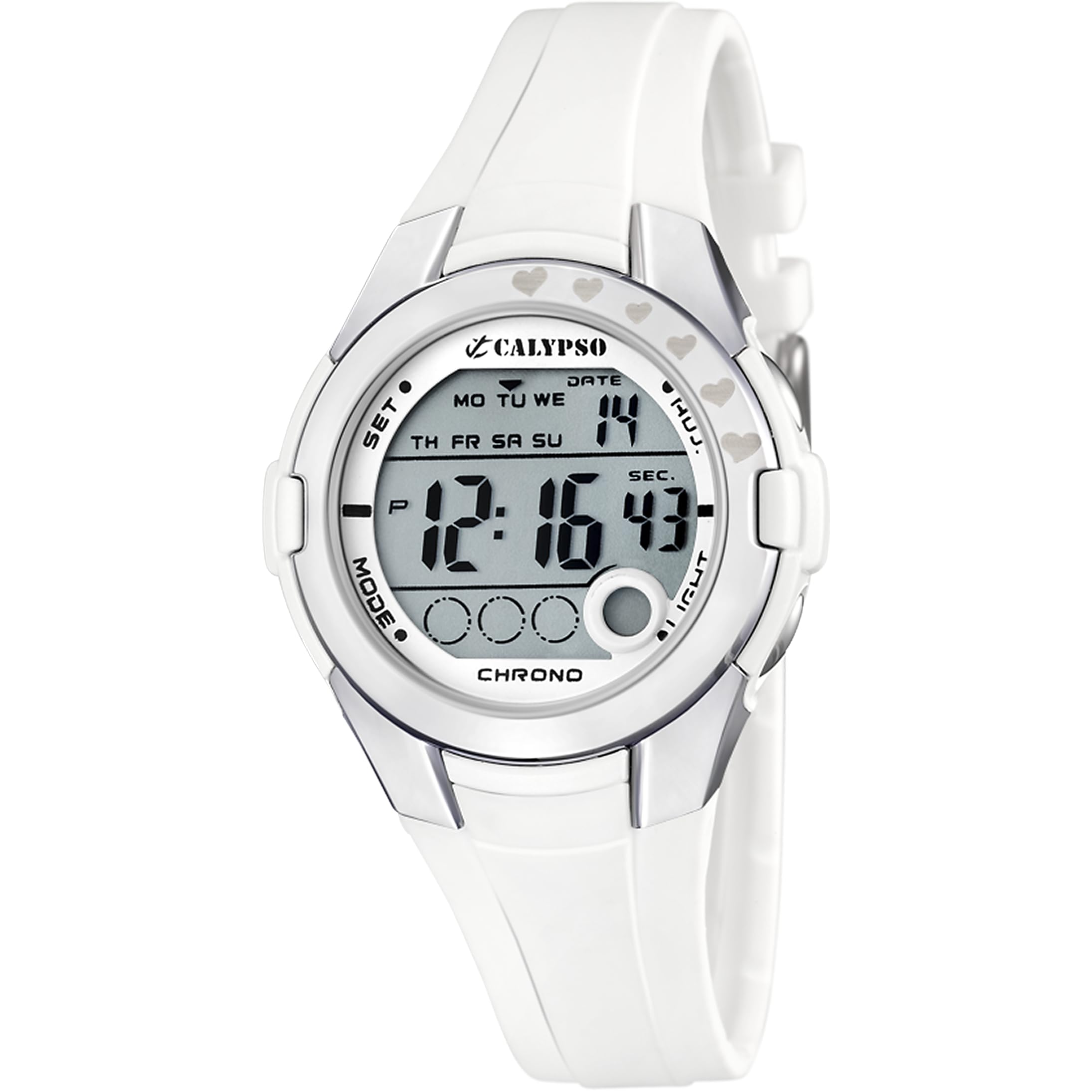
Figure 1: Calypso K5571/1 Digital Watch. This image shows the watch face and strap, illustrating its design.
Funcionamento do reloxo
1. Time Display Modes
Your watch typically displays time in a 12-hour or 24-hour format. Use the MODO button to cycle through different display modes such as time, date, alarm, and stopwatch.
2. Stopwatch Function (Chronomètre)
Para usar o cronómetro:
- Preme o MODO button until the stopwatch display appears (usually showing "00:00:00").
- Preme o INICIAR/PARAR botón para comezar a cronometrar.
- Preme INICIAR/PARAR again to pause or stop the timing.
- Preme o RESET botón (a miúdo o ADJ or LUZ button in stopwatch mode) to clear the stopwatch to zero.
3. Backlight Function (Eclairage)
Para iluminar a pantalla en condicións de pouca luz, prema o botón LUZ button. The backlight will typically stay on for a few seconds.
4. Resistencia á auga
The Calypso K5571/1 watch is water-resistant up to 100 meters (10 ATM). This means it is suitable for swimming, showering, and snorkeling. It is non suitable for scuba diving or high-impact water sports. Do not operate buttons while the watch is submerged in water, as this can compromise the water seal.
Mantemento
1. Limpeza do reloxo
The watch features a polyurethane strap and a mineral glass dial window. To clean your watch:
- Limpa a caixa e a correa do reloxo cun pano suave eamp pano.
- Para a sucidade persistente, use unha solución de xabón suave e enxágüe ben con auga limpa.
- Avoid using harsh chemicals, solvents, or abrasive cleaners, as these can damage the watch's finish and materials.
- Asegúrate de que o reloxo estea completamente seco antes de volver usalo.
2. Substitución da batería
When the battery needs replacement, it is recommended to take your watch to an authorized Calypso service center or a reputable watch repair shop. This ensures that the correct battery type is used and the water resistance seal is properly re-installed.
3. Coidado da resistencia á auga
Para manter a resistencia á auga do teu reloxo:
- Avoid exposing the watch to extreme temperature changes (e.g., hot shower followed by cold water).
- Non premas ningún botón mentres o reloxo estea mollado ou mergullado.
- Have the water resistance seals checked periodically, especially if the watch is frequently exposed to water.
Resolución de problemas
| Problema | Causa posible | Solución |
|---|---|---|
| A pantalla está en branco ou escura. | Batería baixa. | Substitúe a batería. |
| A hora é incorrecta. | A hora non foi axustada correctamente ou foi axustada accidentalmente. | Refer to the "Initial Time and Date Setting" section to reset the time. |
| Os botóns non responden. | O reloxo pode estar no modo bloqueado ou a batería pode estar moi baixa. | Proba a premer MODO button to cycle through modes. If unresponsive, consider battery replacement. |
| Condensación dentro do reloxo. | Resistencia á auga comprometida. | Immediately take the watch to a service center to prevent further damage. |
Especificacións
| Característica | Detalle |
|---|---|
| Número de modelo | K5571 |
| Tipo de visualización | Dixital |
| Tipo de movemento | Cuarzo |
| Profundidade de resistencia á auga | 100 metros (10 caixeiros automáticos) |
| Tipo de material da banda | Poliuretano |
| Tipo de material da caixa | Aceiro inoxidable |
| Tipo de material da fiestra de marcación | Vidro mineral |
| Diámetro da caixa | 38 milímetros |
| Ancho de banda | 22.1 milímetros |
| Espesor da caixa | 13 milímetros |
| Peso do elemento | 32 gramos |
| Características especiais | Backlight, Stopwatch |
| Fonte de enerxía | Alimentado por batería |
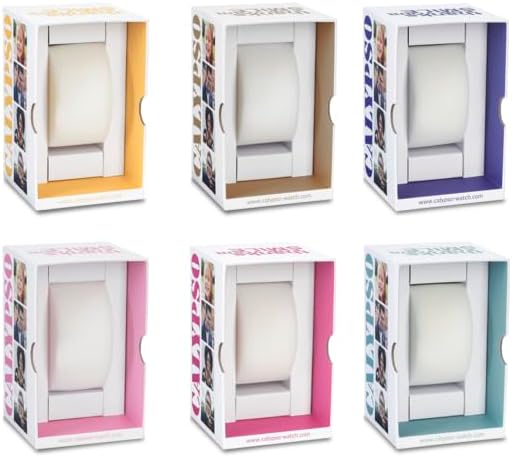
Figura 2: Example Calypso watch packaging. The watch comes in a protective box, which may vary in color.
Información da garantía
Your Calypso K5571/1 watch is covered by a manufacturer's warranty against defects in materials and workmanship. The specific terms and duration of the warranty may vary by region. Please refer to the warranty card included with your purchase or visit the official Calypso websitio para información detallada.
The warranty typically does not cover:
- Damage resulting from improper use, accidents, or unauthorized repairs.
- Normal wear and tear of the strap, case, or crystal.
- Duración da batería.
Atención ao cliente
If you encounter any issues or have questions regarding your Calypso K5571/1 watch that are not addressed in this manual, please contact Calypso customer support or visit their official website for assistance. You may find contact information on the product packaging or the warranty card.
Para máis información, podes visitar o Calypso Watches official websitio.