
Soleus SR010-052
Soleus Ultra Sole Digital Watch User Manual
Modelo: SR010-052
Marca: Soleus
Introdución
This manual provides detailed instructions for the setup, operation, maintenance, and troubleshooting of your Soleus Ultra Sole Digital Watch, model SR010-052. Please read this manual thoroughly to ensure proper use and to maximize the lifespan of your watch.
Produto rematadoview
The Soleus Ultra Sole Digital Watch is designed for active individuals, featuring a robust digital display and a durable polyurethane strap. It includes advanced functions such as a chronograph, lap memory, interval timers, and hydration alarms, making it an ideal companion for training and daily activities.
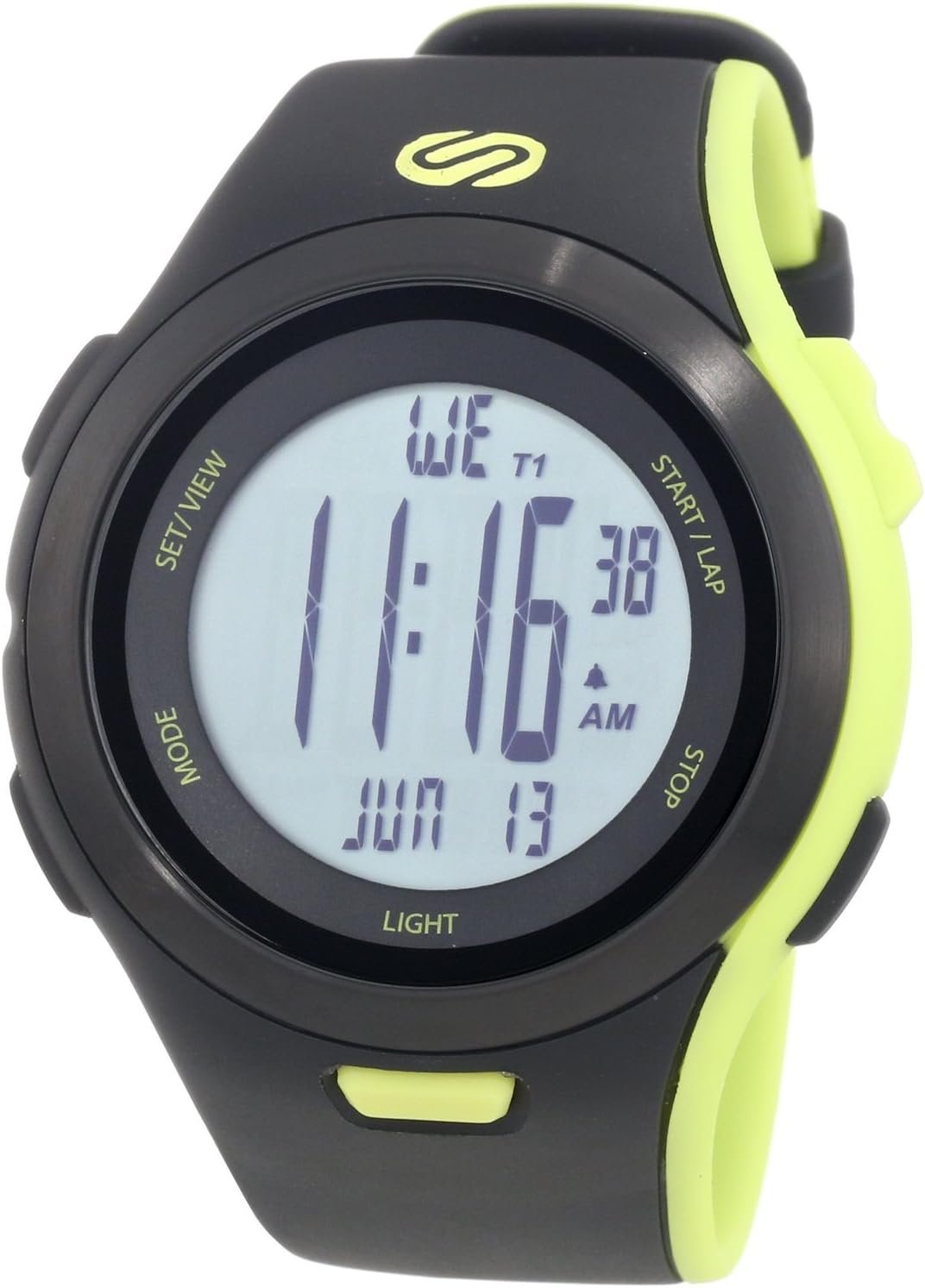
Figura 1: Fronte view of the Soleus Ultra Sole Digital Watch.

Figura 2: Atrás view and dimensions of the Soleus Ultra Sole Digital Watch.

Figure 3: Soleus Ultra Sole Digital Watch as worn on a wrist.
Configuración
Encendido inicial
Your Soleus Ultra Sole Digital Watch comes with a product-specific battery included and pre-installed. The watch should power on automatically. If the display is blank, ensure the battery is properly seated (though typically not user-serviceable for initial setup).
Axuste da hora e da data
Para establecer a hora e a data:
- Preme o MODO button repeatedly until you reach the Time Setting mode. The digits for hours or minutes will typically flash.
- Usa o SET/VIEW or INICIO/VOLTA buttons to adjust the flashing value (e.g., hours, minutes, year, month, day).
- Preme MODO again to move to the next setting field.
- Unha vez que todos os axustes sexan correctos, prema SET/VIEW or MODO (depending on the specific model's button logic) to exit the setting mode and save changes.
Axuste da correa
The polyurethane strap is designed for comfort and durability. Adjust the buckle clasp to ensure a snug, yet comfortable fit on your wrist. The strap accommodates wrist sizes from approximately 150mm to 195mm.
Instrucións de funcionamento
Your Soleus Ultra Sole Digital Watch features several modes and functions accessible via its buttons:
- Botón MODE: Cycles through different operational modes (e.g., Time, Chronograph, Timer, Alarm, Dual Time, Run Data).
- SET/VIEW Botón: Used for setting values in setting modes or viewing data in data modes.
- START/LAP Button: Initiates or pauses functions (e.g., chronograph start), or records laps.
- Botón STOP: Stops functions (e.g., chronograph stop) or resets values.
- Botón LUZ: Activates the EL backlight for 15 seconds.
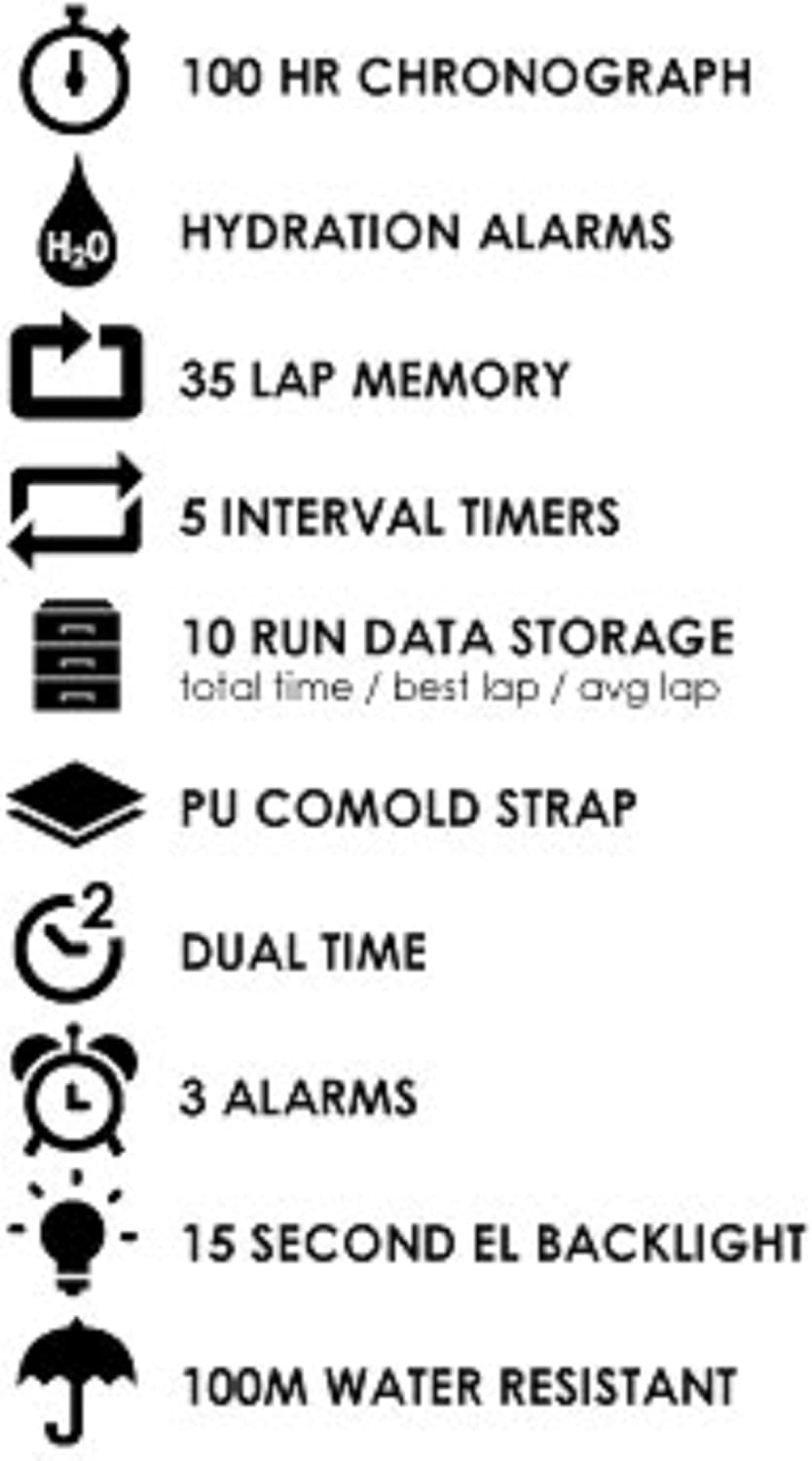
Figure 4: Key features of the Soleus Ultra Sole Digital Watch.
Cronógrafo (cronómetro)
The watch features a 100-hour chronograph:
- Preme MODO to enter Chronograph mode.
- Preme INICIO/VOLTA para comezar a cronometrar.
- Preme INICIO/VOLTA again to record a lap time (up to 35 laps). The main timer continues running.
- Preme PARA para deter o cronógrafo.
- Preme PARA de novo para poñer o cronógrafo a cero.
Temporizadores de intervalos
The watch includes 5 interval timers for structured workouts:
- Preme MODO to navigate to the Interval Timer mode.
- Use SET/VIEW to select and set the duration for each of the 5 timers.
- Preme INICIO/VOLTA to begin the interval sequence. The watch will alert you at the end of each interval.
Alarmas
Set up to 3 independent alarms:
- Preme MODO to enter Alarm mode.
- Use SET/VIEW to select Alarm 1, 2, or 3.
- Use INICIO/VOLTA e PARA para configurar a hora da alarma desexada.
- Active ou desactive a alarma usando o botón axeitado (consulte os indicadores na pantalla).
Hydration Alarm
The hydration alarm reminds you to drink fluids:
- Preme MODO to navigate to the Hydration Alarm setting.
- Set the desired interval for the hydration reminder.
- Activate the alarm. The watch will provide an audible alert at the set intervals.
Run Data Storage
The watch stores data for up to 10 runs, including total time, best lap, and average lap:
- After completing a run using the chronograph, the data is automatically saved.
- Preme MODO to enter Run Data mode.
- Use SET/VIEW to scroll through the stored run data.
Mantemento
Limpar o reloxo
Para manter a aparencia e a funcionalidade do reloxo:
- Limpa a caixa e a correa do reloxo regularmente cun pano suave eamp pano.
- Para a sucidade persistente, use unha solución de xabón suave e enxágüe ben con auga limpa.
- Avoid using harsh chemicals, solvents, or abrasive cleaners, as these can damage the watch's finish and materials.
- Ensure the watch is completely dry before storing or wearing.
Resistencia á auga
The Soleus Ultra Sole Digital Watch is water-resistant to 100 meters (330 feet). This means it is suitable for showering, swimming, and snorkeling. However, it is important to note:
- Do not press any buttons while the watch is submerged in water. Pressing buttons underwater can compromise the water seal and lead to water ingress.
- Avoid exposing the watch to hot water or steam (e.g., hot showers, saunas, hot tubs), as extreme temperature changes can affect the seals.
- Despois da exposición á auga salgada, enxágüe ben o reloxo con auga limpa e séqueo cun pano suave.
Substitución da batería
The watch uses a product-specific battery. When the display becomes dim or functions become erratic, it may be time for a battery replacement. It is recommended to have the battery replaced by a qualified watch technician to ensure the water resistance is maintained.
Resolución de problemas
If you encounter issues with your Soleus Ultra Sole Digital Watch, refer to the following common problems and solutions:
| Problema | Causa posible | Solución |
|---|---|---|
| A pantalla está en branco ou escura. | Batería baixa. | Substitúe a batería. |
| Os botóns non responden. | Watch is in a locked mode or internal error. | Try pressing all buttons simultaneously for a few seconds to attempt a soft reset. If unresponsive, battery replacement may be needed. |
| A hora é incorrecta. | Time not set correctly or battery low. | Re-set the time and date as per the 'Setting Time and Date' section. If issue persists, replace battery. |
| Auga dentro da pantalla. | Resistencia á auga comprometida. | Stop using the watch immediately. Seek professional repair to prevent further damage. Do not attempt to dry it yourself. |
Se o problema persiste despois de intentar estas solucións, póñase en contacto co servizo de atención ao cliente para obter máis axuda.
Especificacións
| Característica | Especificación |
|---|---|
| Número de modelo | SR010-052 |
| Marca | Soleo |
| Material do caso | Resina |
| Material da correa | Poliuretano |
| Ancho da caixa | 48 mm |
| Ancho da correa | 22 mm |
| Rango de tamaño de pulso | Approx. 150mm - 195mm |
| Resistencia á auga | 100 metros (330 pés) |
| Cronógrafo | 100 horas |
| Memoria de volta | 35 voltas |
| Temporizadores de intervalos | 5 |
| Alarmas | 3 |
| Run Data Storage | 10 runs (total time, best lap, avg lap) |
| Retroiluminación | 15-second EL Backlight |
| Batería | 1 produto específico (incluído) |
| Data de primeira dispoñibilidade | 7 de agosto de 2012 |
Garantía e Soporte
Información da garantía
Soleus products are manufactured to high-quality standards. For specific warranty terms and conditions, please refer to the warranty card included with your purchase or visit the official Soleus website. Typically, watches come with a limited warranty covering manufacturing defects.
Atención ao cliente
For technical assistance, troubleshooting not covered in this manual, or warranty claims, please contact Soleus customer support. Contact information can usually be found on the product packaging, the official Soleus websitio web ou a través do seu vendedor.
Please have your model number (SR010-052) and purchase date ready when contacting support.