
Introdución
This manual provides comprehensive instructions for the setup, operation, maintenance, and troubleshooting of your Polk Audio SurroundBar 4000 Instant Home Theater system. Please read this manual thoroughly before using the product to ensure proper functionality and to maximize your audio experience.
Información importante de seguridade
Always follow basic safety precautions when using this product to reduce the risk of fire, electric shock, and injury. Keep these instructions for future reference.
- Non expoña este aparello á choiva nin á humidade.
- Non bloquee ningunha abertura de ventilación.
- Non instale preto de fontes de calor.
- Use só anexos/accesorios especificados polo fabricante.
- Encargue toda a reparación a persoal de servizo cualificado.
Contido do paquete
Verifica que todos os elementos estean presentes no paquete:
- Polk Audio SurroundBar 4000 Soundbar
- Subwoofer sen fíos
- Control remoto
- Cables de alimentación
- Cable óptico
- Wall Mounting Template (if applicable)
- Guía de inicio rápido
Configuración
1 Colocación
The SurroundBar 4000 can be placed on a shelf below your television or mounted on a wall. Ensure the soundbar is centered with your TV for optimal audio imaging.
The wireless subwoofer can be placed anywhere in the room, ideally within 20-30 feet of the soundbar, for best performance. Avoid placing it directly against a wall or in a corner, which can cause excessive bass.
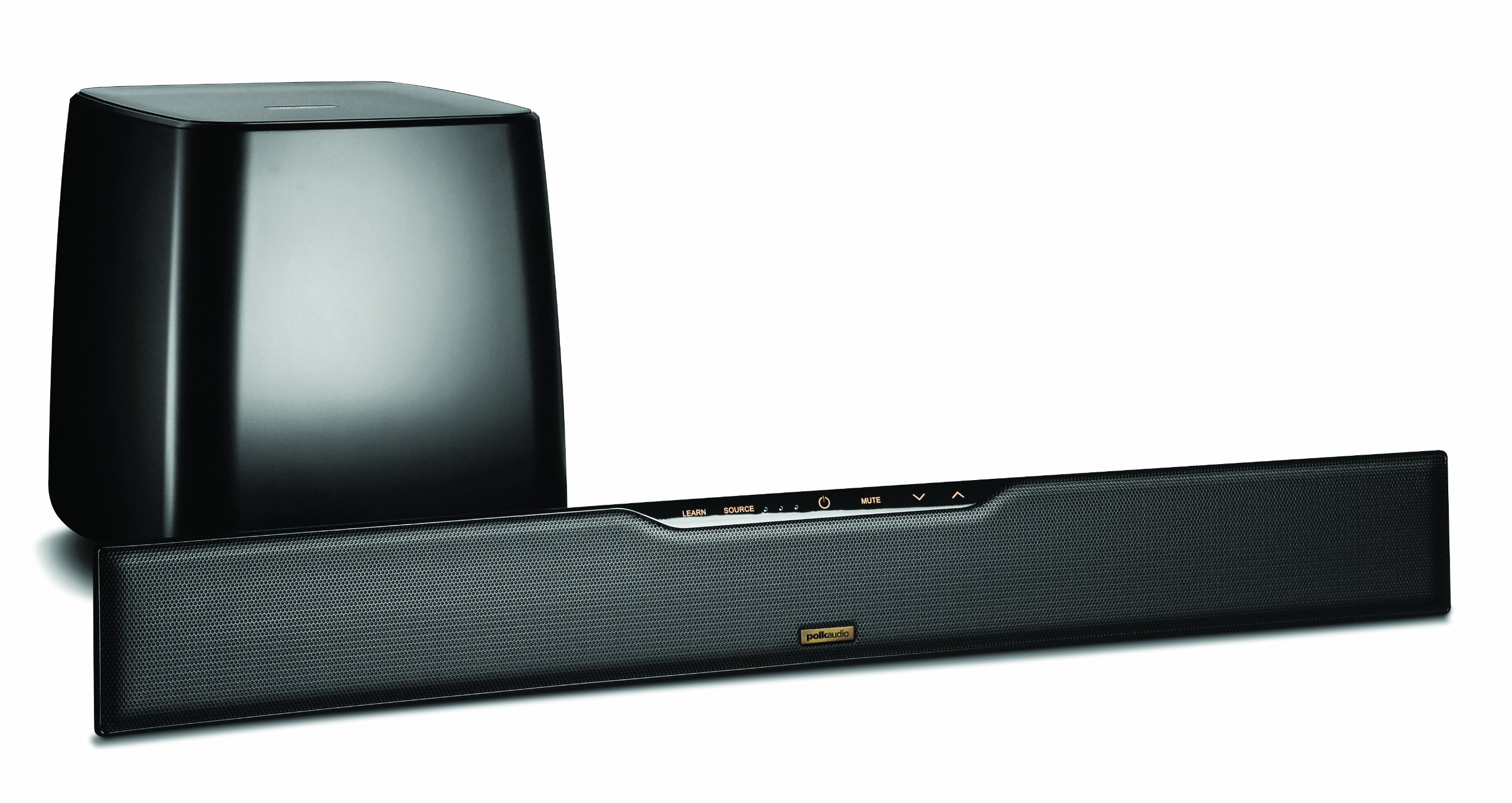
Image: Polk Audio SurroundBar 4000 IHT soundbar and wireless subwoofer. This image illustrates a typical setup with the soundbar positioned below a television and the wireless subwoofer placed nearby.
2. Conexións
Conecta a barra de son ao teu televisor ou a outras fontes de son usando un dos seguintes métodos:
- Optical Digital Audio (Recommended): Connect one end of the optical cable to the "Optical Out" port on your TV and the other end to the "Optical In" port on the SurroundBar.
- Analog Audio (3.5mm or RCA): If your TV does not have an optical output, use an analog audio cable to connect the TV's audio output to the SurroundBar's analog input.
Connect the power cords to the soundbar and the wireless subwoofer, then plug them into a wall outlet.
3. Emparellamento de subwoofers sen fíos
The subwoofer should automatically pair with the soundbar when both are powered on. If pairing does not occur, or if the connection is lost:
- Asegúrate de que tanto a barra de son como o subwoofer estean acendidos.
- Press and hold the "Connect" button on the back of the subwoofer for a few seconds until the status light blinks.
- Press and hold the "Connect" button on the back of the soundbar (or on the remote, if available) until its status light also blinks.
- The lights should become solid once a connection is established.
Instrucións de funcionamento
1. Acendido/apagado
Press the Power button on the remote control or on the soundbar to turn the system on or off.
2. Selección de entrada
Use the "Source" button on the remote control or soundbar to cycle through available audio inputs (Optical, Analog, Bluetooth).
3. Control de volume
Adjust the master volume using the "Volume Up" and "Volume Down" buttons on the remote or soundbar. The subwoofer volume can be adjusted independently using the "Subwoofer Volume" buttons on the remote.
4. Emparellamento Bluetooth
Para conectar un dispositivo Bluetooth:
- Select the Bluetooth input on the soundbar.
- On your device, enable Bluetooth and search for "Polk SurroundBar 4000".
- Select the soundbar from the list to pair.
5. Remote Control Learning Feature
The SurroundBar 4000 can learn commands from your TV remote control for power, volume up, volume down, and mute. Refer to the quick start guide for detailed instructions on programming this feature.
Mantemento
To ensure the longevity and optimal performance of your Polk Audio SurroundBar 4000 IHT:
- Limpeza: Usa un pano suave e seco para limpar as superficies da barra de son e do subwoofer. Non empregues produtos de limpeza líquidos nin materiais abrasivos.
- Ventilación: Ensure that the ventilation openings on the soundbar and subwoofer are not blocked to prevent overheating.
- Cables de alimentación: Regularly inspect power cords for any damage. If damaged, discontinue use and contact customer support.
Resolución de problemas
| Problema | Causa posible | Solución |
|---|---|---|
| Non hai son da barra de son |
|
|
| Non hai son do subwoofer |
|
|
| Son distorsionado ou de mala calidade |
|
|
| O control remoto non funciona |
|
|
Especificacións
| Característica | Detalle |
|---|---|
| Marca | Polk Audio |
| Nome do modelo | SurroundBar 4000 IHT |
| Número de modelo | IHT 4000 |
| Tipo de altofalante | Barra de son con subwoofer sen fíos |
| Potencia de saída máxima do altofalante | 180 vatios |
| Tecnoloxía de conectividade | Bluetooth |
| Modo de saída de audio | Envolvente |
| Método de control | Mando a distancia |
| Fonte de enerxía | Eléctrico con cable |
| Dispositivos compatibles | Gaming Console, Television |
| UPC | 747192121662 |
Garantía e Soporte
For warranty information and technical support, please refer to the warranty card included with your product or visit the official Polk Audio websitio. Garda o comprobante de compra para reclamacións de garantía.
Polk Audio Websitio: www.polkaudio.com
Atención ao cliente: Refer to the Polk Audio websitio para obter información de contacto específica da súa rexión.