
1. Introdución
This manual provides detailed instructions for the safe and effective use of the PeakTech P 4980 Dual Laser Pointer IR Thermometer. This device is designed for non-contact temperature measurements across a wide range, from -50 to +800 °C. It features dual laser pointers for precise targeting of the measurement area. Please read this manual thoroughly before operating the device and keep it for future reference.
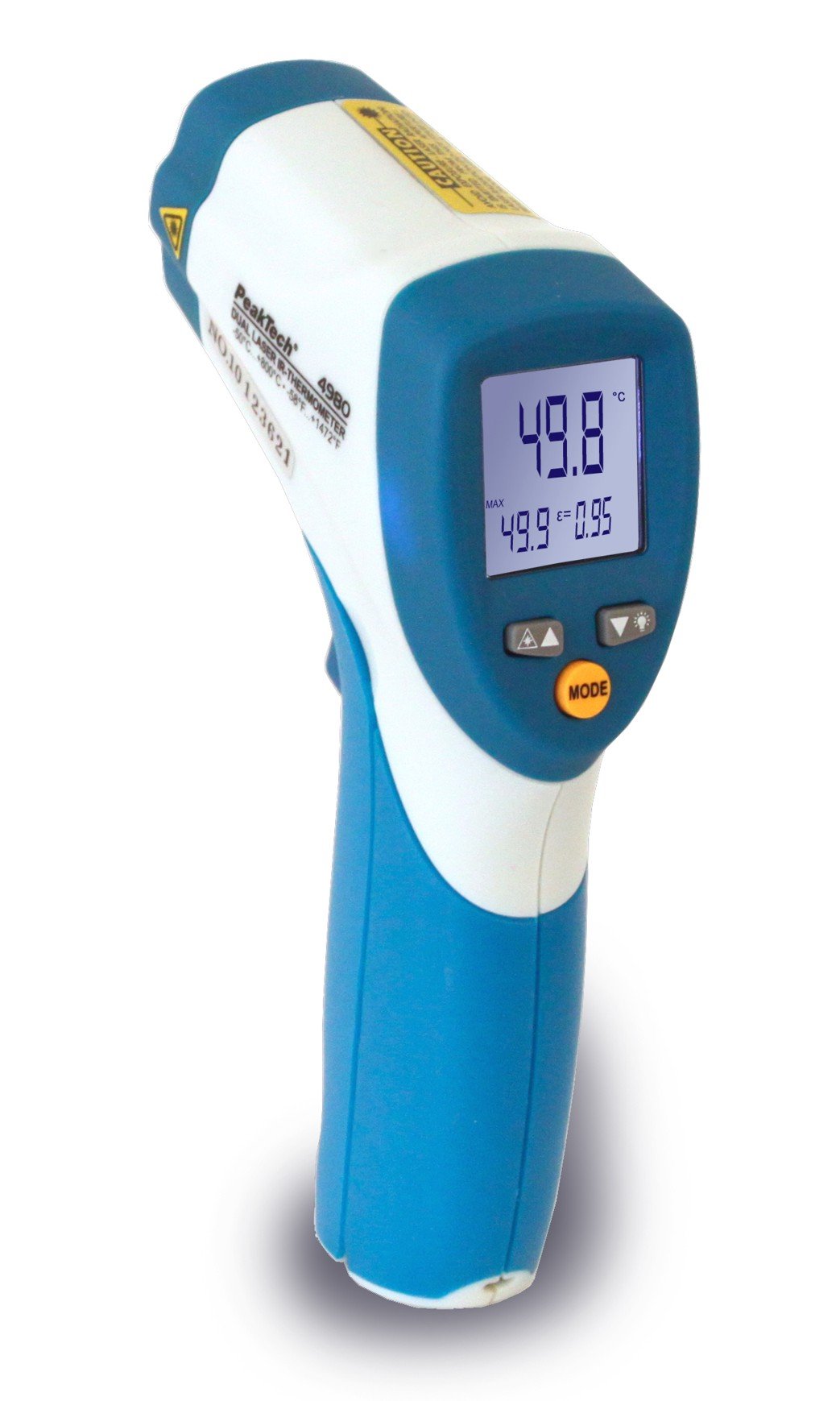
Image 1.1: The PeakTech P 4980 Dual Laser Pointer IR Thermometer, showing its ergonomic design and display.
2. Información de seguridade
Always observe the following safety precautions to prevent injury and avoid damage to the device:
- Seguridade con láser: This device uses Class 2 lasers. Do not stare directly into the laser beam or direct it at people or animals. Avoid direct eye exposure.
- Entorno operativo: Do not use the thermometer in environments with explosive gases, vapor, or dust.
- Límites de temperatura: Do not expose the device to extreme temperatures outside its specified operating range.
- Mantemento: Only qualified personnel should perform repairs. Do not attempt to modify the device.
- Limpeza: Use un pano suave e seco para a limpeza. Non use produtos de limpeza ou disolventes abrasivos.
- Manexo da batería: Ensure correct battery polarity. Remove batteries if the device will not be used for an extended period. Dispose of batteries according to local regulations.
3. Características do produto
The PeakTech P 4980 offers advanced features for accurate and convenient temperature measurement:
- Punteros láser duais: Provides precise targeting, indicating the exact measurement spot.
- Amplio intervalo de temperatura: Measures temperatures from -50 °C to +800 °C (-58 °F to +1472 °F).
- Medición sen contacto: Safely measure hot, hazardous, or hard-to-reach surfaces.
- Pantalla LCD: Clear digital display for easy reading of temperature values.
- Emisividade axustable: Allows for accurate measurements on various surface types (refer to operating instructions for details).
- Función de retención de datos: Conxela a lectura visualizada para facilitar o rexistro.
- Retroiluminación: Improves visibility in dimly lit conditions.
- Apagado automático: Conserva a duración da batería.
4. Configuración
4.1 Instalación da batería
- Localiza a tapa do compartimento da batería na asa do dispositivo.
- Abra a tapa deslizándoa ou desenganchándoa.
- Insert the included battery, ensuring correct polarity (+ and - terminals).
- Pecha a tapa do compartimento da batería de forma segura.
4.2 Acendido/Apagado
- To power on the device, press the trigger. The display will illuminate.
- O dispositivo apagarase automaticamente despois dun período de inactividade para aforrar batería.
5. Instrucións de funcionamento
5.1 Tomar unha medida
- Apunte o termómetro á superficie obxectivo.
- Press and hold the trigger. The dual laser pointers will activate, indicating the measurement area.
- The measured temperature will be displayed on the LCD.
- Release the trigger to hold the reading on the display (Data Hold function).
5.2 Distance-to-Spot Ratio
The accuracy of the measurement depends on the distance-to-spot ratio. Ensure the target area is larger than the measurement spot size at your chosen distance. The dual lasers help define this spot.
5.3 Axuste da emisividade
Different materials emit infrared energy differently. For accurate readings, adjust the emissivity setting to match the surface being measured. Consult a standard emissivity table for common materials. The P 4980 allows adjustment via dedicated buttons (refer to device interface for specific controls).
5.4 Selección de unidades (°C/°F)
To switch between Celsius (°C) and Fahrenheit (°F), locate the unit selection button (usually labeled '°C/°F' or similar) and press it. The display will change accordingly.
6. Mantemento
6.1 Limpeza do dispositivo
- Limpar o dispositivo casing cun suave, damp pano. Non empregue materiais ou disolventes abrasivos.
- For the lens, use a soft cloth or cotton swab with a small amount of isopropyl alcohol.
6.2 Substitución da batería
When the low battery indicator appears on the display, replace the battery as described in Section 4.1. Always use the specified battery type.
6.3 Almacenamento
Garda o termómetro nun lugar fresco e seco, lonxe da luz solar directa e de temperaturas extremas. Retira as pilas se o gardas durante períodos prolongados.
7 Solución de problemas
| Problema | Causa posible | Solución |
|---|---|---|
| O dispositivo non se acende. | Batería descargada ou instalada incorrectamente. | Comprobe a polaridade das baterías ou substitúaas por baterías novas. |
| Lecturas inexactas. | Incorrect emissivity setting; distance too far; lens dirty. | Adjust emissivity; move closer to target; clean lens. |
| Laser pointers not visible. | Laser function disabled (if applicable); bright ambient light. | Check laser activation button; use in less bright conditions. |
| Display shows 'ERR' or similar. | Measurement outside range; internal error. | Ensure target temperature is within -50 to +800 °C. If error persists, contact support. |
8. Especificacións
| Característica | Especificación |
|---|---|
| Modelo | P 4980 |
| Rango de temperatura | -50 ° C a +800 ° C (-58 ° F a +1472 ° F) |
| Resolución | 0.1 °C / 0.1 °F |
| Tipo de visualización | LCD |
| Característica especial | Non-contact, Dual Laser Pointer |
| Fonte de enerxía | Funciona con pilas |
| Compoñentes incluídos | Batería |
| Material exterior | Plástico |
| Cor | Branco/Azul |
9. Garantía e soporte
9.1 Información da garantía
This PeakTech product is backed by a 3-year manufacturer's warranty, ensuring quality and reliability. Please retain your proof of purchase for warranty claims.
9.2 Atención ao cliente
For technical assistance, troubleshooting, or warranty inquiries, please contact PeakTech customer support. Refer to the official PeakTech websitio web ou a embalaxe do produto para obter a información de contacto máis actualizada.