
1. Introdución
The IDANCE CRAZY301 headphones are designed to deliver a unique audio experience with a focus on comfort and portability. These over-ear headphones feature an in-line microphone for smartphone compatibility and a foldable design for easy transport. This manual provides essential information for the proper setup, operation, and maintenance of your CRAZY301 headphones.
Contido do paquete:
- IDANCE CRAZY301 Over-Ear Headphones
- Software voucher for PCDJ 3DEX LE and Magix Mufin (where applicable)
2. Información de seguridade
Please read and follow these safety guidelines to ensure safe and optimal use of your headphones:
- Protección auditiva: Evite escoitar a volume alto durante períodos prolongados para evitar danos auditivos.
- Sensibilización ambiental: Non empregues auriculares en situacións nas que a incapacidade de escoitar os sons ambientais poida ser perigosa, como ao conducir, ir en bicicleta ou camiñar polo tráfico.
- Limpeza: Use a soft, dry cloth for cleaning. Avoid using harsh chemicals or abrasive materials.
- Exposición á auga: Estes auriculares non son impermeables. Evite a exposición á auga ou á humidade excesiva.
- Desmontaxe: Non intentes desmontar nin modificar os auriculares. Isto anulará a garantía e pode causar danos.
3. Configuración
Follow these steps to set up your IDANCE CRAZY301 headphones:
- Despregar os auriculares: Gently unfold the headphones from their compact position until the earcups are fully extended and comfortable for wear.
- Conectar o cable de audio: Locate the 3.5mm audio jack on your headphones and the corresponding port on your audio device (smartphone, tablet, computer, etc.). Insert the 3.5mm plug firmly into the device's audio output port.
- Axustar axuste: Place the headphones over your ears and adjust the headband for a secure and comfortable fit. The earcups are designed to provide a comfortable seal.
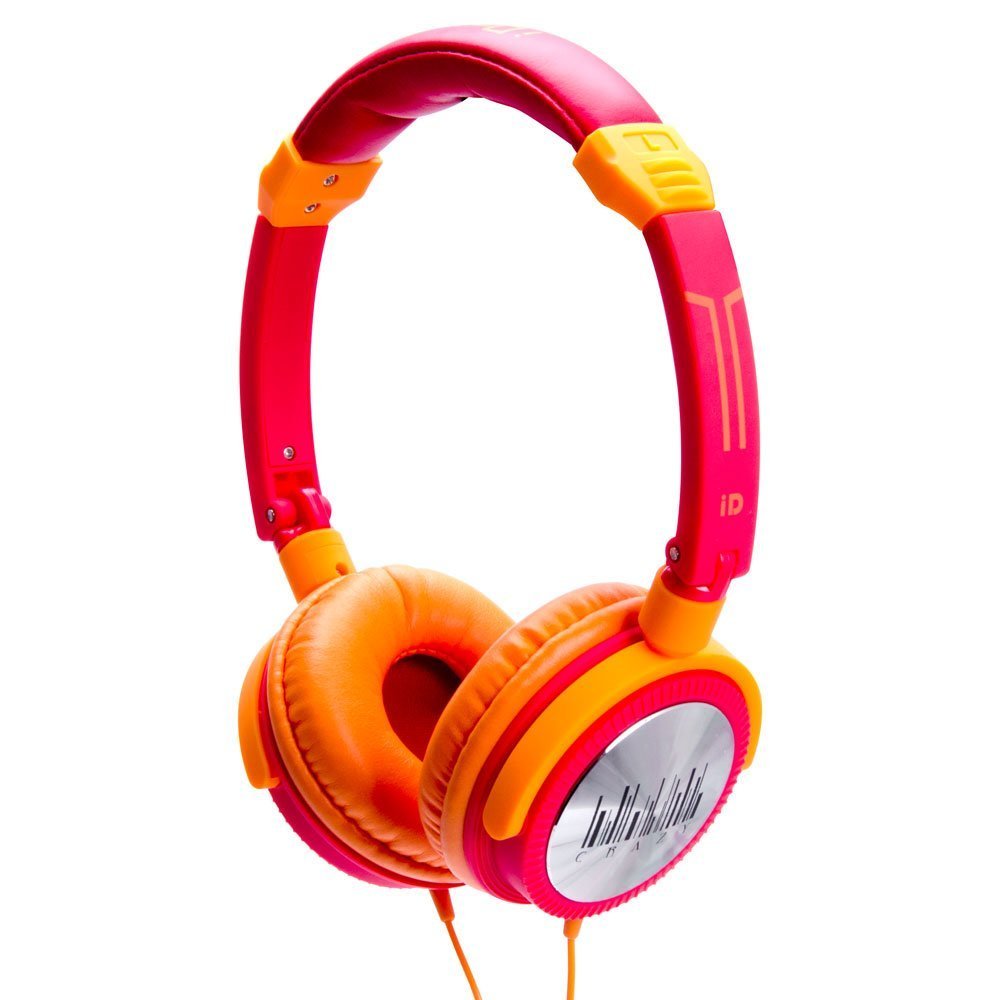
Image 1: IDANCE CRAZY301 Over-Ear Headphones. This image shows the headphones in their orange color, highlighting the over-ear design and the attached cable.
4. Instrucións de funcionamento
The IDANCE CRAZY301 headphones are designed for straightforward operation:
- Reprodución de audio: Once connected to your audio device, simply start playing audio. Adjust the volume using your device's controls.
- Micrófono en liña: The integrated in-line microphone allows for hands-free communication when connected to a compatible smartphone. For calls, ensure your device recognizes the headphone's microphone as the input source.
- Portabilidade: The headphones feature a foldable design, allowing for compact storage and easy transport. Gently fold the earcups inward towards the headband when not in use.
- Software Voucher: If included, redeem your software voucher for PCDJ 3DEX LE and Magix Mufin by following the instructions provided with the voucher. This software can be used for creating DJ mixes.
5. Mantemento
Proper maintenance will extend the life and performance of your headphones:
- Limpeza: Wipe the earcups and headband with a soft, slightly damp cloth. Do not use liquid cleaners directly on the headphones.
- Almacenamento: Cando non os uses, dóbraos e gárdaos nun lugar limpo e seco, lonxe de temperaturas extremas e da luz solar directa.
- Coidado do cable: Avoid sharply bending or twisting the audio cable. Do not pull the cable to disconnect; always grasp the plug.
6 Solución de problemas
If you encounter issues with your IDANCE CRAZY301 headphones, refer to the following common solutions:
- Sen son:
- Ensure the 3.5mm audio plug is fully inserted into your device's audio jack.
- Comproba o nivel de volume do teu dispositivo de son e asegúrate de que non estea silenciado.
- Proba os auriculares cun dispositivo de son diferente para descartar un problema específico do dispositivo.
- O micrófono non funciona:
- Ensure the 3.5mm plug is fully inserted.
- Verifica que a configuración do teu dispositivo estea configurada para usar o micrófono externo.
- Test the microphone functionality with another compatible device or application.
- Son distorsionado:
- Baixa o volume do dispositivo de audio.
- Asegúrate de que o cable de audio non estea danado nin dobrado.
- Proba cunha fonte ou dispositivo de son diferente.
7. Especificacións
| Característica | Detalle |
|---|---|
| Número de modelo | CRAZY301 |
| Unidade de condutor | 44 mm |
| Tipo de controlador | Neodimio |
| Impedancia | 32 ohmios |
| Sensibilidade | 108 dB +/-3 dB |
| Resposta en frecuencia | 15Hz~20KHz |
| Lonxitude do cordón | Aprox. 1.5 m |
| Tipo de cable | PVC |
| Tipo de enchufe | 3.5mm, gold chrome |
| Tecnoloxía de conectividade | Con cable |
| Características especiais | Foldable, Microphone Included |
| Peso do elemento | 0.8 onzas (22.68 g) |
| Dimensións do produto | 2 x 6 x 6 polgadas |
| Material | PVC |
| Plataforma de hardware | Teléfono intelixente |
8. Garantía e soporte
IDANCE products are manufactured to high-quality standards. For specific warranty information, please refer to the warranty card included with your purchase or visit the official IDANCE website. For technical support or further assistance, please contact IDANCE customer service through the contact information provided on the official websitio ou embalaxe do produto.