
Introdución
The Artograph EZ Tracer Opaque Art Projector is a versatile tool designed for artists, crafters, and educators to enlarge and trace images and artwork. This portable and lightweight projector allows you to project flat artwork from 2 to 10 times its original size onto various surfaces such as walls, canvases, or other vertical surfaces. It is ideal for creating murals, detailed drawings, sketching, pattern tracing, and other creative projects.

Image: Key features of the Artograph EZ Tracer projector, including bulb recommendation, enlargement range, ease of use, portability, and lens specifications.
Please read this manual thoroughly before operating your EZ Tracer projector to ensure proper use and to maximize its performance and longevity.
Información importante de seguridade
- Compatibilidade con lámpadas: Only use LED bulbs. DO NOT use incandescent bulbs as they generate excessive heat and can damage the projector. We recommend a Feit Electric 3050 Lumens LED Bulb (Article/Item No. 0M200/850/LED 25W (200W Replacement) Daylight / Cool White (5000K) E26 Base A21 High Output LED) or equivalent.
- Entorno operativo: This projector is designed for use in a dark room. Ambient light will significantly reduce image clarity.
- Ventilación: Ensure adequate ventilation around the projector during operation to prevent overheating. Do not block ventilation openings.
- Fonte de enerxía: Connect the projector only to a standard 120V power outlet. The cord is not USB compatible.
- Manexo: Manexa o proxector con coidado. Evita deixalo caer ou sometelo a impactos fortes.
- Limpeza: Desconecte da corrente antes de limpar. Use un pano suave e seco. Non empregue produtos de limpeza líquidos.
- Proposición 65 Advertencia: Este produto pode expoñelo a substancias químicas que o Estado de California sabe que causan cancro, defectos conxénitos ou outros danos reprodutivos.
Contido do paquete
Verifica que todos os elementos estean presentes no teu paquete:
- Artograph EZ Tracer Opaque Art Projector
- 5.5 ft Power Cord (120V)
- Optical Glass Lens (163 mm)
- Manual de usuario (este documento)
Nota: The light bulb is not included and must be purchased separately.
Configuración
- Instala a lámpada:
Carefully insert the recommended LED bulb (E26 Base A21 High Output LED, 25W, 5000K) into the bulb socket located inside the projector. Ensure it is securely fastened. Remember, incandescent bulbs are not suitable.

Image: Step-by-step illustration showing how to install the light bulb into the projector.
- Conectar enerxía:
Plug the 5.5-foot power cord into the projector's power input, then plug the other end into a standard 120V electrical outlet. Ensure the power switch on the projector is in the OFF position before plugging it in.
Image: Step-by-step illustration showing how to plug the projector into a power source.
- Prepara o teu espazo de traballo:
Place the projector on a stable, flat surface. Ensure the room is as dark as possible for optimal projection clarity. The projector works best when projecting onto a light-colored, flat vertical surface like a wall or canvas.
Instrucións de funcionamento
- Place Image for Projection:
Open the bottom flap of the projector and place the flat artwork or image you wish to project onto the 4" x 4" copy area. Ensure the image is flat and centered for best results. If your image is larger than 4" x 4", you will need to work in sections.
Image: Step-by-step illustration showing a hand placing an image onto the projector's base for projection.
- Acende o proxector:
Flip the power switch to the ON position. The internal light will illuminate, and the image will be projected through the lens.
- Adjust Image Size and Focus:
Move the projector closer to the projection surface to decrease the image size, or further away to increase it. The EZ Tracer can enlarge images from 2 to 10 times the original size. Rotate the lens barrel to bring the projected image into sharp focus.
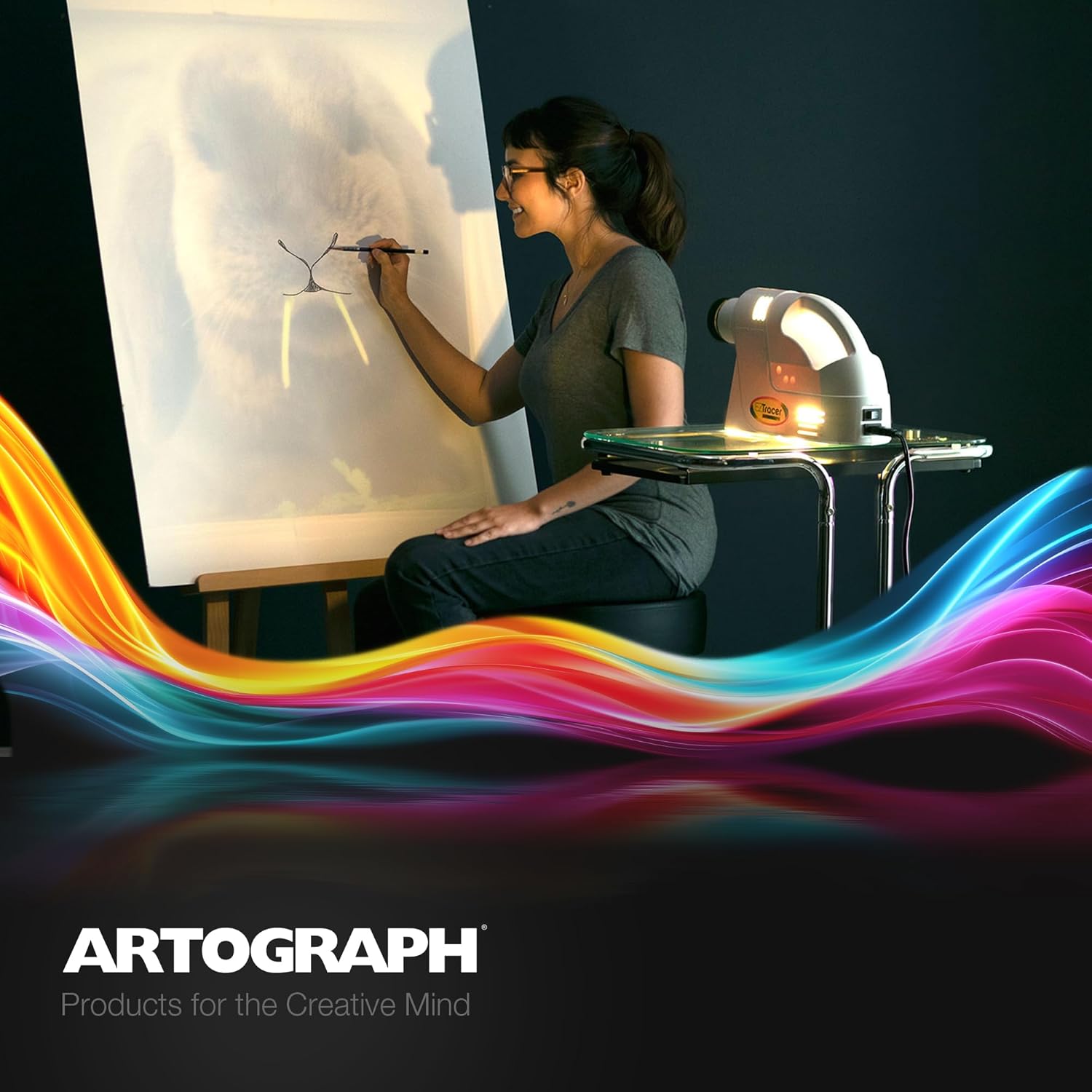
Image: A person tracing a projected image from the EZ Tracer onto a large canvas, demonstrating the projector's use.
- Begin Tracing or Drawing:
Once the image is focused and at the desired size, you can begin tracing or drawing directly onto your chosen surface. The projector is designed to be silent and lightweight, making it easy to use for extended periods.
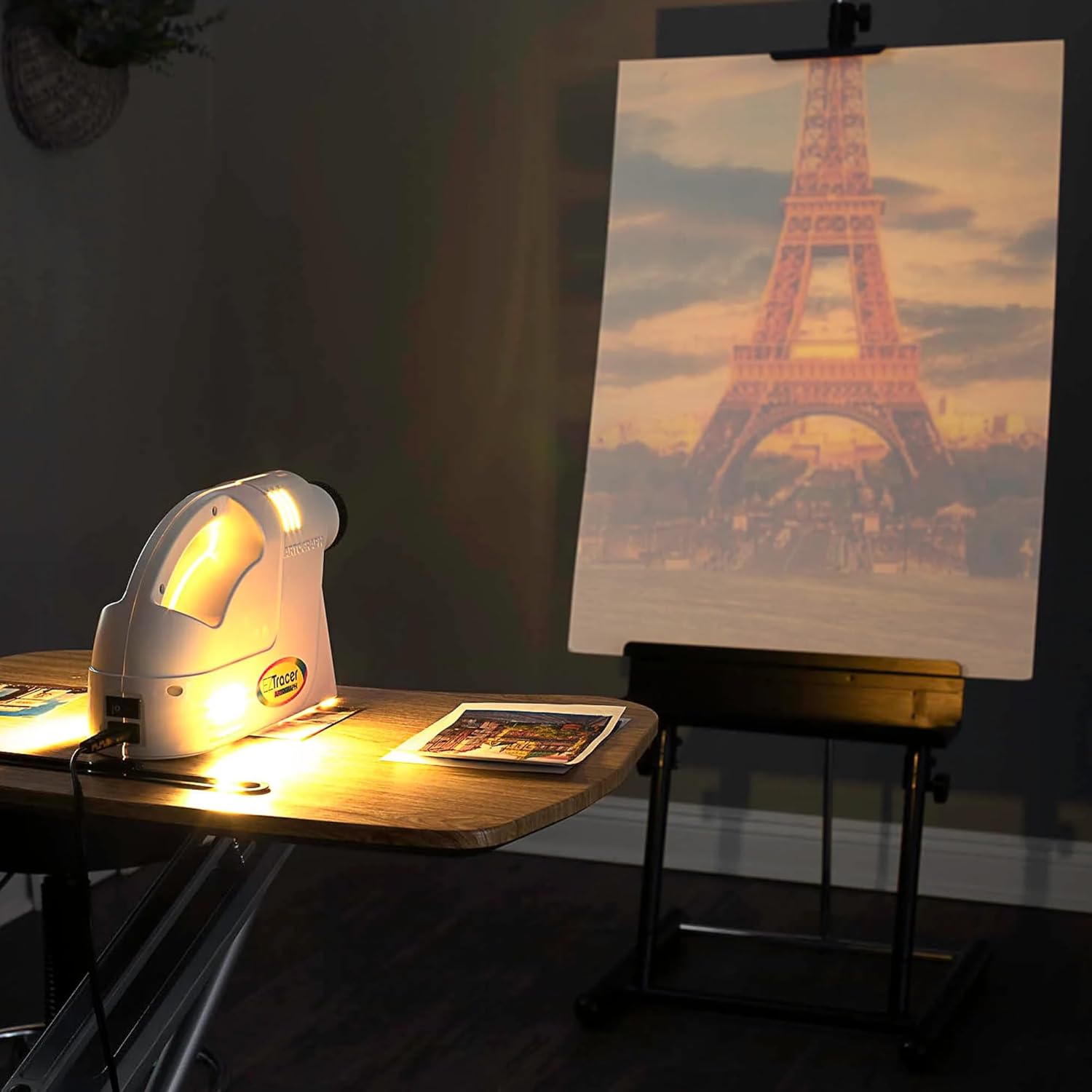
Image: The EZ Tracer projector projecting a detailed image of the Eiffel Tower onto a canvas, highlighting its ability to enlarge and project for artistic work.
- Apagado:
When finished, turn the power switch to the OFF position and unplug the projector from the electrical outlet.
Mantemento
- Limpeza da lente: Usa un pano suave e sen fiapos deseñado especificamente para lentes ópticas para limpar con coidado a lente do proxector. Evita materiais abrasivos ou produtos químicos agresivos.
- Limpeza do exterior: Wipe the exterior of the projector with a soft, dry cloth. Do not use liquid cleaners or sprays directly on the unit.
- Substitución da lámpada: If the bulb burns out, ensure the projector is unplugged and cool before replacing it with a new, compatible LED bulb.
- Almacenamento: Store the projector in a cool, dry place away from direct sunlight and extreme temperatures when not in use.
Resolución de problemas
| Problema | Causa posible | Solución |
|---|---|---|
| No image projected / Projector does not turn on. |
|
|
| A imaxe é escura ou pouco clara. |
|
|
| Image is distorted. |
|
|
Especificacións
| Número de modelo | 225-550 |
| Dimensións do produto | 13.25 x 4.5 x 7.5 polgadas (L x W x H) |
| Peso do elemento | 2.15 libras |
| Área de copia | 4" x 4" |
| Enlargement Range | 2X to 10X original size |
| Lente | 163 mm Optical Glass Lens |
| Lonxitude do cable de alimentación | 5.5 pés |
| Requisito de enerxía | 120V (Standard US Outlet) |
| Bulb Type (Recommended) | Feit Electric 3050 Lumens LED Bulb (25W, 5000K, E26 Base A21) or equivalent LED bulb. (Incandescent bulbs are NOT supported) |
| Certificacións | ETL Listed, UL Approved |
| Factor de forma | Portable, Table Mount |
| Material | Plástico, Vidro |
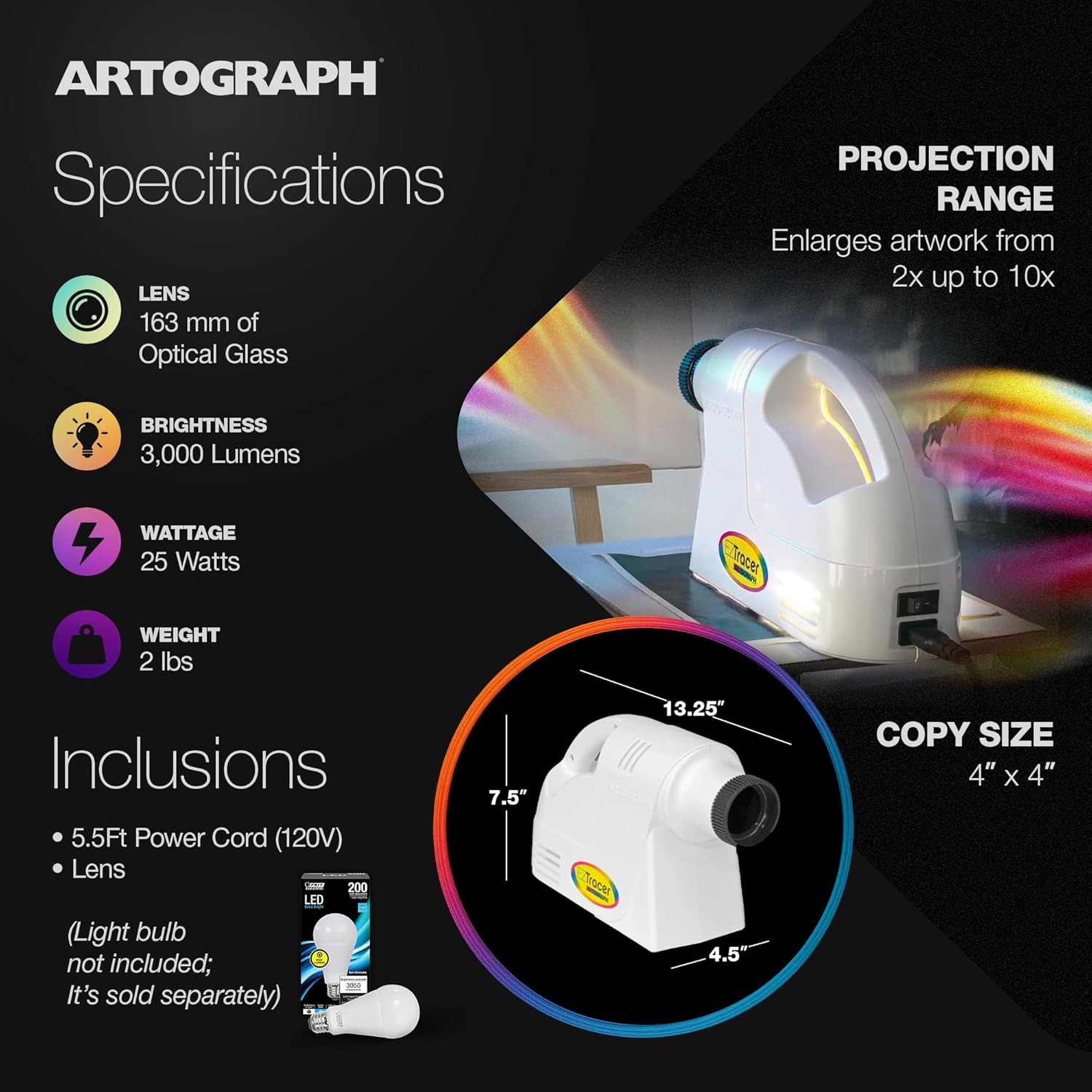
Image: Visual representation of the projector's specifications and dimensions.
Garantía e Soporte
The Artograph EZ Tracer Opaque Art Projector comes with a Garantía limitada de 1 anos. This warranty covers defects in materials and workmanship under normal use. It does not cover damage resulting from misuse, accidents, unauthorized modifications, or use of incompatible bulbs.
For warranty claims, technical support, or further assistance, please contact Artograph Customer Service through their official websitio web ou o vendedor ao que lle comprou o produto.
You can find more information and contact details on the official Artograph websitio: www.artograph.com