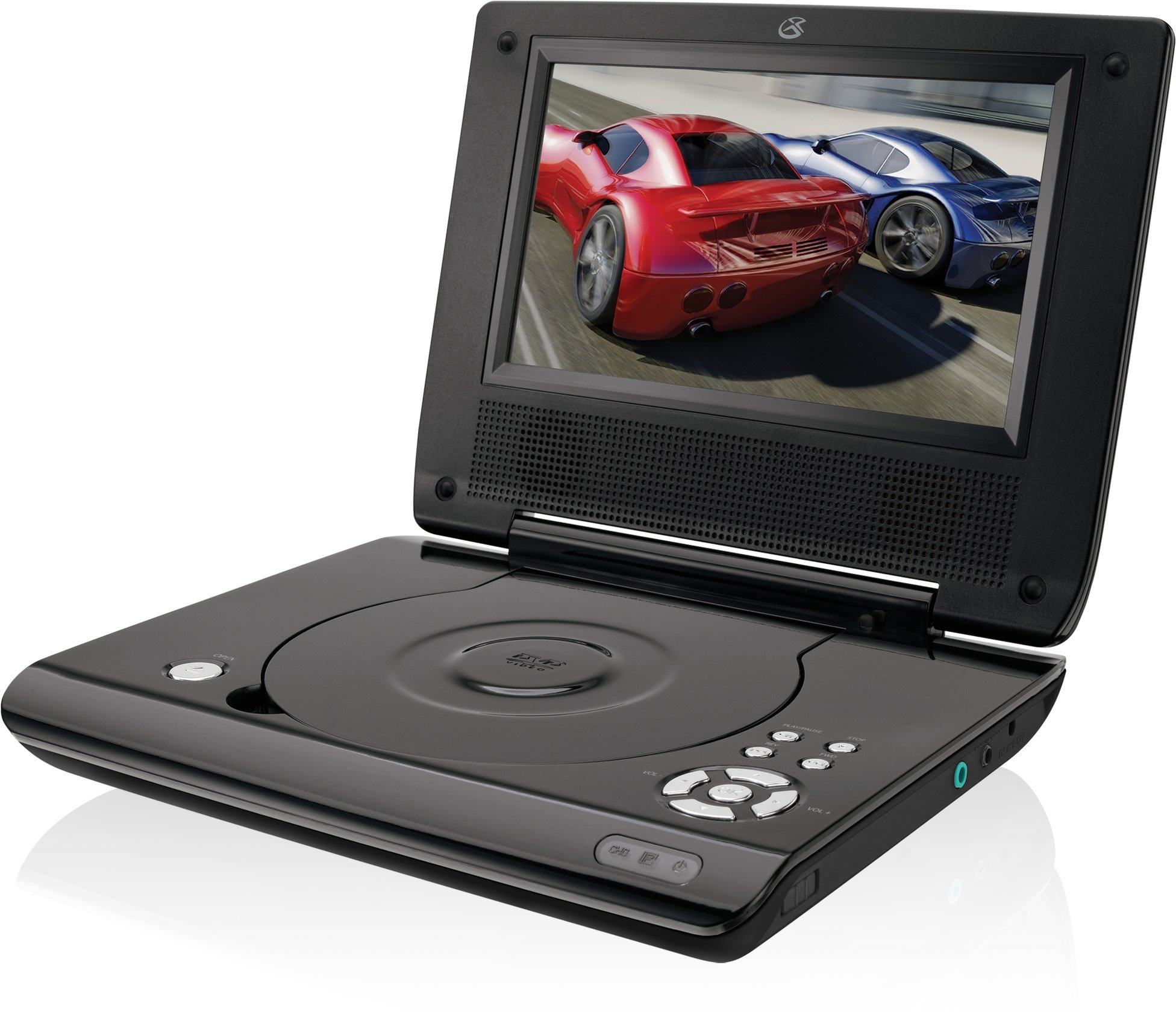
This manual provides essential instructions for the safe and efficient operation of your GPX PD730B 7-inch Portable DVD Player. Please read this manual thoroughly before using the device and retain it for future reference. The GPX PD730B is designed for portable entertainment, allowing you to enjoy DVDs, CDs, and JPEG files on its 7-inch TFT LCD screen.
Contido do paquete
Verifique que todos os elementos que se indican a continuación estean incluídos no seu paquete:
GPX PD730B Portable DVD Player
Adaptador de alimentación AC/DC
DC Car Adapter (12V)
Auriculares estéreo
Mando a distancia (con 2 pilas AAA)
Manual de usuario (este documento)
Produto rematadoview
Figure 1: GPX PD730B Portable DVD Player (Closed)
This image shows the GPX PD730B portable DVD player in its closed position, highlighting its compact and sleek design. The top surface is smooth and black, with control buttons visible on the right edge.
Controis e conexións
Familiarize yourself with the various controls and connection ports on your portable DVD player.
Botón de encendido: Acende ou apaga a unidade.
Botón Reproducir/Pausa: Inicia ou pon en pausa a reprodución.
Botón de parada: Detén a reprodución.
Botóns de saltar/buscar: Navigates tracks or chapters, or fast-forwards/rewinds.
Control de volume: Axusta o nivel de saída de audio.
Jack para auriculares: For private listening with stereo earbuds or headphones.
Porto de entrada de CC: Connects to the AC/DC or car power adapter for charging and power.
Configuración
1. Cargando a batería
Before initial use, fully charge the built-in rechargeable battery. A full charge provides approximately 2 hours of playback time.
Connect the AC/DC power adapter to the DC In port on the DVD player.
Enchufe o adaptador de alimentación AC/DC nunha toma de corrente estándar.
The charging indicator light (if present) will illuminate. Charging is complete when the light changes color or turns off (refer to device for specific indicator behavior).
Alternatively, use the 12V DC car adapter to charge the player in a vehicle.
2. Acendido/apagado
Manteña premido o Poder button on the unit to turn the player on or off. The screen will illuminate when powered on.
Instrucións de funcionamento
1. Inserting and Removing Discs
Gently open the disc compartment lid.
Place a DVD or CD onto the spindle with the label side facing up. Press down gently on the center of the disc until it clicks into place.
Close the disc compartment lid firmly.
To remove a disc, open the lid, gently press the spindle button (if present) or lift the disc from the edges, avoiding touching the data surface.
2. Reprodución básica
After inserting a disc, the player will typically begin playback automatically.
Usa o Reproducir/Pausa botón para pausar ou retomar a reprodución.
Preme o Pare botón para deter a reprodución.
Usa o Saltar buttons (usually labeled with arrows) to navigate between chapters or tracks.
Usa o busca buttons (often combined with Skip) to fast-forward or rewind.
3. Usando o mando a distancia
The included remote control provides convenient access to all player functions from a distance. Ensure the 2 AAA batteries are correctly installed. Point the remote control directly at the player's remote sensor.
4. Conectando auriculares
For private listening, plug the stereo earbuds (or your own headphones) into the Conector para auriculares on the side of the player. The built-in speakers will automatically mute when headphones are connected.
Figure 2: Portable DVD Player in use (Bedroom)
This image illustrates the portable DVD player being used by a girl in a bedroom setting, demonstrating its suitability for personal entertainment at home.
Figure 3: Portable DVD Player in use (Vehicle)
This image shows a boy watching the portable DVD player in the back seat of a car, highlighting its utility for entertainment during travel.
Figure 4: Portable DVD Player in use (Airplane)
This image depicts a woman using the portable DVD player with headphones on an airplane, showcasing its versatility for quiet, personal entertainment during flights.
Mantemento
Cleaning the Player
Disconnect the player from all power sources before cleaning.
Usa un pano suave e seco para limpar as superficies exteriores. Non empregues produtos de limpeza abrasivos, ceras nin disolventes.
For the screen, use a soft, lint-free cloth specifically designed for LCD screens. Avoid excessive pressure.
Keep the disc compartment free of dust and debris.
Coidado da batería
Para prolongar a duración da batería, evite descargala completamente con frecuencia.
If the player will not be used for an extended period, charge the battery to about 50% before storing.
Store the player in a cool, dry place.
Resolución de problemas
If you encounter issues with your GPX PD730B, refer to the following common problems and solutions:
Problema
Causa posible
Solución
O reprodutor non se acende.
Battery is discharged; Power adapter not connected properly.
Charge the battery; Ensure power adapter is securely connected to both the player and power source.
No disc playback.
Disco inserido incorrectamente; Disco sucio ou raiado; Formato de disco incorrecto.
Reinsert disc correctly (label side up); Clean disc with a soft cloth; Ensure disc is DVD, CD, or JPEG CD format.
Non se escoita son dos altofalantes/auriculares.
Volume too low; Headphones not fully plugged in; Mute function active.
Increase volume; Ensure headphones are fully inserted; Check if mute is active on remote or player.
O control remoto non funciona.
As pilas están gastadas ou inseridas incorrectamente; Obstrución entre o mando a distancia e o reprodutor.
Replace remote batteries; Ensure correct polarity; Remove any obstructions and point remote directly at sensor.
Especificacións
Número de modelo
PD730B
Tamaño da pantalla
7 polgadas
Tipo de visualización
LCD TFT
Resolución nativa
480x234
Relación de aspecto
16:9
Medios compatibles
DVD, DVD+R/RW, CD, CD-R/RW, JPEG CD
Duración da batería (media)
2 horas
Entrada de enerxía
AC/DC Adapter, 12V DC Car Adapter
Conectividade
Auxiliar (conector de auriculares)
Peso do elemento
1.72 libras
UPC
047323007309
Garantía e Soporte
For warranty information, technical support, or service inquiries, please refer to the warranty card included with your product or visit the official GPX websitio. Garde o recibo da compra como xustificante de compra para reclamacións de garantía.
Ask about setup, troubleshooting, compatibility, parts, safety, or missing instructions. Manuals+ will review the question and use this page’s manual context to help answer it.