
1. Introdución
This user manual provides essential information for the safe and efficient installation, operation, and maintenance of the TRU Components LAS0-A3Y-20X/31 Rotary Switch. Please read this manual thoroughly before using the product and retain it for future reference.
2. Produto rematadoview
The TRU Components LAS0-A3Y-20X/31 is a robust rotary switch designed for various electrical applications. It features three switching positions and an IP40 protection rating, making it suitable for environments where protection against solid objects larger than 1mm is required.
Características principais:
- 3 switching positions (ON-OFF-ON)
- Rated for 250V/AC and 5A
- 2 x 45° switching angles
- Grado de protección IP40
- Panel mount design with screw terminals
- Durable plastic construction with brass contacts
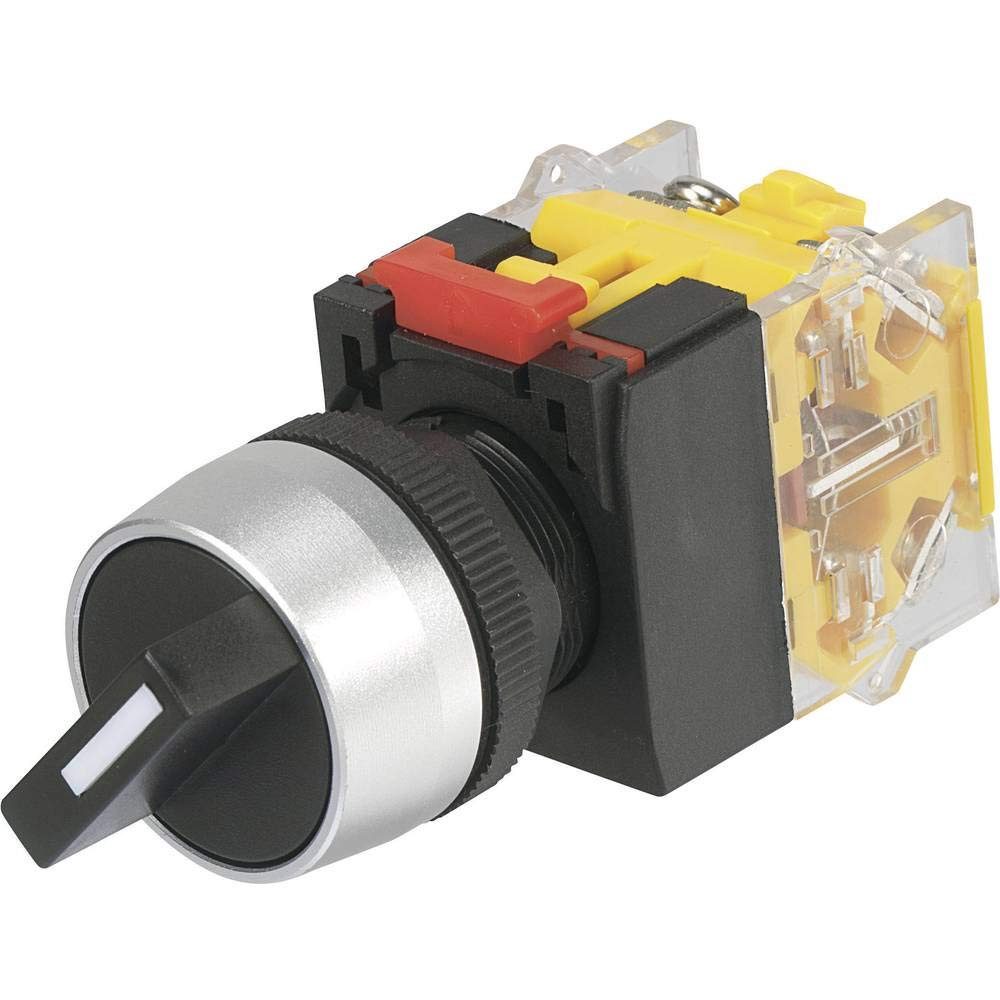
This image shows the TRU Components LAS0-A3Y-20X/31 Rotary Switch, highlighting its black body and rotary actuator.
3. Información de seguridade
Observe sempre as seguintes precaucións de seguridade para evitar lesións ou danos ao produto:
- Risco eléctrico: Installation and wiring should only be performed by qualified personnel. Ensure power is disconnected before installation or maintenance.
- Voltage e actual: Non exceda o vol especificadotage (250V/AC) and current (5A) ratings.
- Ambiente: The IP40 rating provides protection against solid objects but not against water ingress. Do not expose the switch to liquids or high humidity.
- Ferramentas adecuadas: Use appropriate tools for installation to avoid damaging the switch or terminals.
- Inspección: Regularly inspect the switch for any signs of damage or wear. Replace if necessary.
4. Especificacións
| Especificación | Valor |
|---|---|
| Número de modelo | LAS0-A3Y-20X/31 |
| Marca | TRU Components |
| Fabricante | Conrado |
| Modo de funcionamento | ON-OFF-ON |
| Valoración actual | 5 Ampere |
| Vol. Operativotage | 250 voltios AC |
| Tipo de contacto | Normalmente aberto |
| Tipo de conector | Parafuso |
| Tipo de terminal | Parafuso |
| Material | Plastic (Body), Brass (Contacts) |
| Tipo de circuíto | 3 vías |
| Tipo de cambio | Interruptor rotativo |
| Tipo de montaxe | Montaxe en panel |
| Tipo de actuador | Rotatorio |
| Número de postos | 3 |
| Tipo de control | Manual |
| Dispositivos compatibles | General electrical installations and equipment |
| Cor | Negro |
| Clasificación de protección internacional | IP40 |
| Cumprimento | CE, IP40 |
5. Instalación
Follow these steps for proper installation of the rotary switch:
- Desconectar a enerxía: Ensure all power to the circuit is completely disconnected before beginning installation. Verify with a voltagprobador.
- Preparar o orificio de montaxe: Drill or cut a suitable hole in the panel according to the switch's dimensions for panel mounting. Ensure the hole is clean and free of burrs.
- Montar o interruptor: Insert the switch into the prepared panel hole. Secure it using the provided mounting hardware (e.g., nut and washer) from the rear of the panel. Tighten firmly but do not overtighten.
- Conexións de cable: Connect the electrical wires to the screw terminals on the back of the switch. Ensure correct polarity and secure all connections tightly. Refer to your circuit diagram for specific wiring requirements.
- Verificar a instalación: Double-check all connections and ensure the switch is securely mounted.
- Restaurar enerxía: Unha vez completada e verificada a instalación, restableza a alimentación do circuíto.
6. Funcionamento
The TRU Components LAS0-A3Y-20X/31 is a 3-position rotary switch with an ON-OFF-ON operating mode. To operate the switch:
- Position 1 (ON): Rotate the actuator to the first 'ON' position. This will close the circuit for the first function.
- Position 2 (OFF): Rotate the actuator to the center 'OFF' position. This will open the circuit, disconnecting power to both functions.
- Position 3 (ON): Rotate the actuator to the third 'ON' position. This will close the circuit for the second function.
The switch provides tactile feedback for each position, ensuring clear indication of the selected state.
7. Mantemento
The TRU Components LAS0-A3Y-20X/31 Rotary Switch requires minimal maintenance. Adhere to the following guidelines:
- Limpeza regular: Keep the switch surface clean and free from dust and debris. Use a soft, dry cloth for cleaning. Do not use abrasive cleaners or solvents.
- Inspeccionar conexións: Periodically check the screw terminals to ensure they remain tight and free from corrosion.
- Inspección visual: Inspect the switch body and actuator for any signs of physical damage, cracks, or excessive wear.
- Condicións ambientais: Ensure the operating environment remains within the specified IP40 rating. Avoid exposure to moisture.
8 Solución de problemas
If you encounter issues with your rotary switch, consider the following common troubleshooting steps:
- Switch Not Functioning:
- Comprobe se o circuíto recibe corrente.
- Verifique que todas as conexións de cableado sexan seguras e correctas.
- Ensure the switch is properly seated in its mounting.
- Funcionamento intermitente:
- Inspect for loose wiring connections at the terminals.
- Check for any internal damage or debris obstructing the switch mechanism.
- Stiff Actuator:
- Ensure no foreign objects are lodged around the actuator.
- Avoid applying excessive force; if the actuator is stiff, it may indicate internal damage or incorrect installation.
If problems persist after performing these checks, it is recommended to consult a qualified electrician or contact TRU Components customer support.
9. Garantía e soporte
This product is manufactured by Conrad under the TRU Components brand. For specific warranty information, please refer to the terms and conditions provided at the point of purchase or contact your retailer. For technical support or inquiries, please reach out to TRU Components customer service or your local distributor.