
Introdución
The Jabra Music Street2 Bluetooth Stereo Headset is designed to provide high-quality audio and hands-free communication. This manual provides essential information for the proper use, maintenance, and troubleshooting of your device. Please read it carefully before use.
Configuración
1. Cargando os auriculares
Before first use, fully charge the headset. Connect the micro-USB charging cable to the charging port on the headset and the other end to a USB power source.
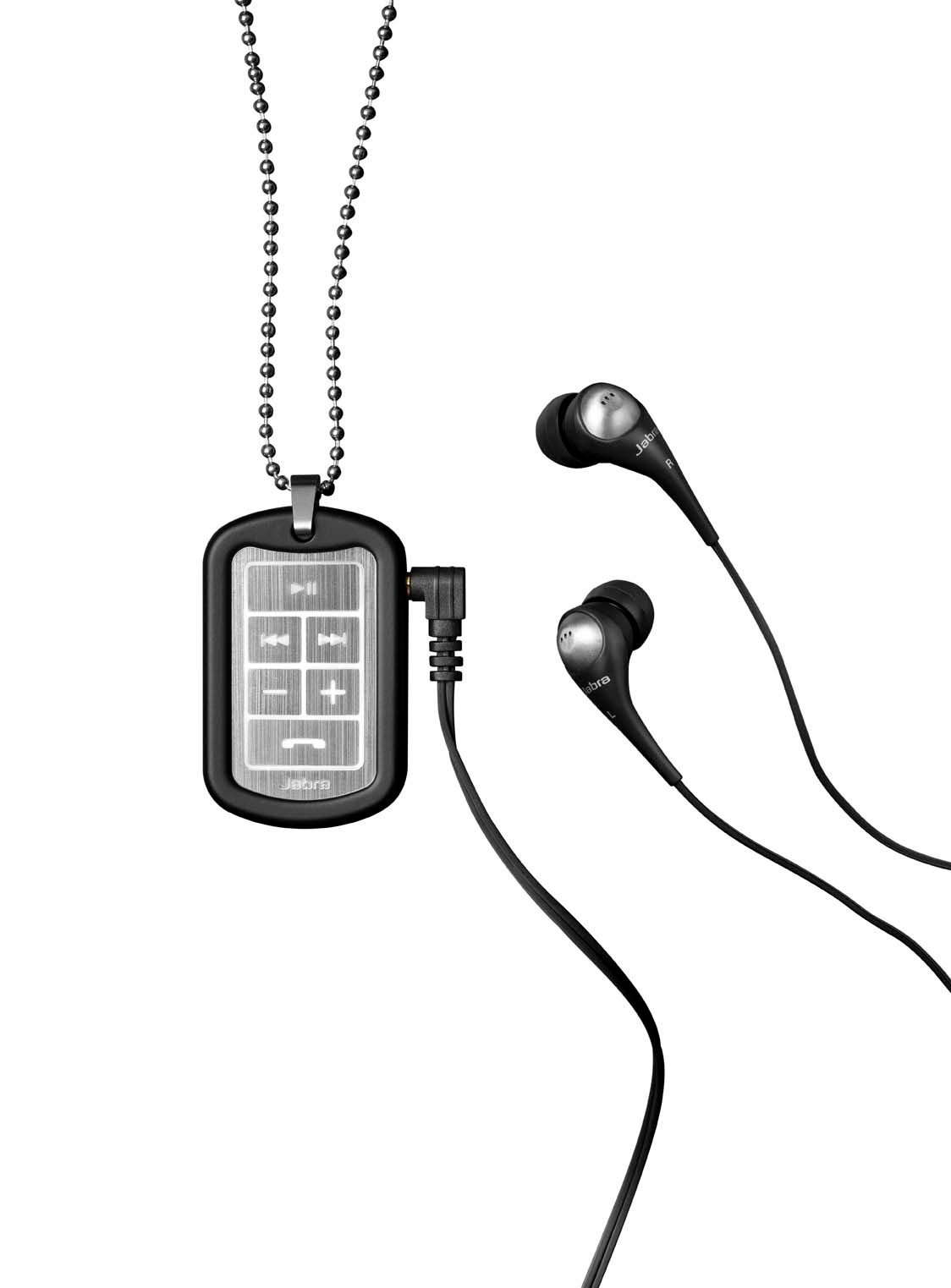
Image: The Jabra Music Street2 headset, highlighting the micro-USB charging port located on the side of the control unit.
- Unha carga completa adoita tardar aproximadamente 2 horas.
- O indicador LED mostrará o estado de carga (por exemplo, vermello para a carga, azul para a carga completa).
2. Emparejamento cun dispositivo Bluetooth
- Asegúrese de que os auriculares están apagados.
- Press and hold the Multi-function button (usually the play/pause button) for approximately 5-7 seconds until the LED indicator flashes blue rapidly. This indicates pairing mode.
- No teu dispositivo con Bluetooth (teléfono intelixente, tableta, etc.), vai á configuración de Bluetooth e activa Bluetooth.
- Busca available devices. "Jabra Street2" should appear in the list.
- Select "Jabra Street2" to connect. If prompted for a passcode, enter "0000" (four zeros).
- Once successfully paired, the LED indicator will flash blue slowly.
The headset can remember multiple paired devices but can only be connected to one at a time.
Instrucións de funcionamento
Encendido/apagado
- Encendido: Prema e manteña premido o botón multifunción ata que o LED parpadee en azul.
- Apagado: Manteña premido o botón multifunción ata que o LED parpadee en vermello e despois se apague.
Control de música
- Reproducir/Pausa: Prema o botón multifunción unha vez.
- Próxima pista: Press the "Next Track" button (usually marked with a forward arrow).
- Pista anterior: Press the "Previous Track" button (usually marked with a backward arrow).
- Subir volume: Prema o botón "+".
- Baixar volume: Prema o botón "-".
Xestión de chamadas
- Responder chamada: Prema o botón multifunción unha vez.
- Finalizar a chamada: Prema o botón multifunción unha vez durante unha chamada.
- Rexeitar a chamada: Manteña premido o botón multifunción durante 2 segundos.
- Volver a marcar o último número: Prema dúas veces o botón multifunción cando non estea nunha chamada.
- Marcación por voz: Press the Multi-function button once when not on a call (if supported by your phone).
The headset automatically switches between music and calls.
Mantemento
- Keep the headset dry. Moisture can damage the electronic circuits.
- Evita as temperaturas extremas. As altas temperaturas poden acurtar a vida útil dos dispositivos electrónicos, danar as baterías e deformar ou derreter certos plásticos.
- Do not attempt to open the headset. Unauthorized modifications can damage the unit and void your warranty.
- Clean the headset with a soft, dry cloth. Do not use harsh chemicals or detergents.
- Garde os auriculares nun lugar fresco e seco cando non os utilice durante períodos prolongados.
Resolución de problemas
Sen Poder
- Asegúrate de que os auriculares estean completamente cargados. Conéctaos a unha fonte de alimentación e comproba o indicador de carga.
Non se pode sincronizar co dispositivo
- Make sure the headset is in pairing mode (LED flashing blue rapidly).
- Asegúrate de que o Bluetooth estea activado no teu dispositivo e de que estea dentro do seu alcance (normalmente 10 metros ou 33 pés).
- Try turning off and on both the headset and your Bluetooth device.
- If previously paired, try deleting "Jabra Street2" from your device's Bluetooth list and re-pairing.
Sen son ou mala calidade de son
- Comprobe os niveis de volume tanto nos auriculares como no dispositivo conectado.
- Asegúrate de que os auriculares estean conectados correctamente ao dispositivo.
- Acércate máis ao teu dispositivo para evitar interferencias.
- Ensure the ear buds are correctly inserted and fit snugly to block external noise.
Calls Not Switching Automatically
- Verify that the headset is the active audio device for calls on your phone's Bluetooth settings.
- Some phone models may require manual selection of the audio output during a call.
Especificacións
| Nome do modelo | Jabra Music Street2 |
| Versión Bluetooth | 3.0 + EDR |
| distancia wireless | Ata 10 metros (33 pés) |
| Tempo de conversa | Ata 8 horas |
| Tempo de espera | Ata 9.5 días |
| Tempo de carga | Aproximadamente 2 horas |
| Conectividade | Bluetooth, 3.5 mm Jack (for wired connection if applicable) |
| Características | Virtual surround sound, power bass, noise-blocking ear buds, automatic music/call switching |
Garantía e soporte
Jabra products are covered by a limited warranty. For specific warranty terms and conditions, please refer to the warranty card included with your product or visit the official Jabra websitio.
For technical support, frequently asked questions, or to download the latest software/firmware updates, please visit the official Jabra support page:
You may also contact Jabra customer service directly for assistance.