
NVX XPLOC4
NVX XPLOC4 4-Channel Adjustable Line Output Converter User Manual
Model: XPLOC4
1. Introdución
The NVX XPLOC4 is a 4-channel adjustable line output converter designed to integrate an aftermarket amplifier with a factory or aftermarket stereo system that lacks dedicated RCA outputs. It converts high-level speaker signals into low-level RCA signals, enabling the addition of external amplifiers for enhanced audio performance. This unit features a 6:1 step-down ratio, adjustable gain output, and a DC amplifier turn-on trigger.
2. Características clave
- Funcionamento de 4 canles: Supports front and rear speaker channels for comprehensive ampintegración de lifier.
- Adjustable Gain Output: Allows precise matching of the output signal to the ampsensibilidade de entrada do lificador.
- High Power Input Capability: Handles up to 600 watts total (150 watts per channel) from the source unit.
- DC Amplifier Turn-On Trigger: Provides a remote turn-on signal for the amplifier, eliminating the need for a separate remote wire from the head unit.
- Low Distortion Design: Engineered for high-quality audio signal conversion with minimal distortion.
3. Contido do paquete
Verifica que todos os elementos estean presentes no paquete:
- NVX XPLOC4 4-Channel Line Output Converter
- Cableado
- Manual de usuario (este documento)
4. Información de seguridade
Please read all instructions carefully before installation. Improper installation can result in damage to the device, vehicle, or personal injury. Always disconnect the vehicle's battery before beginning any electrical work. Consult a professional car audio installer if you are unsure about any part of the installation process.
5. Configuración e instalación
5.1 Diagrama de cableado
The following diagram illustrates the connections for the NVX XPLOC4. Ensure all connections are secure and properly insulated.
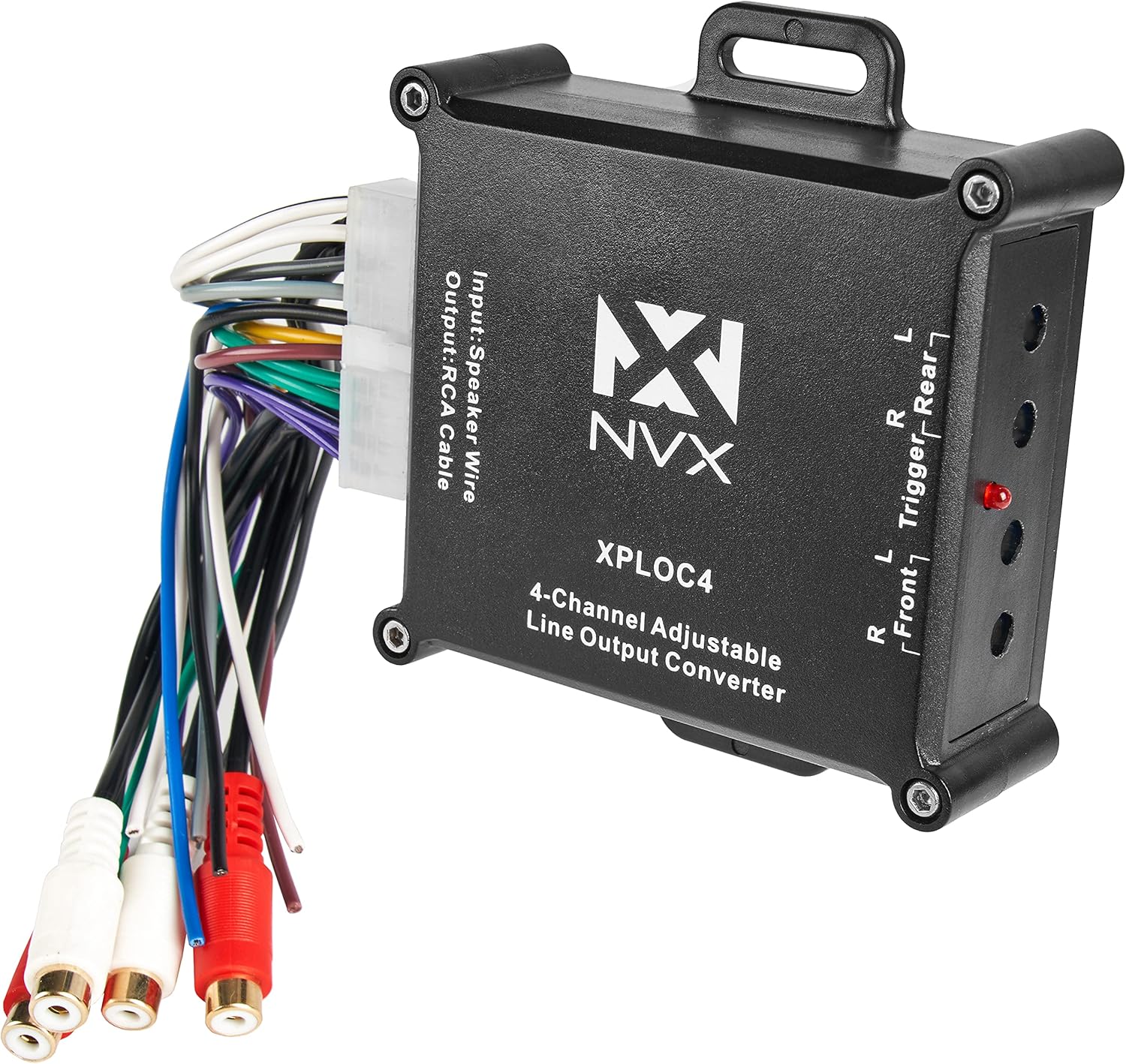
Image 1: NVX XPLOC4 unit showing the main body, wiring harness, and RCA outputs. This image provides an overview of the product's physical components and connections.
5.2 Pasos de conexión
- Desconectar batería: Antes de arrincar, desconecte o terminal negativo da batería do seu vehículo para evitar curtocircuítos.
- Identificar os cables dos altofalantes: Locate the speaker output wires from your factory or aftermarket head unit. These will be connected to the input side of the XPLOC4's wiring harness.
- Conectar as entradas dos altofalantes: Connect the corresponding speaker wires from your head unit to the input wires of the XPLOC4 harness. Match positive to positive and negative to negative for each channel (Front Left, Front Right, Rear Left, Rear Right).
- Conexións de alimentación e terra:
- Conecta o +12V (Yellow) wire from the XPLOC4 to a constant +12V power source.
- Conecta o GND (negro) wire from the XPLOC4 to a solid chassis ground point.
- Remote Turn-On Output: The XPLOC4 provides a Remote (Blue) output wire. Connect this wire to the remote turn-on input of your aftermarket amplifier. This signal will turn on the amplifier when the head unit is active.
- RCA Output Connections: Connect the RCA output cables from the XPLOC4 to the RCA input jacks on your aftermarket amplifier. Ensure Front Left/Right and Rear Left/Right channels are correctly matched.
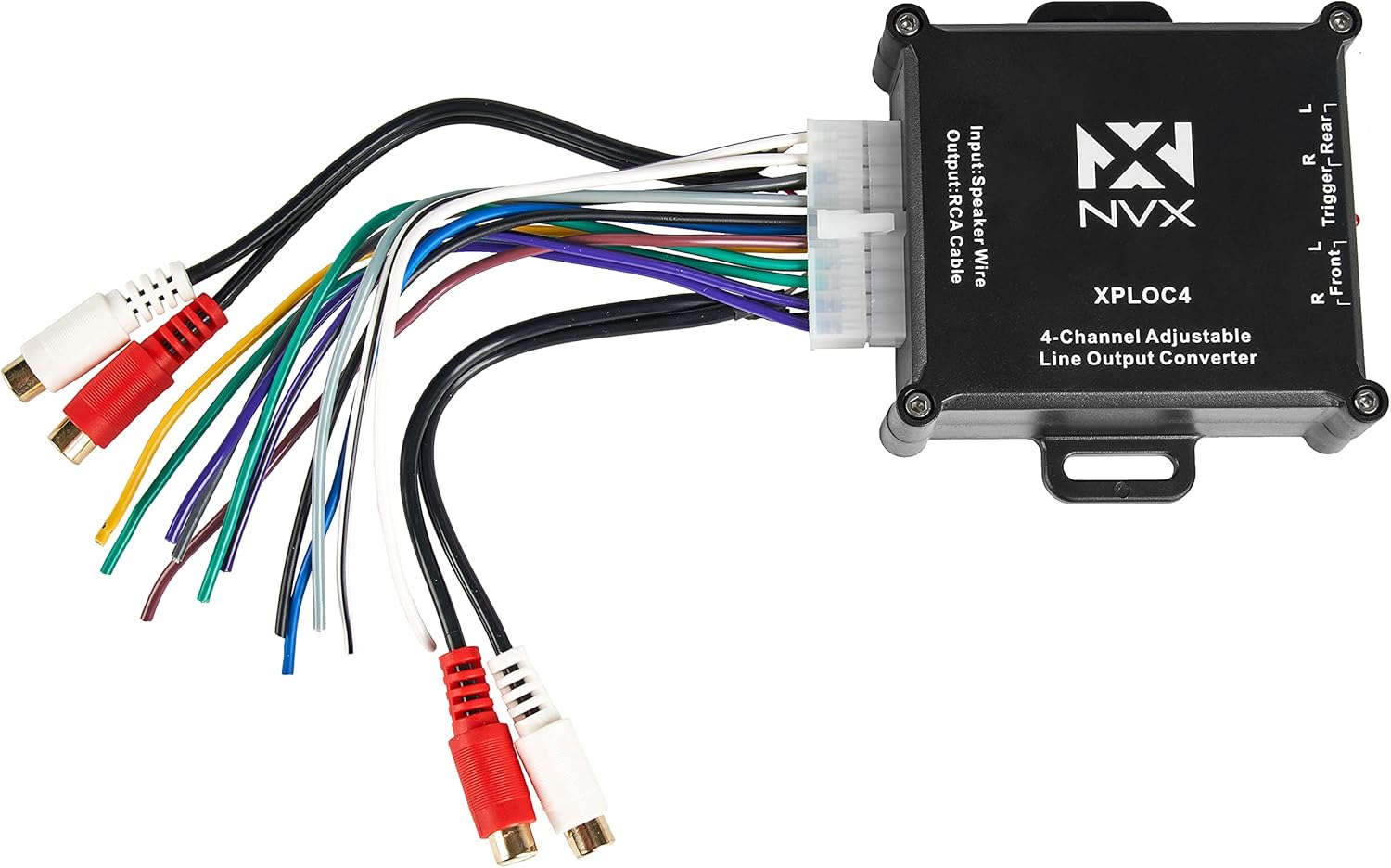
Imaxe 2: Detallada view of the NVX XPLOC4's input speaker wire harness and the RCA output connections, illustrating the various wiring points.
6. Instrucións de funcionamento
6.1 Adjusting Gain Levels
The NVX XPLOC4 features adjustable gain controls for each channel pair (Front and Rear). These controls allow you to match the output level of the XPLOC4 to the input sensitivity of your amplifier, preventing distortion and optimizing sound quality.

Imaxe 3: Lateral view of the NVX XPLOC4, highlighting the four blue gain adjustment screws and the red LED indicator light.
- Configuración inicial: Turn the gain adjustment screws on the XPLOC4 all the way down (counter-clockwise).
- AmpGanancia lifier: Set the gain controls on your aftermarket amplifier to their minimum setting.
- Volume da unidade principal: Turn your head unit volume up to about 75-80% of its maximum level.
- Adjust XPLOC4 Gain: Slowly turn the gain adjustment screws on the XPLOC4 clockwise until the red LED indicator light just begins to flicker or illuminate steadily. This indicates that the signal is approaching clipping. Back off slightly until the LED is off or only flickers minimally.
- Axustar AmpGanancia lifier: Once the XPLOC4 gains are set, slowly increase the gain on your amplifier until the desired volume and sound quality are achieved without audible distortion.
The red LED indicator on the XPLOC4 serves as a clipping indicator. If it illuminates brightly or constantly, the input signal is too high, and distortion may occur. Reduce the head unit volume or the XPLOC4 gain until the LED is off or only flickers occasionally on peak notes.
7. Mantemento
The NVX XPLOC4 is designed for reliable operation and requires minimal maintenance. Ensure the unit is installed in a dry location, away from excessive heat and direct sunlight. Periodically check all wiring connections to ensure they remain secure and free from corrosion.
- Limpeza: Usa un pano suave e seco para limpar o exterior da unidade. Non empregues produtos químicos agresivos nin produtos de limpeza abrasivos.
- Ventilación: Ensure the unit has adequate ventilation to prevent overheating, although passive cooling is generally sufficient for this device.
8 Solución de problemas
| Problema | Causa posible | Solución |
|---|---|---|
| Sen son de ampmáis vivo. |
|
|
| Son distorsionado. |
|
|
| Ruído de zumbido ou zunido. |
|
|
9. Especificacións
| Característica | Especificación |
|---|---|
| Modelo | XPLOC4 |
| Canles | 4 canles |
| Potencia de entrada máxima | 600W Total (150W per channel) |
| Step-Down Ratio | 6:1 |
| Tipo de saída | RCA (Low-Level) |
| Tipo de entrada | Speaker Level (High-Level) |
| Encendido remoto | Saída DC Trigger |
| Dimensións (L x W x H) | 7.64 x 5.04 x 1.57 polgadas |
| Peso | 5.6 onzas |
10. Garantía e soporte
For warranty information and technical support, please refer to the official NVX website or contact your authorized NVX dealer. Keep your purchase receipt as proof of purchase for warranty claims.
Soporte en liña: www.nvx.com/support
Ask a question about this manual
Ask about setup, troubleshooting, compatibility, parts, safety, or missing instructions. Manuals+ will review the question and use this page’s manual context to help answer it.