
Introdución
Grazas pola compraasing the GPX 9-inch Portable DVD Player, Model PD901BDLP. This manual provides essential information for the safe and efficient operation of your device. Please read it thoroughly before use and retain it for future reference.
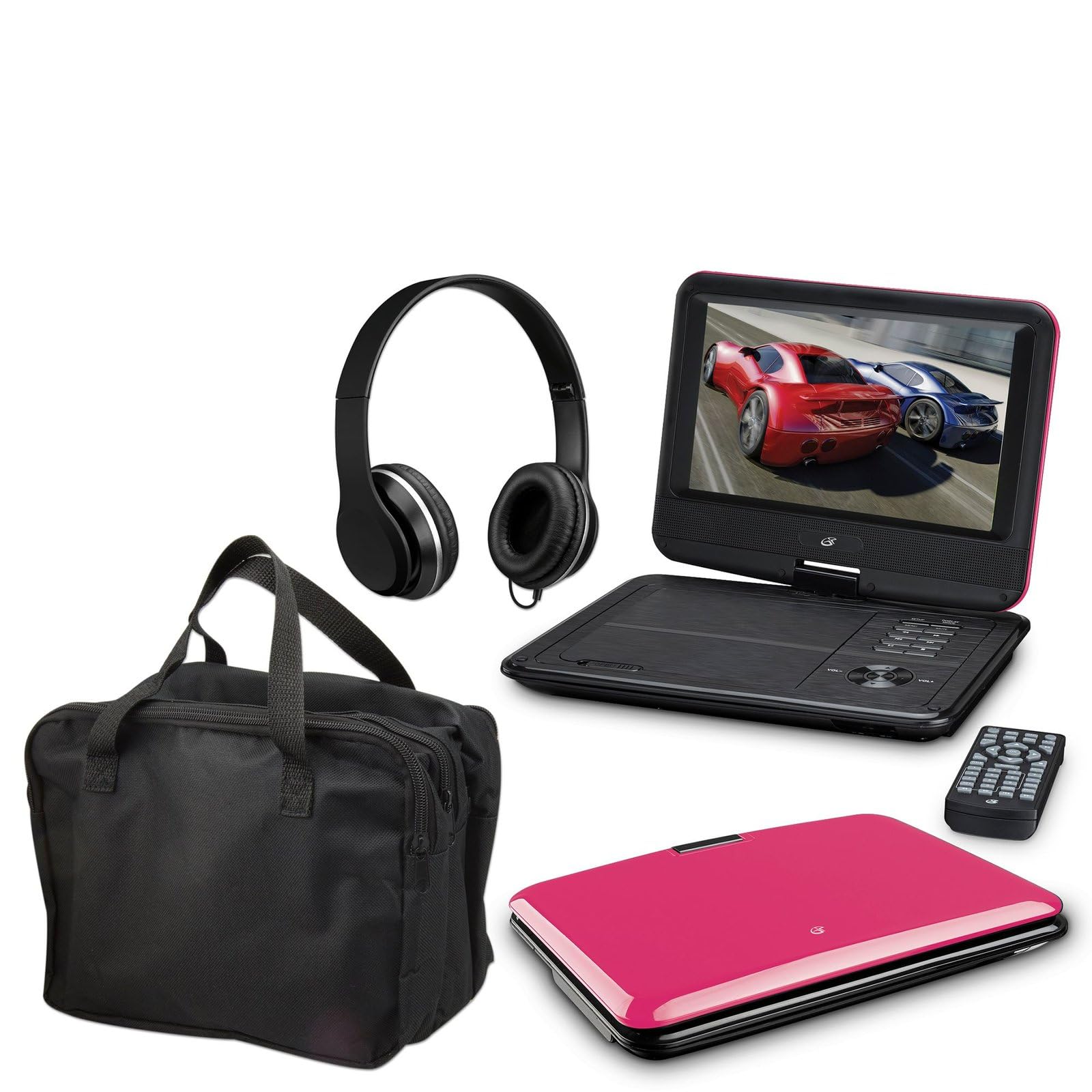
Image: The GPX 9-inch Portable DVD Player in its closed position, showcasing its vibrant pink top casing and sleek design.
Contido do paquete
Verifique que todos os elementos que se indican a continuación estean incluídos no seu paquete:
- GPX 9-inch Portable DVD Player (Model PD901BDLP)
- Mando a distancia (require 2 pilas AAA, incluídas)
- Adaptador de alimentación AC/DC
- Adaptador de coche 12V
- 3.5mm-to-RCA audio/video cable
- Maletín de transporte
- Auriculares
- Manual de instrucións (este documento)
Características do produto
- 9-inch 800x480 LCD screen
- Screen tilts and swivels for versatile viewángulos de inflexión
- Rechargeable lithium polymer battery with up to 2 hours of battery life
- Altofalantes estéreo incorporados
- Conector para auriculares para escoita privada
- RCA output for connection to external displays
- Supports DVD, DVD-R/RW, DVD+R/RW, CD, CD-R/RW, JPEG, MP3 formats
Configuración
1. Cargando a batería
Before first use, fully charge the internal lithium polymer battery. Connect the AC/DC power adapter to the DC IN port on the DVD player and plug the other end into a standard wall outlet. The charging indicator light will illuminate. Charging typically takes approximately 3-4 hours for a full charge, providing up to 2 hours of playback.
2. Instalación das baterías do control remoto
Open the battery compartment on the back of the remote control. Insert two (2) AAA batteries, ensuring correct polarity (+/-). Close the compartment securely.
3. Connecting to a Television (Optional)
Para view content on a larger screen, use the included 3.5mm-to-RCA audio/video cable. Connect the 3.5mm end to the AV OUT port on the DVD player. Connect the RCA (red, white, yellow) ends to the corresponding AV INPUT ports on your television. Select the correct AV input source on your TV.
4. Using the Car Adapter (Optional)
For in-car use, connect the 12V car adapter to the DC IN port on the DVD player and plug the other end into your vehicle's cigarette lighter socket.
Instrucións de funcionamento
1. Acendido/apagado
Manteña premido o POTENCIA button on the player or remote control to turn the device on or off.
2. Inserción dun DVD
- Gently open the DVD player lid.
- Place a DVD disc onto the spindle with the label side facing up.
- Prema suavemente no centro do disco ata que encaixe no seu lugar.
- Peche a tapa. O reprodutor comezará a ler o disco automaticamente.
3. Axuste da pantalla
The LCD screen can be tilted and swiveled to achieve the optimal viewing angle. Carefully adjust the screen to your preferred position.
4. Controis básicos de reprodución
- REPRODUCIR/PAUSA: Press to start or pause playback.
- PARA: Prema para deter a reprodución.
- SALTAR (<< / >>): Press to skip to the previous or next chapter/track.
- FF / REW: Press and hold to fast forward or rewind.
- VOLUME (+/-): Adjust the audio volume.
5. Uso de auriculares
Plug the included headphones into the AURICULAR jack for private listening. The built-in speakers will automatically mute when headphones are connected.
Mantemento
- Limpeza da pantalla: Use a soft, lint-free cloth to gently wipe the LCD screen. Do not use liquid cleaners or abrasive materials.
- Limpeza da bandexa de discos: Keep the disc tray free of dust and debris. Use a soft brush or compressed air if necessary.
- Coidado da batería: To prolong battery life, avoid fully discharging the battery frequently. If storing the player for an extended period, charge it periodically.
- Almacenamento: Store the DVD player in a cool, dry place away from direct sunlight and extreme temperatures. Use the included carrying case for protection during transport.
Resolución de problemas
| Problema | Solución |
|---|---|
| O reprodutor non se acende. | Ensure the battery is charged or the AC/DC adapter is securely connected to a working power outlet. Check the power switch. |
| Non se detectou ningún disco. | Verify the disc is inserted correctly with the label side up and seated properly on the spindle. Ensure the disc is clean and free of scratches. Try a different disc. |
| Sen son. | Check the volume level. Ensure headphones are not plugged in if you intend to use the built-in speakers. If connected to a TV, check the TV's volume and input settings. |
| O control remoto non funciona. | Check and replace the AAA batteries in the remote. Ensure there are no obstructions between the remote and the player's IR sensor. |
| Picture is distorted or blurry. | Clean the disc. Adjust the screen angle. If connected to a TV, check the AV cable connections. |
Especificacións
- Modelo: PD901BDLP
- Tamaño da pantalla: 9 polgadas
- Tipo de visualización: LCD
- Resolución nativa: 800 x 480
- Tipo de medio: DVD, DVD-R/RW, DVD+R/RW, CD, CD-R/RW, JPEG, MP3
- Batería: Polímero de litio recargable
- Duración da batería: Ata 2 horas
- Conectividade: 3.5mm AV Out, Headphone Jack, DC In
- Entrada de enerxía: AC/DC Adapter, 12V Car Adapter
- Peso: Aproximadamente 1.9 libras (0.86 kg)
- Cor: Rosa
- UPC: 047323179044
Garantía e Soporte
This GPX Portable DVD Player is covered by a Garantía limitada do fabricante de 90 días from the date of original purchase. This warranty covers defects in materials and workmanship under normal use.
For warranty service or technical support, please refer to the contact information provided with your product packaging or visit the official GPX websitio. Garde o recibo da compra como xustificante da mesma.
Para obter máis información, pode visitar o GPX Store on Amazon.