
Introdución
The TYLT VU Solo is a Qi-enabled wireless charging pad designed to provide convenient and efficient charging for compatible smartphones. This manual provides essential information for setting up, operating, maintaining, and troubleshooting your device to ensure optimal performance.
Contido do paquete
Verifique que o seu paquete conteña os seguintes elementos:
- TYLT VU Solo Qi Wireless Charging Pad
- Adaptador de alimentación (se está incluído)
- Cable micro-USB
Configuración
Follow these steps to set up your TYLT VU Solo charging pad:
- Conecte a enerxía: Insert the micro-USB cable into the port on the back of the TYLT VU Solo. Connect the other end of the cable to the provided power adapter, then plug the adapter into a wall outlet.
- Colocación: Place the charging pad on a flat, stable surface. The micro-suction base helps secure the pad to solid surfaces.
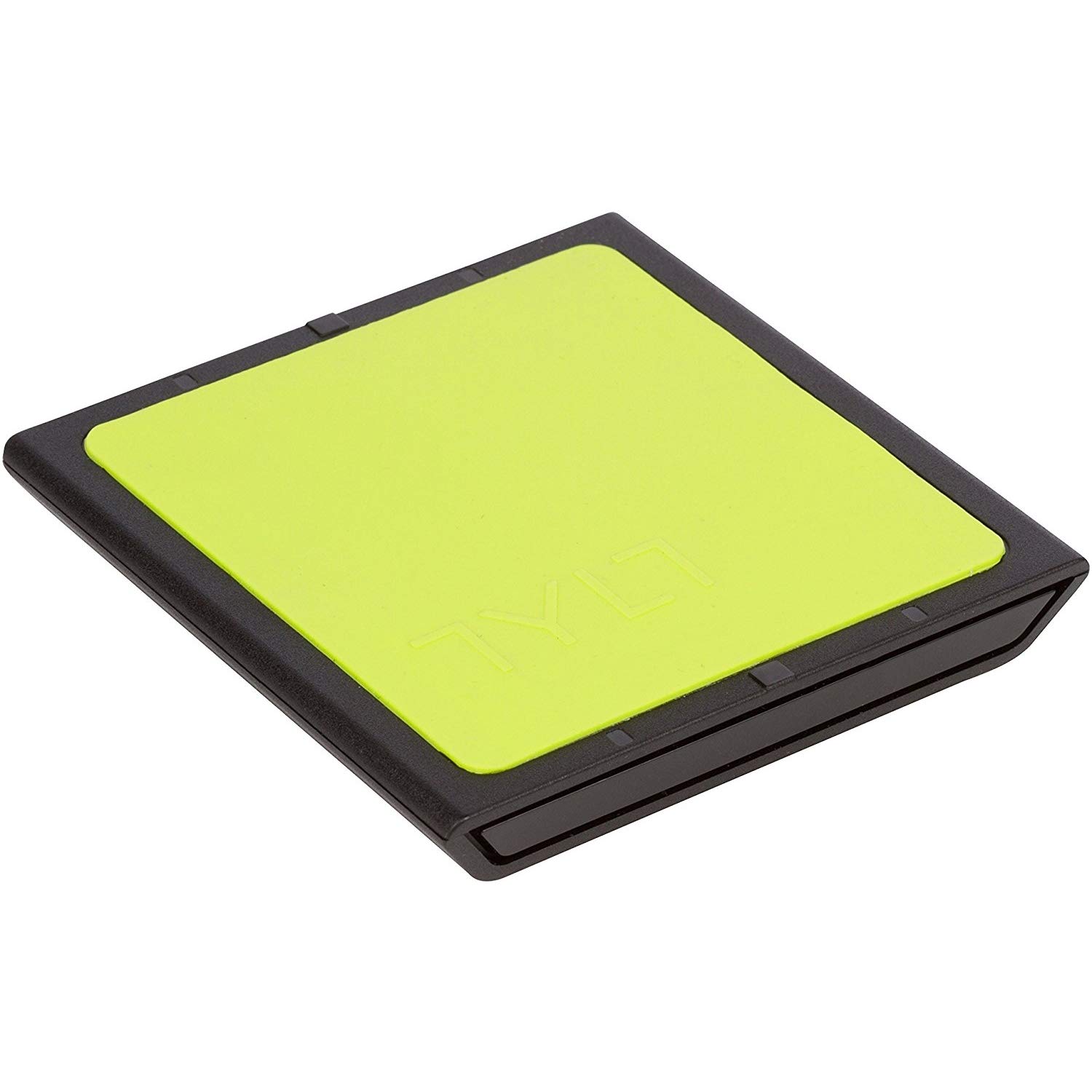
Image: The TYLT VU Solo Qi Wireless Charging Pad, showing its compact design.

Imaxe: Lateral view of the TYLT VU Solo, illustrating its slim profile.
Instrucións de funcionamento
To charge your Qi-compatible smartphone:
- Colocación do dispositivo: Place your Qi-enabled smartphone directly onto the silicone surface of the VU Solo charging pad. The VU Solo features an alignment ledge to assist with proper coil alignment. Match the coils once, then set the alignment ledge to touch the top of your device.
- Confirmación de carga: Your phone should indicate that it is charging wirelessly. The VU Solo is designed to charge through most phone cases.

Image: A Samsung Galaxy phone positioned on the TYLT VU Solo for wireless charging.

Image: The TYLT VU Solo charging pad in use, with a smartphone receiving a charge.
Mantemento
To ensure the longevity and proper function of your TYLT VU Solo:
- Limpeza: Use a soft, dry cloth to clean the surface of the charging pad. Avoid using harsh chemicals or abrasive cleaners.
- Almacenamento: Cando non estea en uso, garde a base de carga nun lugar fresco e seco, lonxe da luz solar directa e de temperaturas extremas.
- Manexo: Evite deixar caer o dispositivo ou sometelo a fortes impactos.
Resolución de problemas
If you encounter issues with your TYLT VU Solo, refer to the following common problems and solutions:
- O dispositivo non se carga:
- Ensure the power adapter is securely plugged into a working wall outlet and the micro-USB cable is firmly connected to the charging pad.
- Verify that your smartphone is Qi-compatible.
- Adjust the placement of your phone on the charging pad to ensure proper coil alignment.
- Retira calquera funda grosa do teléfono que poida interferir coa carga sen fíos.
- Carga lenta:
- Ensure you are using the original power adapter and cable provided with the VU Solo.
- Check for any background applications on your phone that might be consuming excessive power.
- Compatibility Note for Google Pixel: Google Pixel phones do not have native Qi-enabled charging capabilities without an add-on accessory.
Especificacións
| Marca | TYLT |
| Número de modelo | VUSOLOG-T |
| Tipo de conector | USB; Micro-USB |
| Dispositivos compatibles | Teléfonos intelixentes (compatibles con Qi) |
| Vol. De entradatage | 9 voltios |
| Wattage | 5 vatios |
| Característica especial | Carga sen fíos |
| Peso do elemento | 0.16 libras |
| UPC | 781420058245 |
Garantía
TYLT warrants this product to be free of defects in design, assembly, material, or workmanship for a period of un ano from the date of purchase. TYLT will repair or replace, at its option, any defective product free of charge, excluding shipping charges.
Apoio
For further assistance or inquiries, please visit the official TYLT website or contact their customer support. Refer to the product packaging or TYLT's websitio para obter a información de contacto máis actualizada.