
Introdución
The Ozeri WeightMaster II Digital Body Weight Scale is designed to provide a comprehensive and simple solution for measuring and tracking your weight. This scale features BMI measurement, automatic user recognition, and advanced weight change detection technology to help you monitor your progress effectively. It supports a maximum weight capacity of 440 lbs (200 kg).
Please read this manual thoroughly before using your new scale to ensure proper operation and to maximize its features.
Información de seguridade
- Do not use this scale on wet or slippery surfaces. Ensure the scale is placed on a firm, flat, and dry surface before use.
- Avoid dropping the scale or subjecting it to strong impacts, as this may damage the device.
- Do not immerse the scale in water or use abrasive cleaning agents. Clean with a damp pano.
- This scale is intended for household use only and not for medical or commercial purposes.
- Manteña as pilas fóra do alcance dos nenos. En caso de ingestión, busque atención médica inmediata.
Contido do paquete
- Ozeri WeightMaster II 440 lbs Digital Bath Scale
- Manual de usuario
- 2 pilas AA
Configuración
1. Instalación da batería
- Abra a tapa do compartimento das pilas na parte inferior da báscula.
- Insert the two included AA batteries, ensuring correct polarity (+/-).
- Pecha a tapa do compartimento da batería de forma segura.
2. Colocación inicial
Coloque a báscula sobre unha superficie dura, plana e estable. Evite alfombras ou chans irregulares, xa que isto pode afectar á precisión.
3. Unit Selection (lbs/kg)
On the underside of the scale, locate the unit switch. Toggle the switch to select your preferred unit of measurement: pounds (lb) or kilograms (kg).
4. Usuario Profile Setup (for BMI and Auto-Recognition)
The scale can store data for up to 8 unique users. To set up a user profile and enable BMI calculation:
- Press the 'SET' button on the scale. The display will show a user number (P1-P8). Use the arrow buttons to select your desired user number.
- Press 'SET' again. The display will prompt for height. Use the arrow buttons to adjust your height.
- Press 'SET' to confirm. Your profile is now set.
- The scale will automatically recognize you based on your weight when you step on it, provided your weight is within a reasonable range of your last recorded weight for that profile.
Instrucións de funcionamento
1. Facer unha medida
- Asegúrate de que a báscula estea sobre unha superficie dura e plana.
- Gently step onto the scale with bare feet. The scale will automatically turn on.
- Stand still until your weight is displayed and stabilizes.
- The scale will then display your Body Mass Index (BMI).
- Following the BMI, the scale will show your weight change detection data (L1, L3, L7, L30) with color alerts.
- Step off the scale. It will automatically power off after a few seconds.

Image: The Ozeri WeightMaster II scale display showing initial zero reading.
2. Weight Change Detection and Color Alert Technology
The WeightMaster II provides immediate feedback on your weight trends using its unique Weight Change Detection and Color Alert Technology:
- L1: Displays your net weight change from your last weigh-in.
- L3: Displays your net weight change from the average of your last 3 weigh-ins.
- L7: Displays your net weight change from the average of your last 7 weigh-ins.
- L30: Displays your net weight change from the average of your last 30 weigh-ins.
The display illuminates in different colors to indicate your trend:
- GREEN Illumination: Indicates weight loss.
- RED Illumination: Indicates weight gain.
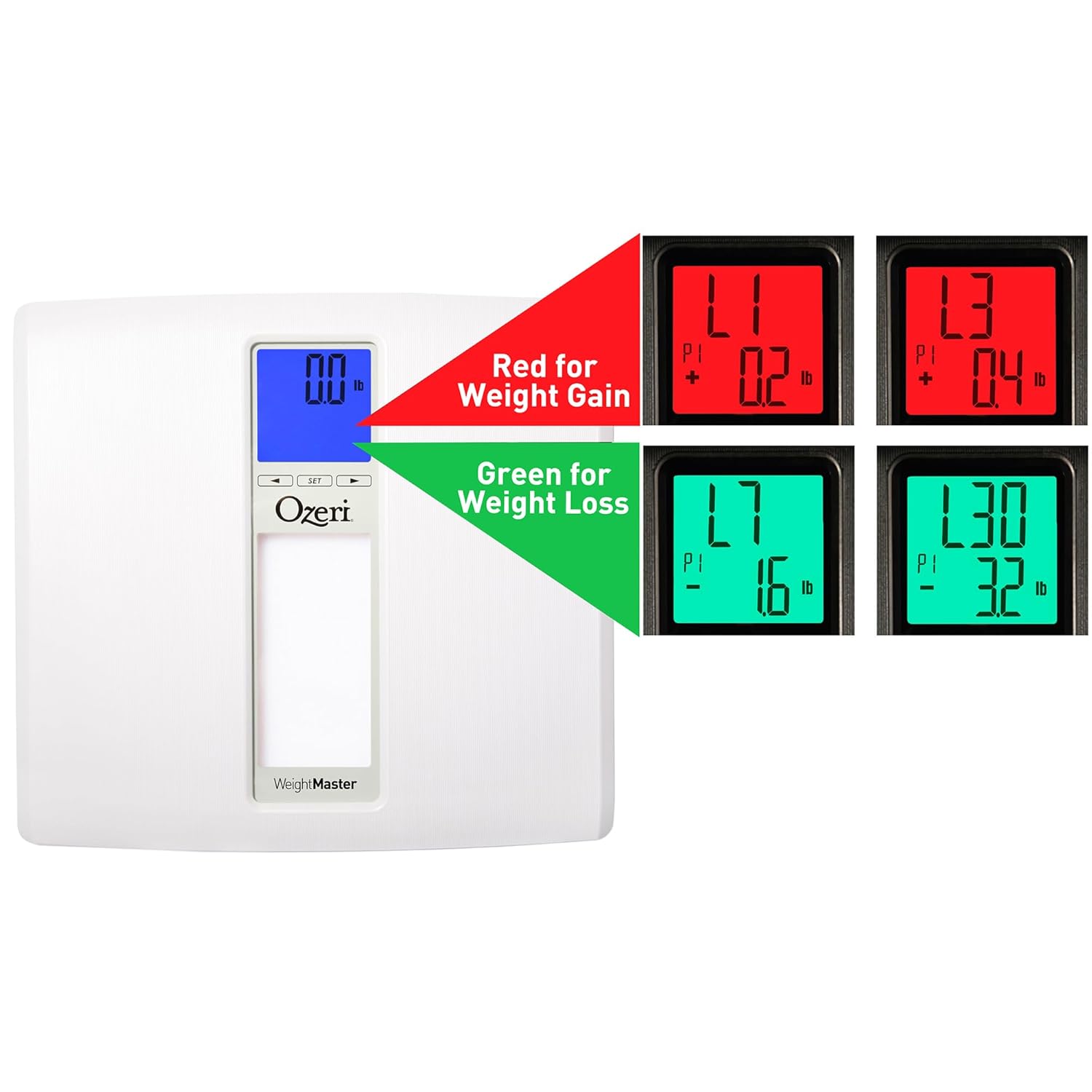
Image: The scale display illustrating red for weight gain and green for weight loss.

Image: Close-up of the display showing 'L1' in red, indicating a net weight gain from the previous recorded weight.
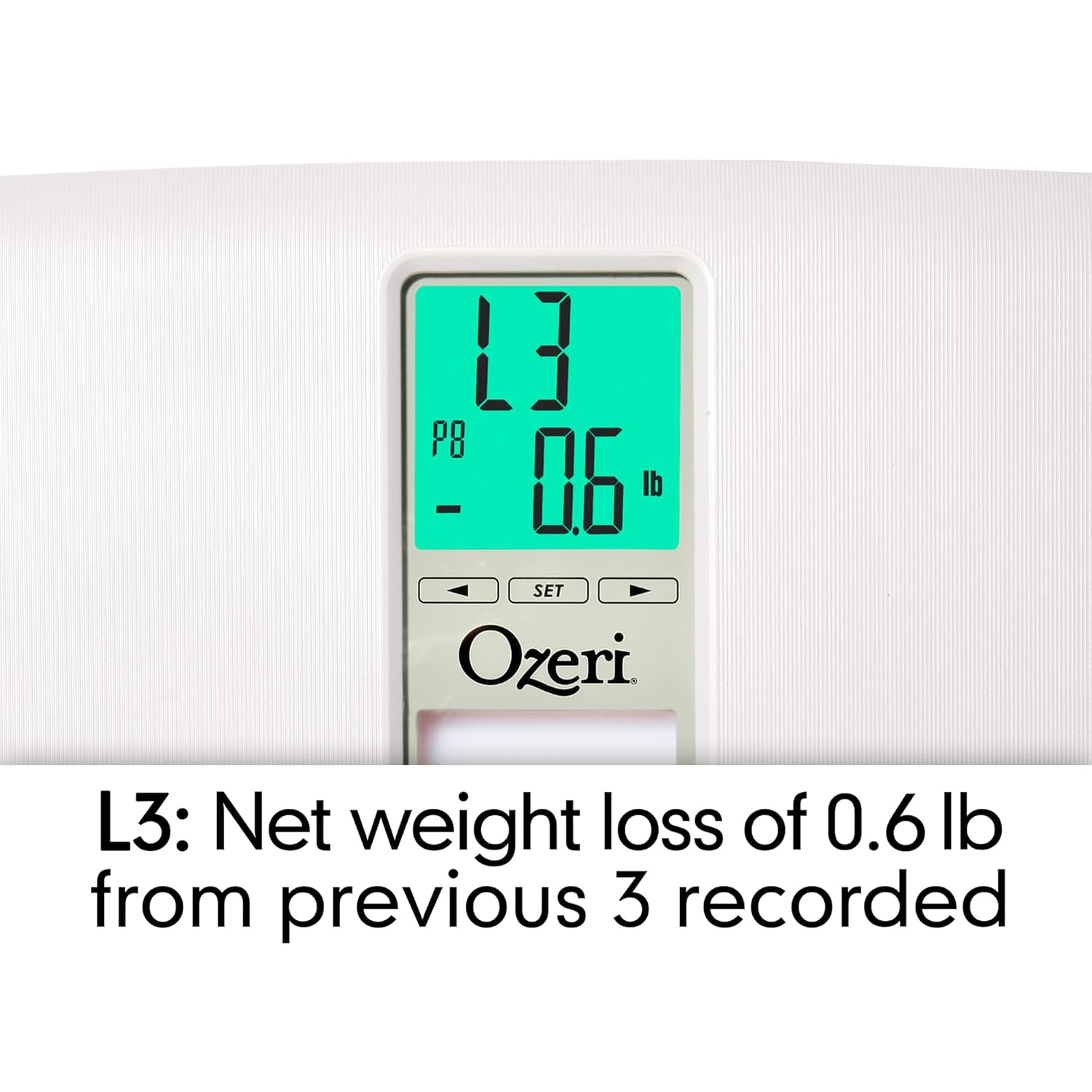
Image: Close-up of the display showing 'L3' in green, indicating a net weight loss from the average of the last 3 recorded weights.
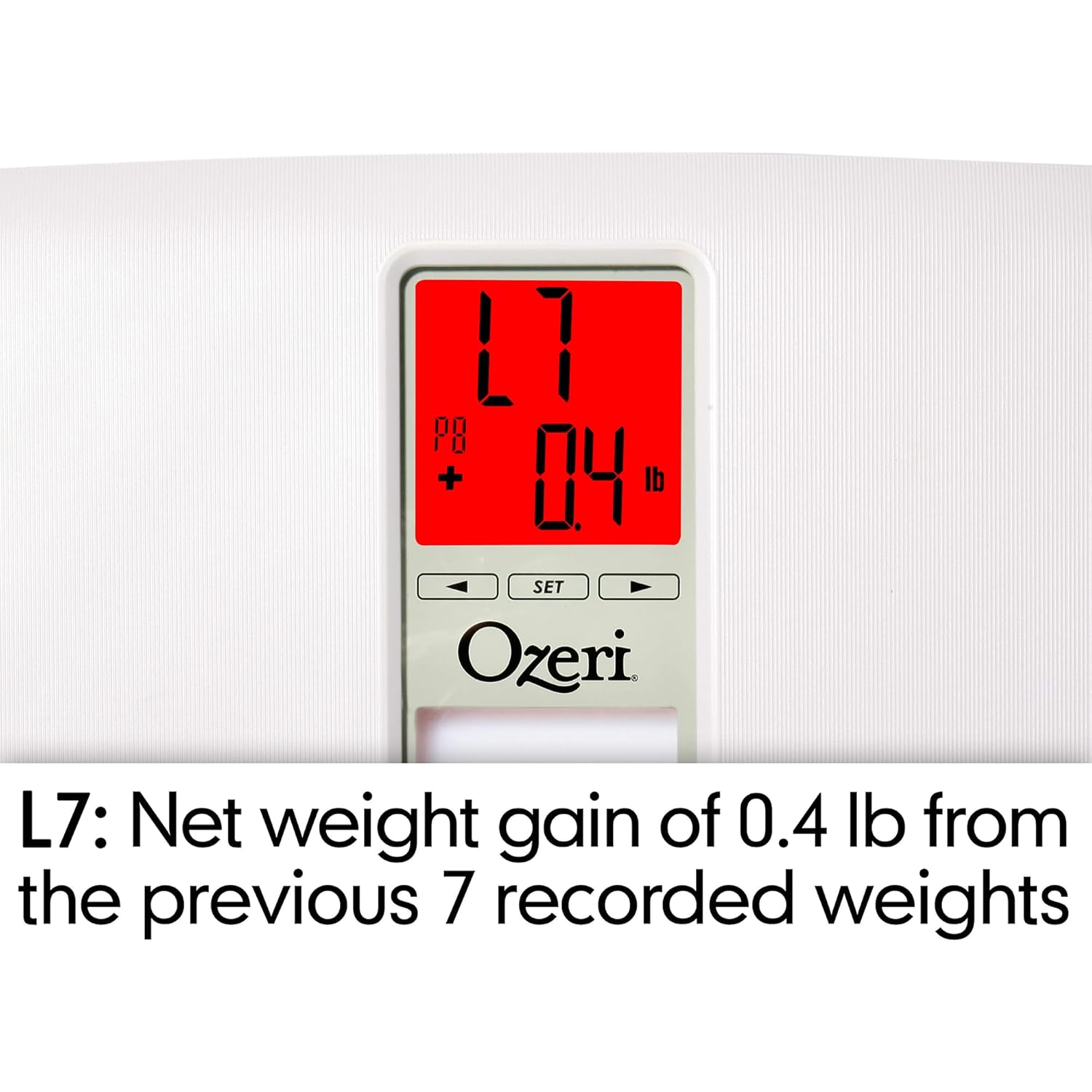
Image: Close-up of the display showing 'L7' in red, indicating a net weight gain from the average of the last 7 recorded weights.

Image: Close-up of the display showing 'L30' in green, indicating a net weight loss from the average of the last 30 recorded weights.
Mantemento
Limpeza
- Limpe a superficie da báscula cun pano suave eamp pano.
- Do not use abrasive cleaners or chemical solvents, as these can damage the finish and electronic components.
- Asegúrese de que a báscula estea seca antes de gardala ou de usala o seguinte vez.
Substitución da batería
If the display becomes dim or shows a 'Lo' indicator, it is time to replace the batteries. Follow the battery installation steps in the 'Setup' section.
Almacenamento
Garda a báscula nun lugar fresco e seco, lonxe da luz solar directa e de temperaturas extremas. Non coloques obxectos pesados enriba da báscula cando non a uses.
Resolución de problemas
| Problema | Causa posible | Solución |
|---|---|---|
| A escala non se acende. | As baterías están agotadas ou están mal instaladas. | Comprobe a polaridade das pilas ou substitúaas por pilas AA novas. |
| Lecturas inexactas ou inconsistentes. | Scale is on an uneven surface; scale needs re-calibration; user is moving during measurement. | Place scale on a hard, flat surface. Step off and then back on to allow auto-calibration. Stand still during measurement. |
| A pantalla mostra "Err" ou "O-Ld". | O peso supera a capacidade máxima (440 lbs / 200 kg). | Reducir o peso na báscula. |
| Scale shows 440 lbs (or max weight) for all users. | Internal error or severe calibration issue. | Remove batteries for 10 seconds, then reinsert. If problem persists, contact customer support. |
| A pantalla mostra "Lo". | Batería baixa. | Substitúe as pilas. |
| Scale does not recognize user. | Usuario profile not set or significant weight change from last recorded weight. | Ensure your user profile is set. If your weight has changed significantly, the scale may not recognize you immediately; it will assign the reading to the closest profile or a new one. |
Especificacións
- Modelo: ZB20-W
- Marca: Ozeri
- Capacidade de peso: 440 libras (200 kg)
- Precisión de lectura: 0.1 lb (0.05 kg)
- Tipo de visualización: LCD with Color Alert Technology
- Material: ABS exterior with tempered glass interior
- Dimensións: 11.75 x 12.5 x 1 polgadas (29.8 x 31.75 x 2.54 cm)
- Peso do artigo: 3.75 libras (1.7 kg)
- Fonte de enerxía: 2 pilas AA (incluídas)
- Características especiais: Body Mass Index (BMI) measurement, Weight Change Detection (L1, L3, L7, L30), Auto-recognition for up to 8 users, Step-on technology, Auto-power off.
Garantía e Soporte
Ozeri products are manufactured to high-quality standards. For specific warranty information regarding your Ozeri WeightMaster II scale, please refer to the warranty card included with your purchase or visit the official Ozeri websitio.
If you encounter any issues or have questions not covered in this manual, please contact Ozeri customer support for assistance. Contact details can typically be found on the product packaging or the official Ozeri websitio.