
Introdución e máisview
The Eton Scorpion II is a rugged, multipowered portable emergency weather radio and flashlight designed for reliability in various conditions. This compact unit is an essential tool for outdoor activities and emergency preparedness, offering multiple ways to stay informed and powered.
Key features include AM/FM/NOAA weather bands for critical updates, a built-in LED flashlight for illumination, and a USB port for charging smartphones. Its robust exterior and aluminum carabiner ensure durability, while multiple power options provide continuous operation.
Configuración
Before initial use, it is recommended to fully charge the Scorpion II using the USB port. This ensures the internal 800 mAh Lithium Ion battery is ready for extended use.
- Carga inicial: Connect the provided USB cable to the unit's USB input port and to a standard USB power source (e.g., computer, wall adapter). Allow several hours for a full charge.
- Antena: For optimal radio reception, extend the telescopic antenna fully.

Instrucións de funcionamento
Encendido/apagado
Manteña premido o Poder button located on the unit to turn the radio on or off.
Afinación de radio
Usa o Banda button to cycle through AM, FM, and NOAA weather bands. Use the Sintonizar +/- buttons to manually adjust the frequency. The digital display will show the current frequency.
Control de volume
Axuste o nivel de saída de son usando o botón Volume +/- botóns.
LED Flashlight & SOS
Preme o Lanterna button to activate the built-in LED flashlight. Some models may include an SOS function, which can be activated by pressing and holding the flashlight button, causing the light to flash Morse code for distress.

Carga de Smartphone
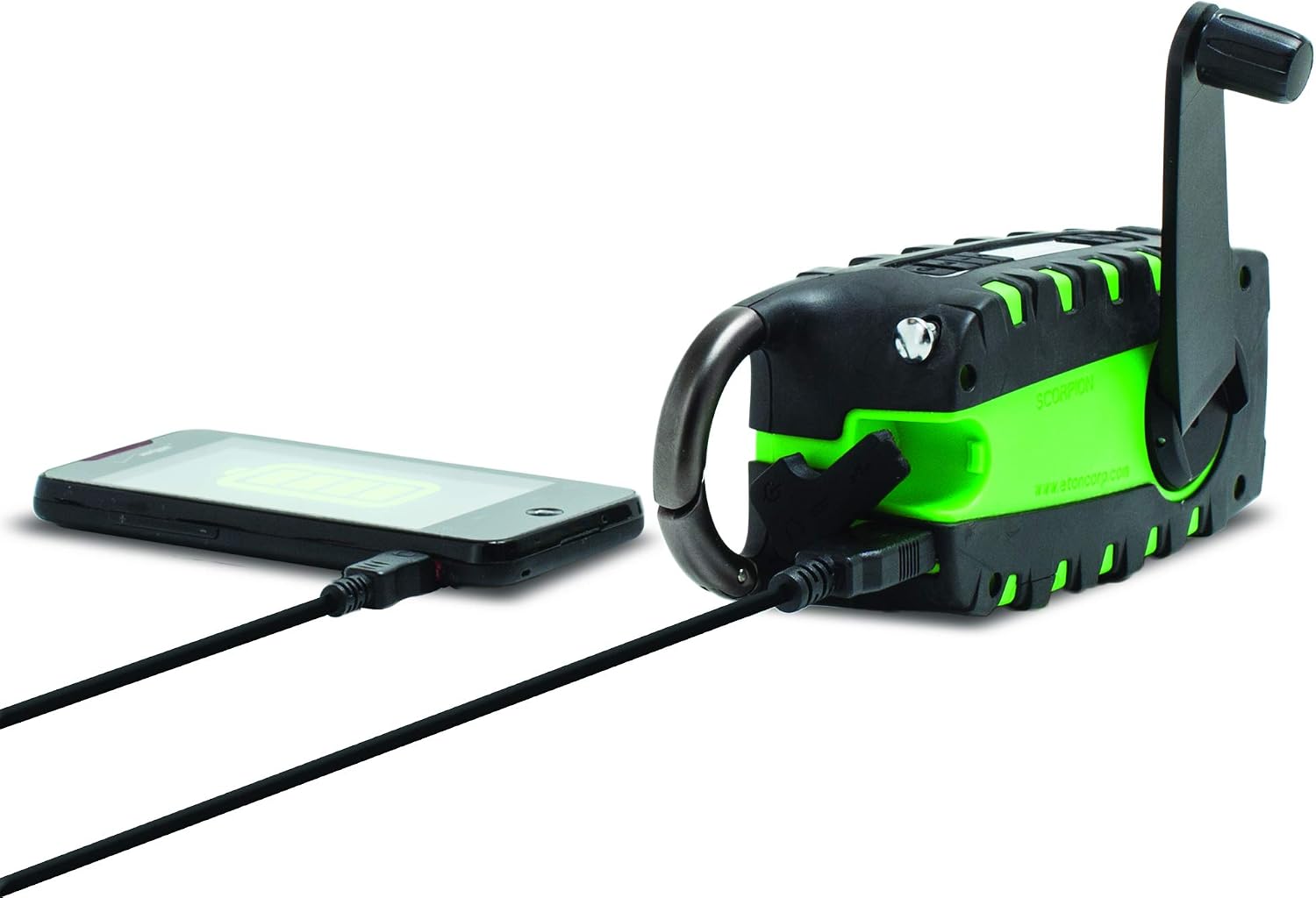
The unit features a USB output port to charge compatible smartphones. Connect your smartphone's charging cable to the Scorpion II's USB output. Ensure the Scorpion II has sufficient charge for this function.

Fontes de enerxía
The Eton Scorpion II offers multiple ways to power the unit and charge external devices:
- Manivela: Extend the hand crank handle and rotate it clockwise or counter-clockwise for manual power generation. Continuous cranking will charge the internal battery and power the radio.
- Panel solar: Place the unit with its solar panel facing direct sunlight. The solar panel will slowly charge the internal battery. This method is ideal for maintaining charge over time or for trickle charging.
- Carga USB: Use the micro-USB input port to charge the internal battery from any standard USB power source. This is the fastest method for a full charge.

Mantemento
To ensure the longevity and optimal performance of your Eton Scorpion II, follow these maintenance guidelines:
- Limpeza: Limpe a unidade cun d, suaveamp pano. Non use produtos químicos agresivos ou produtos de limpeza abrasivos.
- Coidado da batería: For best battery life, fully charge the unit at least once every 3 months, even if not in use. Avoid completely draining the battery frequently.
- Almacenamento: Garde a radio nun lugar fresco e seco, lonxe da luz solar directa e de temperaturas extremas.
- Resistencia á auga: The rugged exterior provides protection against splashes and dust, but the unit is not fully waterproof. Avoid submerging it in water.
Resolución de problemas
If you encounter issues with your Eton Scorpion II, refer to the following common troubleshooting steps:
- Sen enerxía: Ensure the unit is charged. Try hand cranking for a few minutes or connecting to a USB power source.
- Mala recepción de radio: Fully extend the telescopic antenna. Try repositioning the unit to a different location, especially near a window or outdoors.
- Smartphone Not Charging: Verify that the Scorpion II has sufficient battery charge. Ensure the smartphone's charging cable is securely connected to the unit's USB output port.
- A lanterna non funciona: Check if the unit is powered on and has battery charge. Press the flashlight button firmly.
Especificacións
| Dimensións do produto | 2.2 x 3.6 x 7.2 polgadas |
| Peso do elemento | 10.6 onzas |
| Número de modelo do artigo | NSP101WXGR |
| Baterías | 2 Lithium Ion batteries required (internal) |
| Tecnoloxía de conectividade | USB |
| Fonte de enerxía | Solar Powered, Hand Crank, USB |
| Bandas de radio admitidas | AM, FM, NOAA Weather |
| Característica especial | Portable, LED Flashlight, Smartphone Charger |
O que hai na caixa
- Eton Scorpion II Rugged Multipowered Portable Emergency Weather Radio & Flashlight Green
- Cable de carga USB
Garantía e Soporte
For warranty information, technical support, or service inquiries, please refer to the documentation included with your product or visit the official Eton websitio. Conserve o recibo de compra para reclamacións de garantía.