Introdución
Thank you for choosing the Altec Lansing iMW475 Mini Life Jacket Bluetooth Speaker. This speaker is designed for portability and durability, featuring a rugged, compact, waterproof, dustproof, and shockproof design. It also floats, making it ideal for outdoor and water-related activities. This manual provides essential information for setting up, operating, and maintaining your speaker.
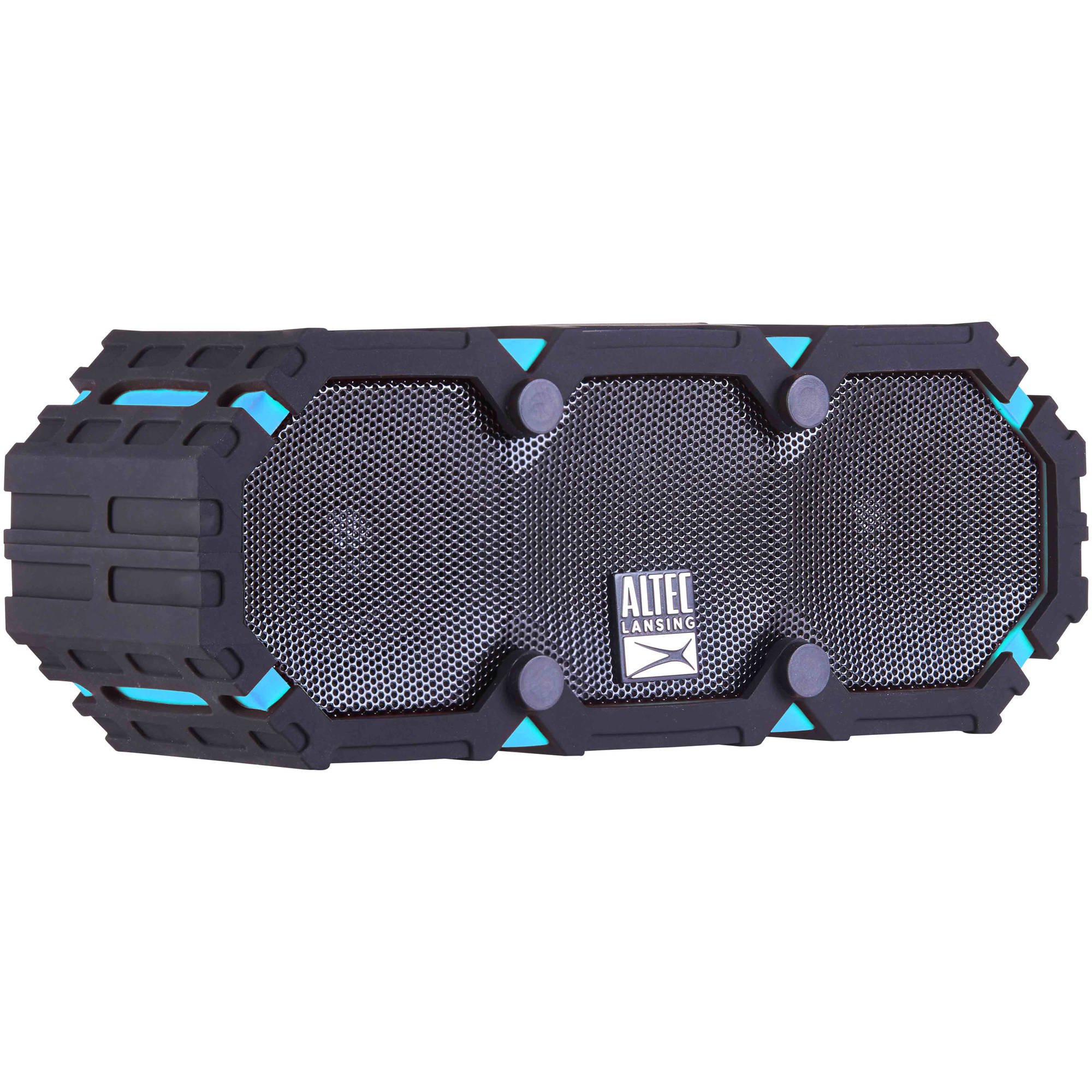
Image: The Altec Lansing iMW475 Mini Life Jacket Bluetooth Speaker, showcasing its compact, rugged design in black and blue.
Contido do paquete
- Altec Lansing iMW475 Mini Life Jacket Bluetooth Speaker
- Soporte de montaxe
- Cable de carga USB (Note: Specific cable type not detailed in product data, typically Micro-USB or USB-C)
- Auxiliary Cable (Note: Not explicitly listed but common for such speakers)
- Guía de inicio rápido (Not explicitly listed but common)
Asegúrate de que estean presentes todos os elementos antes de continuar coa configuración.
Controis e indicadores
The speaker features intuitive controls for power, volume, and Bluetooth pairing. Specific button layouts may vary slightly, but common functions include:
- Botón de encendido: Mantén premido para activar ou desactivar o altofalante.
- Botón para subir o volume/seguinte pista: Press to increase volume. Hold to skip to the next track.
- Botón para baixar o volume/pista anterior: Preme para baixar o volume. Mantén premido para ir á pista anterior.
- Botón Reproducir/Pausar/Chamar: Press to play or pause audio. Press to answer or end a phone call. Hold to activate voice assistant (if supported by your device).
- Botón de sincronización Bluetooth: Manteña premido para entrar no modo de vinculación Bluetooth.
- Indicador LED: Displays power status, charging status, and Bluetooth connection status.
Refer to the quick start guide included with your product for a detailed diagram of button placement.
Configuración
1. Cargando o altofalante
Before first use, fully charge your Altec Lansing iMW475 speaker. A full charge provides approximately 10 hours of battery life.
- Locate the charging port, usually protected by a waterproof flap.
- Conecta o cable de carga USB fornecido ao porto de carga do altofalante.
- Conecta o outro extremo do cable USB a un adaptador de corrente USB (non incluído) ou ao porto USB dun ordenador.
- The LED indicator will show the charging status (e.g., solid red while charging, off or green when fully charged).
- Once fully charged, disconnect the cable and ensure the waterproof flap is securely closed.
2. Emparellamento Bluetooth
Para conectar o altofalante a un dispositivo con Bluetooth:
- Ensure the speaker is charged and turned off.
- Mantén premido o botón de acendido para acender o altofalante. O indicador LED parpadeará, indicando que está en modo de emparellamento.
- No teu dispositivo móbil (teléfono intelixente, tableta, portátil), vai á configuración de Bluetooth.
- Busca available devices. You should see "iMW475" or a similar name in the list.
- Select "iMW475" to connect. The LED indicator will turn solid when successfully paired.
- A voice prompt may confirm "You are now connected."
- Once paired, the speaker will automatically connect to the last paired device when turned on, if the device is within range (up to 30 feet or 9.14 meters).
Instrucións de funcionamento
Reproducir audio
- After successful Bluetooth pairing, open your preferred music application on your connected device.
- Start playing audio. The sound will be routed through your Altec Lansing iMW475 speaker.
- Use the Volume Up/Down buttons on the speaker or your connected device to adjust the audio level.
- Prema o botón Reproducir/Pausa para pausar ou retomar a reprodución.
- Hold the Volume Up/Down buttons to skip tracks forward or backward.
Chamadas mans libres
The speaker features an onboard microphone for hands-free communication.
- When a call comes in, the music will pause, and you will hear a ringtone through the speaker.
- Press the Play/Pause/Call button once to answer the incoming call.
- Speak clearly into the speaker's microphone.
- To end the call, press the Play/Pause/Call button once again.
- To reject an incoming call, press and hold the Play/Pause/Call button.
Usando a entrada auxiliar
For devices without Bluetooth, you can connect via the auxiliary input.
- Locate the auxiliary input port, usually protected by a waterproof flap.
- Connect one end of a 3.5mm auxiliary cable (not included) to the speaker's AUX port.
- Conecte o outro extremo á toma de auriculares do dispositivo de audio.
- The speaker will automatically switch to AUX mode, or you may need to press the Mode button (if available).
- Controla a reprodución e o volume desde o teu dispositivo de son conectado.
Mantemento
- Limpeza: Limpe o altofalante cun suave, damp pano. Non use produtos de limpeza ou disolventes abrasivos.
- Coidados impermeables: Ensure all port covers are securely closed before exposing the speaker to water to maintain its waterproof integrity. After exposure to saltwater or chlorinated water, rinse the speaker with fresh water and allow it to air dry completely.
- Almacenamento: Garde o altofalante nun lugar fresco e seco, lonxe da luz solar directa e de temperaturas extremas.
- Coidado da batería: Para prolongar a duración da batería, evite descargala completamente con frecuencia. Cargue o altofalante regularmente, mesmo se non o usa durante períodos prolongados.
Resolución de problemas
| Problema | Solución |
|---|---|
| O altofalante non se acende. | Asegúrate de que a batería estea cargada. Conecta o altofalante a unha fonte de alimentación mediante o cable de carga USB. |
| Non hai son do altofalante. |
|
| Falla o emparellamento Bluetooth. |
|
| Poor audio quality or distortion. |
|
Especificacións
- Nome do modelo: iMW475 Mini Life Jacket
- Tipo de altofalante: Ao aire libre
- Características especiais: Waterproof, Dustproof, Shockproof, Floats
- Conectividade: Bluetooth
- Alcance Bluetooth: Ata 30 pés (9.14 metros)
- Duración da batería: Ata 10 horas
- Fonte de enerxía: Battery and AC (via USB charging)
- Modo de saída de audio: Estéreo
- Potencia de saída máxima do altofalante: 10 vatios
- Método de control: Voz, botóns
- Compoñentes incluídos: Soporte de montaxe
- Dimensións do produto: 7 x 3 x 4.5 polgadas
- Peso do artigo: 1 libra (16 onzas)
- Nivel de resistencia á auga: Impermeable
- UPC: 021331205841
Garantía e Soporte
Altec Lansing products are designed for reliability and performance. For specific warranty information regarding your iMW475 Mini Life Jacket Bluetooth Speaker, please refer to the warranty card included with your purchase or visit the official Altec Lansing websitio.
For technical support, frequently asked questions, or to register your product, please visit the Altec Lansing support page or contact their customer service directly. Contact details are typically available on the manufacturer's websitio.
Note: Warranty terms and conditions may vary by region and retailer. Keep your proof of purchase for warranty claims.