
NordicTrack C990
Manual do usuario da cinta de correr NordicTrack C 990
Model: C990 | Brand: NordicTrack
Introdución
The NordicTrack C 990 Treadmill is designed to help you achieve your fitness goals with advanced features and a robust build. This manual provides essential information for the setup, operation, and maintenance of your treadmill, ensuring a safe and effective workout experience.

Figure 1: NordicTrack C 990 Treadmill, a full view of the treadmill with its console and running deck.
Información de seguridade
Please read all instructions carefully before using this treadmill. Keep this manual for future reference. Adhere to the following safety guidelines:
- Asegúrate de que a cinta de correr estea colocada sobre unha superficie nivelada con espazo libre suficiente arredor dela.
- Manteña os nenos e as mascotas lonxe da fita durante a operación.
- Usa sempre calzado deportivo axeitado.
- Use the safety key clip during workouts. In case of emergency, pulling the safety key will immediately stop the treadmill.
- Non fagas funcionar a cinta de correr se ten o cable ou a clavija danados ou se non funciona correctamente.
- Consulte a un médico antes de comezar calquera programa de exercicios.
Configuración
While the NordicTrack C 990 Treadmill is designed for ease of use, proper setup is crucial for safety and performance. Although assembly is generally straightforward, professional assembly services may be available.
Desembalaxe e colocación
- Retire coidadosamente todos os compoñentes da embalaxe.
- Place the treadmill on a stable, level surface. Ensure there is at least 6 feet of clear space behind the treadmill and 2 feet on each side.
Conexión de alimentación
- Connect the power cord to a grounded outlet. The treadmill requires a dedicated circuit.
- Insert the safety key into its designated slot on the console. The treadmill will not operate without the safety key in place.

Figure 2: Treadmill dimensions showing 79.5" L x 35.5" W x 60.3" H, important for placement.
Instrucións de funcionamento
The NordicTrack C 990 Treadmill offers a variety of features to enhance your workout.
Console and Display
The treadmill features a 7-inch web-enabled touchscreen display. This allows you to browse the internet, access iFit workouts, track your stats, and utilize Google Maps training routes.

Imaxe 3: Primeiro plano view of the treadmill console with its 7-inch touchscreen and control buttons.

Figure 4: A user's hand interacting with the touchscreen display on the NordicTrack C 990 Treadmill console.
iFit Integration
With iFit, you can access professionally designed workouts, automatic stats tracking, and Google Maps training routes. The treadmill can automatically adjust its incline to simulate the terrain of your chosen route.
The console provides access to 32 preloaded workouts designed by certified personal trainers. These include calorie, heart rate control, incline, and speed workout programs.
FlexSelect Cushioning
The FlexSelect Cushioning system allows you to choose between a cushioned deck for joint comfort or a firmer deck to simulate road running. This feature helps reduce impact on your joints during workouts.

Figure 5: A hand adjusting the FlexSelect cushioning mechanism located on the side of the treadmill deck.

Figura 6: Detalle view of the orange FlexSelect cushioning components beneath the treadmill deck.
Motor and Performance
The C 990 is equipped with a 3.0 CHP (Continuous Horsepower) drive system. This motor is designed for quieter operation and reduced vibration, supporting users up to 350 pounds.
The treadmill offers a speed range of 0 to 12 MPH and an incline range of 0 to 12%. Quick One-Touch controls allow for easy adjustment of both speed and incline.
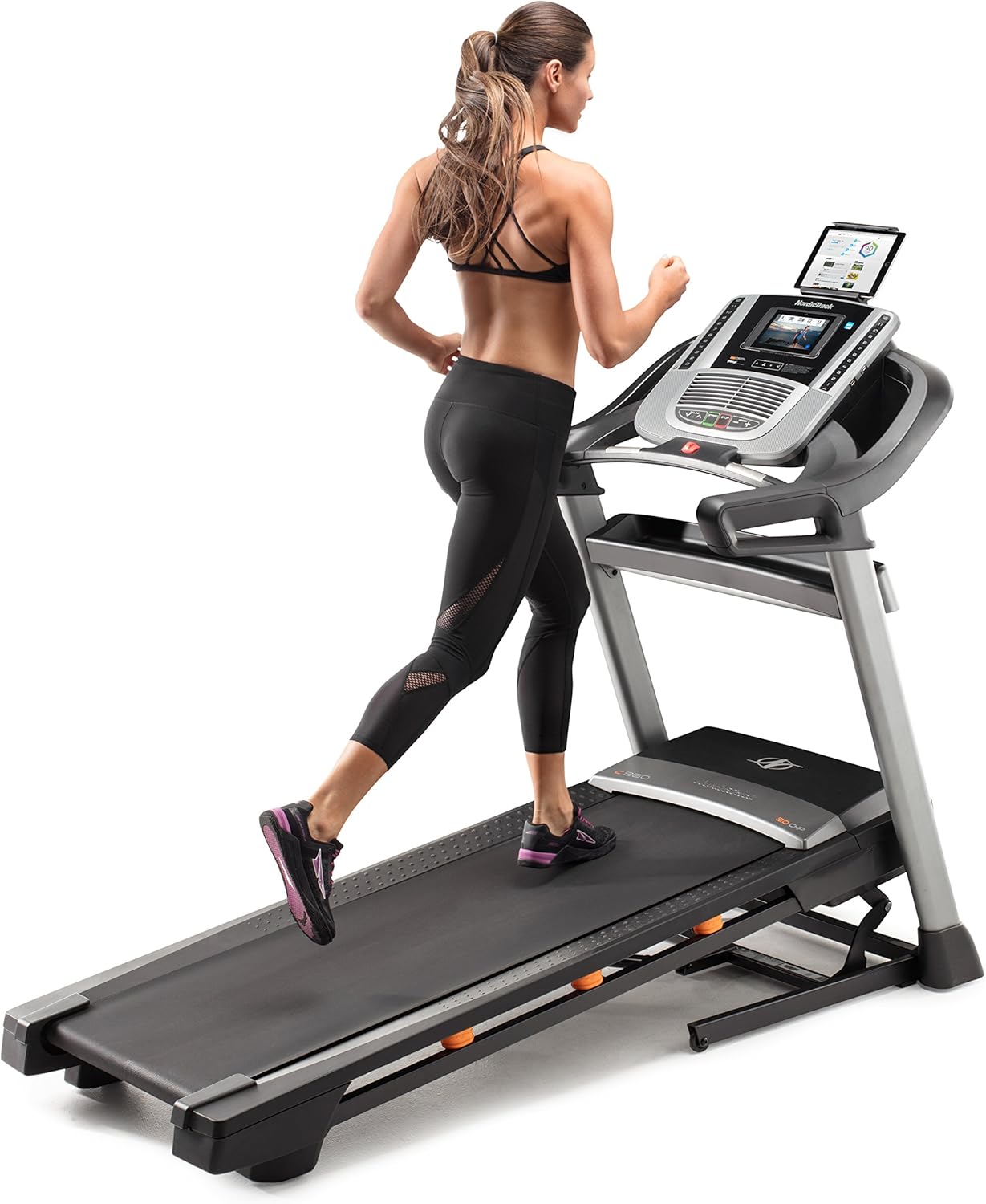
Figure 7: A person running on the NordicTrack C 990 Treadmill, demonstrating its use.
Cuberta de correr
The treadmill features a spacious 20 x 60 inch tread belt. This belt is engineered to reduce noise and friction, contributing to a quieter workout and longer product lifespan. It is also stretch-resistant and designed to stay centered on the deck.

Figura 8: Primeiro plano view of the textured running surface and side rails of the treadmill deck.
Características de confort
- AutoBreeze Workout Fan: The integrated fan automatically adjusts its speed to keep you cool during your workout.
- Dual 2" Speakers: Play your favorite music through the built-in sound system.
- Soporte para tableta integrado: Securely hold your tablet for entertainment or productivity during your exercise.
Monitorización da frecuencia cardíaca
Monitor your heart rate with the included Bluetooth-enabled wireless chest strap for a constant readout, or use the EKG grips on the handlebars for a quick reading.
SpaceSaver Design
The SpaceSaver design with EasyLift Assist allows you to easily fold the treadmill deck vertically for convenient storage, saving space in your home.

Figure 9: A person folding the treadmill deck upwards, demonstrating the SpaceSaver feature for compact storage.
Mantemento
Regular maintenance ensures the longevity and optimal performance of your NordicTrack C 990 Treadmill.
- Limpeza: Limpa a cinta de correr despois de cada uso cun anuncioamp pano para eliminar a suor e o po. Evita produtos de limpeza abrasivos.
- Lubricación da correa: Periodically check and lubricate the running belt according to the instructions in the full user guide (PDF link provided in product details).
- Aliñación do cinto: If the running belt shifts to one side, adjust it using the rear roller bolts as described in the full user guide.
- Cuberta do motor: Keep the motor cover clean and free of debris to ensure proper ventilation.
Resolución de problemas
Se tes problemas coa túa cinta de correr, consulta os seguintes consellos comúns para a súa resolución:
| Problema | Posible Solución |
|---|---|
| A cinta de correr non se acende. | Ensure the power cord is securely plugged into a grounded outlet. Check the circuit breaker. Verify the safety key is fully inserted. |
| A cinta de correr esvara ou dubida. | Check belt tension and adjust if necessary. Ensure the belt is properly lubricated. |
| Ruídos pouco habituais durante o funcionamento. | Inspect for loose parts. Ensure the treadmill is on a level surface. If noise persists, consult customer support. |
| Console display is unresponsive. | Restart the treadmill by unplugging it for 30 seconds and plugging it back in. Ensure all connections are secure. |
For more detailed troubleshooting or persistent issues, please contact NordicTrack Customer Support.
Especificacións
| Característica | Detalle |
|---|---|
| Marca | NordicTrack |
| Nome do modelo | C990 |
| Dimensións do produto (L x W x H) | 79.5" D x 35.5" W x 60.3" H |
| Tamaño dobrado | 42.6" L x 70.9" H (approx. 22" W) |
| Peso do elemento | 215 libras |
| Recomendación de peso máximo | 350 libras |
| Potencia do motor | 3.0 CHP |
| Velocidade máxima | 12 millas por hora |
| Porcentaxe de inclinación máximatage | 12 % |
| Lonxitude da cuberta | 60 polgadas |
| Ancho da plataforma | 20 polgadas |
| Tipo de visualización | 7 polgadas Web-enabled Touchscreen LCD |
| Número de programas | 32 Preloaded Workouts |
| Características especiais | iFit Enabled, FlexSelect Cushioning, AutoBreeze Fan, Dual 2" Speakers, Integrated Tablet Holder, Bluetooth Enabled Heart Rate |
Garantía
The NordicTrack C 990 Treadmill motor is backed by a lifetime warranty. For specific details regarding the full warranty coverage for all components, please refer to the warranty information included with your product documentation or contact NordicTrack customer support.
Apoio
For further assistance, technical support, or to order replacement parts, please contact NordicTrack Customer Support. You can find contact information on the official NordicTrack websitio web ou na documentación que se inclúe coa cinta de correr.
An official User Guide (PDF) is also available for download: NordicTrack C 990 User Guide
Vídeo do produto
Vídeo 1: Presentación oficial dun produto en vídeoasing the key features and benefits of the NordicTrack C 990 Treadmill, including its interactive display, cushioning, and space-saving design.
Ask a question about this manual
Ask about setup, troubleshooting, compatibility, parts, safety, or missing instructions. Manuals+ will review the question and use this page’s manual context to help answer it.