
MJX X401H
Manual do usuario do dron cuadricóptero MJX X401H FPV
Model: X401H
1. Introdución
Welcome to the MJX X401H FPV Quadcopter Drone User Manual. This guide provides detailed instructions for the safe operation, assembly, maintenance, and troubleshooting of your new drone. Please read this manual thoroughly before operating the drone to ensure proper function and to prevent damage or injury.
Safety Warning: Always operate the drone in open areas, away from people, animals, and obstacles. Ensure all components are correctly assembled and batteries are fully charged before each flight. Adult supervision is recommended for younger users.
2. Produto rematadoview
2.1 Características principais
- Altitude-Hold Technology: Integrated air pressure sensor for stable hovering, making it easier to capture high-quality photos and videos.
- Transmisión en tempo real FPV: Experience first-person view flight by streaming live video directly to your mobile device via Wi-Fi.
- Easy to Fly: Equipped with One Key Return and Headless Security System for simplified control, suitable for beginners.
- Engalaxe e aterraxe cunha tecla: Simplifies the most challenging parts of flight with a single button press.
- 3D Flip and Roll: Realiza impresionantes acrobacias aéreas con facilidade.
- Left and Right Hand Switch Mode: Adaptable control scheme for various pilot preferences.
2.2 Contido do paquete
Asegúrate de que o teu paquete inclúa todos os seguintes elementos:
- 1x MJX X401H Drone
- 1x C4005 FPV Camera
- 1x Transmitter (Remote Control)
- 1x soporte para teléfono móbil
- 1x 7.4V 350mAh Li-Po Battery
- 4x Spare Propellers
- 1x cable de carga micro USB
- 1 x Destornillador
- 1x Manual de usuario (inglés)

Figura 2.2.1: MJX X401H Drone and its included accessories, including the remote control, battery, spare propellers, and charging cable. The image also indicates the drone's approximate dimensions of 31 inches by 31 inches.
3. Guía de configuración
3.1 Montaxe do drón
- Instalación de hélices: Carefully attach the propellers to the motor shafts. Ensure the correct propeller (A or B) is installed on the corresponding motor as indicated in the drone's manual or markings. Secure them with the provided tiny screws using the screwdriver. Be careful not to lose the screws.
- Instalar os protectores da hélice: Attach the propeller guards to the drone's arms for added protection.
- Install Landing Skids: Secure the landing skids to the bottom of the drone.
- Install Camera and Mobile Phone Holder: Attach the C4005 FPV camera to the designated slot on the drone. Mount the mobile phone holder onto the transmitter.
3.2 Carga e instalación da batería
- Cargar a batería do dron: Connect the 7.4V 350mAh Li-Po battery to the Micro USB charging cable. Connect the USB cable to a USB power source (e.g., computer USB port or a USB wall adapter). The charging indicator light will show the charging status. A full charge typically takes 60-90 minutes. Do not overcharge.
- Instalar a batería do dron: Once charged, carefully insert the battery into the battery compartment on the drone. Ensure it is securely connected and the compartment cover is closed.
- Instalar as baterías do transmisor: Open the battery compartment on the back of the transmitter. Insert 4x AA batteries (not included) according to the polarity markings. Close the compartment.
4. Instrucións de funcionamento
4.1 Pairing the Drone and Transmitter
- Coloque o dron sobre unha superficie plana e plana.
- Turn on the drone's power switch. The indicator lights will flash.
- Turn on the transmitter. The transmitter's indicator light will flash.
- Push the left throttle stick (vertical) all the way up, then all the way down. The drone and transmitter lights will become solid, indicating successful pairing.
4.2 FPV App Connection (Real-Time Transmission)
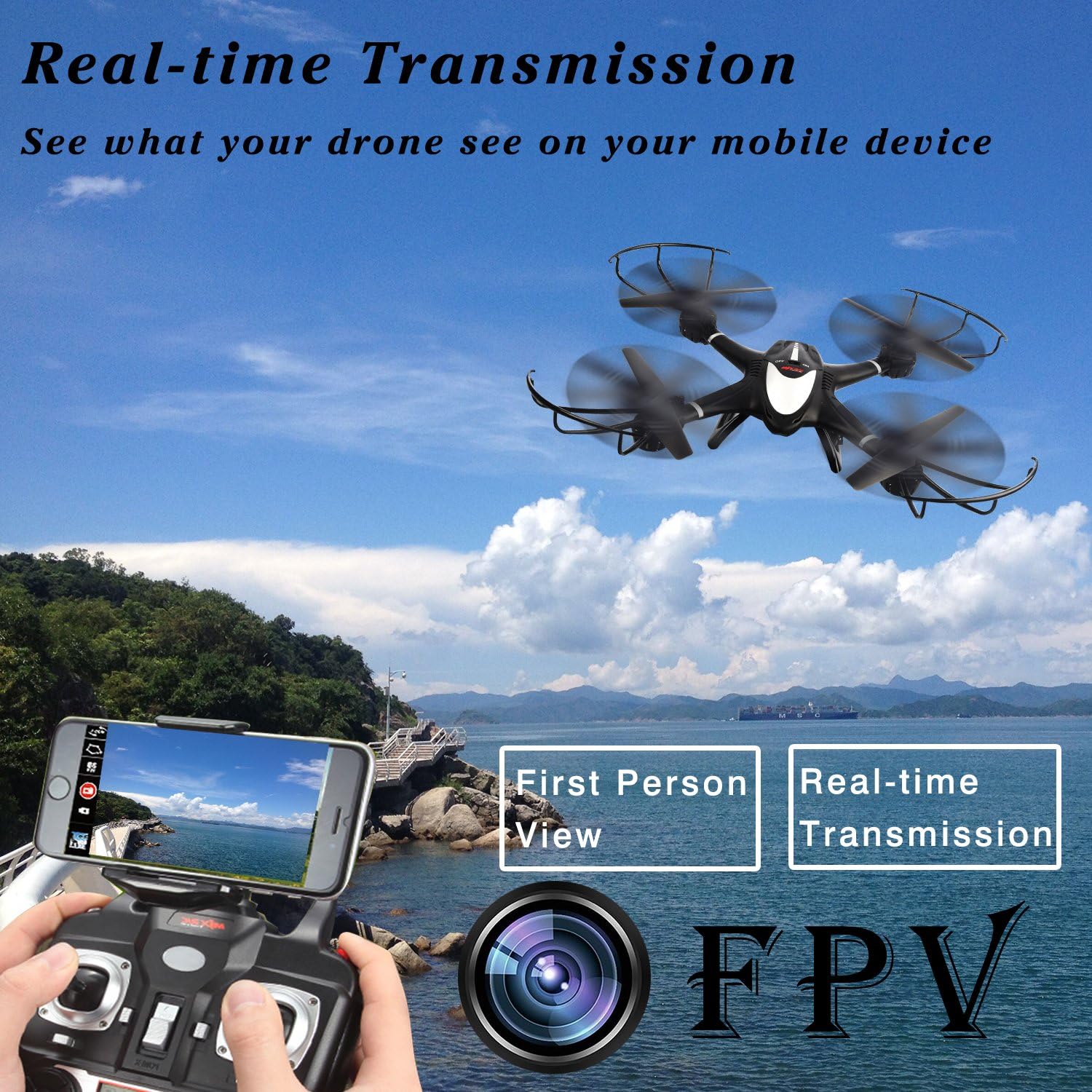
Figura 4.2.1: Illustration of the FPV (First Person View) real-time transmission feature, showing a smartphone mounted on the controller displaying the drone's live camera feed.
- Download the "MJX H" or "MJX FPV" app from your mobile device's app store (iOS or Android).
- Turn on the drone and the transmitter.
- On your mobile device, go to Wi-Fi settings and connect to the Wi-Fi network named "MJX_XXXXXX" (the specific name will be on the drone or in its packaging).
- Open the MJX app. You should see the live video feed from the drone's camera.
- You can now control the drone via the physical remote and view the FPV feed on your phone. Note: Some models may require switching between FPV mode and control mode within the app, meaning you cannot always have both simultaneously.
4.3 Controis básicos de voo
Familiarize yourself with the transmitter controls:
- Palanca esquerda (acelerador/guiñada):
- Push up/down: Increase/decrease altitude (Throttle).
- Push left/right: Rotate drone left/right (Yaw).
- Right Stick (Forward/Backward/Left/Right):
- Push up/down: Move drone forward/backward.
- Push left/right: Move drone left/right (Strafe).
4.4 Funcións especiais
4.4.1 Mantemento da altitude

Figura 4.4.1: Visual representation of the Altitude Hold feature, where the drone automatically maintains a set height, indicated by a lock icon.
The drone automatically maintains its altitude once the throttle stick is released to the center position. This allows for more stable flight and easier photo/video capture.
4.4.2 Modo sen cabeza

Figura 4.4.2: Depiction of Headless Mode, where the drone's orientation is relative to the pilot, simplifying control regardless of the drone's front direction.
Press the Headless Mode button on the transmitter. In Headless Mode, the drone's forward direction will always be the direction the pilot is facing when Headless Mode was activated, regardless of the drone's actual orientation. This simplifies control for beginners.
4.4.3 Devolución dunha chave
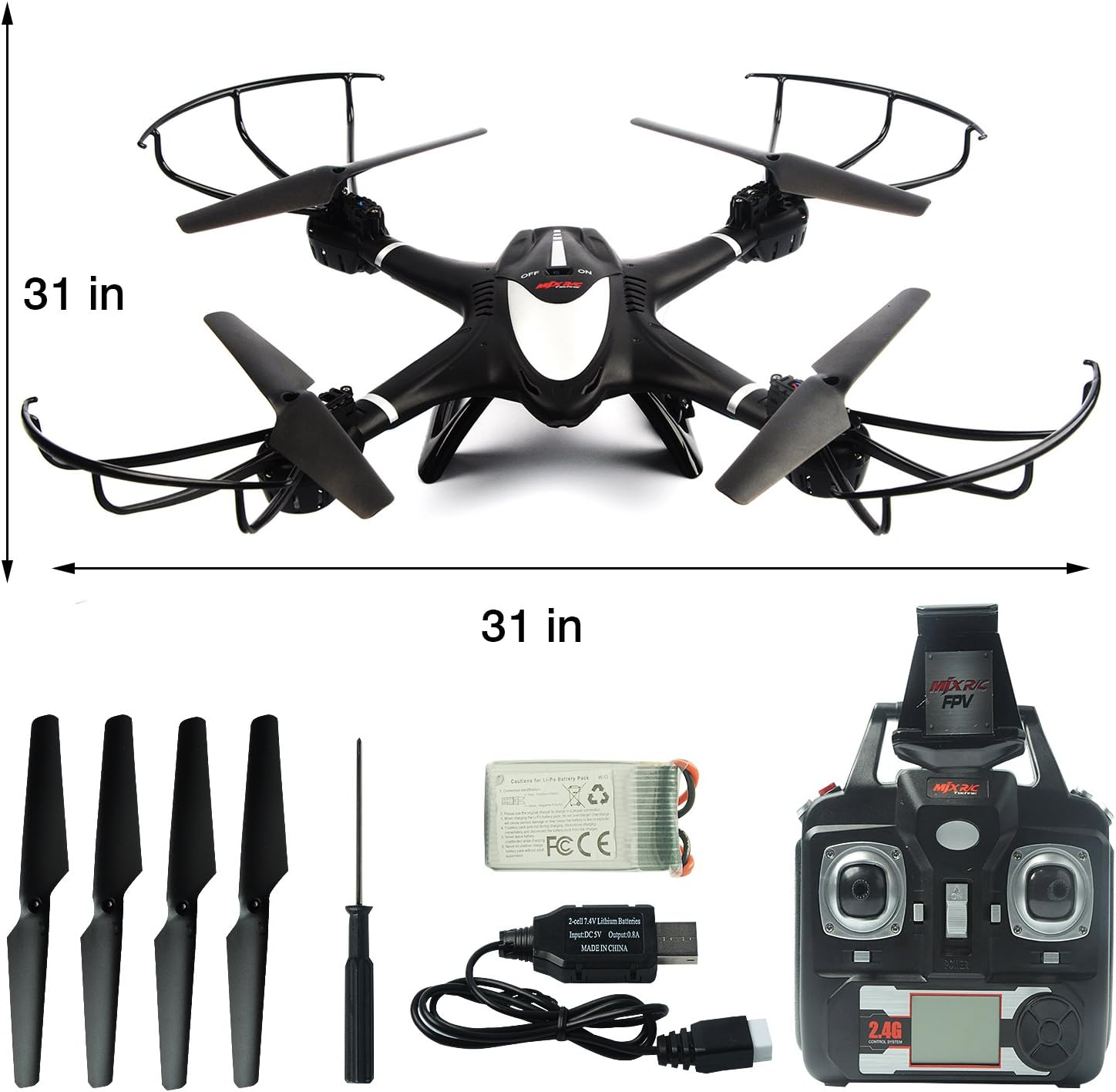
Figura 4.4.3: Illustration of the One Key Return function, showing the drone automatically flying back towards the take-off point after a button press.
Press the One Key Return button. The drone will automatically fly back towards its take-off point. Ensure there are no obstacles in its return path. This function works best when the drone is within a reasonable range and has a clear signal.
4.4.4 3D Flip and Roll
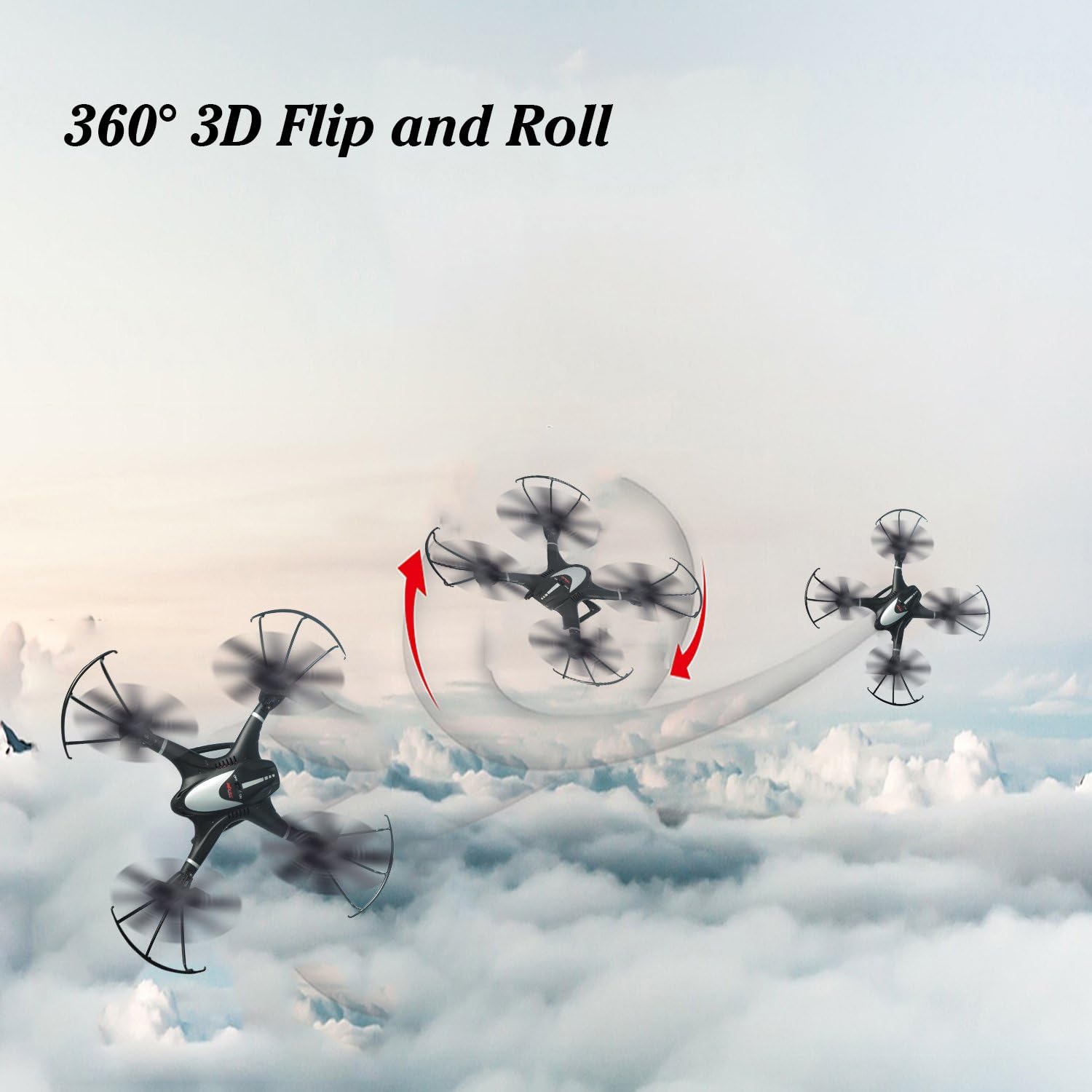
Figura 4.4.4: Dynamic image showing the drone executing a 360-degree 3D Flip and Roll maneuver in the sky.
To perform a 3D flip, fly the drone to a height of at least 3 meters (10 feet). Press the 3D Flip button (usually a dedicated button or a combination of stick presses). Then, quickly push the right control stick in the direction you want the drone to flip (forward, backward, left, or right). The drone will perform a 360-degree flip.
4.4.5 Gravity Control Mode (via App)

Figura 4.4.5: Illustrates the Gravity Control Mode, where the drone's movement (turn left, turn right, forward, backward) is controlled by tilting the connected mobile device.
Within the MJX FPV app, you can activate Gravity Control Mode. This allows you to control the drone's movement by tilting your mobile device. Tilt forward to move forward, tilt backward to move backward, and tilt left/right to turn left/right. Ensure you are in a safe, open area when using this mode.
4.5 Engalaxe e aterraxe
- One Key Take-off: After pairing, press the One Key Take-off button. The drone will automatically ascend to a stable hovering height.
- Despegue manual: After pairing, push both control sticks to the bottom-outer corners simultaneously to arm the motors. Then, slowly push the left throttle stick up to ascend.
- Unha aterraxe clave: Preme o botón de aterraxe dunha soa tecla. O dron descenderá automaticamente e aterrará suavemente.
- Aterraxe manual: Slowly pull the left throttle stick down until the drone lands. Once landed, hold the throttle stick down for a few seconds until the propellers stop spinning.
5. Mantemento
- Limpeza: Use a soft, dry cloth to clean the drone and transmitter. Do not use water or chemical cleaners.
- Inspección e substitución da hélice: Regularly check propellers for damage (cracks, bends). Replace any damaged propellers immediately using the spare propellers provided. Ensure correct A/B propeller placement.
- Coidado da batería:
- Do not overcharge or over-discharge the Li-Po battery.
- Store batteries in a cool, dry place, away from direct sunlight and heat.
- Se a gardas durante períodos prolongados, carga a batería ata aproximadamente o 50 % da súa capacidade.
- Almacenamento: When not in use, store the drone and its components in a safe, dry place, away from extreme temperatures and direct sunlight.
6 Solución de problemas
| Problema | Causa posible | Solución |
|---|---|---|
| Drone does not respond to transmitter. | Not paired; low battery (drone or transmitter); out of range. | Re-pair drone and transmitter. Charge drone battery. Replace transmitter batteries. Fly within operational range. |
| O drón voa de xeito errático ou á deriva. | Propellers damaged or incorrectly installed; motors damaged; calibration needed. | Check and replace damaged propellers. Ensure correct A/B propeller installation. Perform gyroscope calibration (refer to specific transmitter instructions for calibration sequence). |
| FPV feed is choppy or not connecting. | Weak Wi-Fi signal; too far from drone; app issues. | Ensure mobile device is close to the drone. Reconnect to the drone's Wi-Fi network. Restart the app and drone. Ensure no other Wi-Fi interference. |
| Drone crashes or loses control unexpectedly. | Interference (e.g., cell towers, power lines); low battery; critical component failure. | Fly in open areas away from potential interference. Ensure battery is fully charged. If issues persist, contact customer support. |
| One Key Return does not work as expected. | Drone too far; strong wind; signal interference. | Ensure drone is within optimal range. Avoid flying in strong winds. Maintain clear line of sight. |
7. Especificacións
| Característica | Detalle |
|---|---|
| Marca | MJX |
| Nome do modelo | X401H |
| Cor | Negro |
| Material | Plástico |
| Peso do elemento | 1.71 libras (aprox. 0.77 kg) |
| Dimensións do produto | 16.1 x 12.1 x 3.2 polgadas (aprox. 40.9 x 30.7 x 8.1 cm) |
| Batería | 7.4V 350mAh Li-Po (included) |
| Resolución de captura de vídeo | 1080p, 720p |
| Tecnoloxía de conectividade | Wi-Fi (para FPV) |
| Tecnoloxía de control remoto | 2.4 GHz |
| Nivel de habilidade | Principiante |
| Franxa de idade (descrición) | Adulto |
8. Garantía e soporte
MJX provides customer support for their products. For any issues not covered in this manual, or for warranty inquiries, please contact MJX customer service directly. Refer to the product packaging or the official MJX websitio para obter a información de contacto máis actualizada.
Conserve o comprobante de compra para reclamacións de garantía.