
1. Introdución
This manual provides detailed instructions for the installation, configuration, and operation of the IBM ServeRAID M5015 SAS SATA PCIe RAID Controller. This controller is designed to enhance data storage performance and reliability in server environments by supporting various RAID levels and connecting to multiple SAS or SATA drives.
2. Produto rematadoview
The IBM ServeRAID M5015 is a high-performance RAID controller card featuring an LSI SAS2108 6 Gbps RAID on Chip (ROC) controller. It offers robust data protection and management capabilities for server storage systems.

Figura 1: Arriba view of the IBM ServeRAID M5015 SAS SATA PCIe RAID Controller card, showing the main components and PCIe connector.

Figura 2: Lado view of the IBM ServeRAID M5015 RAID Controller, illustrating its profile and the attached mounting bracket for server installation.
3. Características e especificacións
Características principais:
- Eight Internal 6 Gbps SAS/SATA Ports: Provides high-speed connectivity for storage devices.
- Two Mini-SAS Internal Connectors (SFF-8087): Standard connectors for internal SAS/SATA cables.
- 6 Gbps Throughput per Port: Ensures fast data transfer rates.
- LSI SAS2108 6 Gbps RAID on Chip (ROC) Controller: Integrated processor for efficient RAID operations.
- x8 PCI Express 2.0 Host Interface: Compatible with standard PCIe slots for high bandwidth.
- 512 MB Onboard Data Cache (DDR2 at 800 MHz): Improves read/write performance.
- Intelligent Li-Ion-based Battery Backup Unit: Provides up to 48 hours of data retention in case of power loss.
- RAID Level Support: Supports RAID levels 0, 1, 5, 10, and 50. RAID 6 and 60 support is available with the optional M5000 Advanced Feature Key.
- Soporte de unidades: Connects to up to 32 SAS or SATA drives. Note: Mixing SAS and SATA drives in the same RAID array is not supported.
- Logical Volume Support: Supports up to 64 logical volumes and LUN sizes up to 64 TB.
- Configurable Stripe Size: Up to 1 MB.
- Disk Data Format (DDF) Compliance: Compliant with DDF configuration on disk (COD).
- Soporte SMART: Monitors drive health and predicts potential failures.
Detailed Specifications:
| Especificación | Valor |
|---|---|
| Número de modelo | 46C8927 |
| Interface de hardware | SAS |
| Fabricante | LSI (Branded IBM) |
| Interface PCIe | x8 PCI Express 2.0 |
| Portos internos | 8 (6 Gbps SAS/SATA) |
| Conectores | Two Mini-SAS (SFF-8087) |
| Procesador | 800 MHz PowerPC with LSI SAS2108 ROC |
| Memoria caché | 512 MB DDR2 (800 MHz) |
| Copia de seguridade da batería | Intelligent Li-Ion (up to 48 hours retention) |
| Niveis RAID | 0, 1, 5, 10, 50 (Optional: 6, 60) |
| Max Drives | 32 (SAS or SATA) |
| Max Logical Volumes | 64 |
| Max LUN Size | 64 TB |
| UPC | 606462240291 |
4. Configuración e instalación
4.1 Precaucións de seguridade
- Always wear an anti-static wrist strap when handling the RAID controller to prevent electrostatic discharge (ESD) damage.
- Ensure the server is powered off and unplugged from the power source before opening the chassis.
- Handle the card by its edges; avoid touching components or connectors.
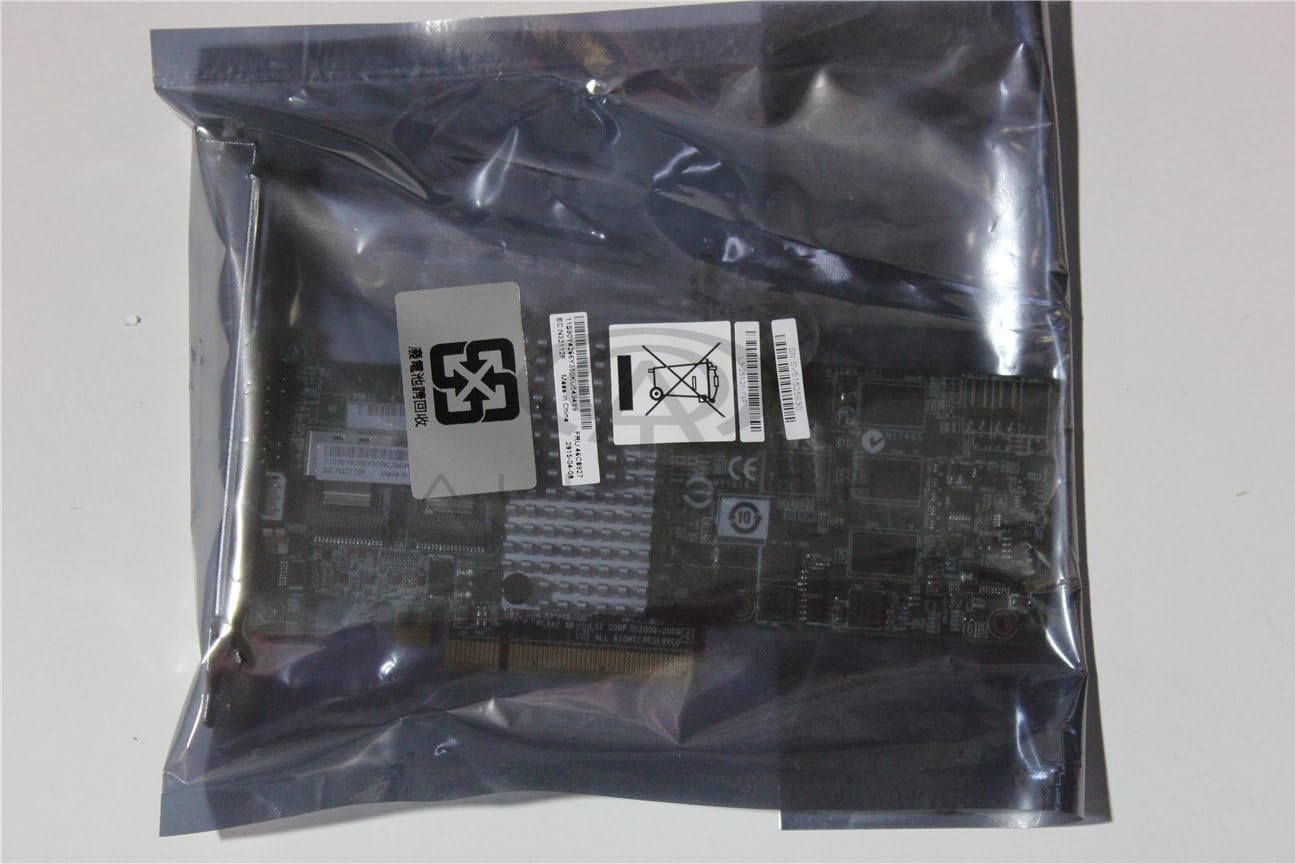
Figura 3: The IBM ServeRAID M5015 controller packaged in an anti-static bag, emphasizing the importance of ESD protection during handling.

Figura 4: Un primeiro plano view of the labels on the anti-static bag, showing product identifiers such as L3-25121-79F, SV51525630, e 11S90Y4266Y350KU549489, along with a 'Do Not Dispose' symbol for electronic waste.
4.2 Instalación de hardware
- Preparar o servidor: Power down the server, disconnect all power cables, and open the server chassis.
- Locate a PCIe Slot: Identify an available x8 or larger PCI Express 2.0 slot on the server motherboard.
- Instalar o controlador: Carefully align the ServeRAID M5015 card with the chosen PCIe slot and press down firmly until it is securely seated. Secure the card with the retention clip or screw provided by the server chassis.
- Conectar unidades SAS/SATA: Connect your SAS or SATA drives to the Mini-SAS (SFF-8087) connectors on the controller using appropriate cables. Ensure proper cable routing for optimal airflow.
- Pechar o servidor: Replace the server chassis cover and reconnect power cables.

Figura 5: Un detallado view of the two Mini-SAS (SFF-8087) internal connectors on the IBM ServeRAID M5015, labeled 'PORTS 0-3' and 'PORTS 4-7', indicating where SAS/SATA drives are connected. The label L3-25121-79F tamén é visible.
5. Operating Instructions (Configuration)
After hardware installation, the ServeRAID M5015 requires configuration through its BIOS utility or a software management tool. Refer to your server's documentation for accessing the RAID controller's BIOS during boot-up.
5.1 Accessing the RAID BIOS Utility
- During server boot, watch for a prompt (e.g., "Press Ctrl+H to enter WebBIOS" or similar) to access the RAID controller's configuration utility.
- Follow the on-screen instructions to navigate the utility.
5.2 Creating a RAID Array
- From the main menu, select an option to Configurar or Create New Array.
- Choose the desired RAID level (e.g., RAID 0, 1, 5, 10, 50) based on your performance and redundancy requirements.
- Select the physical drives to be included in the array. Ensure that you do not mix SAS and SATA drives within the same array.
- Define the array parameters, such as stripe size and cache policy.
- Confirm the configuration and initialize the array. This process may take some time depending on the size and number of drives.
5.3 Instalación do sistema operativo
Once the RAID array is created, you can proceed with installing your operating system onto the logical volume presented by the RAID controller.
6. Mantemento
Regular maintenance ensures the longevity and optimal performance of your ServeRAID M5015 controller and associated storage.
- Actualizacións de firmware: Periodically check the IBM support website for updated firmware for the ServeRAID M5015. Firmware updates can provide performance improvements, bug fixes, and enhanced compatibility.
- Actualizacións de controladores: Ensure your operating system has the latest drivers for the ServeRAID M5015.
- Unidade de batería de reserva (BBU): Monitor the health of the BBU. If the BBU fails or shows signs of degradation, replace it promptly to maintain data integrity during power outages.
- Inspección física: During server maintenance, visually inspect the card for any signs of damage, dust accumulation, or loose connections. Clean any dust using compressed air.
- Monitorización SMART: Utilize S.M.A.R.T. (Self-Monitoring, Analysis, and Reporting Technology) tools to monitor the health of your connected drives and proactively replace failing drives.
7 Solución de problemas
This section provides solutions to common issues encountered with the ServeRAID M5015 controller.
7.1 Controller Not Detected
- Consultar asentos: Asegúrate de que a tarxeta estea completamente asentada na ranura PCIe.
- Try Another Slot: Test the card in a different PCIe slot if available.
- Configuración da BIOS: Verify that the PCIe slot is enabled in the server's BIOS/UEFI settings.
- Potencia: Confirm the server has adequate power supply for all installed components.
7.2 Drives Not Detected
- Conexións por cable: Ensure all SAS/SATA cables are securely connected to both the controller and the drives.
- Drive Power: Verify that the drives are receiving power.
- Compatibilidade con unidades: Confirm that the drives are functional and compatible with the controller.
- RAID BIOS: Check the RAID controller's BIOS utility to see if the drives are visible there.
7.3 RAID Array Performance Issues
- Controlador/Firmware: Asegúrate de que estean instalados os controladores e o firmware máis recentes.
- Cache Policy: Review the cache policy settings in the RAID BIOS.
- Saúde da unidade: Check S.M.A.R.T. data for any failing drives.
- Nivel RAID: Confirm the chosen RAID level is appropriate for your performance needs. RAID 50 generally offers better performance than RAID 5 for large arrays.
8. Garantía e soporte
For warranty information and technical support regarding your IBM ServeRAID M5015 controller, please refer to the documentation provided with your server system or contact your vendor. You may also visit the official IBM support website for product-specific resources, drivers, and firmware updates.


