
1. Introdución
This manual provides essential instructions for the proper setup, operation, and maintenance of your YI YAS.1616.INT 4K Action Camera Kit. Please read this manual thoroughly before using the product to ensure optimal performance and safety. Keep this manual for future reference.
2. Produto rematadoview
2.1 Contido do kit
The YI YAS.1616.INT 4K Action Camera Kit includes the following components:
- YI 4K Action Camera
- YI Monopod
- Remoto Bluetooth
- Batería recargable
- Cable USB
- Manual de instrucións

Image 2.1: Contents of the YI 4K Action Camera Kit.
2.2 Características da cámara
The YI 4K Action Camera is designed for high-quality video and photo capture, featuring:
- 4K/30fps Video Recording: Captures video at 60mbps, offering 4 times the quality of standard 1080p.
- Advanced Imaging Hardware: Equipped with an Amarelle A9SE75 chip, Sony IMX377 image sensor, and 7-layer optical glass lenses with an F2.8 large aperture for enhanced light intake.
- 2.19" LCD Touchscreen: A 640 x 360 high-resolution display with Gorilla Glass Retina for easy previewing, shooting, and scratch resistance.
- Batería de longa duración: A 1400mAh 4.4V lithium-ion battery provides up to 120 minutes of 4K/30fps video recording on a single charge.
- Sistema de refrixeración eficiente: Prevents overheating during extended recording sessions.
- Conectividade: Built-in Wi-Fi for smartphone app control and Bluetooth for remote control.
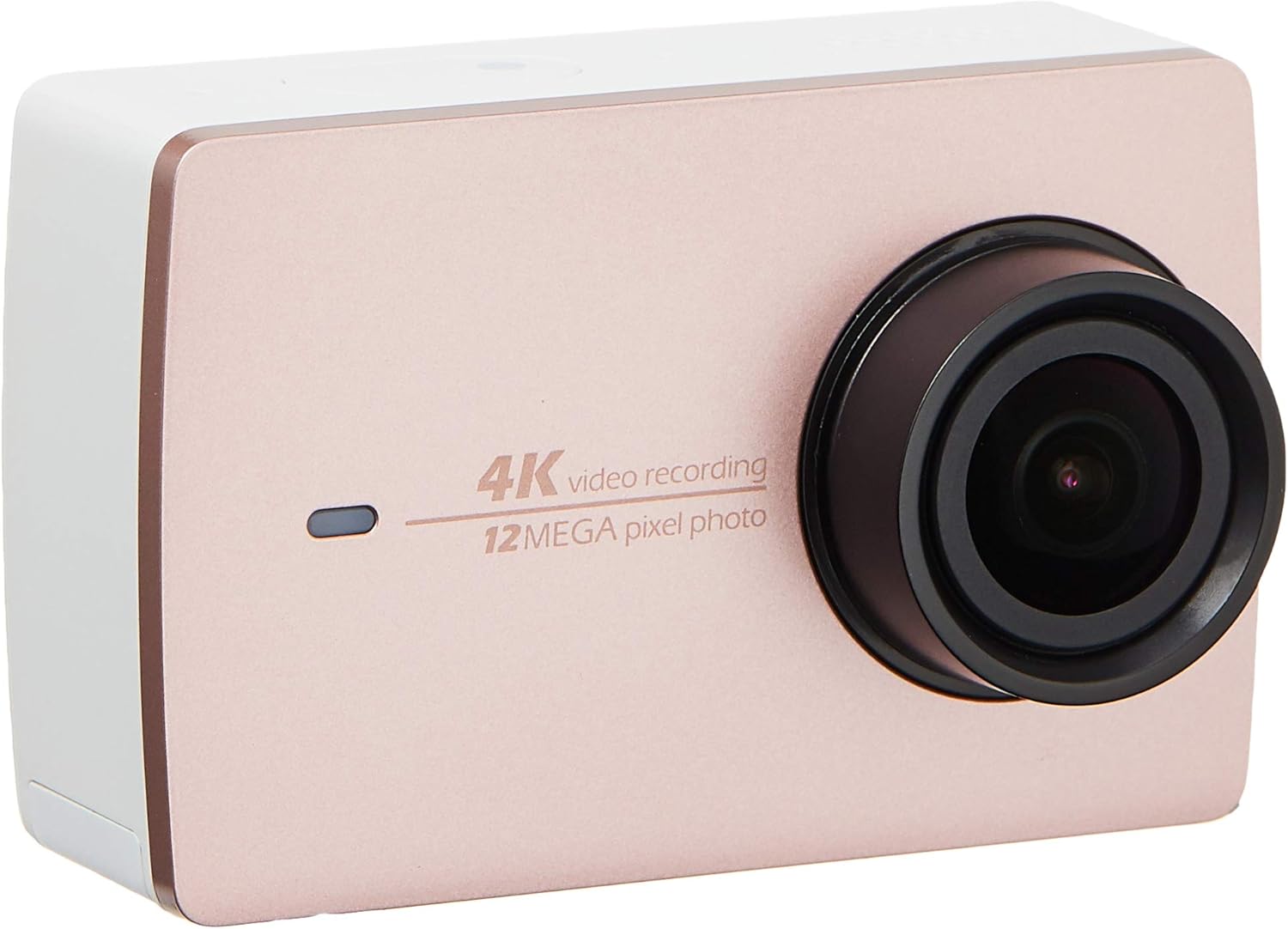
Imaxe 2.2: Fronte view of the YI 4K Action Camera.
3. Configuración
3.1 Instalación e carga da batería
- Localiza o compartimento da batería da cámara.
- Insert the 1400mAh lithium-ion battery, ensuring correct polarity.
- Pecha o compartimento da batería de forma segura.
- Conecta a cámara a unha fonte de alimentación usando o cable USB fornecido para cargala. O indicador de carga acenderase.
3.2 Instalación da tarxeta de memoria
The YI 4K Action Camera supports SDHC and SmartMedia flash memory types.
- Abra a tapa da ranura da tarxeta de memoria.
- Insert a compatible memory card (not included) into the slot with the contacts facing the correct direction. Push until it clicks into place.
- Pecha a tapa da ranura da tarxeta de memoria.
3.3 Acendido/Apagado
- Para acender: Manteña premido o botón de acendido/apagado ata que a pantalla se ilumine.
- Para apagar: Press and hold the Power button until the camera shuts down.
3.4 Connecting the Bluetooth Remote
The included Bluetooth remote allows for convenient control of the camera.
- Asegúrate de que a cámara estea acendida.
- Activate Bluetooth pairing mode on the camera via the settings menu.
- Follow the remote's instructions to enter pairing mode.
- Once paired, the remote can be used to switch between video and photo modes and trigger recording/capture.

Image 3.1: The YI Monopod, included in the kit.
4. Funcionamento da cámara
Navegación con pantalla táctil 4.1
The 2.19" LCD touchscreen provides intuitive control:
- Pasar o dedo: Navigate through different modes (Video, Photo, Time-lapse, etc.) and settings.
- Toca: Select options, adjust settings, or start/stop recording.
- Preview: View o teu foo capturadotage and photos directly on the screen.
4.2 Gravación de vídeo
- Select the Video mode on the touchscreen.
- Adjust video resolution (e.g., 4K/30fps) and other settings as desired.
- Press the Shutter button or tap the record icon on the screen to start recording.
- Press the Shutter button or tap the record icon again to stop recording.
4.3 Captura de fotos
- Select the Photo mode on the touchscreen.
- Adjust photo settings such as resolution, exposure, and white balance.
- Press the Shutter button or tap the capture icon on the screen to take a photo.
4.4 Conectividade Wi-Fi e uso de aplicacións
The camera's built-in Wi-Fi allows connection to a smartphone app for remote control, live preview, e xestión de contidos.
- Download the official YI Action Camera app from your device's app store.
- Enable Wi-Fi on the camera via the settings menu.
- Connect your smartphone to the camera's Wi-Fi network (SSID and password displayed on camera screen).
- Open the YI Action Camera app to control the camera, view footage, e transferencia files.
5. Mantemento
5.1 Limpeza
- Use a soft, lint-free cloth to clean the camera body and touchscreen.
- Para a lente, use un pano e unha solución de limpeza de lentes especializados. Evite materiais abrasivos.
- Asegúrate de que todos os portos estean libres de po e residuos.
5.2 Almacenamento
- Garde a cámara nun lugar fresco e seco, lonxe da luz solar directa e de temperaturas extremas.
- Remove the battery if storing for extended periods to prevent leakage.
5.3 Actualizacións de firmware
Periodically check the official YI website or the YI Action Camera app for available firmware updates. Keeping your camera's firmware updated ensures optimal performance and access to new features.
6 Solución de problemas
6.1 Problemas comúns e solucións
- A cámara non se acende: Asegúrate de que a batería estea completamente cargada e inserida correctamente.
- A gravación detense de forma inesperada: Check if the memory card has sufficient space or if it's a high-speed card suitable for 4K recording. Ensure the battery is not depleted.
- A pantalla táctil non responde: Try restarting the camera. If the issue persists, ensure the screen is clean and dry.
- Bluetooth remote not connecting: Ensure both the camera and remote are in pairing mode and within range. Check the remote's battery.
- Problemas de conexión wifi: Verify the camera's Wi-Fi is enabled and your smartphone is connected to the correct network. Try restarting both devices.
For further assistance, refer to the official YI support resources.
7. Especificacións
| Fabricante | YI |
| Número de modelo | 90010 |
| Dimensións do produto | 6.6 x 3 x 4.3 cm |
| Peso | 96.39 g |
| Tecnoloxía do sensor fotográfico | CMOS |
| Resolución de captura de vídeo | 4K |
| Distancia focal máxima | 1 |
| Apertura máxima | 2.8 milímetros |
| Tipo de memoria flash | SDHC, SmartMedia |
| Formato de captura de vídeo | MP4 |
| Formato de audio compatible | AAC, MP3 |
| Tamaño da pantalla | 2.19 polgadas |
| Tecnoloxía de conectividade | Wi-Fi |

Image 7.1: YI 4K Action Camera with monopod, illustrating approximate dimensions.
8. Garantía e soporte
8.1 Información da garantía
Este produto vén cun Garantía local de 1 ano (Singapur). Please retain your proof of purchase for warranty claims. The warranty covers manufacturing defects under normal use conditions.
8.2 Atención ao cliente
For technical support, service, or warranty inquiries, please visit the official YI Technology website or contact their authorized service centers in Singapore. Contact information can typically be found on the product packaging or the official websitio.