
SENTRY BT200S
Manual do usuario dos auriculares estéreo recargables sen fíos Sentry BT200S
Model: BT200S
Introdución
This manual provides detailed instructions for the Sentry BT200S Wireless Rechargeable Stereo Headphones. Please read this manual thoroughly before using your headphones to ensure proper operation and to maximize your listening experience. These headphones feature Bluetooth connectivity, a built-in microphone, and a rechargeable battery, designed for portability and convenience.
Contido do paquete
Verifique que todos os elementos que se indican a continuación estean presentes no seu paquete:
- Sentry BT200S Wireless Rechargeable Stereo Headphones
- Cable de carga USB
- Cable de audio de 3.5 mm
- Manual de usuario (este documento)
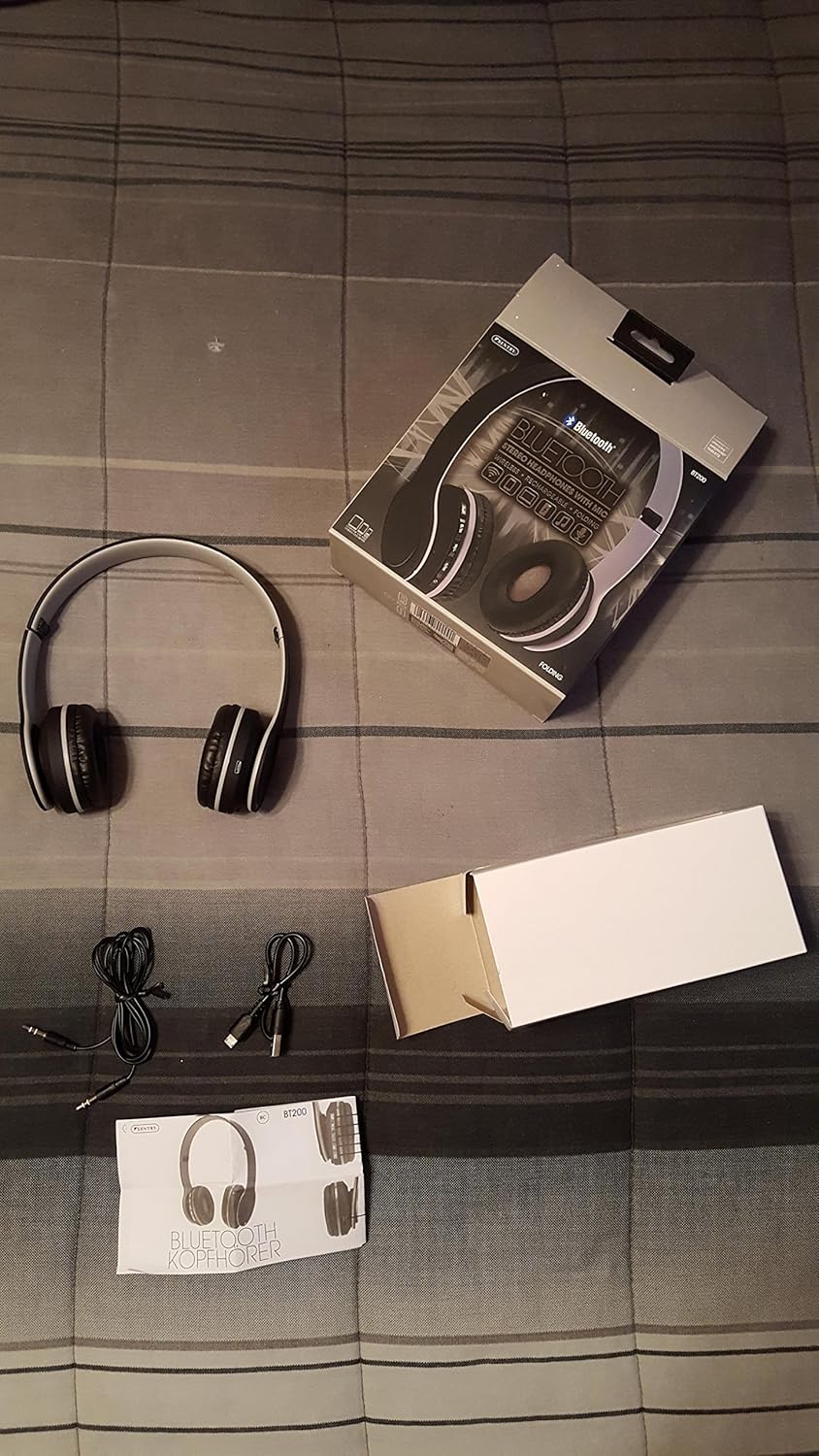
Imaxe: The package contents include the Sentry BT200S headphones, a USB charging cable, and a 3.5mm audio cable.
Produto rematadoview e Controis
Familiarize yourself with the various parts and controls of your Sentry BT200S headphones.
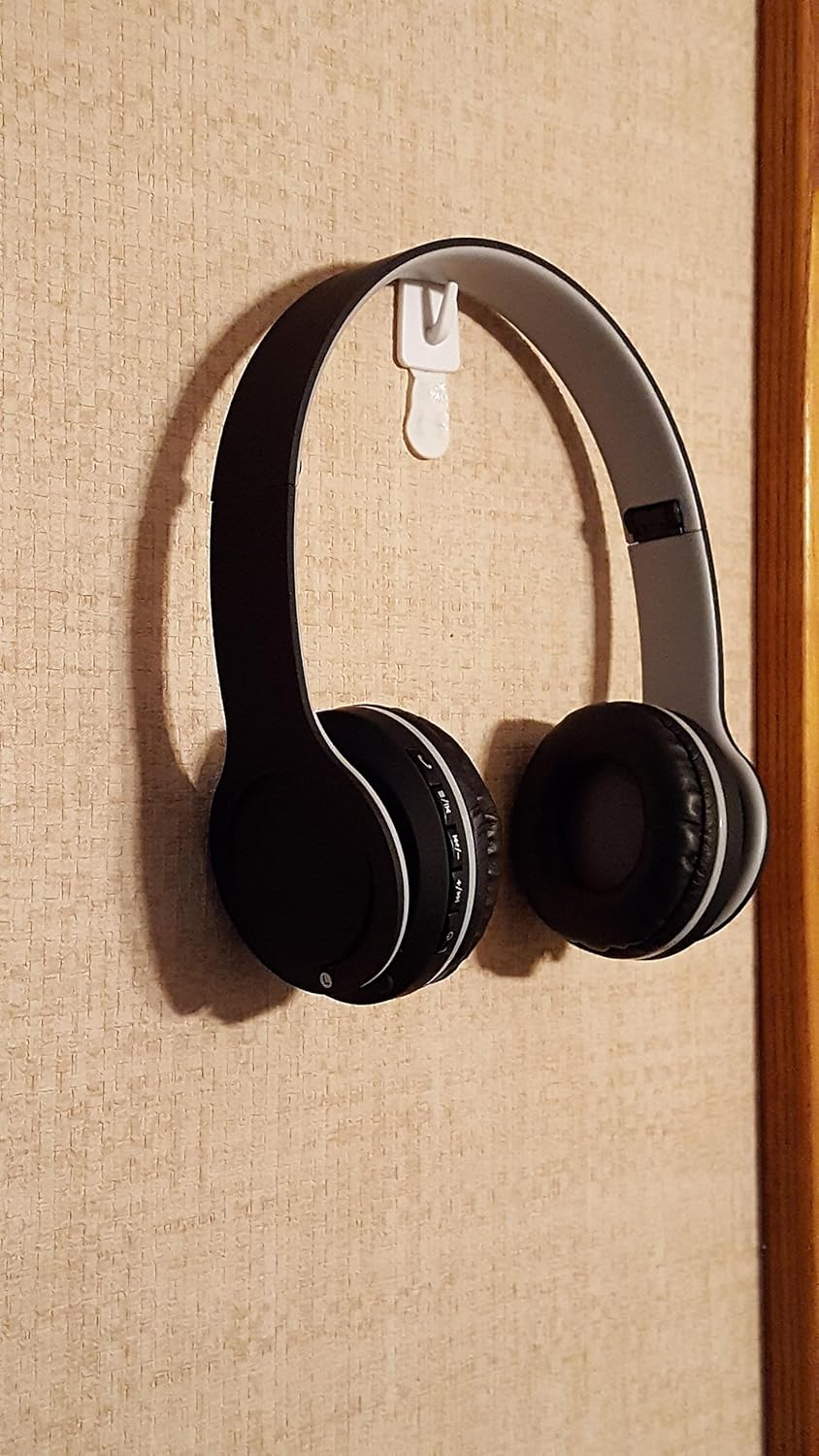
Imaxe: Un lado view of the Sentry BT200S headphones, highlighting the control panel on the left earcup.
- Botón de encendido: Used to power the headphones on or off, and for Bluetooth pairing.
- Botón para subir o volume / seguinte canción: Prema brevemente para aumentar o volume. Manteña premido para saltar á seguinte pista.
- Botón para baixar o volume / pista anterior: Prema brevemente para baixar o volume. Manteña premido para ir á pista anterior.
- Play/Pause / Call Button: Press to play or pause audio. Press to answer or end a call. Press and hold to reject a call.
- Micrófono: Para chamadas mans libres.
- Porto de carga USB: Para conectar o cable de carga USB.
- Entrada de audio de 3.5 mm: Para conexión por cable usando o cable de audio de 3.5 mm incluído.
- Indicador LED: Mostra o estado da batería, da carga e do Bluetooth.
Configuración
1. Carga dos auriculares
Before initial use, fully charge your headphones.
- Conecta o extremo pequeno do cable de carga USB ao porto de carga USB dos auriculares.
- Conecta o extremo máis grande do cable de carga USB a unha fonte de alimentación USB (por exemplo, un porto USB do ordenador ou un adaptador de parede USB).
- The LED indicator will illuminate during charging and change color or turn off when charging is complete.
Nota: Unha carga completa adoita tardar aproximadamente de 2 a 3 horas.
2. Acendido/apagado
- Para acender: Prema e manteña premido o botón de acendido durante aproximadamente 3 segundos ata que o indicador LED parpadee.
- Para apagar: Prema e manteña premido o botón de acendido durante aproximadamente 3 segundos ata que o indicador LED se apague.
3. Emparellamento Bluetooth
Para conectar os auriculares sen fíos a un dispositivo:
- Asegúrese de que os auriculares estean apagados.
- Press and hold the Power Button for approximately 5-7 seconds until the LED indicator flashes red and blue alternately. This indicates pairing mode.
- No teu dispositivo con Bluetooth (teléfono intelixente, tableta, ordenador), vai á configuración de Bluetooth e activa Bluetooth.
- Busca available devices. You should see "BT200S" or "Sentry BT200S" in the list.
- Select "BT200S" to connect. Once paired, the LED indicator will flash blue slowly, and you may hear an audible confirmation.
Nota: If prompted for a password, enter "0000". The headphones will automatically attempt to reconnect to the last paired device when powered on.
4. Conexión por cable (modo AUX)
You can use the headphones with non-Bluetooth devices or when the battery is depleted using the 3.5mm audio cable.
- Connect one end of the 3.5mm audio cable to the 3.5mm audio input on the headphones.
- Conecta o outro extremo do cable de audio de 3.5 mm á toma de saída de audio do teu dispositivo.
- The headphones will automatically switch to wired mode. Note that controls on the headphones may not function in wired mode; control playback from your connected device.
Instrucións de funcionamento
Reprodución de música
- Reproducir/Pausa: Preme o botón Reproducir/Pausa unha vez.
- Subir volume: Press the Volume Up button briefly.
- Baixar volume: Press the Volume Down button briefly.
- Próxima pista: Manteña premido o botón Subir volume.
- Pista anterior: Manteña premido o botón para baixar o volume.
Chamadas telefónicas
- Responder/Finalizar chamada: Press the Play/Pause button once during an incoming call to answer. Press again to end the call.
- Rexeitar a chamada: Press and hold the Play/Pause button for approximately 2 seconds during an incoming call.
- Volver a marcar o último número: Double-press the Play/Pause button when not on a call.
Mantemento
- Limpeza: Usa un pano suave e seco para limpar os auriculares. Non empregues produtos de limpeza líquidos nin disolventes.
- Almacenamento: Cando non os uses, garda os auriculares nun lugar fresco e seco, lonxe da luz solar directa e de temperaturas extremas. Os auriculares son pregables para un almacenamento compacto.
- Coidado da batería: Para prolongar a duración da batería, evite descargala completamente con frecuencia. Cargue os auriculares regularmente, mesmo se non os usa durante períodos prolongados.

Imaxe: The Sentry BT200S headphones are designed to be foldable for convenient storage and transport.
Resolución de problemas
| Problema | Posible Solución |
|---|---|
| Os auriculares non se acenden. | Asegúrate de que os auriculares estean cargados. Conéctaos a unha fonte de alimentación mediante o cable USB. |
| Non se pode sincronizar co dispositivo Bluetooth. |
|
| Sen son ou volume baixo. |
|
| O micrófono non funciona. |
|
Especificacións
- Modelo: BT200S
- Conectividade: Bluetooth Wireless, 3.5mm Audio Jack
- Batería: 1 ión de litio (incluído)
- Características especiais: Wireless, Built-in Microphone, Foldable Design, Dynamic Drivers
- Peso do artigo: Aproximadamente 8.4 onzas
- Fabricante: Sentry Industries Inc.
Garantía e Soporte
For warranty information or technical support, please refer to the documentation included with your purchase or visit the official Sentry websitio.
Ask a question about this manual
Ask about setup, troubleshooting, compatibility, parts, safety, or missing instructions. Manuals+ will review the question and use this page’s manual context to help answer it.