
Introdución
The HyperGear Rave Wireless Stereo Speaker delivers high-fidelity sound with an interactive multi-colored LED light show. It features Bluetooth connectivity, a built-in speakerphone, and an FM radio, making it suitable for various audio needs.
Contido do paquete
- Rave Wireless Speaker
- 3.5mm Stereo Auxiliary Cable
- Cable de carga micro USB
- Manual de usuario (este documento)

Produto rematadoview
Familiarízate cos controis e os portos do altofalante.

Botóns de control
- Botón de encendido: Mantén premido para activar ou desactivar o altofalante.
- Botón de modo (M): Press to switch between Bluetooth, FM Radio, and AUX modes.
- Play/Pause Button (►/∕): Press to play or pause audio. In call mode, press to answer/end calls.
- Volume Down / Previous Track (-/◀◀): Preme para baixar o volume. Mantén premido para ir á pista anterior.
- Volume Up / Next Track (+/►►): Preme para aumentar o volume. Mantén premido para ir á seguinte pista.
- Light Mode Button (*): Press to cycle through different LED light patterns or turn off the light show.
Portos
- Porto de carga micro USB: Para cargar a batería interna do altofalante.
- Entrada AUX de 3.5 mm: For connecting external audio devices via the auxiliary cable.
Configuración
Cargando o altofalante
Before first use, fully charge the speaker. Connect the Micro USB charging cable to the speaker's charging port and the other end to a USB power adapter (not included) or a computer's USB port. The charging indicator light will illuminate during charging and turn off when fully charged. A full charge takes approximately 3-4 hours and provides up to 8 hours of playback.
Encendido/apagado
Manteña premido o Botón de encendido durante aproximadamente 3 segundos para acender ou apagar o altofalante. Un aviso de voz indicará o estado da alimentación.
Instrucións de funcionamento
Emparejamento Bluetooth
- Asegúrate de que o altofalante estea acendido e en modo Bluetooth. Se non, preme o botón Botón de modo (M) until you hear the Bluetooth pairing prompt. The LED indicator will flash, indicating it is ready to pair.
- No teu dispositivo móbil, activa o Bluetooth e busca os dispositivos dispoñibles.
- Select "HyperGear Rave" from the list of devices.
- Unha vez emparellado, o altofalante emitirá un ton de confirmación e o indicador LED deixará de parpadear.

Tocando música
Modo Bluetooth
After successful pairing, you can play music from your connected device. Use the speaker's Reproducir/Pausa, Subir volume / seguinte pista, e Baixar volume / pista anterior botóns para controlar a reprodución ou controlala directamente desde o teu dispositivo.
Modo AUX
Connect one end of the 3.5mm auxiliary cable to the speaker's AUX input and the other end to the audio output of your external device. Press the Botón de modo (M) to switch to AUX mode. Audio will play directly from your connected device.
Chamadas mans libres
When connected via Bluetooth, the speaker can be used as a speakerphone. When a call comes in, the music will pause. Press the Botón Reproducir/Pausa to answer an incoming call. Press it again to end the call. Press and hold the Botón Reproducir/Pausa para rexeitar unha chamada entrante.
Funcionamento da radio FM
Preme o Botón de modo (M) to switch to FM Radio mode. The speaker will automatically scan and save available stations. Use the Subir volume / seguinte pista e Baixar volume / pista anterior buttons to navigate between saved stations. Press and hold these buttons to fine-tune the frequency.
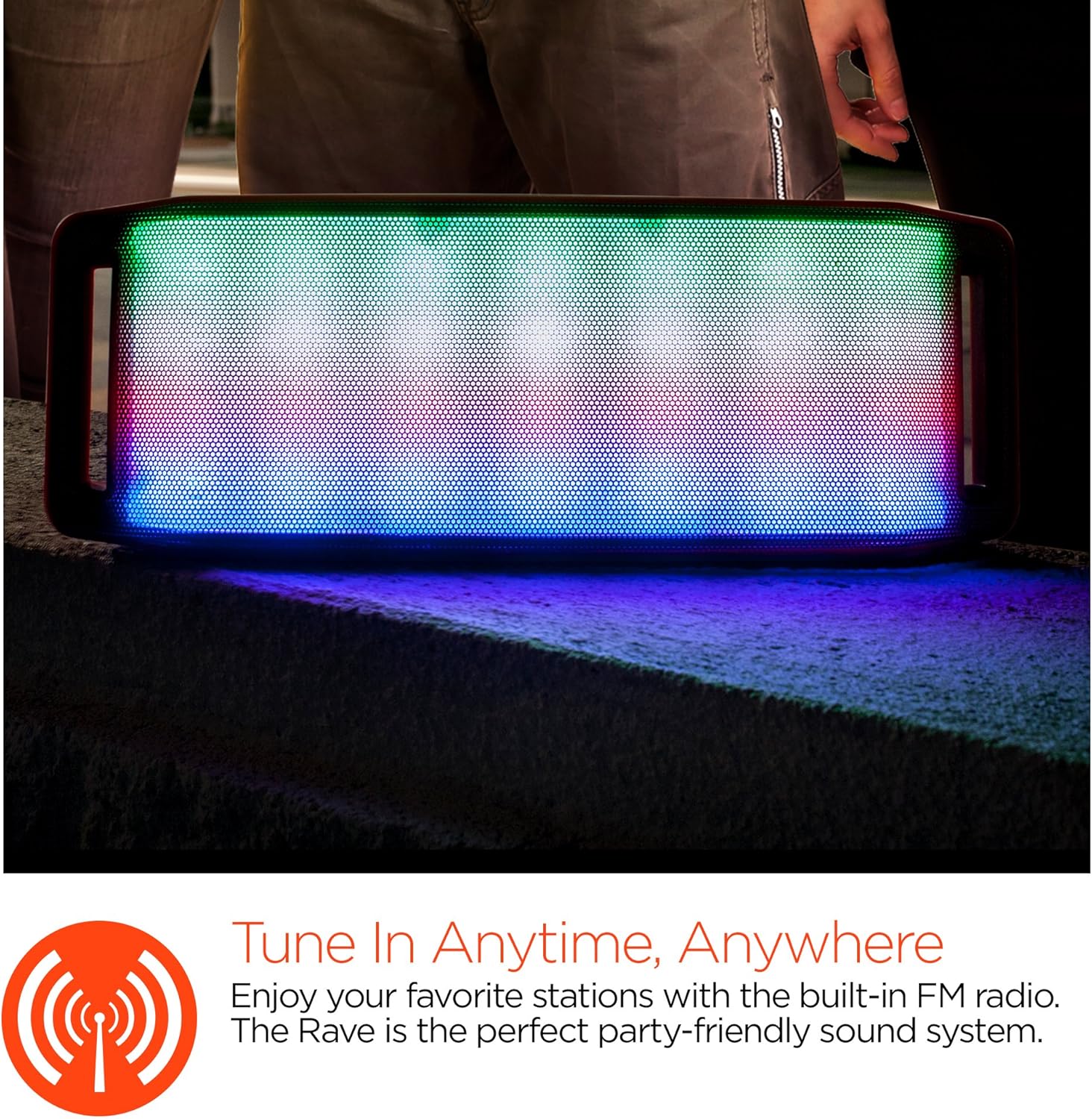
Espectáculo de luces LED
The speaker features an interactive multi-colored LED light show. Press the Light Mode Button (*) to cycle through different light patterns or to turn the light show off.

Mantemento
Limpeza
Wipe the speaker with a soft, dry cloth. Do not use abrasive cleaners or solvents. Avoid exposing the speaker to excessive moisture.
Almacenamento
Garda o altofalante nun lugar fresco e seco, lonxe da luz solar directa e de temperaturas extremas. Se o gardas durante un período prolongado, carga a batería periodicamente para manter a súa vida útil.
Coidado da batería
To prolong battery life, avoid fully discharging the speaker frequently. Charge the speaker regularly, even if not in use, to prevent deep discharge.
Resolución de problemas
| Problema | Causa posible | Solución |
|---|---|---|
| O altofalante non se acende. | A batería está esgotada. | Cargue o altofalante usando o cable micro USB. |
| Non se pode emparellar por Bluetooth. | O altofalante non está en modo de emparellamento; o Bluetooth está desactivado no dispositivo; o dispositivo está demasiado lonxe. | Ensure speaker is in Bluetooth pairing mode (flashing LED). Turn on Bluetooth on your device. Move device closer to speaker (within 10 meters). |
| Sen son. | Volume is too low; incorrect mode selected; device not playing. | Increase volume on both speaker and connected device. Ensure correct mode (Bluetooth/AUX/FM) is selected. Verify audio is playing on the source device. |
| Distorsión do son. | Volume demasiado alto; batería baixa; interferencias. | Baixa o volume. Carga o altofalante. Afasta o altofalante doutros dispositivos electrónicos. |
| A recepción da radio FM é deficiente. | Sinal débil; interferencias ambientais. | Relocate the speaker to an area with better reception. Extend the charging cable (if connected) as it can act as an antenna. |
Especificacións
| Característica | Detalle |
|---|---|
| Número de modelo | 13604 |
| Versión Bluetooth | 3.0 ± EDR |
| Potencia de saída do altofalante | 2 x 5 W (10 W en total) |
| Relación sinal a ruído (S/N) | 80 dB |
| Capacidade da batería | 1500 mAh |
| Tempo de xogo | Ata 8 horas |
| Alcance Bluetooth | Ata 33 pés / 10 m |
| Tecnoloxía de conectividade | Bluetooth, Sen fíos |
| Modo de saída de audio | Estéreo |
| Método de control | Toca |
| Peso | 2.25 libras |
| Características especiais | Bass Boost, Display, Multi-colored LED Light Show, Built-in Speakerphone, FM Radio |
Garantía e Soporte
For warranty information or technical support, please refer to the contact details provided on the product packaging or visit the official HYPERGEAR websitio. Garde o recibo da compra como xustificante da mesma.