
1. Introdución
This manual provides comprehensive instructions for the installation, operation, and maintenance of your ALC AWF61 SightHD 1080p Full HD Outdoor Wi-Fi Camera. Designed for outdoor security, this camera delivers crystal-clear 1080p video, robust night vision, and reliable Wi-Fi connectivity, allowing you to monitor your property remotely via your smartphone or tablet.
Lea este manual detidamente antes de usar o produto para garantir unha configuración correcta e un rendemento óptimo.
2. Produto rematadoview
2.1 Características principais
- Vídeo Full HD 1080p: Captures high-definition video at 1280 x 1080 resolution for clear streaming, playback, and recording.
- Ampla Campo de View: Ofrece un campo de 90 graos de view to cover a broad area.
- Visión nocturna avanzada: Equipped with 6 surface-mounted high-power infrared LEDs, providing sharp black and white contrast up to 65 feet (20 meters) in low-light or total darkness. Infrared (IR-cut) filters ensure accurate colors during daylight.
- Deseño resistente á intemperie: Features IP66-rated durable metal housing, designed to withstand various inclement weather conditions.
- Conectividade Wi-Fi: Connects wirelessly to your home network for remote access.
- Detección de movemento: Smart motion detection triggers alerts and recording.
- Opcións de almacenamento flexibles: Supports on-camera recording (microSD card not included) and free cloud storage integration with Google Drive and Dropbox.
- Monitorización remota: Accessible via smartphone and tablet applications (Android and Apple compatible).
2.2 Contido do paquete
Asegúrate de que todos os elementos estean presentes no paquete:
- ALC AWF61 SightHD 1080p Full HD Outdoor Wi-Fi Camera
- Adaptador de alimentación (AC/DC)
- Hardware de montaxe
- Manual de instrucións (este documento)
2.3 Compoñentes da cámara
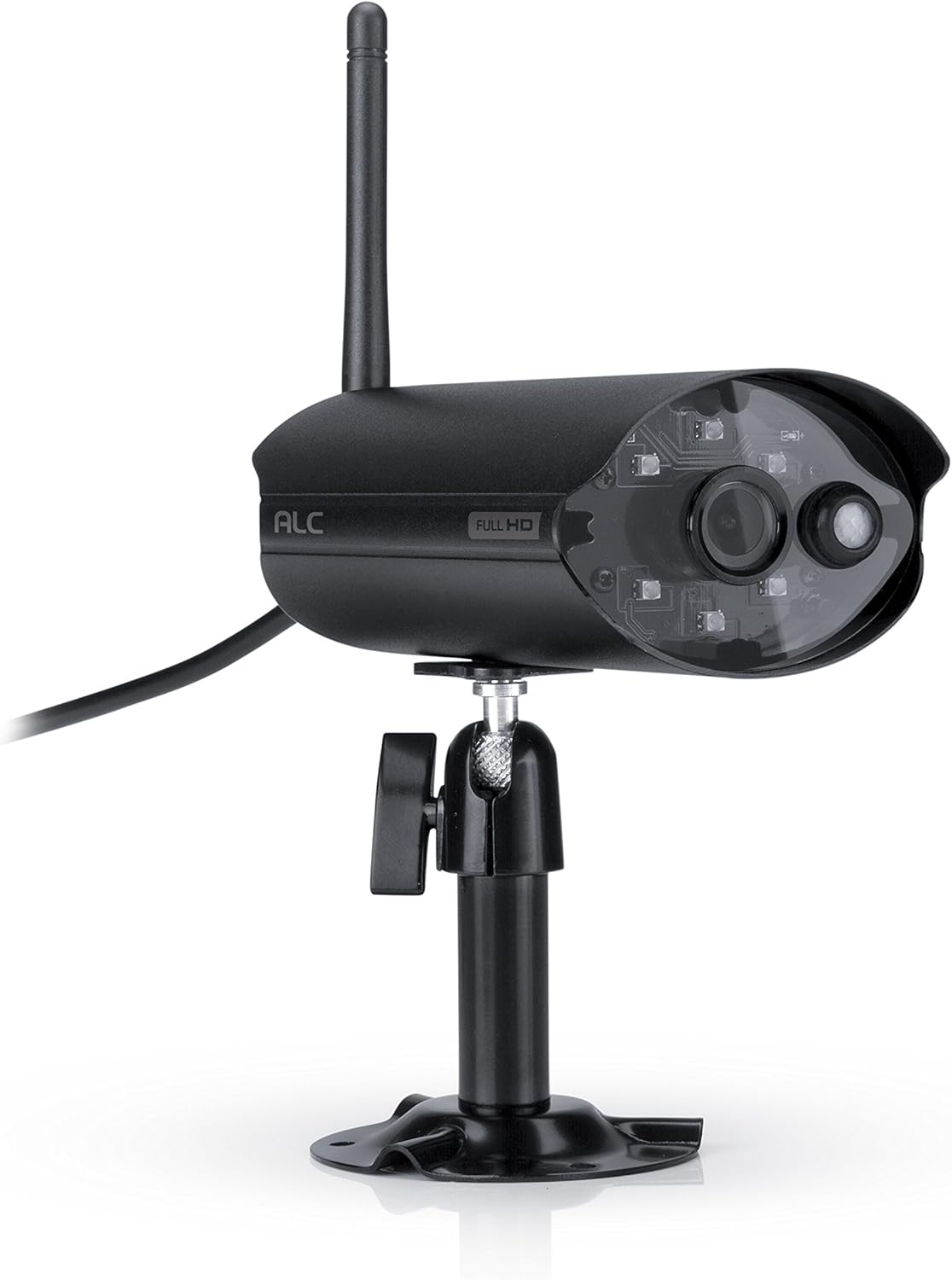
Figura 2.3.1: Fronte view of the ALC AWF61 camera, showing the lens, infrared LEDs, and antenna. This image displays the camera's main body, mounted on its stand, with the antenna extending upwards and the power cable visible.
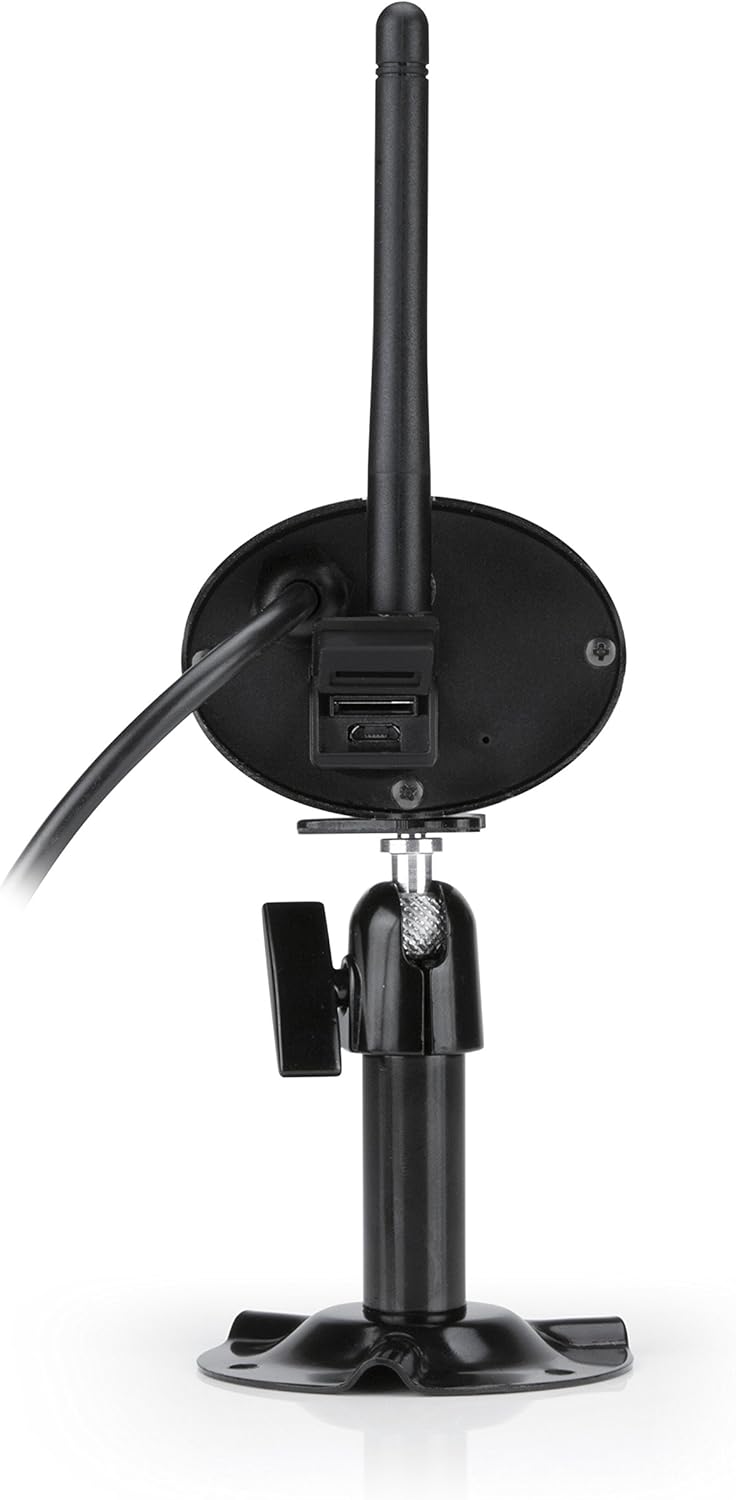
Figura 2.3.2: Traseira view of the ALC AWF61 camera, showing the power input and possibly a microSD card slot (if applicable). This image highlights the back of the camera unit, including the base and connection points.
3. Configuración e instalación
3.1 Antes de comezar
- Ensure you have a stable Wi-Fi network with good signal strength at the camera's intended installation location.
- Ten a man o nome da túa rede Wi-Fi (SSID) e o contrasinal.
- A smartphone or tablet (Android or iOS) is required for setup and operation.
3.2 Descarga da aplicación e creación de conta
- Descarga o ALC SightHD aplicación desde a App Store de Apple (para dispositivos iOS) ou desde a Google Play Store (para dispositivos Android).
- Instala a aplicación no teu smartphone ou tableta.
- Abre a aplicación e segue as instrucións que aparecen na pantalla para crear unha nova conta de usuario ou iniciar sesión se xa tes unha.
3.3 Camera Connection and Pairing
- Connect the camera to the power adapter and plug it into a power outlet. The camera will power on and initiate its startup sequence.
- Within the ALC SightHD app, select the option to add a new camera or device.
- Follow the app's instructions to connect the camera to your Wi-Fi network. This typically involves scanning a QR code on the camera or entering your Wi-Fi credentials into the app.
- Once connected, the camera will be paired with your account and ready for live viewing.
3.4 Montaxe da cámara
The ALC AWF61 camera is designed for surface mounting. Choose a location that provides the desired field of view and has access to a power outlet. Ensure the mounting surface is stable and can support the camera's weight.
- Use the provided mounting hardware to securely attach the camera's base to the chosen surface.
- Adjust the camera's angle and orientation using the adjustable mount to achieve the optimal viewárea de ing.
- Ensure the camera's antenna is positioned for best Wi-Fi signal reception.
4. Instrucións de funcionamento
4.1 En directo View e Reprodución
- Open the ALC SightHD app on your smartphone or tablet.
- Select the AWF61 camera from your device list to access the live video feed.
- Use the app's interface to initiate manual recordings, take snapshots, or review gravado footage from your microSD card or cloud storage.
4.2 Detección de movemento e alertas
- Navigate to the camera settings within the ALC SightHD app.
- Enable and configure motion detection sensitivity and detection zones.
- Ensure push notifications are enabled in the app and on your device's operating system to receive alerts when motion is detected.
4.3 Visión nocturna
The camera automatically switches to night vision mode in low-light conditions. The infrared LEDs will illuminate, providing clear black and white video up to 65 feet. No manual intervention is typically required for this feature.
4.4 Cloud Storage Integration
The ALC AWF61 supports free cloud storage integration with Google Drive and Dropbox. To utilize this feature:
- Ensure you have an active Google Drive or Dropbox account.
- Within the ALC SightHD app settings for your camera, link your preferred cloud storage account.
- Recordings can then be automatically transferred from the camera's microSD card (if installed) to your linked cloud account.
5. Mantemento
5.1 Limpeza da cámara
- Limpe periodicamente a lente e a carcasa da cámara cun pano suave eamp pano.
- Do not use harsh chemicals or abrasive cleaners, as these can damage the camera's finish or lens.
- Asegúrate de que a cámara estea apagada antes de limpala.
5.2 Actualizacións de firmware
From time to time, ALC may release firmware updates to improve camera performance or add new features. Check the ALC SightHD app regularly for notifications regarding available firmware updates and follow the in-app instructions to apply them.
6 Solución de problemas
| Problema | Causa posible | Solución |
|---|---|---|
| Camera not connecting to Wi-Fi or frequently disconnects. | Weak Wi-Fi signal; incorrect Wi-Fi credentials; network interference. |
|
| ALC SightHD app freezes or crashes. | App software glitch; outdated app version; insufficient device memory. |
|
| Motion alerts are delayed or not received. | Network latency; incorrect app notification settings; device power saving modes. |
|
| Cannot access camera from a PC. | Limitación do deseño do produto. | The ALC AWF61 camera is primarily designed for control and viewing via smartphone and tablet applications. Direct PC access is not supported. |
7. Especificacións
| Característica | Detalle |
|---|---|
| Número de modelo | AWF61 |
| Resolución de captura de vídeo | 1080p (1280x1080) |
| Campo de View | 90 graos |
| Range de visión nocturna | 60 pés |
| Tecnoloxía de conectividade | Sen fíos (Wi-Fi) |
| Uso interior/exterior | Ao aire libre |
| Clasificación de protección internacional | IP66 (resistente á intemperie) |
| Fonte de enerxía | AC/DC |
| Dispositivos compatibles | Smartphone, Tablet (Android, iOS) |
| Material | Metal |
| Dimensións do artigo (L x W x H) | 2 x 5 x 2.5 polgadas |
| Peso do elemento | 1.95 libras |
| Velocidade de cadros | 30 fotogramas por segundo |
| Tipo de alerta | Só Movemento |
| UPC | 857067005222 |
8. Garantía e soporte
For warranty information, technical support, or service inquiries regarding your ALC AWF61 SightHD camera, please refer to the official ALC website or contact their customer support directly. Details for contacting support are typically found on the manufacturer's websitio web ou na embalaxe do produto.
It is recommended to have your product model number (AWF61) and purchase date available when contacting support.