
Introdución
The ARRIS SURFboard TM822G is a high-performance DOCSIS 3.0 cable modem and a 2-port telephony modem, designed for use with XFINITY from Comcast Internet & Voice service. This device provides a reliable connection for your internet and supports two Voice over IP (VoIP) telephone lines. By owning your modem, you can avoid monthly rental fees from your service provider.
Contido do paquete
Asegúrate de que todos os elementos estean presentes no paquete do produto:
- ARRIS SURFboard TM822G Cable Modem
- Cable Ethernet
- Coaxial Cable Splitter
- Dous cables coaxiais
- Cable de alimentación
- Manual de usuario (este documento)
Dispositivo rematadoview
Familiarize yourself with the ARRIS SURFboard TM822G's components and indicators.
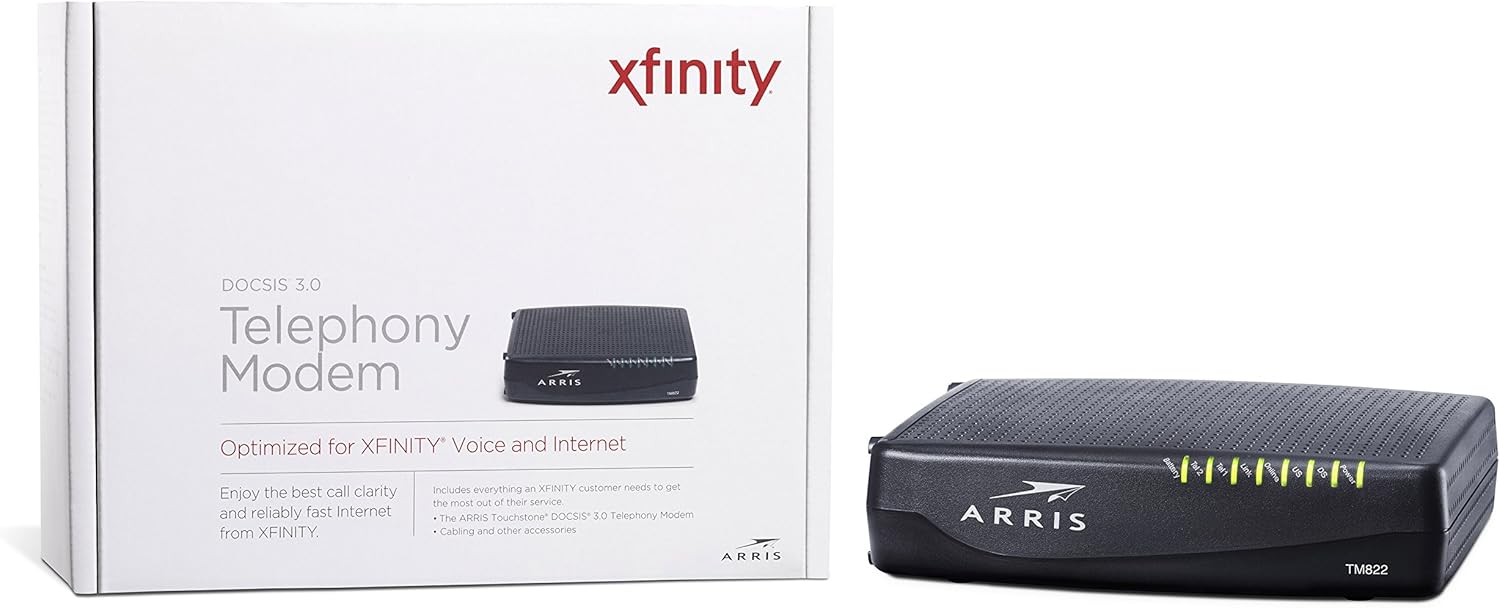
Figura 1: Fronte View of ARRIS SURFboard TM822G
This image shows the front panel of the ARRIS SURFboard TM822G cable modem, highlighting the status indicator lights.

Figura 2: Traseira View of ARRIS SURFboard TM822G
This image displays the rear panel of the ARRIS SURFboard TM822G, detailing the coaxial input, Ethernet port, and two telephone line ports.
Indicadores LED de estado
The front panel LEDs provide information about the modem's operational status:
- Potencia: Indicates the modem's power status.
- DS (abaixo): Indica a conectividade da canle descendente.
- EUA (augantes): Indica a conectividade do canal augas arriba.
- En liña: Indica unha conexión a internet exitosa.
- Ligazón: Indica o estado da conexión Ethernet.
- Tel1 / Tel2: Indicate the status of the two telephone lines.
- Batería: Indicates the status of an optional battery backup (sold separately).
Configuración
Follow these steps to set up your ARRIS SURFboard TM822G cable modem:
- Conectar o cable coaxial: Conecta un extremo dun cable coaxial á toma de corrente da parede e o outro extremo ao porto "Cable In" na parte traseira do módem. Asegúrate de que a conexión estea ben axustada cos dedos.
- Conectar o cable Ethernet: Connect one end of the Ethernet cable to the Ethernet port on the back of the modem and the other end to your computer or wireless router.
- Conectar liñas telefónicas: If you have Xfinity Voice service, connect your telephone(s) to the "Tel1" and/or "Tel2" ports on the back of the modem.
- Conectar enerxía: Plug the power cord into the modem's power port and then into an electrical outlet.
- Encendido: Wait for the modem to power on and for the front panel LEDs (Power, DS, US, Online, Link, Tel1/Tel2) to become solid green or blue, indicating a stable connection. This may take several minutes.
- Activar servizo:
- For Xfinity Users: Abrir a web navegador nun dispositivo conectado e navegar ata xfinity.com/activate. Follow the on-screen instructions to activate your modem. You may need your Xfinity account information.
- For Other ISPs: Refer to your Internet Service Provider's activation instructions or contact their customer support.
Instrucións de funcionamento
Once successfully set up and activated, your ARRIS SURFboard TM822G will provide internet and telephone service. The modem operates continuously to maintain your connection. Monitor the front panel LEDs to ensure proper operation. Solid lights typically indicate a stable connection, while blinking lights or specific color changes may indicate activity or a problem.
For optimal performance, ensure the modem is placed in a well-ventilated area, away from direct sunlight or heat sources, and not obstructed by other objects.
Mantemento
Regular maintenance helps ensure the longevity and optimal performance of your modem:
- Limpeza: Periodically wipe the exterior of the modem with a soft, dry cloth. Avoid using liquid cleaners or abrasive materials.
- Ventilación: Asegúrate de que os orificios de ventilación do módem non estean bloqueados para evitar o sobrequecemento.
- Actualizacións de firmware: As actualizacións do firmware adoitan xestionalas automaticamente o teu provedor de servizos de Internet. Non intentes actualizar o firmware manualmente a menos que o teu provedor de servizos de Internet llo indique.
- Reinicio: If you experience connectivity issues, a simple reboot of the modem (unplugging the power for 30 seconds and plugging it back in) can often resolve minor problems.
Resolución de problemas
If you encounter issues with your ARRIS SURFboard TM822G, refer to the following common troubleshooting tips:
| Problema | Causa posible | Solución |
|---|---|---|
| Sen LED de alimentación | Modem is not receiving power. | Check power cord connections to the modem and electrical outlet. Ensure the outlet is functional. |
| DS/US/Online LEDs are blinking or off | No connection to the cable network or internet. | Ensure coaxial cable is securely connected. Check for service outages in your area. Contact your ISP if the issue persists. |
| Link LED is off | No Ethernet connection to your computer/router. | Verify the Ethernet cable is securely connected to both the modem and your device/router. Try a different Ethernet cable. |
| Tel1/Tel2 LEDs are off or blinking | Telephone service issue. | Ensure telephone lines are correctly connected. Contact your Xfinity Voice service provider. |
| Velocidade de Internet lenta | Network congestion, outdated router, or ISP issue. | Reboot the modem and router. Ensure your router is capable of handling your internet speed plan. Contact your ISP to check line quality and service plan. |
The ARRIS SURFboard TM822G supports Loop Diagnostics for remote testing and troubleshooting of in-house wiring, which can be utilized by your service provider.
Especificacións
Key technical specifications for the ARRIS SURFboard TM822G:
- Marca: ARRIS
- Modelo: TM822G
- Tipo de módem: Cable Modem with Telephony Adapter
- Estándar DOCSIS: DOCSIS 3.0
- Downstream Channels: 8 bonded channels
- Upstream Channels: 4 bonded channels
- Maximum Downstream Speed: Ata 343 Mbps
- Maximum Upstream Speed: Ata 131 Mbps
- Portos Ethernet: Porto Ethernet 1 Gigabit
- Portos de teléfono: 2 (for Voice over IP)
- Compatible ISP: Certified for Comcast Xfinity Internet & Voice service only.
- Tecnoloxía de conectividade: Ethernet
- Cor: Negro
Garantía e Soporte
The ARRIS SURFboard TM822G comes with a Garantía limitada de pezas e man de obra dun ano. For technical assistance or warranty claims, please contact ARRIS customer support. You can find contact information and additional resources on the official ARRIS support websitio.