
Introdución
The SteelSeries Apex 100 Gaming Keyboard is designed for optimal gaming performance, featuring Quick Tension Switches for fast reaction times, tactile feedback, and quiet operation. It includes blue LED backlighting, advanced anti-ghosting, and is built with splash resistance for durability.
Configuración
1. Conectando o teclado
Connect the keyboard's USB-A cable to an available USB port on your computer. The keyboard is plug-and-play, and your operating system should automatically detect and install the necessary drivers.

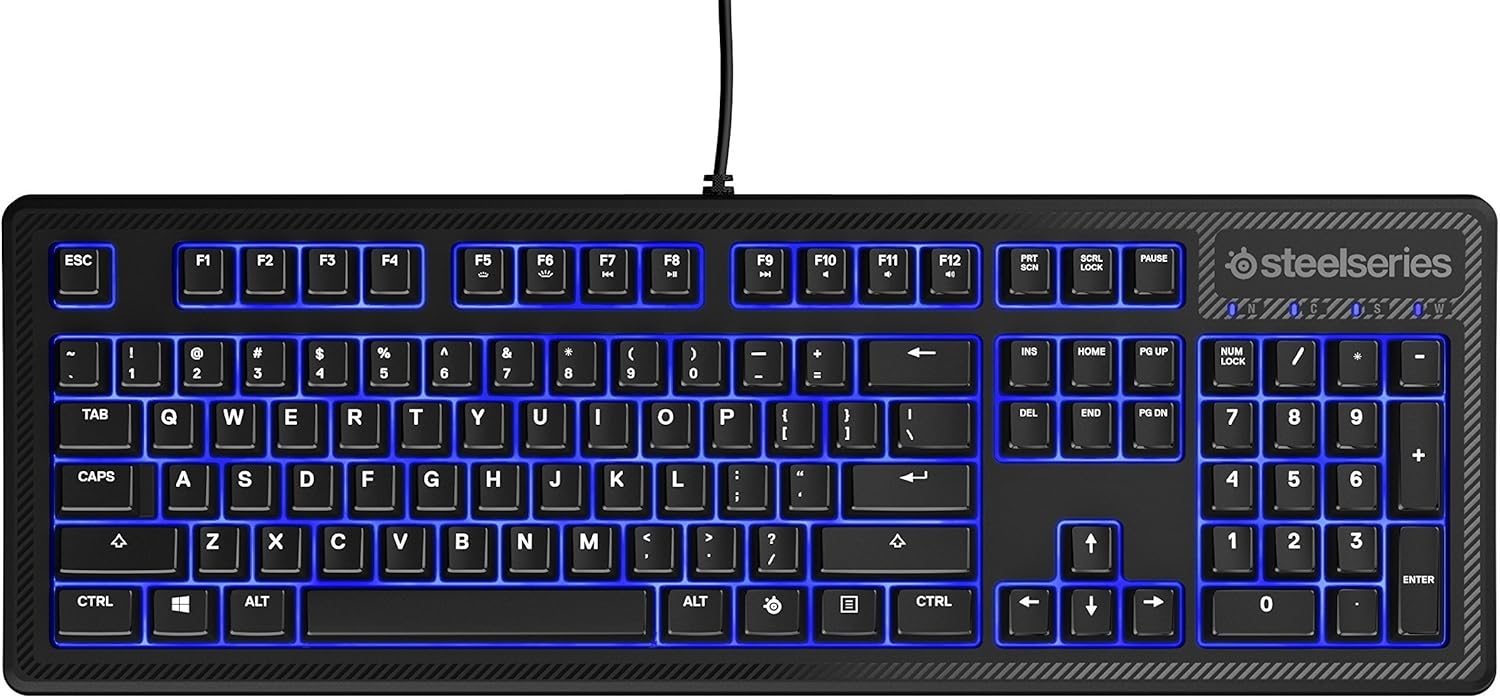
Imaxe: Arriba view of the SteelSeries Apex 100 Gaming Keyboard, showing the full QWERTY layout with blue LED backlighting and the attached USB cable.
2. Instalación do software (opcional)
For advanced customization, including macro programming and backlighting adjustments, download and install the SteelSeries Engine 3 software from the official SteelSeries websitio (steelseries.com/engine). Siga as instrucións que aparecen na pantalla para a instalación.
Operación do teclado
Características clave
- Quick Tension Switches: Designed to mimic mechanical switches, providing a tactile feel and fast actuation.
- Retroiluminación LED azul: Offers brilliant ground effects backlighting. Intensity can be adjusted via SteelSeries Engine 3.
- Advanced Anti-Ghosting: Ensures all key presses are registered accurately during intense gaming sessions.
- Controis multimedia: Integrated media control functions are accessible via function keys (F7-F12) in combination with the Fn key.
Imaxe: Lateral view of the SteelSeries Apex 100 Gaming Keyboard, highlighting its ergonomic design and keycap profile.
Customization with SteelSeries Engine 3
The SteelSeries Engine 3 software allows you to:
- Create and assign macros to any key.
- Adjust the intensity of the blue LED backlighting.
- Configure polling rates and other performance settings.
Mantemento
Limpeza
To clean your keyboard, disconnect it from your computer. Use a soft, dry cloth to wipe down the keys and chassis. For stubborn dirt, a slightly damp cloth with mild soap can be used, ensuring no liquid enters the key switches or internal components. The keyboard is splash resistant, but not waterproof; avoid submerging it or exposing it to excessive liquids.
Durabilidade
The Apex 100 keyboard features a guaranteed 20-million click lifespan for its switches, ensuring long-term reliability under heavy use.

Imaxe: Parte inferior view of the SteelSeries Apex 100 Gaming Keyboard, showing the drainage channels and adjustable feet.
Resolución de problemas
O teclado non responde
- Asegúrate de que o cable USB estea conectado correctamente tanto ao teclado como ao ordenador.
- Tenta conectar o teclado a un porto USB diferente.
- Reinicia o teu ordenador.
- Se usas un concentrador USB, proba a conectalo directamente ao ordenador.
Backlighting Issues
- Check the backlighting settings within the SteelSeries Engine 3 software.
- Ensure the keyboard's brightness level is not set to minimum.
As chaves non se rexistran
- Limpa arredor das teclas afectadas para eliminar calquera residuo.
- If the issue persists, consider reinstalling the SteelSeries Engine 3 software or updating your USB drivers.
Para obter máis axuda, consulte o soporte de SteelSeries. websitio.
Especificacións
| Característica | Detalle |
|---|---|
| Marca | SteelSeries |
| Nome do modelo | Apex 100 |
| Número de modelo | 64435 |
| Tecnoloxía de conectividade | USB-A |
| Descrición do teclado | Xogos |
| Usos recomendados | Xogos |
| Característica especial | Retroiluminado |
| Cor | Azul |
| Soporte de cores de retroiluminación do teclado | Single Color (Blue) |
| Estilo | Whisper Quiet – Tactile & Silent |
| Dimensións do produto | 18.21 cm de longo x 1.58 cm de ancho x 6.13 cm de alto |
| Fonte de enerxía | USB |
| Tipo de cambio | Tactile (Quick Tension Switches) |
| Disposición do teclado | QWERTY |
| Cantidade de botóns | 104 |
| Familia de sistemas operativos compatibles | Windows |
| Número de chaves | 100 |
| Material do recinto | Plástico |
| Peso do elemento | 2.42 libras |
| UPC | 813682020101 |
Información da garantía
According to product information, this item comes with sen garantía. Please check with your retailer for their return or exchange policies.
Apoio
For additional support, driver downloads, or frequently asked questions, please visit the official SteelSeries support websitio: