
1. Introdución
The POPP POPE700168 Z-Rain sensor is a Z-Wave Plus compatible device designed to accurately measure rainfall. It integrates into smart home systems to provide real-time precipitation data, enabling automated responses such as closing windows or retracting awnings. The sensor utilizes a precise tipping bucket mechanism to quantify rainfall, offering detailed insights beyond simple rain detection.
2. Características do produto
- Rain Gauge/Sensor: Designed for outdoor precipitation measurement.
- Medición precisa: Measures rain quantity in millimeters per hour (mm/h), providing cumulative data from the last 1024 seconds up to 1 hour.
- Deseño robusto: Features an IP55 protection rating, ensuring durability against dust and water splashes.
- Batería de longa duración: Powered by 2 AAA batteries, offering an estimated battery life of up to 5 years, depending on the configured wake-up interval.
- Tecnoloxía Z-Wave Plus: Utilizes Z-Wave Plus wireless protocol for reliable communication with compatible smart home controllers.
3. Contido do paquete
The POPP POPE700168 Z-Rain sensor package typically includes:
- POPP Z-Rain Sensor Unit
- 2 pilas AAA (preinstaladas ou incluídas por separado)
- Quick Start Guide (may be in multiple languages)
4. Configuración
4.1. Instalación da batería
The Z-Rain sensor requires 2 AAA batteries for operation. These are typically included. To install or replace batteries:
- Carefully twist the top part of the sensor counter-clockwise to separate it from the base.
- Localiza o compartimento da batería.
- Introduza 2 pilas AAA, asegurándose de manter a polaridade correcta (+/-).
- Reattach the top part by aligning and twisting clockwise until secure.
4.2. Colocación do sensor
Optimal placement is crucial for accurate readings. Consider the following:
- Área aberta: Place the sensor in an open area, away from trees, buildings, or other obstructions that could block rain or cause splash-back.
- Superficie nivelada: Ensure the sensor is placed on a completely level surface to guarantee accurate tipping bucket operation. The base may include a small bubble level for assistance.
- Accesibilidade: Choose a location that is accessible for periodic maintenance and battery replacement.
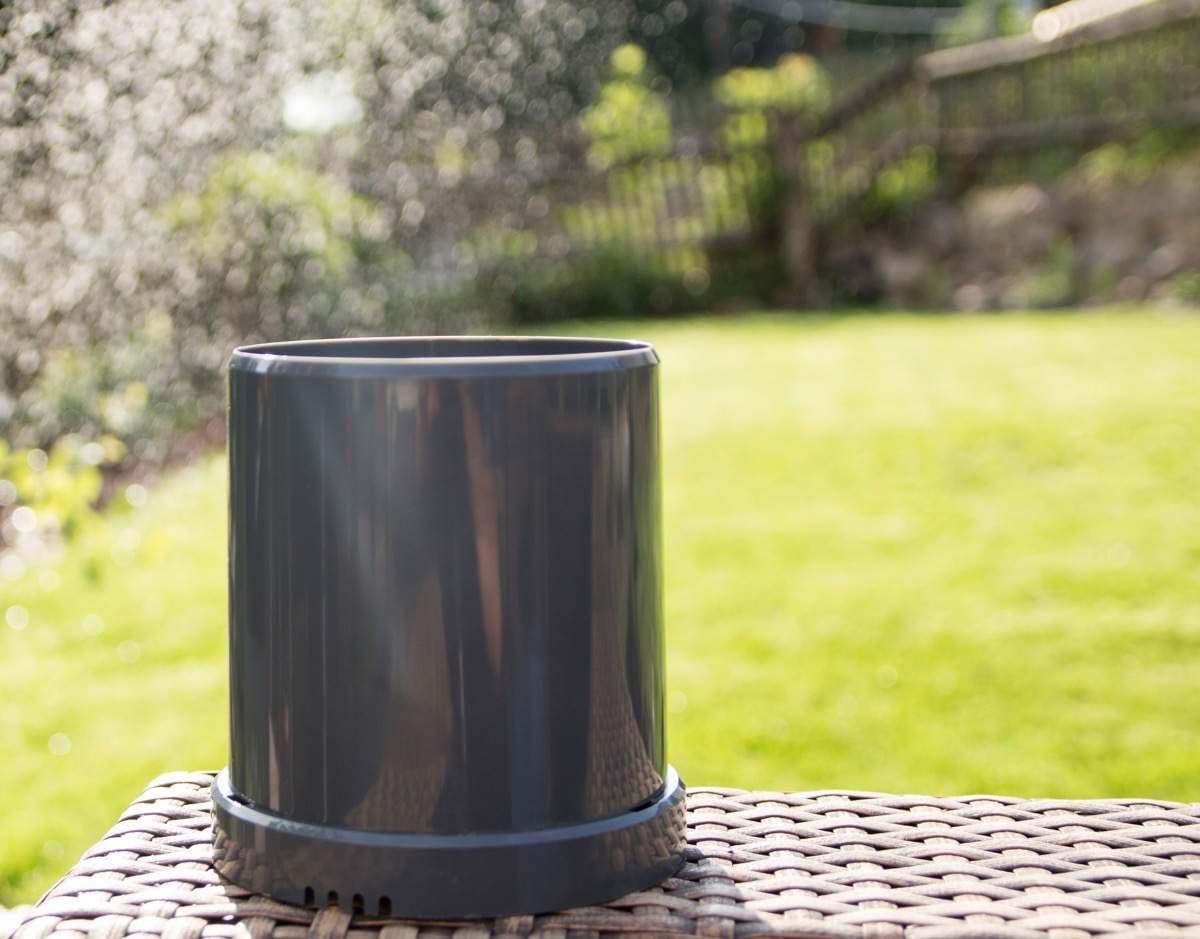
Image: The Z-Rain sensor positioned on a level outdoor surface, ready for rain measurement.
4.3. Z-Wave Inclusion (Pairing)
To integrate the Z-Rain sensor into your Z-Wave network:
- Pon o teu controlador Z-Wave en modo de inclusión (emparellamento). Consulta o manual do teu controlador para obter instrucións específicas.
- With the batteries installed, the sensor will automatically attempt to join a Z-Wave network. Some controllers may require a manual trigger.
- To manually trigger inclusion, briefly press the internal button (often located near the battery compartment or tipping bucket mechanism).
- Confirm that your Z-Wave controller detects and adds the Z-Rain sensor to your network.
5. En funcionamento
The Z-Rain sensor operates by collecting rainwater in a small tipping bucket mechanism. When a specific amount of water (e.g., 0.25 mm) fills one side of the bucket, it tips, emptying the water and bringing the other side into position. Each tip is detected by a Reed sensor and counted. This count is then translated into cumulative rainfall data.
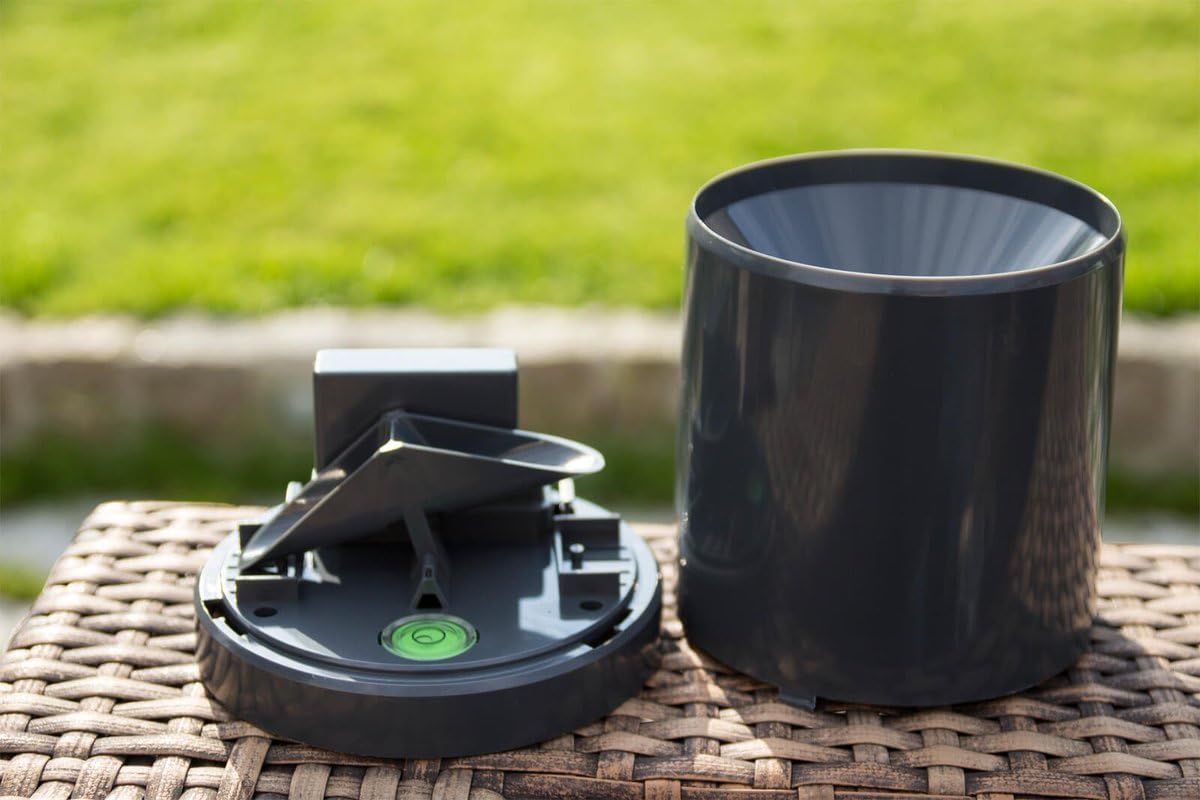
Image: The internal tipping bucket mechanism responsible for measuring rainfall.
The sensor reports cumulative rainfall values to your Z-Wave controller. This data can be used to:
- Monitor current and historical rainfall.
- Trigger automated actions (e.g., close windows, retract awnings, turn off irrigation) based on predefined rainfall thresholds.
- Receive notifications via push message or email when rain starts or reaches a certain intensity.

Image: The Z-Rain sensor actively measuring rainfall during a downpour.
6. Mantemento
6.1. Limpeza
To ensure accurate readings, periodically inspect and clean the sensor:
- Remove any leaves, debris, or insects from the collection funnel and the tipping bucket mechanism.
- Use un suave, damp cloth to wipe the exterior of the sensor. Avoid abrasive cleaners.
- Ensure the tipping bucket moves freely without obstruction.
6.2. Substitución da batería
The Z-Rain sensor's batteries (2x AAA) have an estimated life of up to 5 years. When the batteries are low, your Z-Wave controller should report a low battery warning. Replace the batteries as described in Section 4.1.
7 Solución de problemas
7.1. Device Not Pairing with Z-Wave Controller
- Comprobe as baterías: Asegúrese de que as baterías estean instaladas correctamente e teñan carga suficiente.
- Distancia: The sensor might be too far from the Z-Wave controller or another Z-Wave repeater. Try moving it closer temporarily for pairing.
- Inclusion Mode: Verify that your Z-Wave controller is actively in inclusion mode.
- Restablecer: If issues persist, try excluding the device from your network (if it was previously included) and then re-including it. Refer to your controller's manual for exclusion steps.
7.2. No Rain Data or Inaccurate Readings
- Obstáculos: Check for any physical obstructions (leaves, dirt, spiderwebs) in the collection funnel or tipping bucket that might prevent water from entering or the bucket from tipping.
- Colocación de nivel: Ensure the sensor is perfectly level. An uneven surface can lead to inaccurate tipping.
- Nivel de batería: Low batteries can affect device performance and reporting. Replace if necessary.
- Z-Wave Communication: Verify that the sensor is communicating correctly with your Z-Wave controller. Check the signal strength or device status in your controller's interface.
8. Especificacións
| Número de modelo | POPE700168 |
| Dimensións (L x W x H) | 13.2 x 13.2 x 13.9 cm (5.2 x 5.2 x 5.5 polgadas) |
| Peso | 200 gramos (0.44 libras) |
| Fonte de alimentación | 2 pilas AAA (incluídas) |
| Tecnoloxía sen fíos | Z Wave Plus |
| Clase de protección | IP55 |
| Material | Plástico |
9. Garantía e soporte
Specific warranty details are not available in the provided product information. For warranty claims, technical support, or further assistance, please contact your retailer or the manufacturer, Popp, directly. Retain your proof of purchase for any warranty-related inquiries.