
Introdución
The Riwbox WT-7S Kids Bluetooth Headphones are designed to provide an engaging audio experience for children, featuring LED lights that synchronize with music. These headphones offer both wireless Bluetooth 5.3 connectivity and a wired mode for continuous use. They are foldable for portability and include a built-in microphone for communication.
Características clave
- Luces LED dinámicas: LED lights on both sides of the headphones flash with the music's frequency, adding a fun visual element.
- Tecnoloxía Bluetooth 5.3: Ensures stable and efficient wireless connection with powerful 40mm speakers for natural sound and strong bass.
- ON/OFF LED Light Function: Users can turn off the LED blinking effect in Bluetooth mode to conserve battery life.
- Dual Mode (Wired/Wireless): Seamlessly switch between Bluetooth wireless mode and wired mode using the included Riwbox D1 audio cable when the battery is low.
- Controis integrados: Convenient controls on the headphone allow for easy navigation of songs and volume adjustment.
- Deseño plegable: The headphones can be folded for compact storage and portability, making them ideal for travel.
- Micrófono incorporado: Enables hands-free calls and voice chat.
O que hai na caixa
- Riwbox WT-7S Kids Bluetooth Headphones (Blue)
- Riwbox D1 Audio Cable (3.5mm Jack)
- Cable de carga USB
Guía de configuración
1. Carga dos auriculares
Before first use, fully charge your Riwbox WT-7S headphones. Connect the provided USB charging cable to the USB charge port on the headphones and the other end to a compatible USB power source (e.g., computer USB port, wall adapter). The LED indicator will show charging status and turn off when fully charged. Charging time is approximately 3 hours.

Image: Diagram showing the location of the USB charge port and LED indicator on the Riwbox WT-7S headphones.
2. Emparellamento Bluetooth
- Asegúrese de que os auriculares estean apagados.
- Press and hold the power button until the LED indicator flashes blue and red alternately, indicating pairing mode.
- No teu dispositivo (teléfono intelixente, tableta, PC), activa o Bluetooth e busca os dispositivos dispoñibles.
- Select "WT-7S" from the list of found devices.
- Unha vez conectado, o indicador LED acenderase en azul fixo ou parpadeará lentamente.

Image: Riwbox WT-7S headphones connected wirelessly to a smartphone, illustrating the Bluetooth connection and power display.
The headphones support Bluetooth 5.3 and have a range of up to 10 meters.
3. Conexión por cable (modo AUX)
To use the headphones in wired mode, connect the Riwbox D1 audio cable (3.5mm jack) to the AUX port on the headphones and the other end to your audio device's 3.5mm audio output. This mode allows you to continue listening even when the headphone battery is depleted.

Image: Riwbox WT-7S headphones connected via a 3.5mm audio cable, demonstrating wired compatibility with devices like computers, iPads, smartphones, and MP3/MP4 players.
Instrucións de funcionamento
Máis controisview
Image: Detailed diagram of the Riwbox WT-7S headphone controls, including ON/OFF switch, microphone, LED indicator, USB charge port, and 3.5mm audio AUX port.
| Botón/Control | Function (Bluetooth Mode) |
|---|---|
| Interruptor ON/OFF | Acende ou apaga os auriculares. |
| Botón Reproducir/Pausa | Short press to play or pause music. Press to answer/hang up calls. |
| Subir volume (+) | Prema brevemente para aumentar o volume. |
| Baixar volume (-) | Prema brevemente para diminuír o volume. |
| Botón da seguinte canción | Long press to skip to the next song. |
| Botón de canción anterior | Prema longamente para ir á canción anterior. |
| Control de luz LED | Long press to open/close the LED light effect. |
| Micrófono | For hands-free calls and voice input. |
The LED lights on the earcups will flash according to the music's rhythm, enhancing the listening experience. You can turn off the LED lights to save battery life, extending playtime up to 39.99 hours.

Imaxe: Fronte view of the Riwbox WT-7S Kids Bluetooth Headphones in blue, showcasing the illuminated LED lights on the earcup.
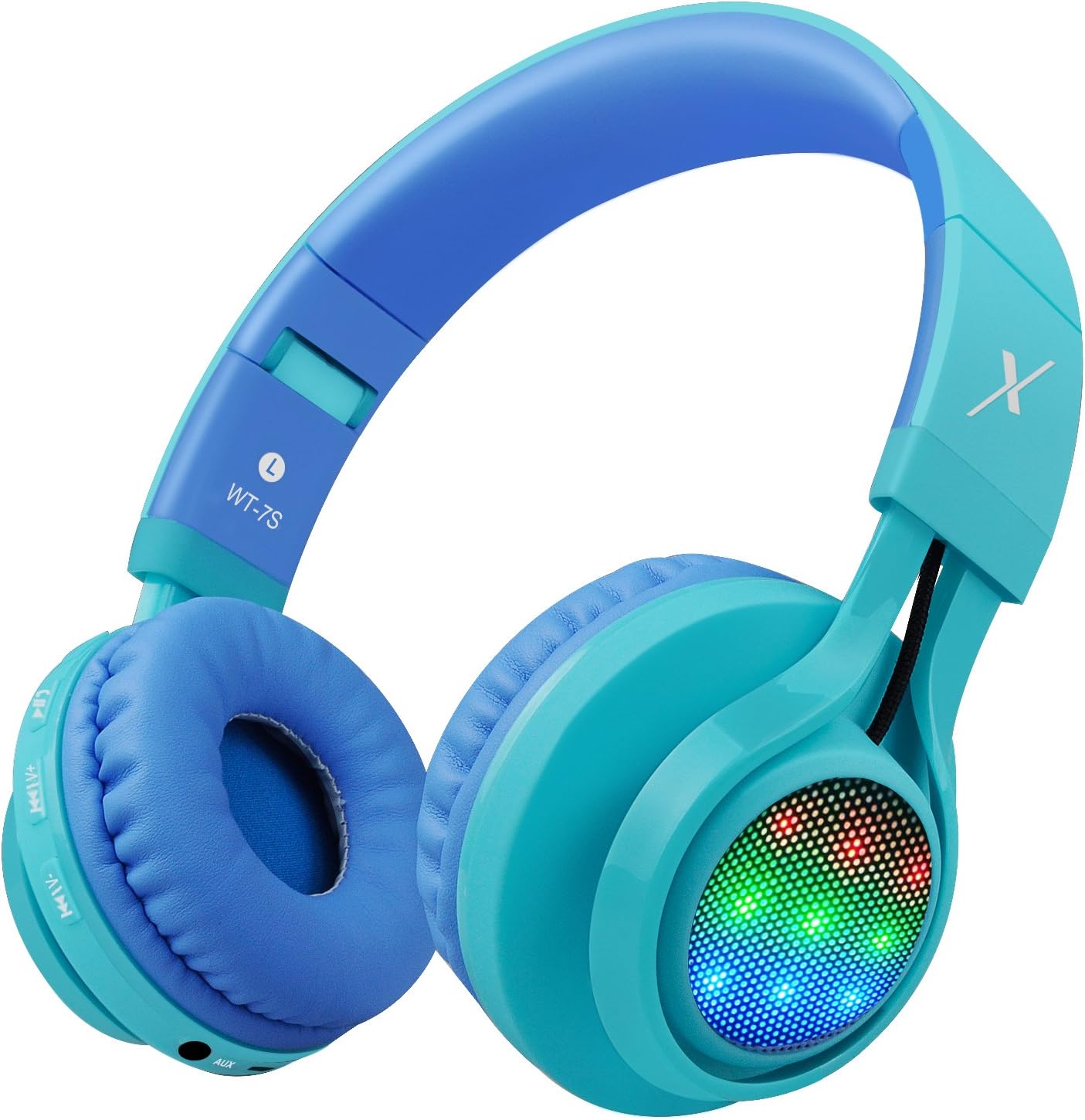
Imaxe: Lateral view of the Riwbox WT-7S Kids Bluetooth Headphones in blue, highlighting the LED lights on the earcup and the control buttons.
Mantemento e coidados
- Limpeza: Use a soft, dry cloth to clean the headphones. Avoid using abrasive cleaners or solvents.
- Almacenamento: When not in use, store the headphones in a cool, dry place. The foldable design allows for compact storage, minimizing space.
- Coidado da batería: Para prolongar a duración da batería, evite descargar completamente os auriculares con frecuencia. Cárgueos regularmente, mesmo se non os usa de forma constante.
- Resistencia á auga: Os auriculares son resistentes á auga, pero non impermeables. Evita mergullalos na auga ou expoñelos a choiva intensa.

Image: The Riwbox WT-7S headphones shown in their collapsed, folded state, demonstrating how they minimize storage space and fit easily into a backpack or drawer.
Resolución de problemas
| Problema | Posible Solución |
|---|---|
| Os auriculares non se acenderán. | Ensure the headphones are charged. Connect to a power source using the USB charging cable. |
| Non se pode sincronizar co dispositivo Bluetooth. |
|
| Sen son no modo sen fíos. |
|
| Sen son no modo con cable. |
|
| As luces LED non parpadean. | Long press the LED light control button to ensure the feature is enabled. If enabled, ensure music is playing. |
Especificacións do produto
| Especificación | Detalle |
|---|---|
| Nome do modelo | WT-7S |
| Marca | ripbox |
| Cor | Azul |
| Tecnoloxía de conectividade | Bluetooth |
| Tecnoloxía de comunicación sen fíos | Bluetooth |
| Versión Bluetooth | 5.3 (Note: Product data shows 4.0, but feature bullets state 5.3. Using 5.3 as it's more recent and likely correct for current models.) |
| Alcance Bluetooth | 10 metros |
| Tamaño do controlador de audio | 40 milímetros |
| Resposta en frecuencia | 20 Hz - 20 kHz |
| Sensibilidade | 108 dB |
| Impedancia | 32 ohmios |
| Jack para auriculares | Jack de 3.5 mm |
| Tempo de carga | 3 horas |
| Duración da batería | 39.99 horas |
| Peso do elemento | 210 gramos (7.4 onzas) |
| Dimensións do produto | 7.09 x 5.91 x 3.15 polgadas |
| Nivel de resistencia á auga | Resistente á auga |
| Tipo de control | Control de volume, táctil |
| Material | Plástico |
Garantía e Soporte
For warranty information and customer support, please refer to the product packaging or visit the official Riwbox websitio. Garde o recibo de compra para calquera reclamación de garantía.
Tamén podes visitar o Riwbox Store on Amazon para obter máis información sobre o produto e recursos de asistencia.
Vídeos de produtos
Video: An official product video titled "Top Best Headphones for Kids with LED and Mic" by Cotico (Seller). This video demonstrates the features and usage of the Riwbox WT-7S headphones, including the LED lights and overall design, in a family setting.
