
1. Introdución
This manual provides instructions for the installation, operation, and maintenance of your Q-See HeritageHD QC904-4V2-1 4-Channel Network DVR Surveillance Kit. This system is designed to provide real-time 720p resolution video surveillance across four channels, featuring a 1TB hard drive for storage and four IP66-rated 720p AnalogHD cameras for indoor and outdoor use. The system supports remote monitoring via compatible devices.

Image 1.1: The Q-See HeritageHD QC904-4V2-1 DVR and four included bullet cameras.
2. Contido do paquete
Verifique que todos os elementos que se indican a continuación estean incluídos no seu paquete:
- One (1) QC904 4-Channel DVR (with 1 Terabyte hard drive pre-installed)
- Four (4) QCA7207B 720p Bullet Cameras
- Unha (1) guía de inicio rápido
- One (1) HDMI cable
- One (1) USB mouse
- Un (1) cable Ethernet
- One (1) Power adapter for DVR
- Four (4) 60-foot BNC & Power cables
- One (1) 4-way Power splitter for cameras

Image 2.1: The various cables and power adapters included with the surveillance kit.
3. Configuración
3.1 Conexión do DVR
- Conectar enerxía: Plug the DVR power adapter into the DVR's power input and then into an electrical outlet.
- Conectar o monitor: Use the provided HDMI cable to connect the DVR's HDMI output to a monitor or TV. Alternatively, use a VGA cable (not included) for VGA output.
- Conectar o rato: Insert the USB mouse into one of the USB ports on the DVR.
- Conectar rede: Connect one end of the Ethernet cable to the DVR's RJ-45 port and the other end to your router or network switch for remote viewcapacidades de ing.

Image 3.1: Front and rear panel of the QC904 4-Channel DVR, showing connection ports.
3.2 Conexión da cámara
- Montar cámaras: Securely mount the QCA7207B cameras in desired indoor or outdoor locations. The IP66 rating ensures weather resistance.
- Conectar os cables BNC: Connect one end of each 60-foot BNC & Power cable to a camera's BNC video output and the other end to a BNC input port on the DVR.
- Connect Camera Power: Connect the power connector from each 60-foot BNC & Power cable to the 4-way power splitter. Then, connect the 4-way power splitter to the camera power adapter and plug it into an electrical outlet.
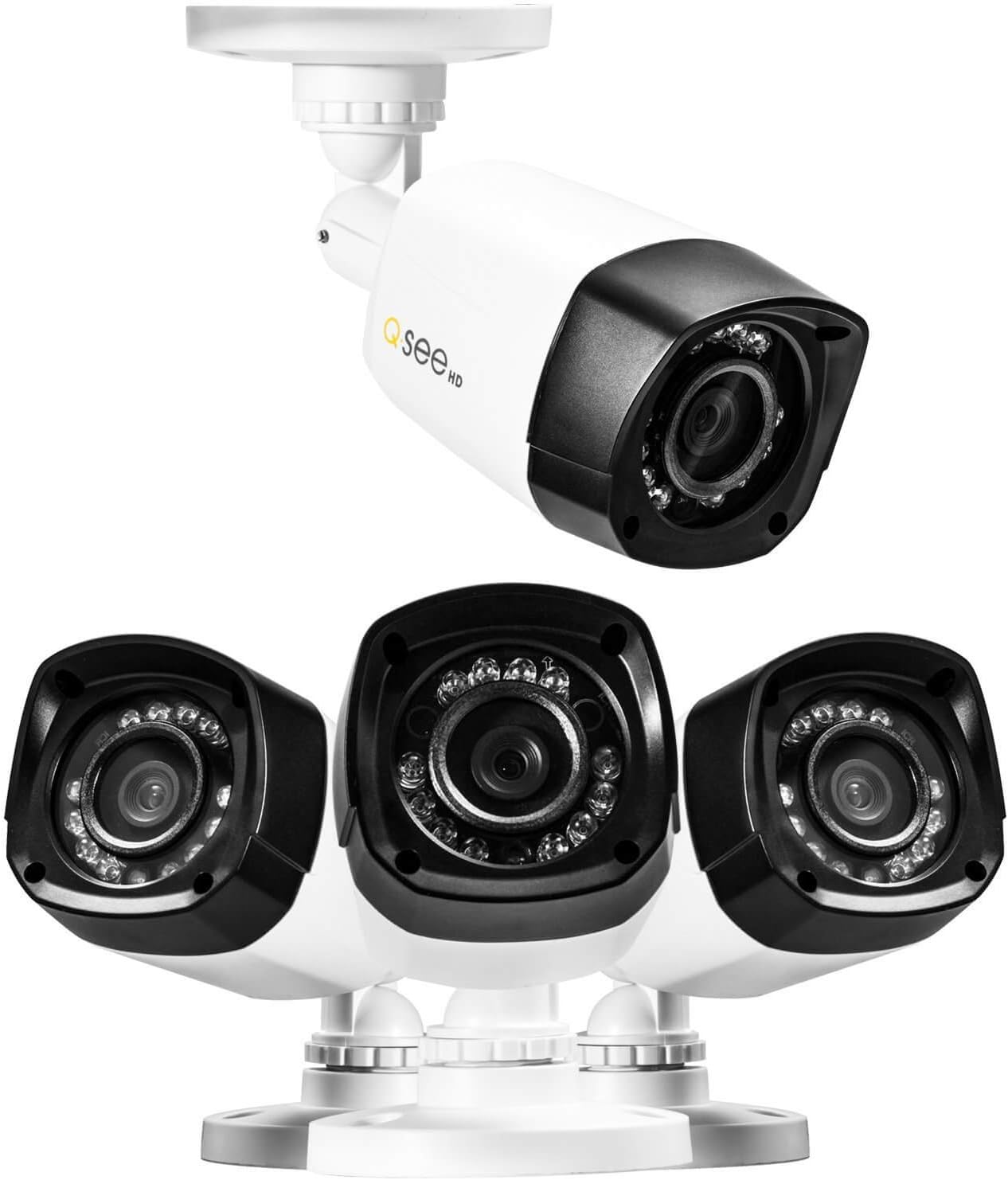
Imaxe 3.2: Primeiro plano view of the Q-See bullet cameras, showing their design and mounting base.
3.3 Configuración inicial do sistema
Upon first power-up, the DVR will typically launch a start-up wizard. Follow the on-screen prompts to configure basic settings such as date, time, network settings, and recording preferences. Refer to the Quick Start Guide for detailed steps on using the wizard.
4. Operación do sistema
4.1 Gravación
- The DVR records 720p resolution video at 30 frames per second (fps) on all four channels.
- Video compression uses H.264 standard to optimize storage space on the pre-installed 1TB hard drive.
- Recording modes (continuous, motion detection, scheduled) can be configured through the DVR's menu system.
4.2 Reprodución
- The DVR supports simultaneous local playback of up to four channels.
- Use the USB mouse to navigate the DVR interface for searching and playing back recorded footage.
4.3 Monitorización remota
- O sistema admite a distancia viewing of live and recorded video from compatible smartphones, tablets, or computers.
- Utilize the 'Scan N View' feature for simplified network setup and remote access. Refer to the Quick Start Guide or Q-See's online resources for specific application downloads and setup instructions.
4.4 Visión nocturna
- Each 720p camera is equipped with 12 Infrared LEDs, providing night vision capabilities up to 80 feet in low-light conditions.
- The cameras automatically switch between day and night modes.
5. Mantemento
5.1 Xestión do disco duro
- The DVR comes with a 1TB hard drive pre-installed. The system supports a maximum hard drive capacity of 4TB.
- Fai copias de seguridade regulares dos alimentos importantestage to external storage devices if needed.
- The DVR can be configured to overwrite older footage automatically when the hard drive is full.
5.2 Limpeza da cámara
- Limpe periodicamente as lentes da cámara cun pano suave eamp un pano para garantir unha calidade de imaxe nítida. Evite produtos de limpeza abrasivos.
- Despite being IP66 weatherproof, ensure that camera mounts and cable connections remain secure and free from debris.
5.3 Actualizacións de firmware
Check the Q-See official website periodically for any available firmware updates for your DVR. Firmware updates can improve system performance, add new features, or address security vulnerabilities. Follow the manufacturer's instructions carefully when performing updates.
6 Solución de problemas
If you encounter issues with your surveillance system, consider the following common troubleshooting steps:
- Sen enerxía: Ensure all power adapters are securely connected to the DVR, cameras, and electrical outlets. Verify outlets are functional.
- No Video on Monitor: Check HDMI/VGA cable connections between the DVR and monitor. Ensure the monitor is set to the correct input source.
- Sen imaxe da cámara: Verify BNC and power connections for the affected camera. Ensure the camera power splitter and adapter are working correctly.
- Mando a distancia ViewProblemas: Confirm the DVR is connected to the network via Ethernet. Check network settings on the DVR and your router. Ensure the remote viewing application is correctly configured.
- Problemas de gravación: Check the hard drive status in the DVR's menu. Ensure recording schedules are correctly set.
For more detailed troubleshooting or issues not covered here, refer to the comprehensive user manual available on the Q-See support website or contact Q-See customer support.
7. Especificacións
7.1 DVR Specifications (QC904)
- Formato de vídeo: NTSC/PAL
- Compresión de vídeo: H.264
- Recording Resolution & FPS: 720p @ 30fps (per channel), 1080p @ 15fps (per channel)
- Resolución de visualización: Ata 1920 x 1080 (1080p)
- Hard Drive Support: 1 x SATA HDD (1TB pre-installed), up to 4TB maximum
- Simultaneous Local Playback: 4 canles
- Interface de rede: RJ-45 10/100Mbps Ethernet, Supports Scan N View
- Interface de hardware: Ethernet, USB
- Dimensións (L x W x H): Aproximadamente 16 x 13 x 11 polgadas
- Peso: Aproximadamente 3.72 libras
- Fonte de enerxía: Eléctrico con cable (CC 12 V)
7.2 Camera Specifications (QCA7207B)
- Deseño: Bala
- Tipo: Analog HD Camera
- Resolución: 720p (1280x720)
- Resistencia á intemperie: IP66 (Indoor & Outdoor)
- Sensor de imaxe: 1/2.9" CMOS, 1 Megapixel
- Visión nocturna: Up to 80ft with 12 Infrared LEDs
- Saída de vídeo: 1.0Vp-p 75 Ω
- Potencia: DC 12 V
8. Garantía e soporte
8.1 Garantía do produto
For specific warranty terms and conditions, please refer to the warranty information included with your product packaging or visit the official Q-See website. Warranty coverage typically addresses manufacturing defects and may vary by region.
8.2 Atención ao cliente
If you require technical assistance, have questions about your product, or need to report an issue, please contact Q-See customer support through their official website. Support resources often include FAQs, troubleshooting guides, and contact information for direct assistance.
Visit the Q-See Store for additional products and support: Q-See Store