
1. Introdución
The Blaupunkt IRD 30c is a versatile internet radio designed to provide a wide range of audio entertainment. It features Internet Radio, DAB+, and FM reception, allowing access to over 18,000 internet radio stations and 12,000 podcasts worldwide, alongside traditional digital and analog broadcasts. With its WLAN connectivity, color display, and remote control, it offers intuitive operation and a rich listening experience. The device also includes an AUX input for connecting external audio sources, an alarm clock, and a sleep function, making it suitable for various environments like the living room, kitchen, or bedroom.
2. Información de seguridade
- Lea atentamente todas as instrucións antes de usar o dispositivo.
- Conserve o manual para futuras consultas.
- Non expoñas o dispositivo á choiva, á humidade nin a temperaturas extremas.
- Garantir unha ventilación adecuada para evitar o sobrequecemento.
- Use só o adaptador de alimentación proporcionado.
- Non intente abrir nin reparar o dispositivo vostede mesmo. Encargue calquera mantemento a persoal cualificado.
- Manter fóra do alcance dos nenos.
3. Contido do paquete
Comprobe que todos os elementos estean presentes no paquete:
- Blaupunkt IRD 30c Internet Radio Unit
- Control remoto
- Adaptador de alimentación
- Manual de usuario

4. Produto rematadoview
Familiarize yourself with the various parts of your Blaupunkt IRD 30c Internet Radio.
4.1 Panel frontal
The front panel features the color display, the main control knob (for navigation and selection), and several function buttons (MENU, FAV, HOME).

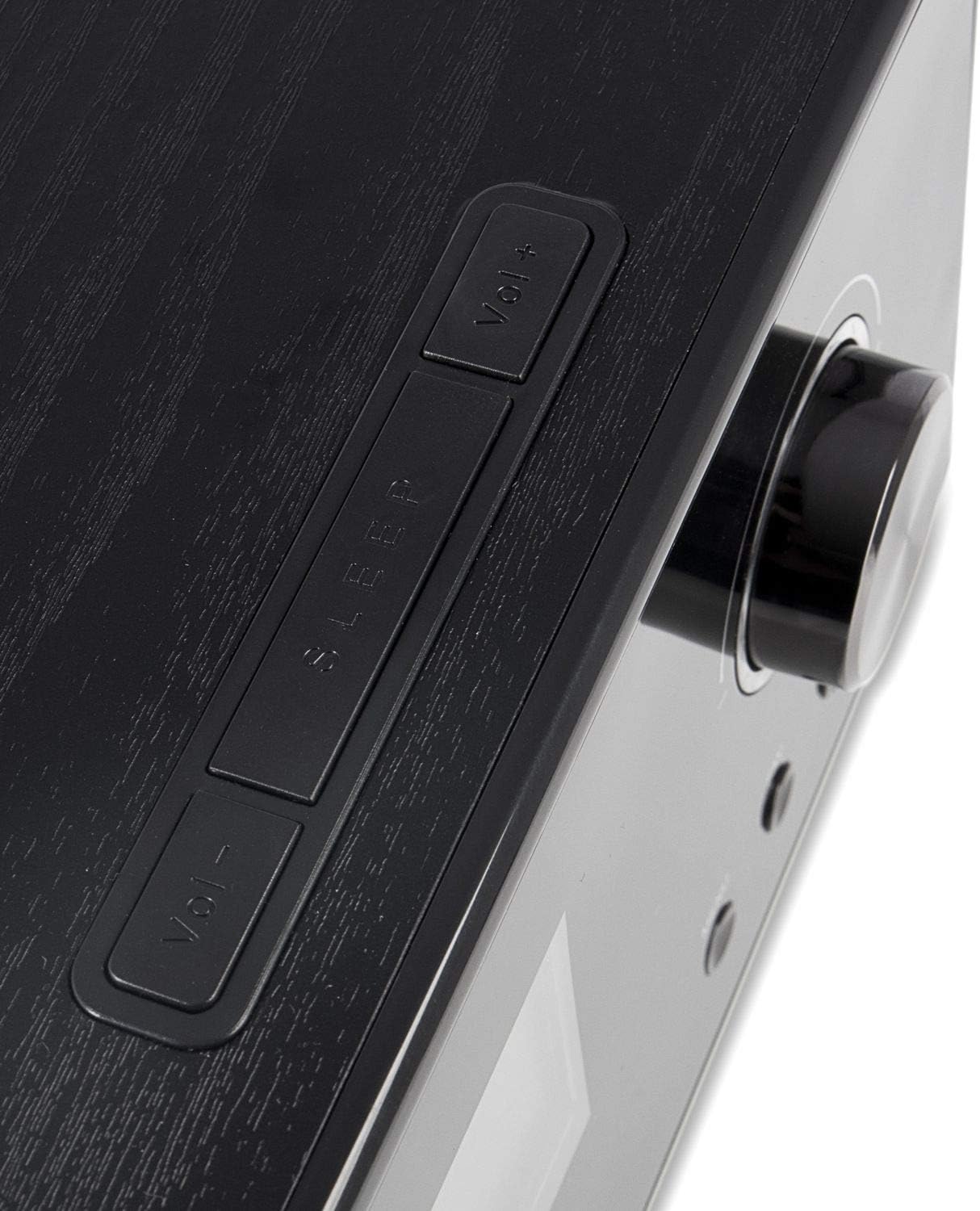
4.2 Panel superior
The top panel includes additional control buttons, such as Volume Up/Down and Sleep.
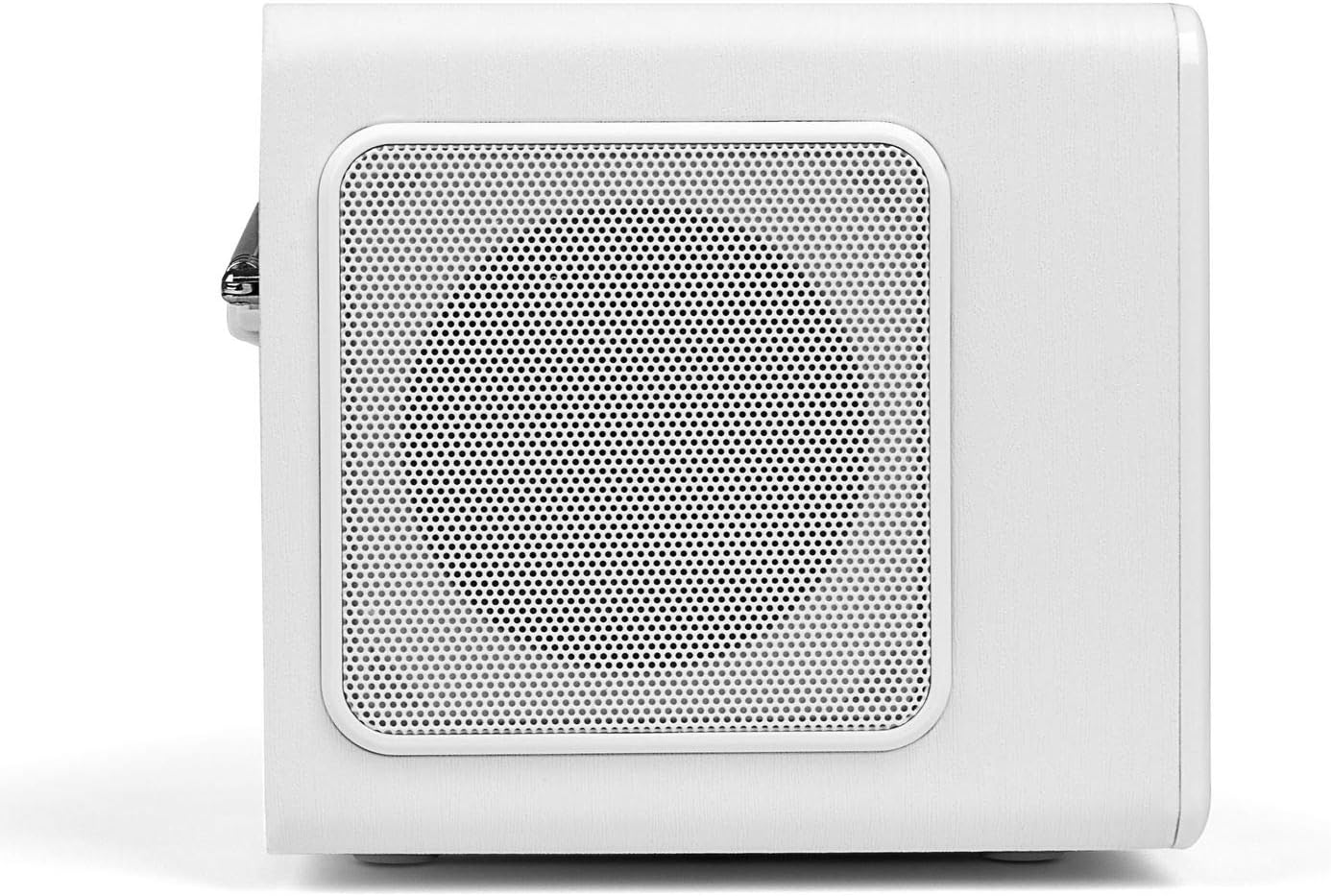
4.3 Panel lateral
The side panels feature integrated speakers for stereo sound output.
4.4 Panel posterior
The rear panel houses the telescopic antenna, power input, Line Out, and AUX input ports.

5. Configuración
Follow these steps to set up your Blaupunkt IRD 30c Internet Radio for the first time.
- Desempaquetar o dispositivo: Retire coidadosamente todos os compoñentes da embalaxe.
- Conectar enerxía: Plug the power adapter into the DC 12V input on the rear of the radio, then connect it to a power outlet.
- Antena extendida: Fully extend the telescopic antenna for optimal DAB+ and FM reception.
- Encendido inicial: The radio will power on automatically or require a press of the power button.
- Network Setup (WLAN): Follow the on-screen prompts to connect to your Wi-Fi network. You will need your network name (SSID) and password.
- Data e hora: The device will usually synchronize time and date automatically via the internet.
Watch the following video for a visual guide on unboxing and initial setup:
Video 5.1: Unboxing and basic setup of the Blaupunkt IRD 30c Internet Radio, demonstrating power connection, antenna extension, and initial menu navigation.
6. Instrucións de funcionamento
6.1 Radio por Internet
Access thousands of stations and podcasts from around the world.
- Preme o FOGAR button to navigate to the main menu.
- Select "Internet Radio" using the control knob and press to confirm.
- You can browse stations by location, genre, or use the search function.
- To save a favorite station, tune into the desired station and press the FAV button. Follow the on-screen instructions to store it.
Radio dixital 6.2 DAB+
Goza de emisións de radio dixitais de alta calidade.
- Preme o MENÚ button and select "DAB Radio".
- Perform a "Full Scan" to find all available DAB+ stations in your area.
- Use the control knob to scroll through the station list and select your desired station.
6.3 Radio FM
Tune into traditional analog FM broadcasts.
- Preme o MENÚ button and select "FM Radio".
- You can perform an automatic scan or manually tune to a frequency using the control knob.
- For best reception, ensure the telescopic antenna is fully extended.
6.4 Entrada AUX
Conecta dispositivos de son externos como teléfonos intelixentes ou reprodutores de MP3.
- Conecta o teu dispositivo externo ao AUX IN port on the rear of the radio using a 3.5mm audio cable.
- Preme o MENÚ button and select "AUX In" mode.
- Controla a reprodución desde o teu dispositivo externo.
6.5 Alarm Clock and Sleep Function
Use the radio as an alarm clock or set a sleep timer.
- Alarma: Access the alarm settings via the main menu to set up to two independent alarms with customizable sources (buzzer, internet radio, DAB+, FM).
- Temporizador de sono: Preme o DURMIR button on the top panel or remote control to set a timer (e.g., 15, 30, 60 minutes) after which the radio will automatically turn off.
6.6 Personalización do son (ecualizador)
Axusta a saída de son segundo as túas preferencias.
The IRD 30c features an equalizer with preset genres (e.g., Rock, Pop, Classical, HipHop) and a custom setting to adjust bass and treble levels. Access the equalizer settings through the menu or directly via the remote control.
7. Mantemento
To ensure the longevity and optimal performance of your Blaupunkt IRD 30c, follow these maintenance guidelines:
- Limpeza: Usa un pano suave e seco para limpar o exterior da radio. Non empregues produtos de limpeza abrasivos, ceras nin disolventes.
- Po: Regularly dust the speaker grilles and control areas to prevent accumulation.
- Colocación: Place the radio on a stable, flat surface away from direct sunlight, heat sources, and excessive moisture.
- Antena: Manexe a antena telescópica con coidado para evitar que se dobre ou se rompa.
8 Solución de problemas
Se tes problemas coa radio, consulta os seguintes problemas e solucións comúns:
| Problema | Causa posible | Solución |
|---|---|---|
| Sen poder | O adaptador de corrente non está conectado ou a toma de corrente está defectuosa. | Check power connections and try a different outlet. Ensure the power button is pressed correctly. |
| No internet radio reception | WLAN connection issue, weak signal, or incorrect network settings. | Verify your Wi-Fi password. Check router status. Move the radio closer to the router or use a Wi-Fi extender. Reconfigure network settings. |
| Mala recepción DAB+/FM | Antena non estendida, sinal débil ou interferencias. | Fully extend the telescopic antenna. Reposition the radio. Perform a new station scan. |
| Sen son da entrada AUX | Incorrect mode selected, cable issue, or external device volume. | Ensure "AUX In" mode is selected. Check the 3.5mm audio cable connection. Increase volume on both the radio and the external device. |
| O control remoto non funciona | Dead batteries, obstruction, or remote not pointed at sensor. | Replace batteries. Remove any obstructions between the remote and the radio. Ensure direct line of sight. |
| Blue ring light around control knob is too bright/distracting | This is a design feature and cannot be permanently turned off. | The light typically illuminates for a few seconds after interaction and turns off in standby. Consider placement if used in a dark room like a bedroom. |
9. Especificacións
| Característica | Detalle |
|---|---|
| Marca | BLAUPUNKT |
| Modelo | IRD 30 C |
| Tecnoloxía de conectividade | AUX, WLAN (802.11 b/g/n) |
| Tecnoloxía de sintonizador | Digital (FM, DAB+) |
| Bandas de radio compatibles | Internet Radio, FM, DAB+ |
| Fonte de enerxía | Eléctrico con cable |
| Potencia de saída de audio | 2 x 7 Watts RMS (14 Watts total) |
| Mostrar | Color Display (dimmable) |
| Interface de hardware | 3.5mm Audio (AUX In, Line Out) |
| Peso do elemento | 3.09 libras (aprox. 1.4 kg) |
| Dimensións (aprox.) | Height: 13 cm, Depth: 12.9 cm, Width: 21.2 cm |
| Características | Alarm Clock, Sleep Function, Equalizer, Remote Control |
10. Garantía e soporte
For warranty information and customer support, please refer to the documentation included with your product or visit the official Blaupunkt websitio. Garda o comprobante de compra para calquera reclamación de garantía.
If you require technical assistance or have questions not covered in this manual, please contact Blaupunkt customer service.