Introdución
This manual provides essential information for the HATHASPACE HSP001 True HEPA Filter Replacement. Designed specifically for HATHASPACE Smart True HEPA Air Purifiers, this filter ensures continued optimal performance and air quality in your environment. Regular replacement of your air purifier's filter is crucial for maintaining clean and healthy indoor air.
Key Features: 4-Stage Sistema de filtración
The HATHASPACE HSP001 filter utilizes a comprehensive 4-stage filtration process to effectively capture a wide range of airborne particles and contaminants.

Figura 1: Representación visual dos 4-stage. o proceso de filtración.
Filtro de catalizador en frío
Targets Volatile Organic Compounds (VOCs) and other harmful chemical pollutants, breaking them down at a molecular level.
Filtro de carbón activado
An advanced layer designed to effectively absorb household odors, smoke, and various harmful gases, leaving your space feeling fresh and revitalized.

Figure 2: Enhanced honeycomb activated carbon structure for superior odor absorption.
Prefiltro HEPA
Captures larger airborne particles such as pet hair, lint, and larger dust particles, extending the life of subsequent filter stages.
Filtro HEPA verdadeiro H11
This high-efficiency filter is engineered to capture 99.97% of airborne particles as small as 0.3 microns. This includes common allergens like dust, pollen, pet dander, as well as smoke and VOCs.
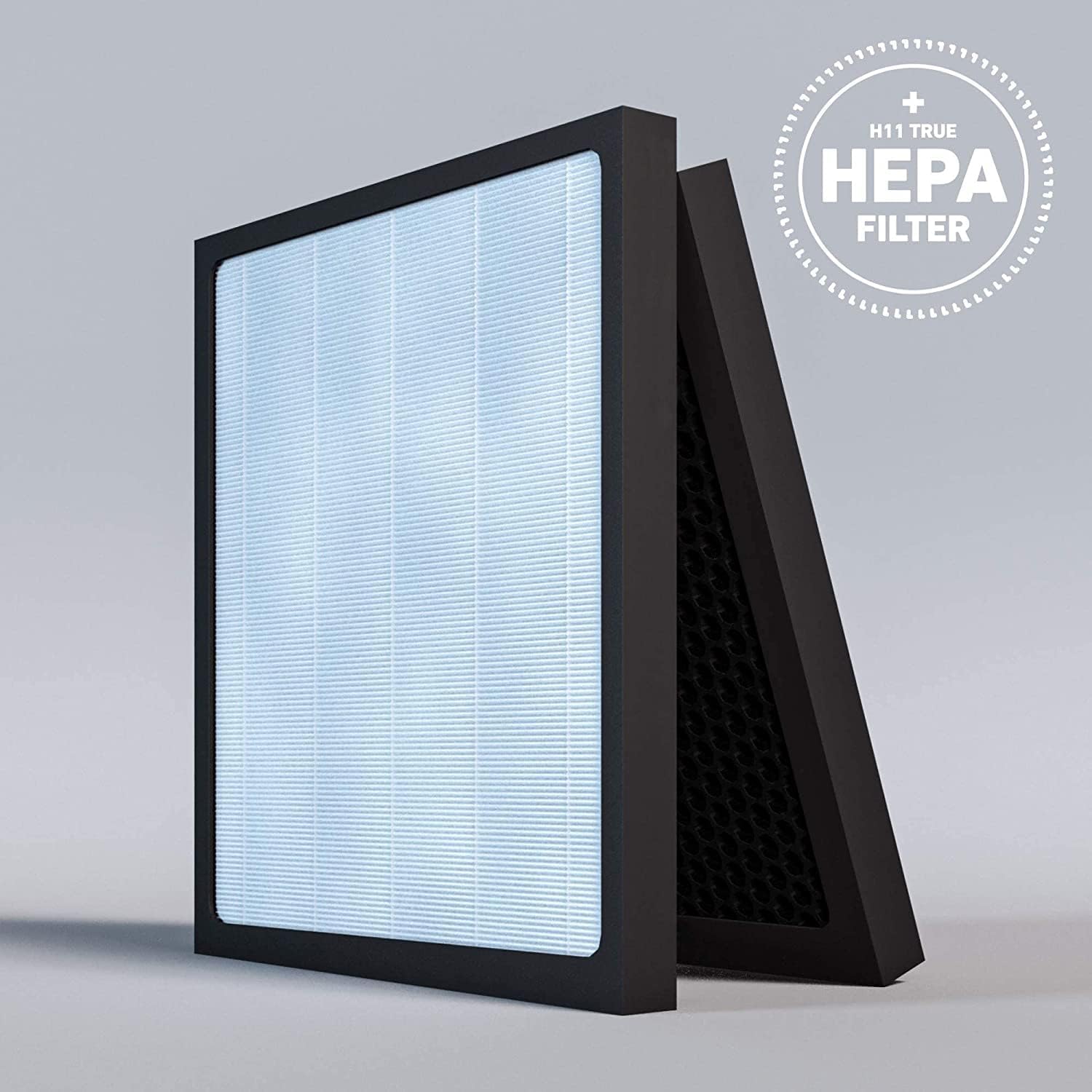
Figure 3: The pleated design of the H11 True HEPA filter maximizes filtration surface area.
Installation (Filter Replacement)
Replacing your HATHASPACE HSP001 filter is a quick and straightforward process, ensuring continuous clean air without hassle.

Figure 4: The HSP001 filter set ready for installation into the air purifier.
Substitución paso a paso:
- Apagado: Ensure your HATHASPACE air purifier is turned off and unplugged from the power outlet.
- Remove Front Panel: Gently pull the front panel of the air purifier to detach it. It is held in place by magnets.
- Eliminar filtros antigos: Locate the tabs on the old filters. Pull the tabs to release and remove both the pre-filter/activated carbon filter and the HEPA filter.
- Clean Interior (Optional): Use a soft cloth or vacuum cleaner to remove any dust or debris from the interior of the air purifier.
- Unwrap New Filters: Carefully unwrap the new HATHASPACE HSP001 filter set. Ensure to remove all plastic packaging.
- Instalar novos filtros: Insert the new filters into the air purifier. The filters are designed to fit in a specific orientation; ensure the tabs are facing outwards for easy future removal. The blue filter (HEPA) typically goes in first, followed by the grey filter (activated carbon/pre-filter).
- Secure Front Panel: Align the front panel with the air purifier and gently push it back into place until the magnets secure it.
- Encendido: Volva conectar o purificador de aire á toma de corrente e acendao.
Vídeo oficial da instalación:
Video: Watch this official HATHASPACE guide on how to replace your HSP001 filters. This video demonstrates the step-by-step process of removing old filters and installing new ones, ensuring proper fit and function.
Operating the Air Purifier with New Filters
Once the new filters are installed, your HATHASPACE air purifier is ready to resume operation. The filter works seamlessly with the unit's internal fan and smart sensors to continuously monitor and purify your indoor air.
Aspectos operativos clave:
- Monitorización da calidade do aire: The air purifier's built-in sensors detect airborne particles and adjust fan speed automatically in Auto Mode to maintain optimal air quality.
- Purificación continua: Os 4-stage filtration system works continuously to remove pollutants, odors, and allergens from the air.
- Funcionamento silencioso: The air purifier is designed for quiet operation, especially in Sleep Mode, ensuring minimal disturbance.
Mantemento
Proper maintenance of your HATHASPACE HSP001 filter involves timely replacement to ensure peak performance and air quality.
Programa de substitución do filtro:
It is recommended to replace your HATHASPACE HSP001 filter every 4 months for consistent air purification. This recommendation may vary based on air quality, usage, and the presence of pets or smokers in your home.
Luz indicadora do filtro:
Your HATHASPACE air purifier may feature a filter indicator light that illuminates when it's time to replace the filter. Refer to your air purifier's main user manual for specific instructions on resetting this indicator after filter replacement.
Resolución de problemas
If you encounter issues after replacing your filter, consider the following common troubleshooting steps:
- A luz indicadora do filtro permanece acesa: After replacing the filter, ensure you have reset the filter life indicator on your air purifier. Consult your air purifier's main user manual for instructions on how to reset the filter light.
- Reduced Airflow or Odors Persist: Double-check that the new filters are installed correctly and securely. Ensure all plastic packaging has been removed from the filters. If the issue persists, the air quality in your environment might be exceptionally poor, requiring more frequent filter changes.
- Ruídos pouco comúns: Ensure the filters are seated properly and the front panel is securely closed. Loose components can sometimes cause rattling noises.
Especificacións
| Atributo | Detalle |
|---|---|
| Número de modelo | HSP001 |
| Dimensións do produto | 12.62 x 11.44 x 0.83 polgadas |
| Peso do elemento | 1.2 libras |
| Material | Metal (frame) |
| Clasificación MERV | 16 |
| Dispositivos compatibles | HATHASPACE Air Purifier (HSP001 model) |
| Compoñentes incluídos | Filtro HEPA (4 segundos)tage integrated unit) |
| País de Orixe | China |
Garantía e Soporte
For detailed warranty information and customer support regarding your HATHASPACE HSP001 filter or air purifier, please refer to the official HATHASPACE website or the user manual that came with your air purifier unit. You can also visit the HATHASPACE Store on Amazon para obter recursos adicionais e opcións de contacto.