
1. Introdución
This user manual provides comprehensive instructions for the operation and maintenance of your Retevis RT27 Walkie Talkies. These portable FRS two-way radios are designed for reliable communication in various environments, featuring VOX hands-free operation, a USB charger base, and rechargeable batteries. Please read this manual thoroughly before using the device to ensure proper function and safety.
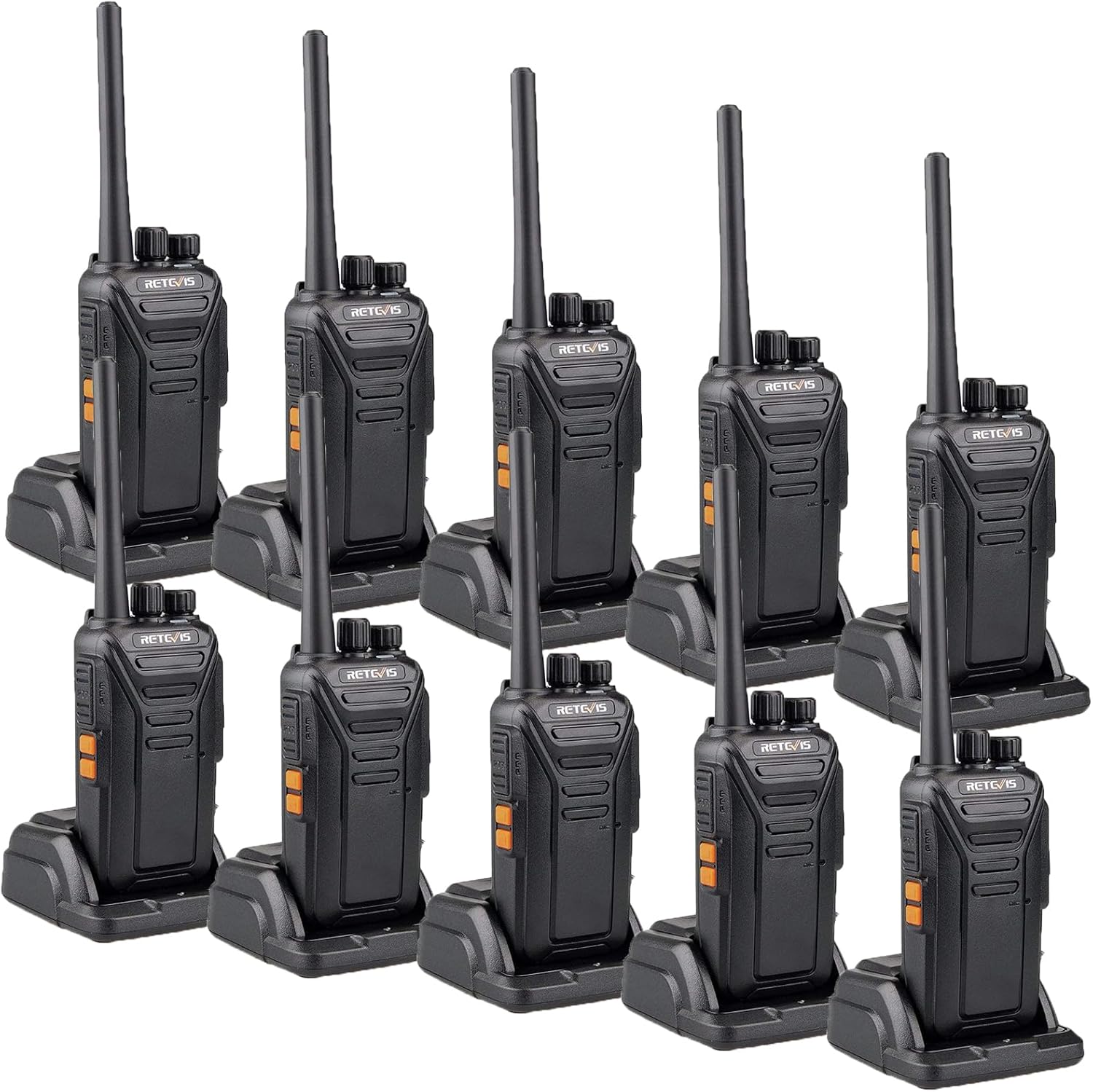
Figure 1: Retevis RT27 Walkie Talkies with charging bases.
2. Que hai na caixa
O paquete Retevis RT27 inclúe os seguintes elementos:
- 10 x Retevis RT27 Radios
- 10 x batería
- 10 x USB Charger base and adapter
- 10 x Clip para cinto
- 10 x Correa de man
- 10 x English User’s Manual

Figura 2: Contido da embalaxe dos walkie-talkies Retevis RT27.
3. Características do produto
- Deseño resistente e duradeiro: Constructed with thickened PC plastic shell, rugged antenna, and belt clip for enhanced durability, suitable for demanding environments.
- Comunicación de longo alcance: Features powerful signal receiving and transmitting abilities with strong penetration power, ensuring longer distance calls and stable signals.
- Batería recargable: Equipped with an 1100mAh battery and a USB dock charger with adapter, allowing charging of either the walkie talkie or the battery. Provides 8-10 hours of service life.
- VOX Hands-Free Functionality: Activate the VOX function via side keys with 0-9 level VOX optional, enabling convenient hands-free communication.
- Audio cristalino: Built-in speaker delivers clear and low-noise sound, ensuring usability even in noisy background environments.
- Portable and License-Free: FRS walkie talkies are ready to use out of the box with no license required. Offers 22 channels and is compatible with Retevis RT22, RT68, RT21, and H-777 models.

Figure 3: Heavy-duty construction for durability.

Figure 4: Clear sound and long range capabilities.
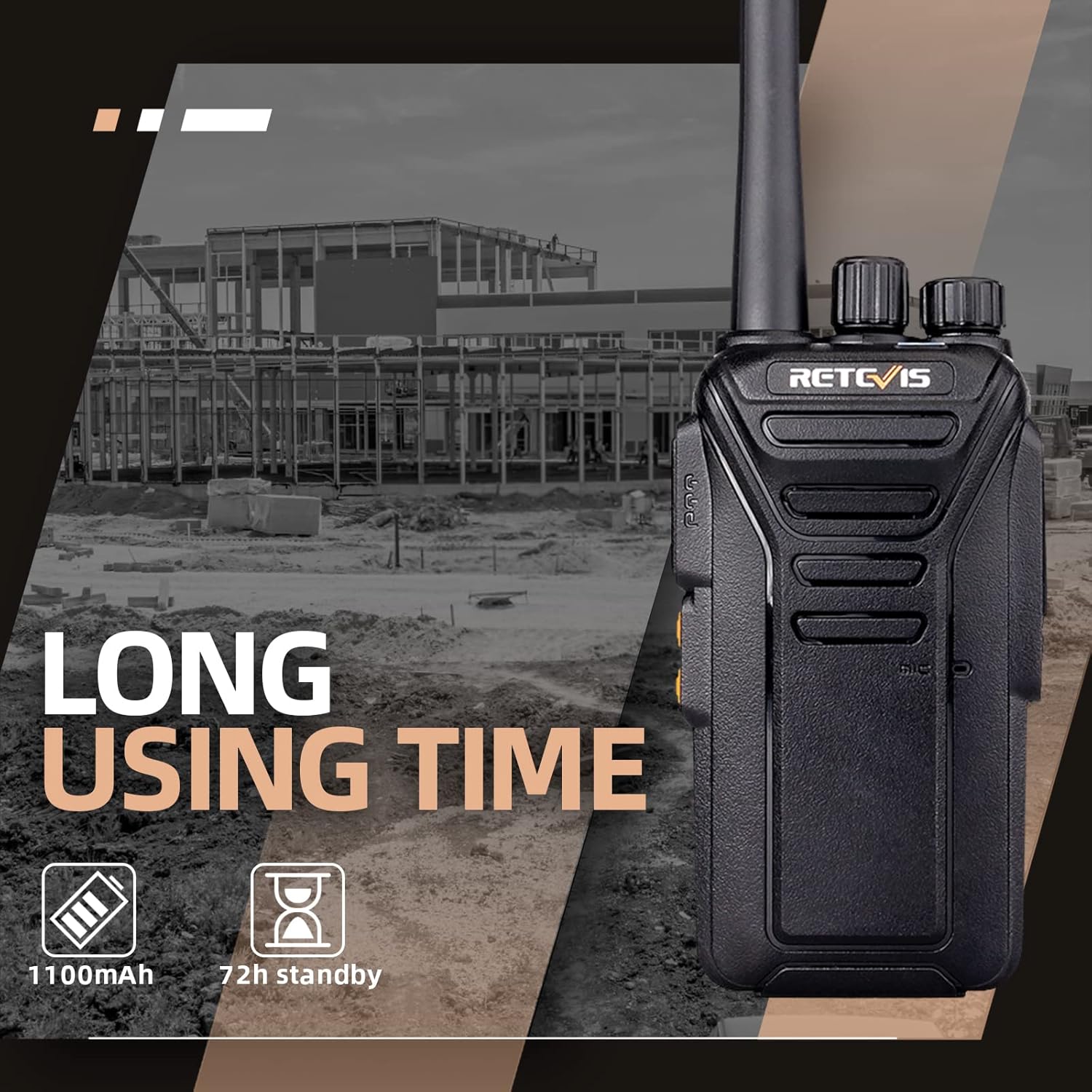
Figura 5: Duración prolongada da batería para un uso prolongado.
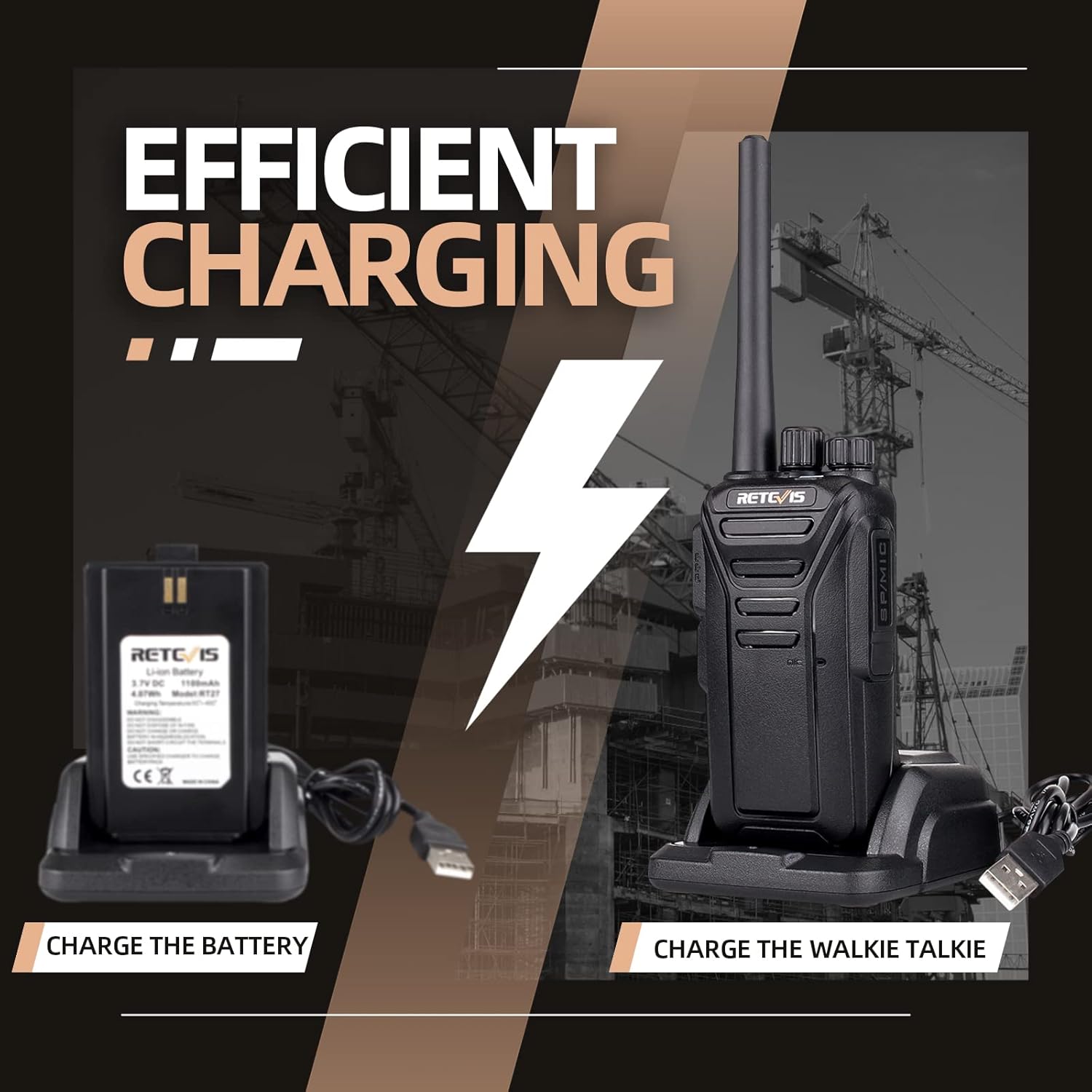
Figure 6: Efficient charging options for radio and battery.
4. Guía de configuración
4.1. Instalación da batería
- Asegúrate de que a radio estea apagada.
- Localiza a tapa do compartimento da batería na parte traseira da radio.
- Slide the battery cover downwards to remove it.
- Align the battery with the contacts inside the compartment and gently press it into place until it clicks.
- Replace the battery cover by sliding it upwards until it locks securely.

Figura 7: Traseira view of the radio, showing the battery compartment.
4.2. Cargando a batería
Before first use, fully charge the battery. The radio can be charged directly or the battery can be charged separately using the provided USB dock charger.
- Connect the USB adapter to a power source and then to the USB dock charger.
- To charge the radio: Place the radio into the charging dock, ensuring the charging contacts align. The indicator light on the charger will show charging status.
- To charge the battery separately: Remove the battery from the radio and place it into the designated slot on the charging dock.
- A full charge typically takes approximately 3-4 hours. The indicator light will change color (e.g., red to green) when charging is complete.
Figure 8: Charging the radio or battery using the USB dock.
5. Instrucións de funcionamento
5.1. Acendido/apagado e control de volume
- To power on the radio, rotate the Power/Volume knob (top-most knob) clockwise until you hear a click and the radio announces its status.
- To adjust the volume, continue rotating the Power/Volume knob clockwise to increase volume or counter-clockwise to decrease volume.
- To power off the radio, rotate the Power/Volume knob counter-clockwise until you hear a click.
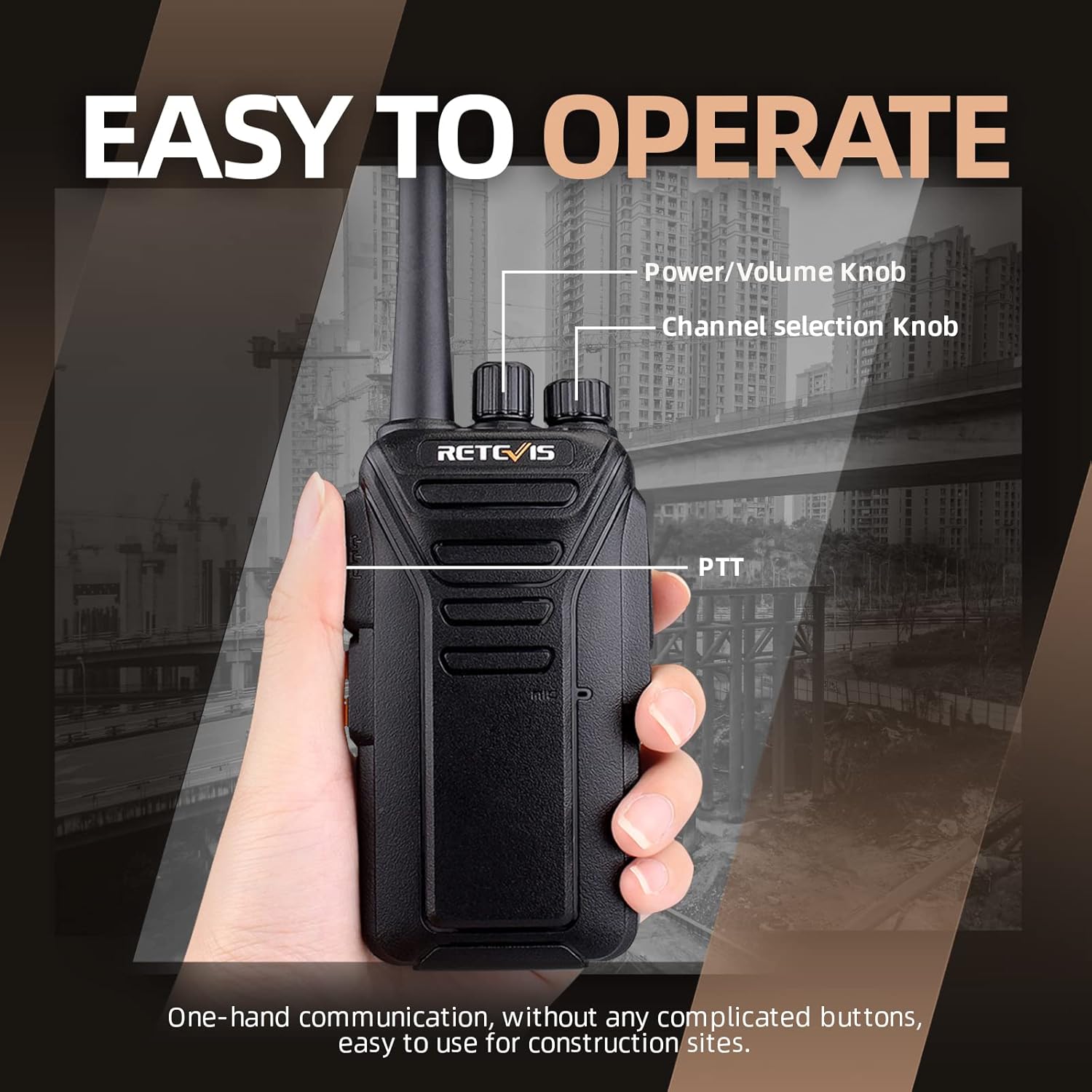
Figure 9: Location of Power/Volume and Channel knobs.
5.2. Selección de canles
- The Retevis RT27 has 22 available channels.
- To change the channel, rotate the Channel selection knob (second knob from the top) to your desired channel number. The radio will announce the selected channel.
- Asegúrate de que todas as radios do teu grupo estean configuradas no mesmo canal de comunicación.
5.3. Botón Push-to-Talk (PTT)
- To transmit, press and hold the PTT (Push-to-Talk) button located on the side of the radio.
- Speak clearly into the microphone, which is located near the PTT button.
- Solte o botón PTT para deter a transmisión e agarde unha resposta.
5.4. VOX Hands-Free Operation
The VOX (Voice Operated Exchange) function allows you to transmit without pressing the PTT button, by simply speaking into the microphone.
- To activate or deactivate VOX, refer to the specific programming instructions or use the side keys if configured for this function.
- The VOX sensitivity can be adjusted from level 0 (off) to 9 (most sensitive). Higher sensitivity means the radio will transmit with softer voice input.
- When VOX is active, the radio will automatically transmit when it detects your voice and stop transmitting when you stop speaking.

Figure 10: VOX hands-free communication.
Video: How to Turn On VOX Function
This video demonstrates the steps to activate the VOX function on your Retevis RT27 walkie talkie, allowing for voice-activated transmission.
6. Mantemento
- Limpeza: Use un suave, damp pano para limpar o exterior da radio. Non empregue produtos químicos agresivos nin produtos de limpeza abrasivos.
- Coidado da batería: To maximize battery life, avoid overcharging or completely draining the battery. Store the radio and batteries in a cool, dry place when not in use for extended periods.
- Almacenamento: Se vai gardar a radio durante moito tempo, retire a batería.
- Antena: Do not bend or modify the antenna, as this can affect radio performance.
7 Solución de problemas
| Problema | Causa posible | Solución |
|---|---|---|
| Sen Poder | A batería está baixa ou non está instalada correctamente. | Charge the battery or ensure it is properly seated in the compartment. |
| Non se pode transmitir nin recibir | Radios are on different channels; out of range; battery low. | Verifica que todas as radios estean no mesmo canal. Acércate ás outras radios. Carga a batería. |
| Mala calidade de audio | Volume too low/high; interference; microphone/speaker obstructed. | Adjust volume. Move away from sources of interference. Ensure microphone/speaker are clear. |
| VOX Not Working | VOX is off or sensitivity is too low. | Activate VOX and adjust sensitivity level. |
8. Especificacións
| Característica | Detalle |
|---|---|
| Número de modelo | FA9133AX10-J9133P |
| Peso do elemento | 7.39 pounds (for 10 pack) |
| Dimensións do produto | 1.3 x 2.16 x 7.9 polgadas |
| Baterías | 10 pilas de iones de litio necesarias (incluídas) |
| Capacidade da batería | 1100 mAh |
| Número de canles | 22 |
| Rango de frecuencias | FRS |
| Voltage | 3.7 voltios |
| Nivel de resistencia á auga | Repelente de auga |
| ID FCC | 2AAR8RETEVISRT27 |
9. Garantía e soporte
9.1. Información da garantía
Retevis ofrece unha 2 ano de garantía para o corpo da radio e un 1 ano de garantía for accessories. Additionally, there is a 30-day no-reason return policy.
Beyond the warranty period, maintenance services are still offered, with buyers responsible for corresponding costs. For any warranty claims or service requests, please contact Retevis customer support.
9.2. Información de seguridade
Please note that the FCC ID for these walkie talkies is 2AAR8RETEVISRT27. Our walkie talkies meet FCC Part 95 rules.
Always operate the device in accordance with local regulations and safety guidelines. Do not attempt to disassemble or modify the radio, as this will void the warranty and could result in injury or damage to the device.
9.3. Atención ao cliente
For any questions, technical assistance, or support, please contact Retevis customer service. We aim to reply within 12 hours.
Visit the official Retevis store for more information and products: Retevis Official Store