
Introdución
Thank you for choosing the KROM Kernel TKL Mechanical Gaming Keyboard. This compact, tenkeyless (TKL) keyboard is designed for gaming enthusiasts, offering a responsive mechanical experience with customizable RGB backlighting and a Spanish layout. This manual provides detailed instructions for setup, operation, maintenance, and troubleshooting to ensure optimal performance and longevity of your device.
Produto rematadoview
Características clave
- Interruptores mecánicos: Durable and responsive mechanical key switches for precise input.
- Tenkeyless (TKL) Design: Compact form factor without a numeric keypad, ideal for saving desk space and improving mouse movement.
- Retroiluminación RGB: Customizable LED backlighting with various effects and colors.
- Función macro: Assign macro functions to any key for personalized commands.
- Teclas multimedia: Dedicated or function-layer multimedia controls for convenience.
- Anti-fantasmas: Garante que todas as pulsacións de teclas se rexistren con precisión, mesmo durante sesións de xogo intensas.
- Construción duradeira: Construído con materiais de calidade para un rendemento duradeiro.
- Spanish Layout: Designed with a QWERTY Spanish key layout.
Contido do paquete
- KROM Kernel TKL Mechanical Gaming Keyboard
- Cable USB (incluído)
- Manual de usuario (este documento)
- (Note: Additional accessories may vary by region or specific product bundle.)
Imaxe 1.1: KROM Kernel TKL Mechanical Gaming Keyboard packaging, showing the front and back of the box with product features and design.

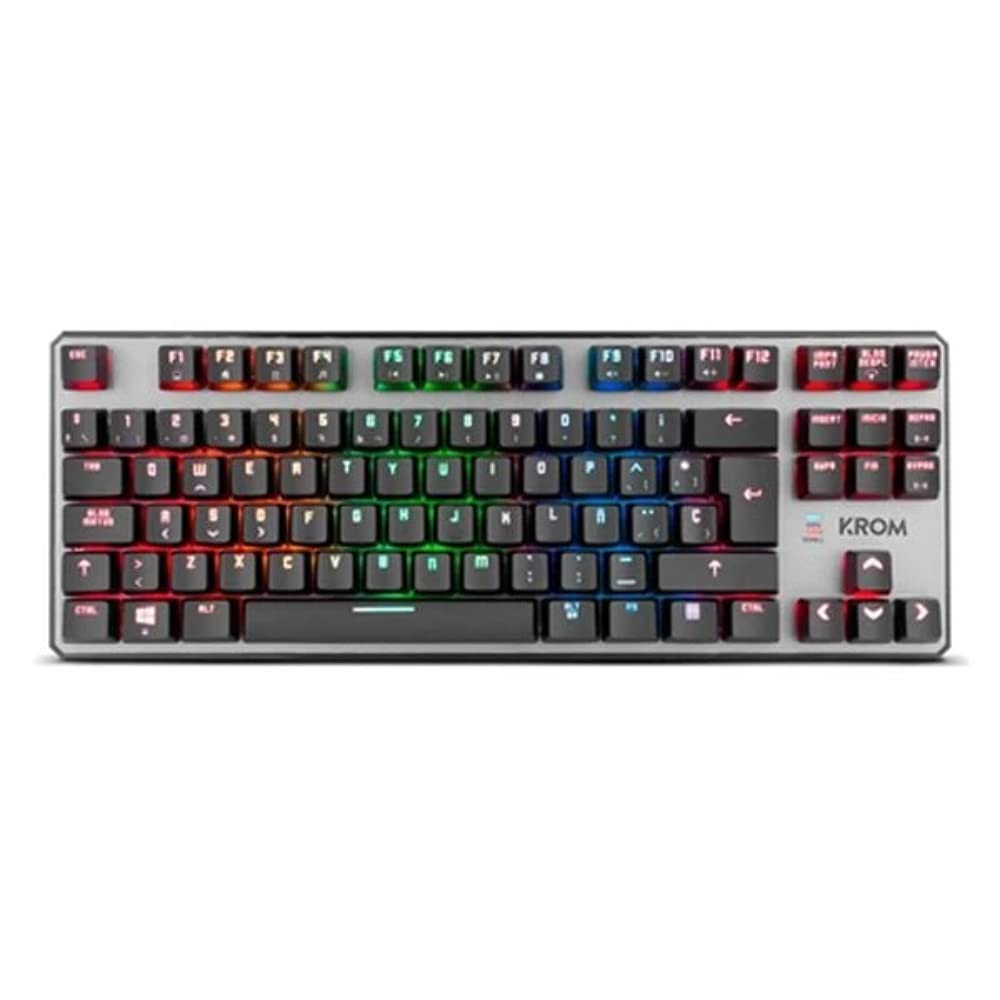
Imaxe 1.2: Arriba abaixo view of the KROM Kernel TKL keyboard, showcasing its compact design and vibrant RGB backlighting across all keys.
Configuración
- Descomprimir o teclado: Carefully remove the KROM Kernel TKL keyboard from its packaging.
- Conectar ao ordenador: Locate the USB cable attached to the keyboard. Plug the USB connector into an available USB port on your computer (PC or laptop).
- Instalación de controladores: The keyboard is plug-and-play. Your operating system (Windows 7/8/8.1/10) should automatically detect and install the necessary drivers. This process may take a few moments.
- Verificar a funcionalidade: Once drivers are installed, test the keyboard by typing in a text editor or browser to ensure all keys are responsive.
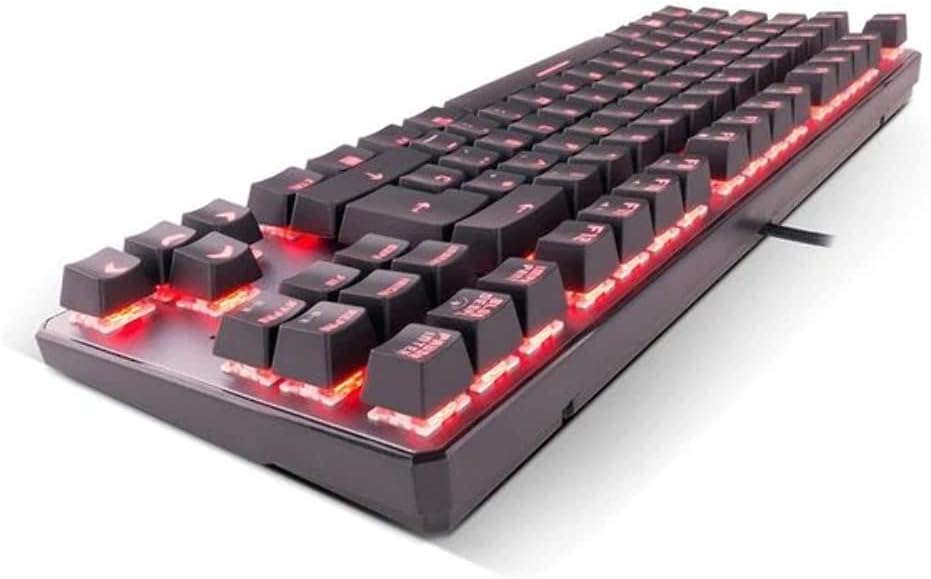
Imaxe 2.1: Lado view of the KROM Kernel TKL keyboard, highlighting the red backlighting visible beneath the keycaps and the compact profile.
Instrucións de funcionamento
Control de retroiluminación RGB
The KROM Kernel TKL keyboard features dynamic RGB backlighting. Use the following key combinations to adjust lighting effects:
- Fn + [Tecla]: Specific function keys (often F1-F12 or dedicated keys) are used in combination with the Function (Fn) key to cycle through lighting modes, adjust brightness, change speed, or select colors. Refer to the keyboard's keycap legends for specific symbols indicating lighting controls.
- Axuste de brillo: Typically Fn + Up/Down arrow keys or dedicated brightness keys.
- Velocidade do efecto: Often Fn + Left/Right arrow keys to increase or decrease the speed of dynamic lighting effects.
- Cambio de modo: Cycle through various pre-set RGB lighting modes (e.g., wave, ripple, breathing, static color) using a dedicated Fn combination.

Imaxe 3.1: The KROM Kernel TKL keyboard displaying its full RGB spectrum backlighting, enhancing the visual appeal during use.
Macro Function Assignment
The keyboard supports on-the-fly macro recording or software-based macro assignment. For on-the-fly recording:
- Initiate Recording: Press a specific Macro Record key (often labeled "MR" or a Fn combination).
- Select Target Key: Press the key you wish to assign the macro to.
- Secuencia de rexistro: Escribe a secuencia de teclas que queres gravar como macro.
- Finalizar a gravación: Press the Macro Record key again to save the macro.
Note: Detailed macro programming instructions may require specific software or refer to the full digital manual available on the KROM websitio.
Teclas multimedia e atallos
Access multimedia functions and system shortcuts using the Fn key in combination with the F-keys (F1-F12) or other designated keys. Common functions include:
- Control de volume: Fn + Fx (e.g., F1-F3 for Mute, Volume Down, Volume Up).
- Reprodución multimedia: Fn + Fx (e.g., F5-F8 for Play/Pause, Stop, Previous Track, Next Track).
- Atallos de aplicación: Fn + Fx (e.g., F9-F12 for Email, Web Browser, My Computer, Calculator).

Imaxe 3.2: Un primeiro plano view of the KROM Kernel TKL keyboard's keycaps, clearly showing the Spanish QWERTY layout and secondary functions.
Mantemento
Un mantemento axeitado garante a lonxevidade e o rendemento do teu teclado.
- Limpeza:
- Desconecte o teclado do ordenador antes de limpalo.
- Usa unha lata de aire comprimido para eliminar o po e os residuos que hai entre as tapas das teclas.
- Limpe as tapas das teclas e a superficie do teclado cun pano suave e lixeiramente damp, pano que non solte fiapos. Evite a humidade excesiva.
- Non empregue produtos químicos agresivos, produtos de limpeza abrasivos nin disolventes.
- Almacenamento: Garda o teclado nun lugar seco e fresco, lonxe da luz solar directa e de temperaturas extremas.
- Manexo: Avoid dropping the keyboard or exposing it to liquids. Do not attempt to disassemble the keyboard as this may void the warranty.

Imaxe 4.1: Un profesional secundariofile view of the KROM Kernel TKL keyboard, illustrating its ergonomic tilt and compact design.

Imaxe 4.2: A close-up image showing a mechanical switch on the KROM Kernel TKL keyboard, highlighting its design and potential for easy replacement (CIY Technology).

Imaxe 4.3: The CIY Technology logo, indicating that the keyboard features hot-swappable mechanical switches for easy customization or replacement.
Resolución de problemas
If you encounter issues with your KROM Kernel TKL keyboard, refer to the following common solutions:
- O teclado non responde:
- Asegúrate de que o cable USB estea conectado correctamente tanto ao teclado como ao ordenador.
- Tenta conectar o teclado a un porto USB diferente do teu ordenador.
- Reinicia o teu ordenador.
- Proba o teclado noutro ordenador para determinar se o problema é co teclado ou co sistema.
- A retroiluminación non funciona ou é incorrecta:
- Check if the backlighting is turned off. Use the Fn key combinations to cycle through lighting modes and adjust brightness.
- Ensure no software conflicts are interfering with the lighting controls.
- As teclas non se rexistran ou escriben dúas veces:
- Limpa as teclas afectadas con aire comprimido para eliminar calquera residuo.
- If the keyboard uses hot-swappable switches (like the "CIY Technology" mentioned in an image), try gently removing and re-inserting the switch for the problematic key.
- Asegúrate de que os controladores do teu sistema operativo estean actualizados.
- As funcións macro non funcionan:
- Review the macro programming steps to ensure correct recording.
- Check if any software is overriding the keyboard's native macro functions.
Especificacións
| Característica | Detalle |
|---|---|
| Número de modelo | NXKROMKRNLTKL |
| Tipo de teclado | Mecánica |
| Maquetación | Spanish QWERTY (TKL) |
| Retroiluminación | LED RGB |
| Conexión | Wired USB (Gold-plated) |
| Lonxitude do cable | 180 cm (Braided) |
| Forza de Actuación | 60 +/- 10 g |
| Taxa de votación | 1000 Hz |
| Memoria interna | 64 KB (for macros/profiles) |
| Consumo actual | 100-260 mA |
| Voltage | 5.0 +/- 0.25 V |
| Dimensións (L x W x H) | 361 x 133.5 x 22.5 mm |
| Peso | 950 +/- 30 g |
| Compatibilidade | Windows 7/8/8.1/10 |
| Características especiais | Macro function assignment, Multimedia keys, Shortcut keys |
Garantía e Soporte
KROM products are designed for reliability and performance. This product comes with a standard manufacturer's warranty. For specific warranty terms and conditions, please refer to the warranty card included with your product or visit the official KROM websitio.
For technical support, driver downloads, or further assistance, please visit the KROM official support page or contact their customer service. Contact information can typically be found on the KROM websitio ou embalaxe do produto.
KROM Official Websitio: www.kromgaming.com (Nota: Este é un marcador de posición URL, please verify the actual KROM support websitio.)