
Saitake BT 7002
Manual do usuario do joystick para teléfonos intelixentes Saitake BT 7002
Model: BT 7002 | Brand: Saitake
1. Introdución
Thank you for choosing the Saitake BT 7002 Smartphone Joystick. This device is designed to enhance your mobile gaming experience by providing precise control and comfortable ergonomics. It connects wirelessly via Bluetooth to your Android smartphone or tablet, offering a seamless gaming experience.
2. Configuración e conexión
2.1 Primeira conexión
- Ensure the joystick is powered off.
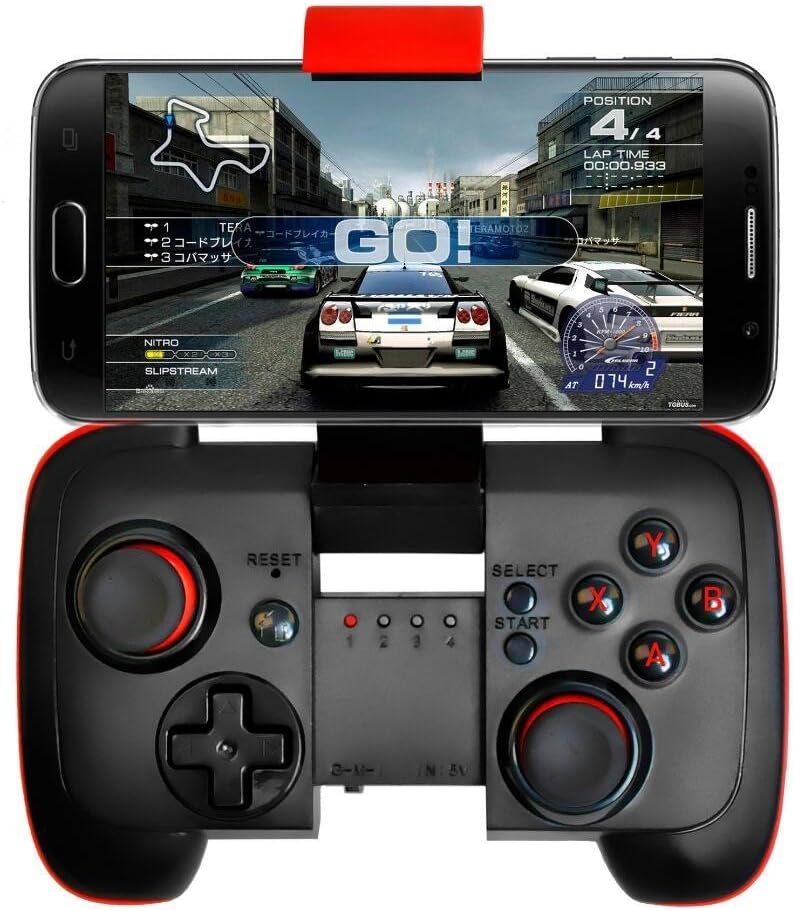
- Manteña premido o FOGAR button for 5 seconds until the gamepad indicator light begins to flash rapidly (approximately 4 flashes per second). This indicates pairing mode.
- On your Android device, activate Bluetooth and search for available devices.
- Select the gamepad when it appears in your device list to connect.
2.2 Subsequent Connections
- Ensure the joystick is powered off.
- Manteña premido o FOGAR button for 3 seconds until the gamepad indicator light flashes slowly (approximately 2 flashes per second).
- The device will automatically connect to the last paired Android device.

Nota: The Saitake BT 7002 requires Bluetooth 2.0 or higher on your Android device. It does not require a driver for installation when connecting and playing. This controller is designed exclusively for Android devices and is not compatible with iOS or PC systems.
3. Modos de funcionamento
The Saitake BT 7002 features different operating modes to optimize compatibility with various applications:
- Modo G: Designed for general Android gaming.
- Modo M: Optimized for Multimedia control.
- I Mode: Intended for specific iOS compatibility (though general product description states no iOS support, this mode might be for specific, limited scenarios or older models. For best results, use with Android as specified).
The controller supports wireless transmission via Bluetooth 2.1, allowing for an operating range of 6-8 meters.
3.1 Apagado automático
To conserve battery life, the controller will automatically power off if it is not used for 5 minutes.
4. Características clave
- Deseño portátil: Pocket-sized for easy transport during travel.
- Batería incorporada: Features a 300mA built-in lithium battery, providing approximately 5-8 hours of continuous play.
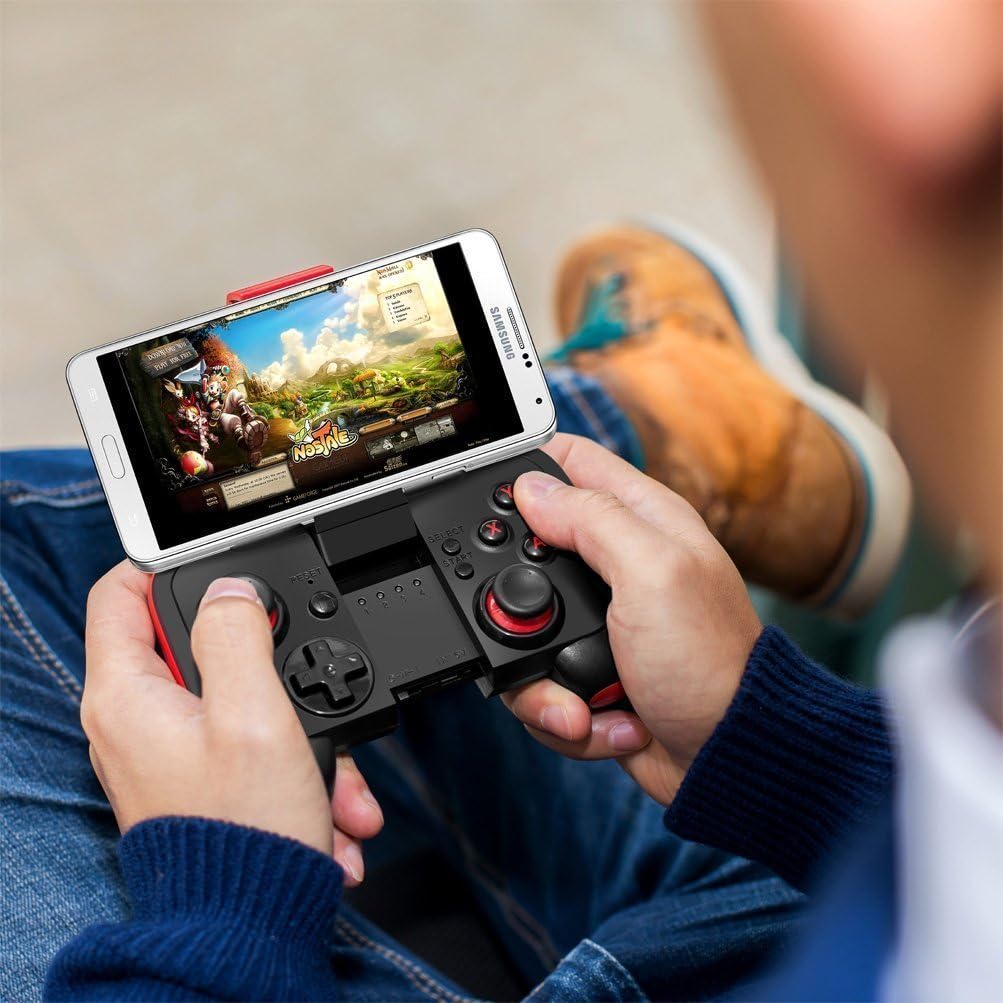
- Adjustable Phone Mount: Accommodates smartphones up to 3.0 inches (7.5 cm) wide, supporting phones with screens smaller than 5.9 inches (15 cm).
- Ampla compatibilidade: Connects wirelessly to any Android mobile phone, tablet, or VR headset running Android 3.2 or above with Bluetooth 2.0 or higher.
- Sen condutor: No additional drivers are needed for installation.
- Alcance sen fíos: Offers a wireless transmission range of 6-8 meters.
5. Mantemento
5.1 Carga da batería
When the battery is low, the indicator light may flash or the controller may stop responding. Connect the joystick to a USB power source using a compatible charging cable (not specified if included, typically micro-USB). The indicator light will show charging status and turn off when fully charged.
5.2 Limpeza e almacenamento
- Limpe o controlador cun pano suave e seco. Non empregue produtos químicos agresivos nin produtos de limpeza abrasivos.
- Evite expoñer o controlador a temperaturas extremas, luz solar directa ou humidade elevada.
- Almacene o controlador nun lugar fresco e seco cando non estea en uso.
6 Solución de problemas
6.1 Controller Not Turning On or Responding
- Ensure the battery is charged. Connect the controller to a power source and allow it to charge for at least 30 minutes before attempting to power it on again.
- If the controller still does not respond, try pressing the RESET button (usually a small pinhole button, refer to diagram if available on product).
6.2 Problemas de conexión
- Make sure Bluetooth is enabled on your Android device.
- Ensure the controller is in pairing mode (rapid flashing for first-time connection, slow flashing for subsequent connections).
- Esquece o dispositivo na configuración de Bluetooth do teu teléfono e tenta emparellalo de novo.
- Ensure your Android device's operating system is Android 3.2 or above and has Bluetooth 2.0 or higher.
- Remember, this controller is not compatible with iOS or PC systems.
6.3 Games Not Recognizing Controller
- Verify that the game you are playing supports external game controllers. Not all mobile games have controller support.
- Check the game's settings for controller configuration options.
- Ensure the controller is in the correct operating mode (G Mode for most games).
7. Especificacións
| Modelo | BT 7002 |
| Conectividade | Bluetooth 2.1 |
| Tipo de batería | 1 Lithium Ion (Built-in 300mA) |
| Duración da batería | Approx. 5-8 hours (continuous play) |
| Rango de operación | 6-8 metros |
| Ancho do teléfono compatible | Ata 3.0 polgadas (7.5 cm) |
| Supported Phone Screen Size | Below 5.9 inches (15 cm) |
| Dimensións do paquete | 16.6 x 13.4 x 7 cm |
| Peso | 125 g |
8. Información da garantía
Consulte a información oficial do fabricante website or the product packaging for detailed warranty information. Keep your purchase receipt as proof of purchase for any warranty claims.
9. Atención ao cliente
For technical assistance, troubleshooting, or product inquiries, please contact Saitake customer support through their official websitio web ou a información de contacto que se inclúe na embalaxe do produto.
Ask a question about this manual
Ask about setup, troubleshooting, compatibility, parts, safety, or missing instructions. Manuals+ will review the question and use this page’s manual context to help answer it.