
Introdución
This manual provides detailed instructions for the TECWARE Phantom 87 Key RGB Mechanical Gaming Keyboard. Please read this manual thoroughly before using the product to ensure proper operation and to maximize your experience.
Información de seguridade
- Non expoña o teclado a líquidos ou a humidade excesiva.
- Evita temperaturas extremas.
- Do not attempt to disassemble or modify the keyboard. This may void your warranty.
- Manter fóra do alcance dos nenos.
- Use only with compatible devices and power sources.
Contido do paquete
Verifica que todos os elementos estean presentes no teu paquete:
- TECWARE Phantom 87 Key RGB Mechanical Gaming Keyboard
- 4x Spare Mechanical Switches (Outemu Red)
- 1 x extractor de interruptor
- 1 x Extractor de teclas
- 1 x Manual de usuario

Figure 1: TECWARE Phantom 87 Key RGB Mechanical Gaming Keyboard with key features such as low latency, 16.8M RGB colors, gaming-oriented design, full N-key rollover, and durable fiberglass PCB.
Configuración
1. Conectando o teclado
- Locate the USB-A cable attached to your TECWARE Phantom keyboard.
- Plug the USB-A connector into an available USB port on your computer.
- The keyboard will automatically be detected and drivers will install (Windows/macOS).
2. Instalación do software (opcional)
For advanced customization, including per-key RGB lighting, macro recording, and user profiles, download the TECWARE software from the official TECWARE websitio. Siga as instrucións que aparecen na pantalla para a instalación.

Figure 2: The TECWARE software allows for custom per-key RGB lighting, 18 lighting effects control, macro recording and assignment, and up to 3 user profiles, along with brightness and speed adjustments.
Instrucións de funcionamento
Funcións básicas
- Escritura: The keyboard features Outemu Red linear switches for a smooth and quiet typing experience.
- Rollover de tecla N: All key presses are registered simultaneously, preventing ghosting during rapid input.
- Bloqueo de Windows: Use the dedicated Windows Lock key (often Fn + Win key) to disable the Windows key during gaming to prevent accidental interruptions.
Control de iluminación RGB
The Phantom keyboard offers 16.8 million RGB colors and 18 pre-set lighting effects. These can be controlled directly on the keyboard or through the TECWARE software.
- Cambio de modos de iluminación: Use the Fn key combined with specific function keys (refer to your keyboard's keycaps for symbols) to cycle through the 18 pre-set lighting modes.
- Axustar o brillo/velocidade: Use Fn + Arrow keys (or other designated keys) to adjust the brightness and speed of the lighting effects.
- Personalización: For per-key lighting and advanced effects, use the TECWARE software.
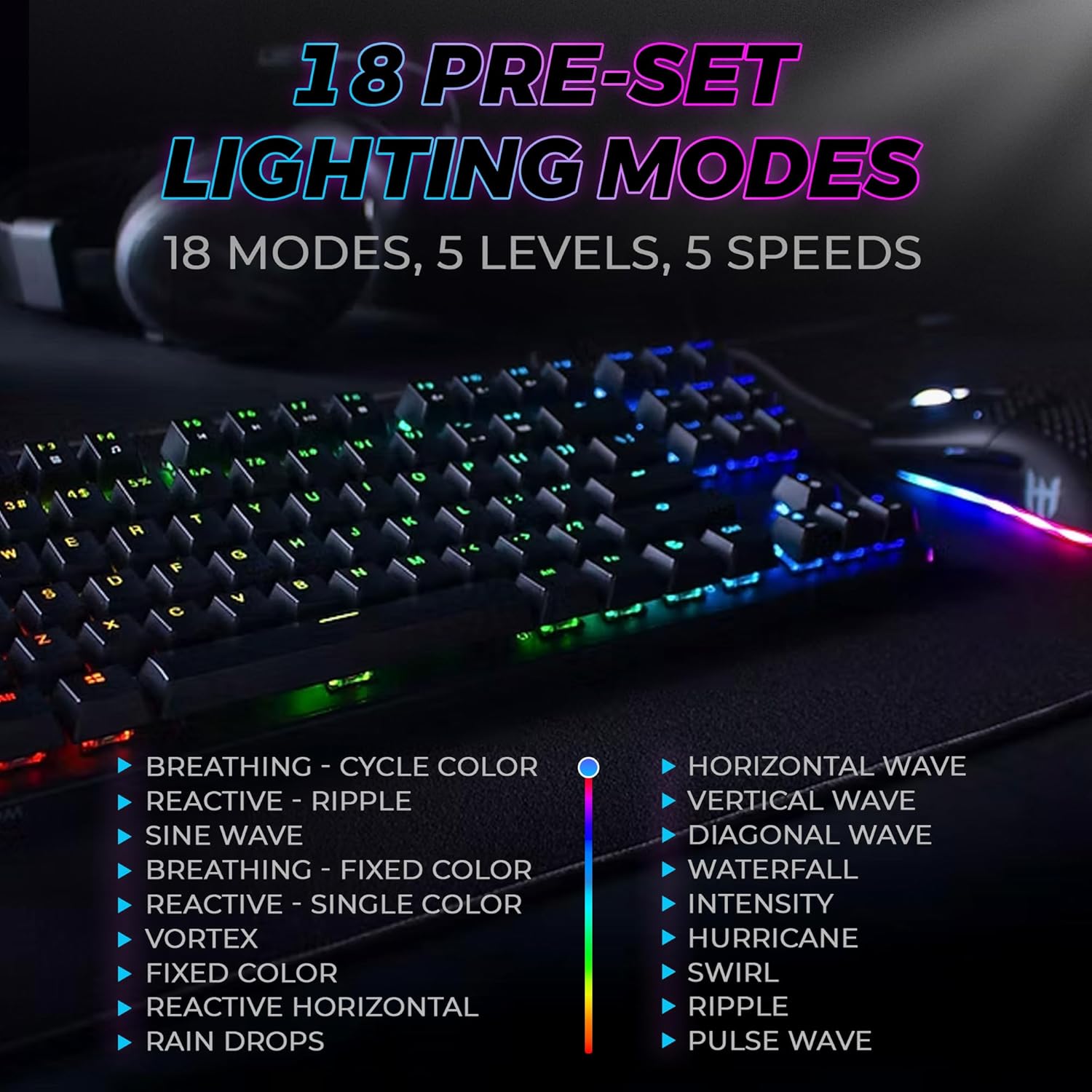
Figure 3: The keyboard features 18 pre-set lighting modes with 5 levels of brightness and 5 levels of speed, including effects like Breathing, Ripple, Sine Wave, Vortex, Waterfall, and Pulse Wave.
Claves multimedia
Access multimedia controls by pressing the Fn key in combination with the F-keys (F1-F12). The specific functions are typically indicated by icons on the keycaps.
- ExampLe: Fn + F7 (Play/Pause), Fn + F8 (Stop), Fn + F9 (Mute).
Video 1: Official TECWARE branded video showcasing various products, including the Phantom keyboard, highlighting its features and design philosophy.
Mantemento
Limpeza
- Desconecte o teclado do ordenador antes de limpalo.
- Use a soft, dry cloth to wipe down the keycaps and chassis.
- For deeper cleaning, use the provided keycap puller to remove keycaps and compressed air to clear debris from under the keys.
Substitución do interruptor
The TECWARE Phantom keyboard features hot-swappable Outemu mechanical switches, allowing for easy replacement without soldering.
- Using the provided keycap puller, gently remove the desired keycap.
- Use the provided switch puller to carefully grip the switch and pull it straight up to remove it.
- Aliña os pines do novo interruptor cos orificios da placa de circuíto impreso.
- Prema suavemente o novo interruptor no seu lugar ata que faga clic de forma segura.
- Volva colocar a tapa das teclas.
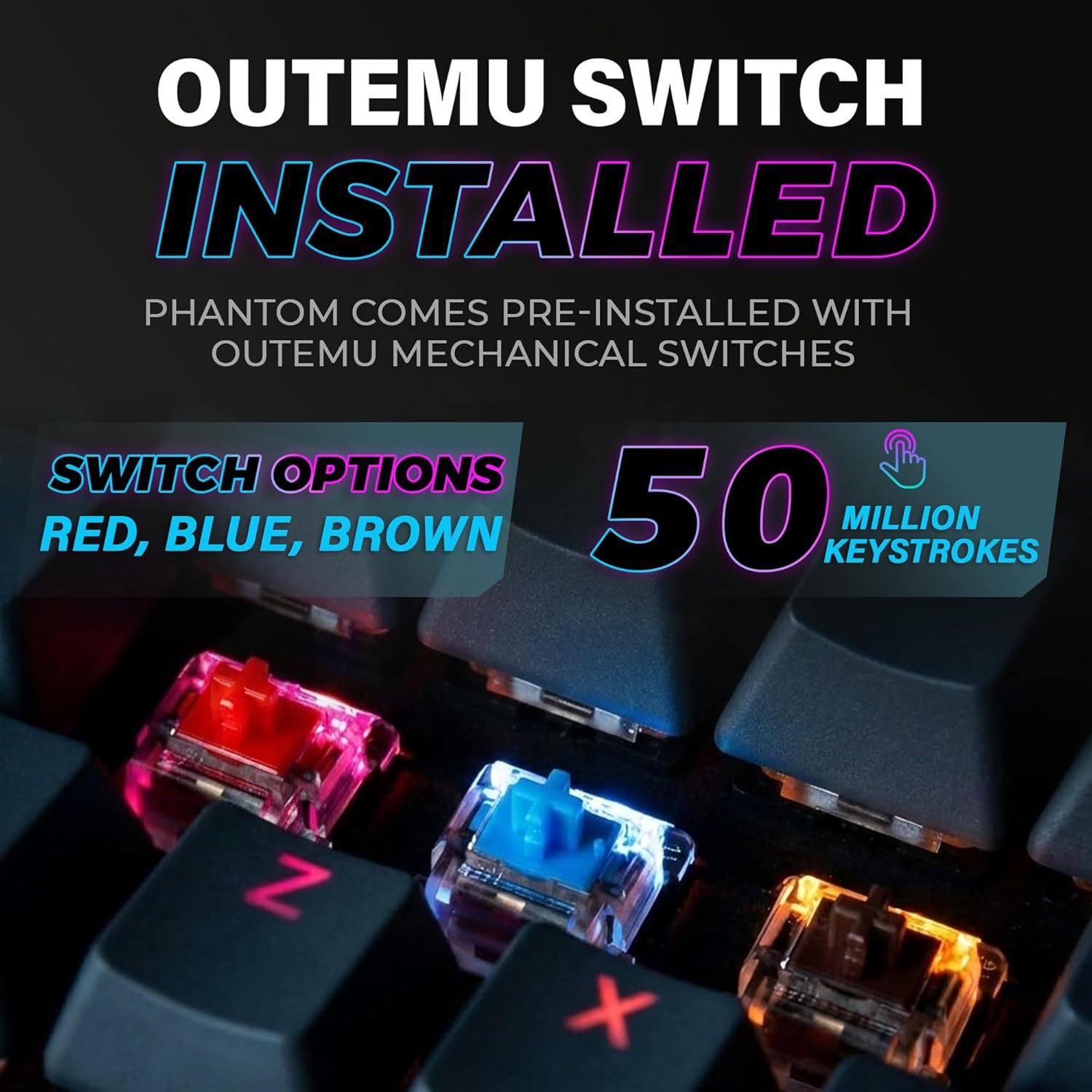
Figure 4: The keyboard comes with pre-installed Outemu switches, available in Red, Blue, and Brown options, rated for 50 million keystrokes.

Figure 5: An Outemu Red linear switch, detailing its pre-travel of 2.00mm, operating force of 45 gf/CN, and total travel of 4.00mm.
Resolución de problemas
| Problema | Posible Solución |
|---|---|
| O teclado non responde | Ensure the USB cable is securely connected to both the keyboard and the computer. Try a different USB port or computer. |
| A iluminación RGB non funciona | Check if the lighting is turned off or set to minimum brightness using the Fn key combinations. Reinstall the TECWARE software if using custom profiles. |
| Teclas específicas que non funcionan | If you have hot-swappable switches, try replacing the faulty switch with one of the spare switches provided. Ensure the switch is properly seated. |
| Keys feel inconsistent | Ensure keycaps are fully pressed down. Clean under the keycaps for any debris. |
Video 2: Official TECWARE Phantom video demonstrating various features and functionalities of the keyboard.
Especificacións
| Característica | Detalle |
|---|---|
| Número de modelo | TWKB-P87ZORD |
| Tipo de cambio | Outemu Red Mechanical (Linear) |
| Conta de chaves | 87 chaves |
| Iluminación RGB | 16.8 Million Colors, 18 Pre-set Modes |
| Taxa de votación | 1000 Hz |
| Rollover de tecla N | Rollover completo de teclas N |
| Conectividade | USB-A con cable |
| PCB | Dual-layer Fiberglass PCB |
| Dimensións (L x W x H) | 14.21 x 5.24 x 1.61 polgadas |
| Peso | 2.53 libras |
Garantía e soporte
TECWARE products are designed for durability and performance. For warranty information, technical support, or to download the latest software and drivers, please visit the official TECWARE websitio web ou póñase en contacto co servizo de atención ao cliente. Garde o recibo da compra como proba de compra para reclamacións de garantía.
Recursos en liña:
- Official TECWARE Websitio: www.tecware.co
- Páxina de asistencia do produto: TECWARE Amazon Store