
1. Introdución
The ADA Cosmo 120 Video is a professional digital laser distance meter designed for precise measurements up to 120 meters (394 feet). It features a unique combination of a digital viewfinder and a 360° tilt sensor, enabling measurements that are challenging for ordinary laser distance meters. This device is ideal for both indoor and outdoor applications, providing accurate results with an error margin of ±1.5 mm.
As características principais inclúen:
- Dixital Viewfinder with 3X Zoom: Allows for precise targeting and measurement in unfavorable light conditions or over long distances, even when the laser dot is not visible.
- Integrated 360° Tilt Sensor: Enables horizontal distance measurement even with obstacles, and functions as a digital level for surface inclination.
- Conectividade Bluetooth: Facilitates data transmission to other devices.
- Painter Function: Automatically calculates the total area of walls in a room.

Image 1.1: The ADA Cosmo 120 Video displaying multiple distance measurements on its digital screen.
2. Contido do paquete
Comprobe se o paquete contén os seguintes elementos:
- ADA Cosmo 120 Video Laser Distance Meter
- Funda
- 2 pilas AA
- Placa reflectora
- Manual de usuario
3. Configuración
3.1 Instalación da batería
The device requires two AA batteries. To install:
- Localiza a tapa do compartimento da batería na parte traseira do dispositivo.
- Abre a tapa.
- Introduza dúas pilas AA, asegurándose de manter a polaridade correcta (+/-).
- Pecha a tapa do compartimento da batería de forma segura.
3.2 Encendido/apagado
- Para acender: Prema o botón MEAS botón.
- Para apagar: Manteña premido o botón BORRAR/DESACTIVAR botón durante uns segundos.
3.3 Cambio de unidades de medida
The device can display measurements in meters (m) or feet (ft). To change the unit:
- Asegúrese de que a unidade estea apagada.
- Manteña premido o MEAS botón durante aproximadamente 8-10 segundos.
- The unit will beep, and the measurement unit displayed on the screen will change.
4. Instrucións de funcionamento
4.1 Medición básica de distancias
Para realizar unha única medición de distancia:
- Point the laser distance meter at the target object.
- Preme o MEAS botón. O láser activarase.
- Preme o MEAS de novo o botón para realizar a medición. O resultado mostrarase na pantalla.
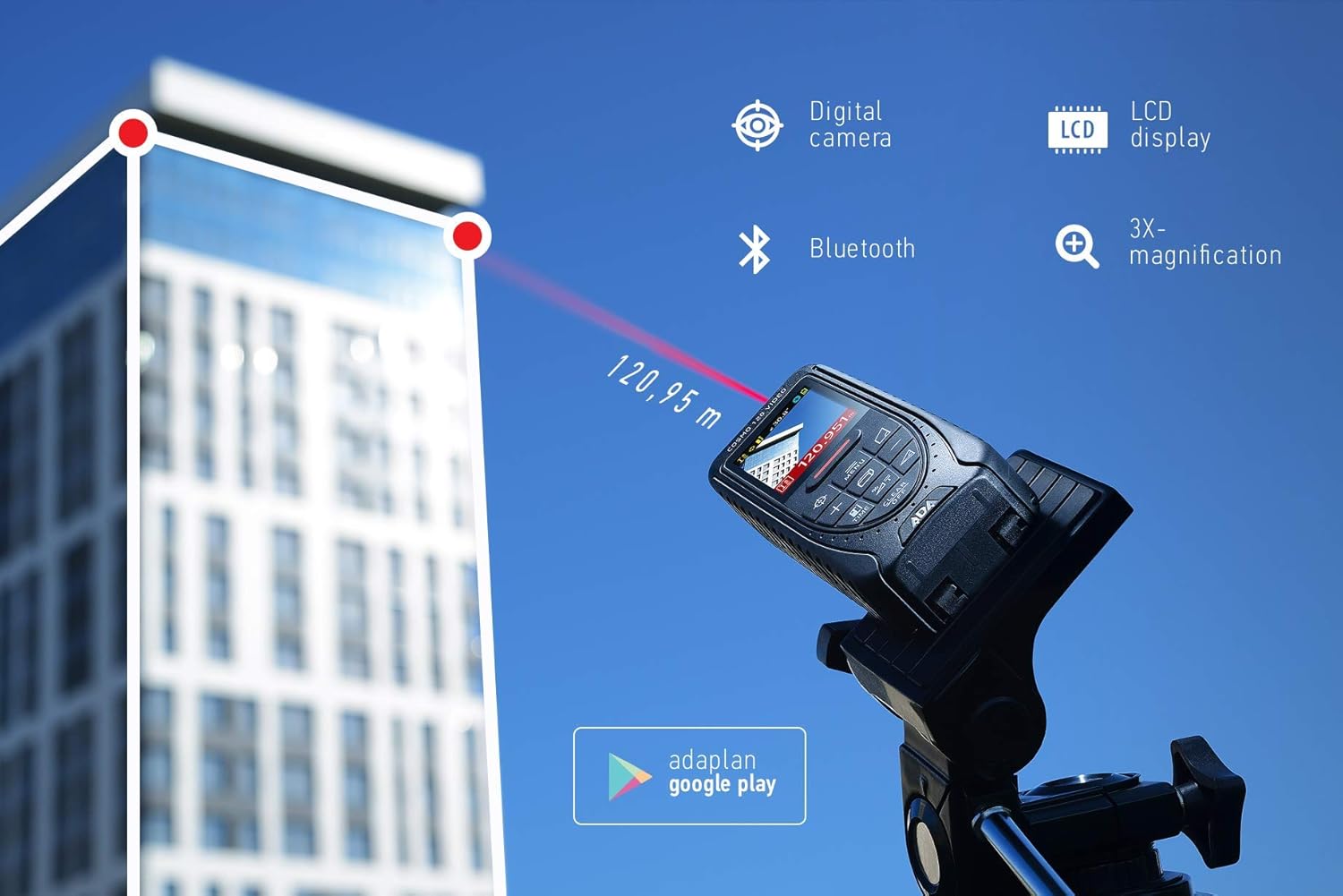
Image 4.1: The ADA Cosmo 120 Video in use, measuring a distance of 120.95 meters to a building.
4.2 Usando o dixital Viewbuscador
O dixital integrado viewfinder with 3X zoom allows for accurate targeting, especially in bright outdoor conditions or when measuring long distances where the red laser dot might be invisible. The viewfinder displays a reticle on the screen, helping you precisely aim the device at your target.
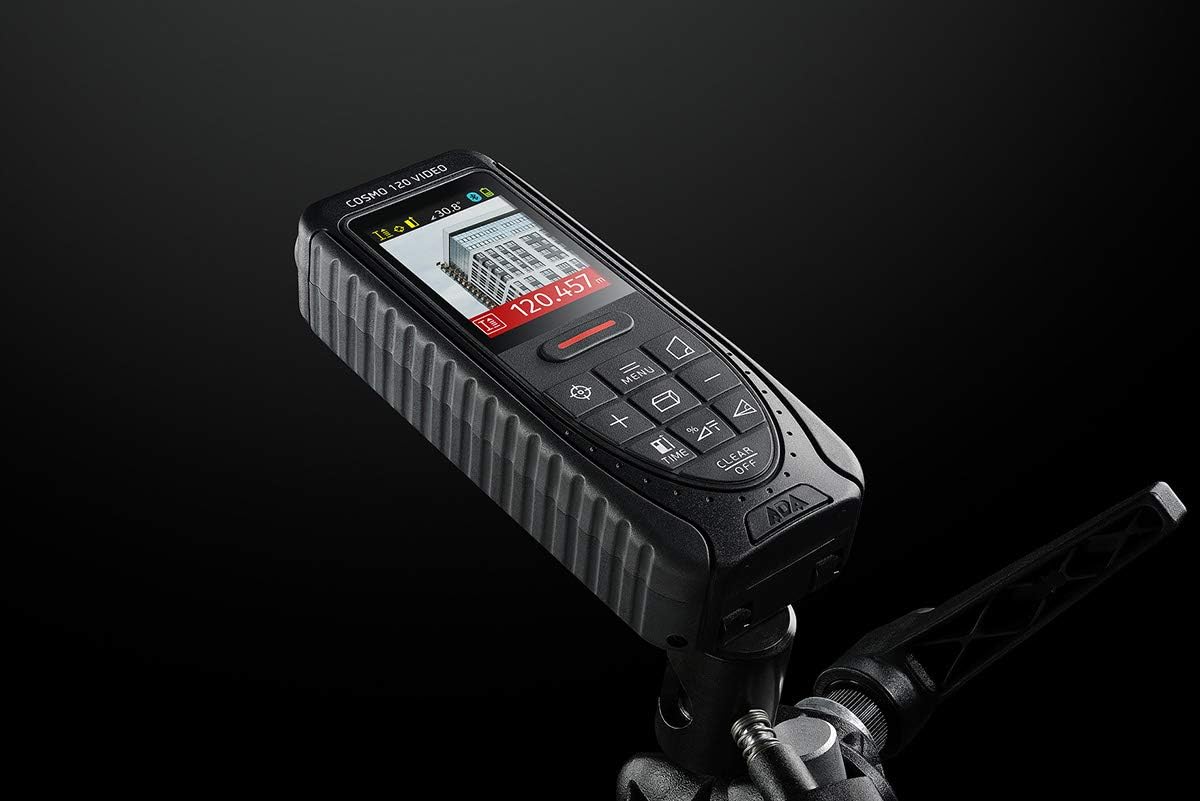
Image 4.2: The ADA Cosmo 120 Video mounted on a tripod, with its screen displaying a digital view of a building and measurement data.
4.3 360° Tilt Sensor
The integrated 360° tilt sensor allows for:
- Medición da distancia horizontal: Combine distance and inclination measurements to determine horizontal distances, even when direct line-of-sight is obstructed.
- Digital Level Function: Use the device to measure the inclination of any surface.
4.4 Painter Function
This function simplifies the calculation of the total wall area in a room. To use:
- Measure the height of the wall once.
- Measure the length of all walls.
- The device will automatically calculate the total area.
4.5 Conectividade Bluetooth
The ADA Cosmo 120 Video supports Bluetooth for transmitting measurement data to compatible applications or devices. Refer to the specific application's instructions for pairing and data transfer procedures.
4.6 Using the Reflective Plate
For measurements over very long distances, in bright sunlight, or on surfaces with poor reflection properties, use the included reflective plate. Place the plate at the target point to improve laser detection and measurement accuracy.

Image 4.3: The reflective plate included with the ADA Cosmo 120 Video, used to enhance laser detection.
5. Mantemento
To ensure the longevity and accuracy of your ADA Cosmo 120 Video, follow these maintenance guidelines:
- Limpeza: Use un suave, damp cloth to clean the device. Do not use harsh chemicals or abrasive cleaners. Pay special attention to the lens and display, keeping them free of dust and smudges.
- Almacenamento: Store the device in its holster in a dry, cool place, away from direct sunlight and extreme temperatures.
- Baterías: Retire as pilas se non vai usar o dispositivo durante un período prolongado para evitar fugas.
- Evitar impacto: Protect the device from drops and impacts, as this can affect its calibration and functionality.
6 Solución de problemas
If you encounter issues with your ADA Cosmo 120 Video, try the following solutions:
- O dispositivo non se acende: Comprobe se as pilas están inseridas correctamente e teñen a carga suficiente. Substitúa as pilas se é necesario.
- Lecturas inexactas: Ensure the target surface is suitable for laser measurement. Use the reflective plate for difficult surfaces or long distances. Check for obstructions in the laser path.
- Laser dot not visible: This is normal in bright conditions or over long distances. Use the digital viewfinder for targeting.
- Problemas de conexión Bluetooth: Ensure Bluetooth is enabled on both the device and your receiving unit. Check the pairing process according to your application's instructions.
If problems persist, contact ADA Instruments customer support for assistance.
7. Especificacións
| Característica | Especificación |
|---|---|
| Fabricante | Instrumentos ADA |
| Número de modelo | A00502 |
| Dimensións | 13.7 x 5.2 x 2.8 cm |
| Peso | 150 g |
| Fonte de enerxía | 2 x pilas AA (alcalinas) |
| Rango de traballo | 0.05 a 120 m |
| Precisión de medición | ± 1.5 mm |
| Tilt Sensor Accuracy | ± 0.3° |
| Tipo de visualización | Dixital |
| Material | Plastic with rubber coating |
| Ambiente de uso | Interior e exterior |
8. Garantía e soporte
For warranty information or technical support, please refer to the documentation provided with your purchase or visit the official ADA Instruments websitio. Garda o comprobante de compra para reclamacións de garantía.