
1. Introdución
Thank you for choosing the NeeGo Portable Boombox B07CLH45SL. This versatile audio system combines a CD player, cassette player, AM/FM radio, and includes a NeeGo Bluetooth receiver for wireless audio streaming. This manual provides detailed instructions for setup, operation, maintenance, and troubleshooting to ensure you get the best experience from your device.
2. Información de seguridade
- Lea todas as instrucións antes de utilizar a unidade.
- Manteña a unidade lonxe da auga, da humidade e da luz solar directa.
- Non bloquee as aberturas de ventilación.
- Use only the power sources specified in this manual.
- Non intente reparar a unidade vostede mesmo. Encargue todo o mantemento a persoal cualificado.
- Desfágase das baterías de forma responsable segundo a normativa local.
3. Contido do paquete
Comprobe que todos os elementos que se indican a continuación estean incluídos no seu paquete:
- NeeGo Portable Boombox (Main Unit)
- NeeGo Bluetooth Receiver
- Cable de alimentación de CA
- 3.5mm Audio Cable (for Bluetooth receiver connection)
- USB Charging Cable for Bluetooth Receiver

Figure 3.1: Contents of the NeeGo Portable Boombox bundle, including the main unit, Bluetooth receiver, and necessary cables.
4. Produto rematadoview
4.1. Main Boombox Unit
The main unit features controls for CD, cassette, and radio functions, along with volume and input selection. Key features include:
- AM/FM Radio Tuner
- CD Player (supports standard and MP3 CDs)
- Reproductor/gravador de casetes
- Headphone Output (3.5mm stereo mini)
- Entrada auxiliar (3.5 mm)
- Automatic Shut-off Sleep Timer

Figure 4.1: Front panel and key features of the NeeGo Portable Boombox.
4.2. NeeGo Bluetooth Receiver
The included NeeGo Bluetooth receiver allows you to stream audio wirelessly to your boombox. It is compact and connects via the 3.5mm auxiliary port.
- Universal 3.5mm Stereo Port
- Micro Charge Port (for charging the receiver)
- Built-in Microphone (for hands-free calls, if supported by your device)

Figura 4.2: detallada view of the NeeGo Bluetooth Receiver ports.
5. Configuración
5.1. Powering the Boombox
O boombox pode funcionar con corrente alterna ou con baterías.
Conexión de alimentación de CA:
- Ensure the boombox is turned off.
- Connect the supplied AC power cord to the AC IN jack on the back of the boombox.
- Conecte o outro extremo do cable de alimentación de CA a unha toma de corrente estándar.
Instalación da batería:
For portable use, the boombox requires 6 'C' size batteries (not included).
- Abra a tapa do compartimento da batería situada na parte inferior da unidade.
- Insira 6 pilas de tamaño 'C', asegurándose de manter a polaridade correcta (+/-) como se indica no interior do compartimento.
- Pecha a tapa do compartimento da batería de forma segura.
5.2. Connecting and Charging the Bluetooth Receiver
The NeeGo Bluetooth receiver allows your boombox to receive wireless audio signals.
Cargando o receptor Bluetooth:
Before first use, fully charge the Bluetooth receiver.
- Connect the micro USB charging cable to the micro charge port on the Bluetooth receiver.
- Conecta o outro extremo do cable USB a unha fonte de alimentación USB (por exemplo, un porto USB do ordenador ou un adaptador de parede USB).
- The indicator light on the receiver will show charging status (e.g., red while charging, off when fully charged). A full charge provides approximately 6 hours of operation.
Connecting to the Boombox:
- Plug the 3.5mm audio cable into the universal 3.5mm stereo port on the Bluetooth receiver.
- Plug the other end of the 3.5mm audio cable into the AUX IN jack on the boombox.
- Set the boombox's function selector to 'AUX' or 'AUDIO IN'.

Figure 5.1: The NeeGo Bluetooth Receiver connected to the boombox for wireless audio.
6. Instrucións de funcionamento
6.1. Funcionamento básico
- Encendido/apagado: Prema o botón POWER para acender ou apagar a unidade.
- Control de volume: Xire o botón VOLUME para axustar o nivel de son.
- Selección de funcións: Use the FUNCTION selector (e.g., CD, TAPE, RADIO, AUX) to choose your desired audio source.
6.2. Funcionamento do reprodutor de CD
- Set the FUNCTION selector to 'CD'.
- Open the CD compartment cover by pressing the 'OPEN/CLOSE' button or lifting the cover.
- Coloque un CD coa etiqueta cara arriba no eixo.
- Close the CD compartment cover. The display will show the total number of tracks.
- Press the PLAY/PAUSE button (►/❚❚) to start playback.
- Prema o botón STOP (■) para deter a reprodución.
- Use the SKIP buttons (◀◀ / ►►) to skip tracks or fast forward/rewind within a track.
- The unit may feature a 'REPEAT' or 'PROGRAM' function for customized playback. Refer to the on-unit labels for specific controls.
6.3. Funcionamento do reprodutor de casete
- Set the FUNCTION selector to 'TAPE'.
- Press the STOP/EJECT button (■/▲) to open the cassette compartment.
- Introduza unha cinta de casete coa beira aberta cara arriba.
- Pecha o compartimento do casete.
- Prema o botón REPRODUCIR (►) para iniciar a reprodución.
- Press the FAST FORWARD (FF) or REWIND (REW) buttons to advance or reverse the tape. Note that the unit may not have an auto-stop feature for FF/REW, so manually press STOP when desired.
- Prema o botón STOP/EJECT (■/▲) para deter a reprodución e expulsar a cinta.
6.4. Funcionamento da radio AM/FM
- Set the FUNCTION selector to 'RADIO'.
- Select 'AM' or 'FM' band using the band selector switch.
- Rotate the TUNING knob to find your desired station.
- Extend and adjust the telescopic antenna for optimal FM reception. For AM reception, rotate the unit for best signal.
6.5. Bluetooth Connectivity (via NeeGo Receiver)
- Ensure the NeeGo Bluetooth receiver is charged and connected to the boombox's AUX IN port (as described in Section 5.2).
- Set the boombox's FUNCTION selector to 'AUX' or 'AUDIO IN'.
- Turn on the NeeGo Bluetooth receiver. It will automatically enter pairing mode (indicated by a flashing LED).
- On your Bluetooth-enabled device (smartphone, tablet, etc.), go to its Bluetooth settings and search for available devices.
- Select 'NeeGo BT' or a similar name from the list to pair.
- Once paired, the receiver's LED will stop flashing and remain solid. You can now play audio from your device, and it will be heard through the boombox speakers.
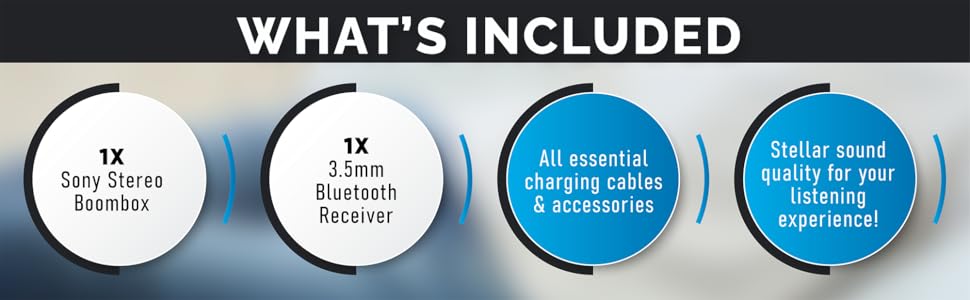
Figure 6.1: The boombox's classic stereo functions enhanced by the NeeGo Bluetooth receiver.
6.6. Entrada auxiliar
To play audio from an external device directly:
- Connect a 3.5mm audio cable from the headphone jack or line-out of your external device to the AUX IN jack on the boombox.
- Set the boombox's FUNCTION selector to 'AUX' or 'AUDIO IN'.
- Inicia a reprodución no teu dispositivo externo.
6.7. Saída de auriculares
For private listening, plug any standard 3.5mm stereo headphones into the HEADPHONE jack on the boombox. The speakers will automatically mute when headphones are connected.
6.8. Automatic Shut-off / Sleep Timer
This feature allows the unit to automatically turn off after a set period. Consult the specific buttons or menu options on your unit for activating and setting the sleep timer, typically labeled 'SLEEP' or 'TIMER'.
7. Mantemento
7.1. Limpeza da unidade
- Limpe o exterior da unidade cun pano suave e seco.
- Non empregues produtos de limpeza abrasivos, ceras ou disolventes, xa que poden danar o acabado.
- Para a lente do CD, use un limpador de lentes de CD especializado.
- For the cassette head, use a cassette head cleaning kit periodically to ensure optimal sound quality.
7.2. Substitución da batería
When the unit's performance degrades or the battery indicator (if present) shows low power, replace all 6 'C' batteries with new ones. Do not mix old and new batteries, or different types of batteries.
8 Solución de problemas
If you encounter issues with your NeeGo Portable Boombox, refer to the following common problems and solutions:
| Problema | Causa posible | Solución |
|---|---|---|
| A unidade non se acende. | AC cord not properly connected; Batteries are dead or incorrectly inserted. | Comprobe a conexión do cable de CA; substitúa as pilas ou asegúrese de que a polaridade sexa correcta. |
| Non hai son dos altofalantes. | Volume demasiado baixo; Auriculares conectados; Función incorrecta seleccionada. | Increase volume; Disconnect headphones; Select correct function (CD, TAPE, RADIO, AUX). |
| CD not playing or skipping. | CD is dirty, scratched, or inserted incorrectly; CD lens is dirty. | Clean or replace CD; Reinsert CD correctly; Clean CD lens with a specialized cleaner. |
| Cassette tape not playing or poor sound. | Tape is damaged; Cassette head is dirty or demagnetized. | Try a different tape; Clean cassette head with a cleaning kit. |
| Poor radio reception (static). | Antenna not extended or adjusted; Weak signal. | Extend and adjust the telescopic antenna; Try repositioning the unit for AM. |
| Bluetooth receiver not pairing. | Receiver not in pairing mode; Receiver battery low; Device too far. | Ensure receiver is on and flashing; Charge receiver; Move device closer (within 10 meters). |
Sound quality is
Ask a question about this manualAsk about setup, troubleshooting, compatibility, parts, safety, or missing instructions. Manuals+ will review the question and use this page’s manual context to help answer it. |