
1. Introdución
The Aputure Amaran MC is a compact and versatile RGBWW LED on-camera light designed for photographers and videographers. It offers full Hue, Saturation, and Intensity (HSI) color control, adjustable white light in CCT mode, and various built-in lighting effects. With its high color rendition, Sidus Mesh technology for app control, and multiple charging options, the Amaran MC provides flexible lighting solutions for diverse creative needs.
2. Que hai na caixa
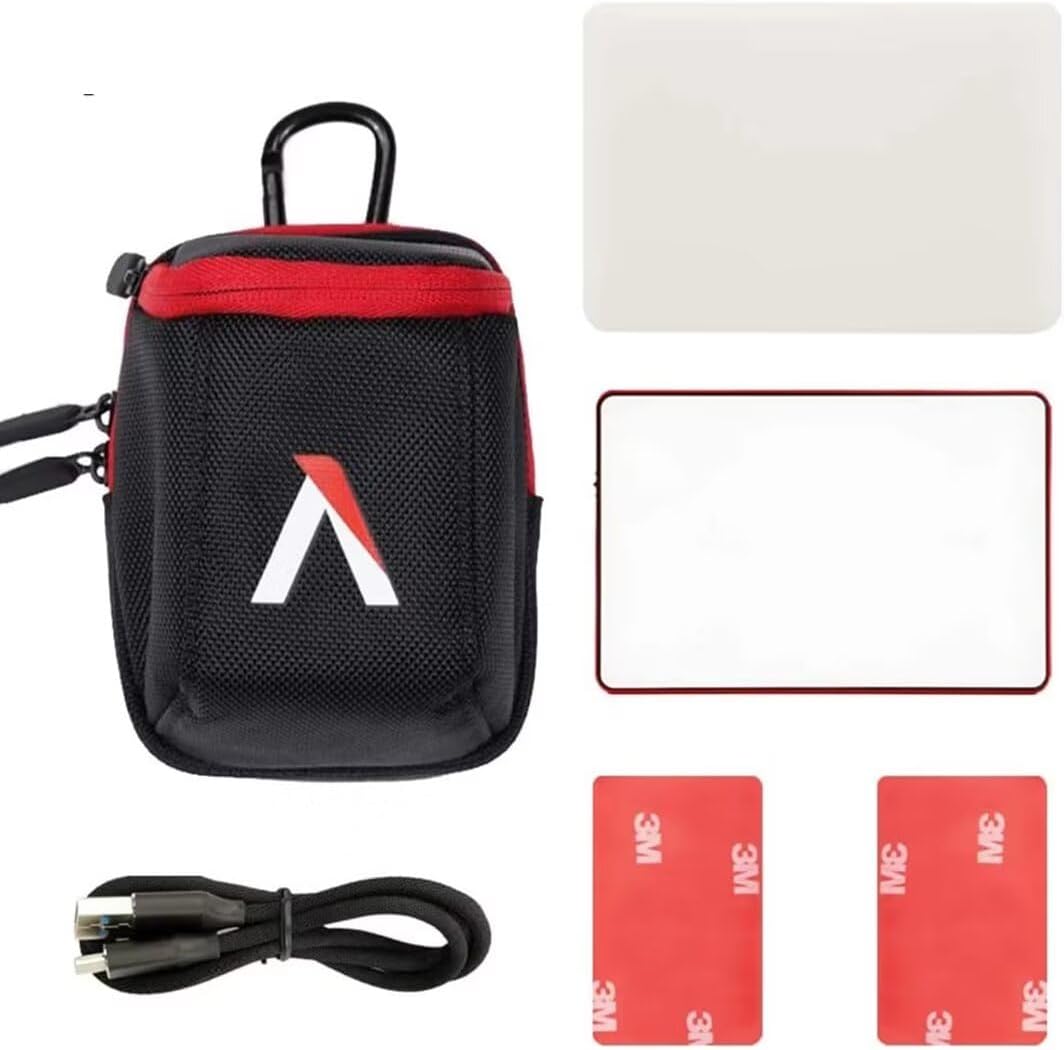
- Aputure MC Light *1
- Cable de carga USB tipo C *1
- Silicone Rubber Diffuser *1
- Adhesive Mounting Tape *2
- Aputure Carrying Bag *1
3. Características do produto
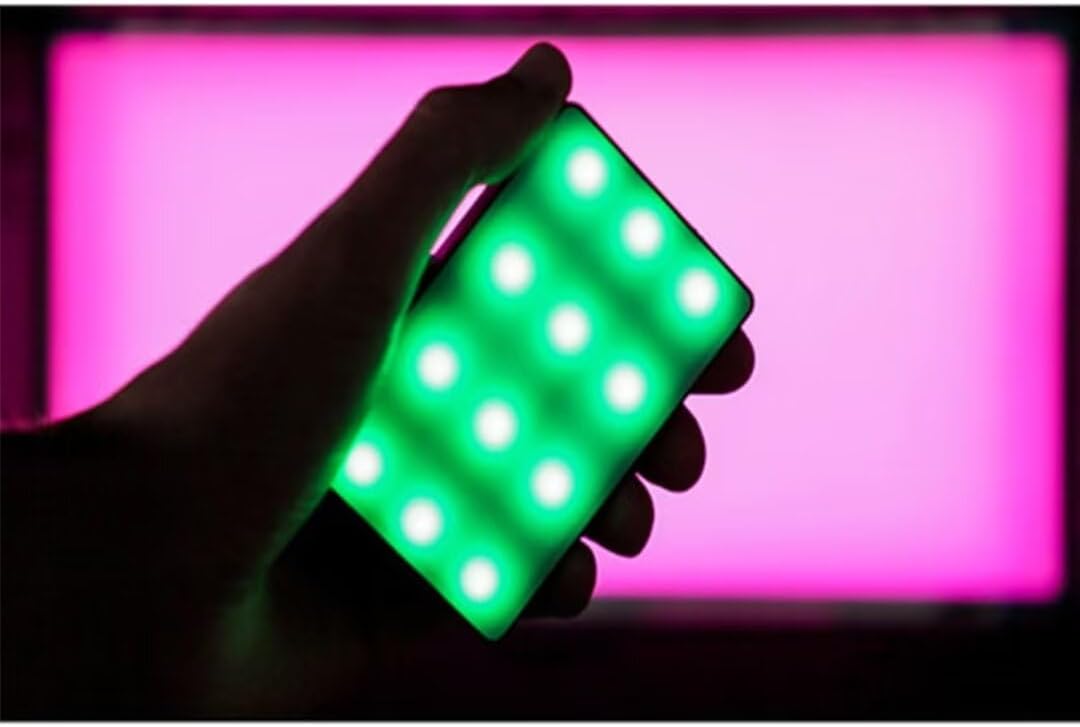
- Full HSI Color Control: The Amaran MC offers 360° of hue and 100 levels of saturation adjustment, allowing for convenient reproduction of any color.
- Modo CCT: Adjust white light color temperature from 3200K to 6500K.
- FX Lighting Modes: Includes 9 built-in lighting effects: Paparazzi, Fireworks, Faulty bulb, Lightning, TV, Pulsing, Fire, Party, and Cop Car.
- Stellar Color Quality: Achieves high color rendition with CRI and TLCI scores of 96+, and SSI scores of 84 (tungsten) and 74 (daylight).
- Sidus Link Control: Utilizes Sidus Mesh technology for controlling up to 100 lights simultaneously via the Sidus Link mobile app. Features a Color Picker function to match colors from your phone's camera.
- USB Type-C PD Charging & Wireless Charging: Supports 18W USB-C Power Delivery (PD) for a full charge in approximately 90 minutes. Compatible with Qi wireless charging protocols.


4. Configuración
4.1 Carga do dispositivo
Before initial use, fully charge your Amaran MC. You have two charging options:
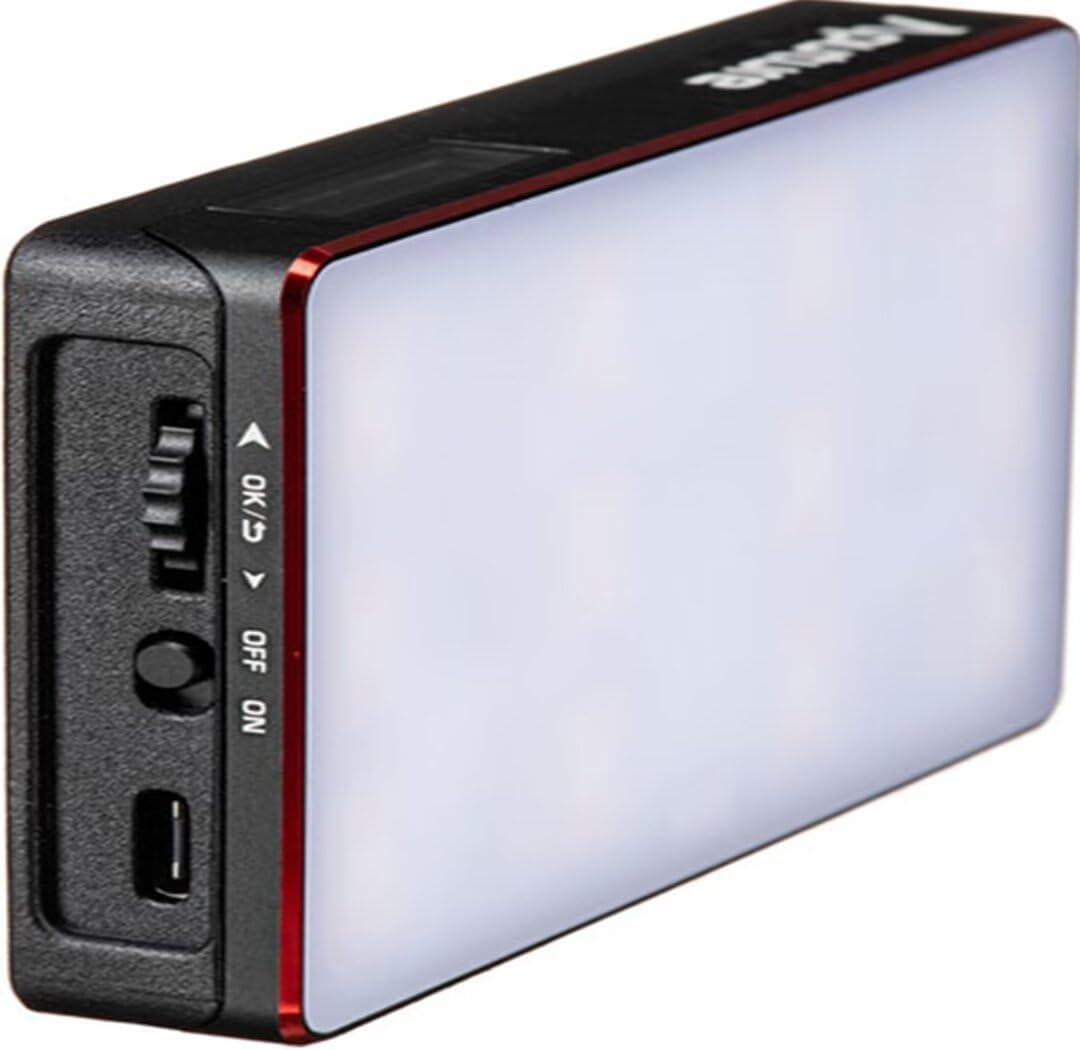
- USB tipo C: Connect the provided USB Type-C charging cable to the USB-C port on the side of the Amaran MC and to a compatible USB power adapter (not included). The device supports 18W PD quick charging.
- Carga sen fíos: Place the Amaran MC on any Qi-compatible wireless charging pad. Ensure the light is properly aligned for efficient charging.

4.2 Opcións de montaxe
The Amaran MC offers several versatile mounting options:
- 1/4"-20 Screw Mount: Use the integrated 1/4"-20 screw mount to attach the light to tripods, light stands, or camera rigs.
- Adsorción magnética: The light features built-in magnets, allowing it to be securely attached to metallic surfaces.
- Adhesive Mounting Tape: For non-metallic surfaces, use the included adhesive mounting tapes to create a temporary mounting point for the magnets.

5. Instrucións de funcionamento
5.1 Encendido/apagado
Locate the power switch on the side of the Amaran MC. Slide the switch to the 'ON' position to power on the device. Slide it to 'OFF' to power it down.
5.2 Axustar a configuración da luz
The Amaran MC features a function control wheel and an OLED screen for on-device adjustments:
- Selección de modo: Press the control wheel to cycle through different lighting modes: HSI, CCT, and FX.
- Axuste de parámetros: Rotate the control wheel to adjust parameters within the selected mode (e.g., Hue, Saturation, Intensity, Color Temperature).
- Intensidade: In any mode, rotate the wheel to adjust the brightness (0-100% stepless dimming).
5.3 Sidus Link App Control
For advanced control and features, download the Sidus Link mobile app (available on iOS and Android).
- Emparejamento: Ensure Bluetooth is enabled on your mobile device. Open the Sidus Link app and follow the on-screen instructions to discover and pair with your Amaran MC.
- Control remoto: Adjust HSI, CCT, and FX functions remotely.
- Selector de cores: Use your phone's camera to capture a color from your environment, and the Amaran MC will reproduce it instantly.
- Rede de malla: Control multiple Amaran MC lights (up to 100) in a stable network, extending the control range.
6. Mantemento
- Limpeza: Usa un pano suave e seco para limpar o exterior da lámpada. Non empregues produtos químicos agresivos nin materiais abrasivos.
- Almacenamento: Store the Amaran MC in its carrying bag in a cool, dry place away from direct sunlight and extreme temperatures.
- Coidado da batería: Para unha duración óptima da batería, evite descargala completamente con frecuencia. Se a garda durante períodos prolongados, cárguea aproximadamente entre o 50 e o 70 %.
7 Solución de problemas
| Problema | Causa posible | Solución |
|---|---|---|
| A luz non se acende | Batería baixa ou interruptor de alimentación apagado | Charge the battery or ensure the power switch is in the 'ON' position. |
| Cannot connect to Sidus Link app | Bluetooth off, app not updated, or light not in pairing mode | Ensure Bluetooth is on, update the app, and restart the light. Refer to app instructions for pairing. |
| Saída de luz inconsistente | Batería baixa ou interferencia | Charge the light fully. Ensure no strong magnetic or electronic interference nearby. |
8. Especificacións
| Característica | Detalle |
|---|---|
| Dimensións do produto | 6.22 x 3.43 x 1.34 polgadas (15.8 x 8.7 x 3.4 cm) |
| Peso do elemento | 1.12 libras (0.51 kg) |
| Número de modelo do artigo | 926308 |
| Baterías | Requírese 1 batería non estándar |
| Fabricante | Aputura |
| Tecnoloxía de conectividade | Bluetooth |
| Interface de hardware | USB, USB tipo C |
| UPC | 712350147426 |
9. Garantía e soporte
Para obter información sobre a garantía e asistencia técnica, consulte a páxina oficial de Aputure websitio web ou póñase en contacto directamente co servizo de atención ao cliente. Garde o recibo de compra para reclamacións de garantía.
Aputure Official Websitio: www.aputure.com