
Introdución
This manual provides detailed instructions for the safe and proper installation, operation, and maintenance of your SANUS Simplicity Full Motion TV Mount, Model SMF421-B3. Please read all instructions carefully before beginning installation to ensure correct assembly and to prevent injury or damage.
This mount is designed to securely hold televisions ranging from 26 inches to 55 inches in size, with a maximum weight capacity of 55 lbs (25 kg). It offers full motion capabilities, including tilt, swivel, and extension, allowing for optimal viewángulos de inflexión.
Información de seguridade
AVISO: Failure to read and follow all instructions can result in personal injury, property damage, or voiding of warranty. Do not install this product if you do not understand these instructions or have doubts about the safety of the installation.
- Verify that the mounting surface can safely support the combined weight of the mount and the television.
- Non exceda a capacidade de peso máxima de 55 lb (25 kg).
- Este produto está pensado só para uso en interiores.
- Use only the hardware provided by SANUS.
- If mounting to wood studs, ensure the studs are solid and located accurately.
- If mounting to concrete or concrete block, ensure the wall is solid and use appropriate anchors (not always included).
- Always use a qualified installer if you are unsure about your ability to install this product safely.
Contido do paquete
Before installation, ensure all parts are present and undamaged. If any parts are missing or defective, contact SANUS customer service.

Image: All components of the SANUS Simplicity Full Motion TV Mount, including the wall plate, TV brackets, and various hardware, are laid out for inspection.
O contido típico do paquete inclúe:
- Montaxe da placa de parede
- Brazos de soporte para TV (2)
- Mounting Hardware Kit (screws, washers, spacers for various TV types and wall types)
- Manual de instrucións
Configuración e instalación
Ferramentas necesarias (non incluídas):
- Buscador de pernos
- Perforar con brocas axeitadas (madeira ou albanelería)
- Nivel
- Destornillador Phillips
- Chave inglesa
- Lapis
- Cinta métrica
Paso 1: Coloque os soportes de TV ao televisor
- Coloque con coidado o televisor boca abaixo sobre unha superficie suave e limpa para evitar danar a pantalla.
- Identifique os orificios de montaxe VESA na parte traseira do televisor.
- Select the correct diameter and length screws from the hardware kit that fit your TV's mounting holes. Use washers and spacers if necessary to ensure a snug fit without overtightening.
- Attach the two TV bracket arms to the back of your TV using the selected screws. Ensure the arms are level and securely fastened. Do not overtighten.
Paso 2: Instalar a placa de parede na parede
- Determine the desired height for your TV. Mark the center of the desired TV location on the wall.
- Para a instalación de montantes de madeira: Use a stud finder to locate the center of two adjacent wood studs. Position the wall plate so that its mounting holes align with the center of the studs. Use a level to ensure the wall plate is perfectly horizontal. Mark the drill points. Drill pilot holes (refer to manual for specific drill bit size). Secure the wall plate to the studs using the provided lag bolts and washers.
- For Concrete/Concrete Block Installation: Position the wall plate at the desired height and use a level to ensure it is horizontal. Mark the drill points. Drill pilot holes (refer to manual for specific drill bit size and depth). Insert concrete anchors (if provided or purchased separately) into the pilot holes. Secure the wall plate to the wall using the provided lag bolts and washers.
- Ensure the wall plate is firmly and securely attached to the wall before proceeding.
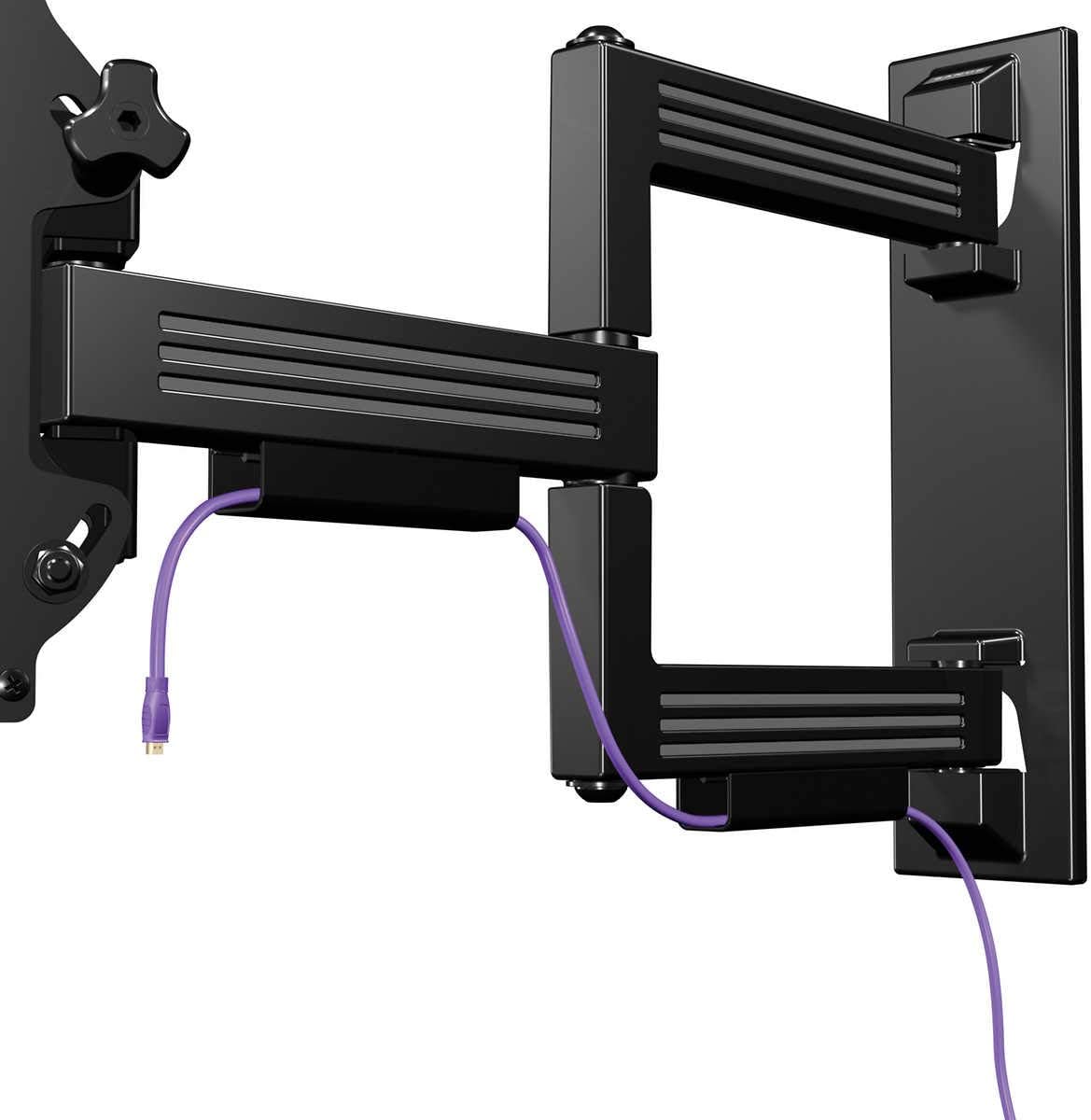
Image: The SANUS Simplicity Full Motion TV Mount is shown installed on a wall, extended, with a purple cable neatly routed through its integrated cable management channels.
Paso 3: Colgar a TV na placa de parede
- With assistance, carefully lift the TV with the attached brackets and hook the brackets onto the wall plate.
- Asegúrese de que o televisor estea firmemente colocado na placa de parede.
- Engage any safety locking mechanisms on the TV brackets to prevent accidental dislodgement. Refer to the specific instructions for your mount model for details on locking mechanisms.
Instrucións de funcionamento
Your SANUS Simplicity Full Motion TV Mount allows for flexible positioning of your television.
- Extensión: Gently pull the TV away from the wall to extend the arm.
- Xiratorio: Carefully pivot the TV left or right to achieve your desired viewángulo de ing.
- Inclinación: Loosen the tilt adjustment knobs (if applicable, refer to your specific model's design), adjust the TV to the desired vertical angle, and then retighten the knobs to secure the position. The mount supports up to 60 degrees of tilt.
- Xestión de cables Utilize the integrated cable channels on the mount arm to route and conceal cables for a tidy appearance.
Always move the TV smoothly and avoid sudden, forceful movements. Do not hang or apply excessive weight to the TV or mount arm.
Mantemento
Un mantemento regular garante a lonxevidade e o funcionamento seguro do soporte do teu televisor.
- Inspección periódica: Every 6-12 months, inspect all mounting hardware and connections to ensure they are secure. Tighten any loose screws or bolts.
- Limpeza: Clean the mount with a soft, dry cloth. Do not use abrasive cleaners or solvents, as these may damage the finish.
- Lubricación: The moving parts of the mount are designed for smooth operation and generally do not require lubrication. If movement becomes stiff, consult SANUS customer support.
Resolución de problemas
| Problema | Causa posible | Solución |
|---|---|---|
| O televisor non está nivelado despois da instalación. | Wall plate was not installed level. | Remove TV, adjust wall plate to be level, and re-mount TV. Some mounts have post-installation leveling adjustments; refer to your specific model's features. |
| A montura parece solta ou inestable. | Mounting hardware is not fully tightened or wall support is inadequate. | Immediately remove TV. Re-check all wall plate fasteners and ensure they are securely tightened into solid studs or concrete. If the wall is damaged, consult a professional. |
| Difficulty moving the TV (swivel/tilt/extend). | Friction points may be too tight or mechanism needs adjustment. | Check for any adjustment screws or knobs on the mount that control tension. Loosen slightly if movement is too stiff. Do not over-loosen. |
Especificacións
- Modelo: SMF421-B3
- Marca: SANUS
- Tipo de montaxe: Soporte de parede
- Tipo de movemento: Swivel, Tilt, Extend
- Material: Plástico
- Cor: Negro
- Tamaños de TV compatibles: 26" - 55"
- Capacidade máxima de peso: 55 libras (25 kg)
- Extensión do muro: Ata 21"
- Pro baixofile Deseño: 2.1" from wall when retracted
- Ángulo de inclinación máximo: 60 graos
- UPC: 793795532121
Garantía e Soporte
Garantía: This SANUS product is covered by a 2-Year Manufacturer's Warranty. Please retain your proof of purchase for warranty claims. The warranty covers defects in materials and workmanship under normal use.
Atención ao cliente: For technical assistance, missing parts, or warranty inquiries, please contact SANUS customer service. Visit the official SANUS websitio web para obter información de contacto e recursos adicionais.
Recursos en liña: For further information, installation videos, and FAQs, please visit the Sanus Store on Amazon or the official SANUS websitio.