
Introdución
Thank you for choosing the Calypso K5769/2 Analogue Digital Quartz Watch. This manual provides detailed instructions for setting up, operating, and maintaining your watch to ensure optimal performance and longevity. Please read this manual thoroughly before using your watch.
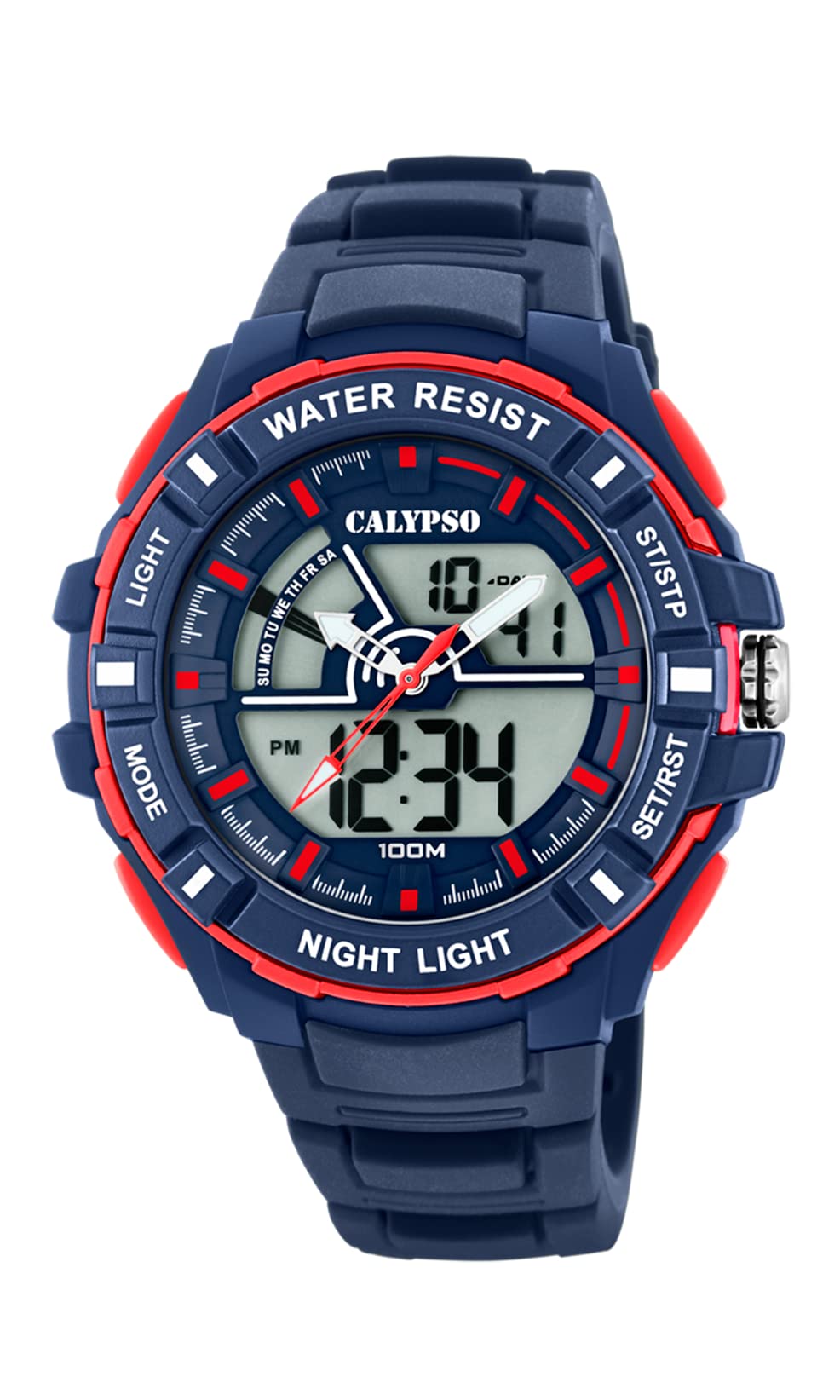
Imaxe: Fronte view of the Calypso K5769/2 Analogue Digital Quartz Watch, showcasing its blue plastic case and silicone strap.
Configuración
Configuración inicial da data e da hora
Your Calypso K5769/2 watch features both analogue and digital displays. Both need to be set for accurate timekeeping.
- Configuración da hora dixital:
- Preme o MODO botón repetidamente ata que se mostre o modo de axuste da hora (normalmente indicado por díxitos intermitentes).
- Usa o Axustar button to select the digit you wish to change (hours, minutes, seconds).
- Usa o SET or INICIAR/PARAR botón para aumentar o valor.
- Unha vez configurado, prema MODO de novo para saír do modo de configuración.
- Analogue Time Setting:
- Pull the crown (the small knob on the side of the watch case) out to the first or second position (refer to specific watch model for exact crown positions).
- Xire a coroa para axustar as agullas das horas e dos minutos á hora correcta.
- Empuxe a coroa cara a dentro para asegurar a configuración da hora.
- Data de axuste:
- In digital time setting mode, after setting the time, continue using the Axustar button to navigate to the date (month, day, year) settings.
- Axusta os valores usando as SET or INICIAR/PARAR botón.
- Exit by pressing MODO.

Imaxe: Lateral view of the Calypso K5769/2 watch, highlighting the control buttons and the crown used for adjustments.
Instrucións de funcionamento
Your watch is equipped with several functions accessible via the control buttons.
Selección de modo
Preme o MODO button to cycle through the available functions:
- Time Display (Analogue & Digital)
- Alarma
- Cronómetro
- Fuso horario dobre
- Visualización da data
Función de alarma
- Preme MODO until the Alarm mode is displayed.
- Preme Axustar para seleccionar os díxitos da hora ou dos minutos.
- Use SET or INICIAR/PARAR para configurar a hora da alarma desexada.
- Preme MODO para confirmar e saír.
- To activate/deactivate the alarm, press a specific button (often Axustar or SET) while in Alarm mode. An alarm icon will appear when active.
Función de cronómetro
- Preme MODO until the Stopwatch mode is displayed (usually showing 00:00:00).
- Preme INICIAR/PARAR para comezar a cronometrar.
- Preme INICIAR/PARAR de novo para pausar/reanudar o tempo.
- Preme RESET (often the Axustar button) to clear the stopwatch to zero.
Fuso horario dobre
This feature allows you to display a second time zone simultaneously.
- Preme MODO until the Dual Time Zone mode is displayed.
- Use Axustar e SET or INICIAR/PARAR to set the desired second time zone.
- Preme MODO para confirmar e saír.
Función de iluminación
To illuminate the digital display in low-light conditions, press the LUZ button (usually located on the top left of the watch case).
Mantemento
Water Resistance (10 ATM / 100 Metres)
Your Calypso K5769/2 watch is water resistant up to 10 ATM (100 meters). This means it is suitable for swimming, snorkeling, and showering. However, it is non suitable for high-impact water sports or diving. Do not operate buttons or the crown while the watch is wet or submerged, as this can compromise the water resistance.
Limpeza
Para limpar o reloxo, límpeo suavemente cun pano suave eamp pano. Evite o uso de produtos químicos agresivos, solventes ou produtos de limpeza abrasivos, xa que poden danar os materiais da caixa e da correa.
Substitución da batería
The watch is powered by a Quartz (battery) movement. When the display becomes dim or the watch stops functioning, the battery may need replacement. Battery replacement should be performed by a qualified watch technician to ensure proper sealing and maintain water resistance.
Resolución de problemas
| Problema | Causa posible | Solución |
|---|---|---|
| Watch not displaying time/functions. | Batería baixa ou esgotada. | Substitúa a batería (recoméndase servizo profesional). |
| Analogue hands not moving. | Crown pulled out; battery issue. | Push crown back in; if still not working, replace battery. |
| Digital display is dim or flickering. | Batería baixa. | Substitúe a batería. |
| Auga dentro do reloxo. | Os botóns accionábanse baixo a auga; o selo estaba danado. | Leve inmediatamente a un servizo profesional de reparación de reloxos. Non intente secalo vostede mesmo. |
| Móstrase unha hora/data incorrecta. | Settings were not saved or incorrectly set. | Refer to the "Initial Time and Date Setting" section and re-set the watch. |
Especificacións
| Número de modelo: | K5769/2 |
| Marca: | Calipso |
| Tipo de visualización: | Analogue-Digital |
| Tipo de movemento: | Quartz (Battery) |
| Resistencia á auga: | 10 ATM (100 Metres) |
| Material da caixa: | Polycarbonate (Plastic) |
| Material da correa: | Plástico (silicona) |
| Diámetro da caixa: | 53 milímetros |
| Espesor da caixa: | 19 milímetros |
| Ancho de banda: | 26 milímetros |
| Características adicionais: | Alarm, Dual Time Zone, Light Up, Stopwatch |
| Peso do artigo: | 65 gramos |
Información da garantía
Calypso watches typically come with a manufacturer's warranty covering defects in materials and workmanship for a specified period from the date of purchase. This warranty usually does not cover damage resulting from improper handling, accidents, unauthorized repairs, or normal wear and tear (e.g., battery, strap, crystal). Please retain your proof of purchase for warranty claims. For specific warranty terms and conditions, refer to the warranty card included with your watch or contact Calypso customer support.
Atención ao cliente
If you encounter any issues or have questions regarding your Calypso K5769/2 watch that are not addressed in this manual, please contact Calypso customer support. You can typically find contact information on the official Calypso websitio web ou na embalaxe do seu produto.
- Soporte en liña: Visit the official Calypso Watches website for FAQs and support contact details.
- Centros de servizo: For repairs or battery replacement, locate an authorized Calypso service center.