
Introdución
The iDIGMALL BTI-018 is a versatile 2-in-1 Bluetooth 5.0 audio adapter designed to function as both a transmitter (TX) and a receiver (RX). This device allows you to wirelessly stream audio from non-Bluetooth devices to Bluetooth headphones or speakers, or to receive Bluetooth audio from your smartphone or tablet and output it to wired speakers or car stereos. Featuring aptX Low Latency technology, it minimizes audio delay for a synchronized listening experience.

Image: The iDIGMALL BTI-018 Bluetooth 5.0 Transmitter Receiver.
Contido do paquete
Comprobe se o paquete contén os seguintes elementos:
- iDIGMALL BTI-018 Bluetooth 5.0 Transmitter Receiver
- Cable de carga micro USB
- Cable de audio de 3.5 mm
- Cable de audio RCA
- Manual de usuario
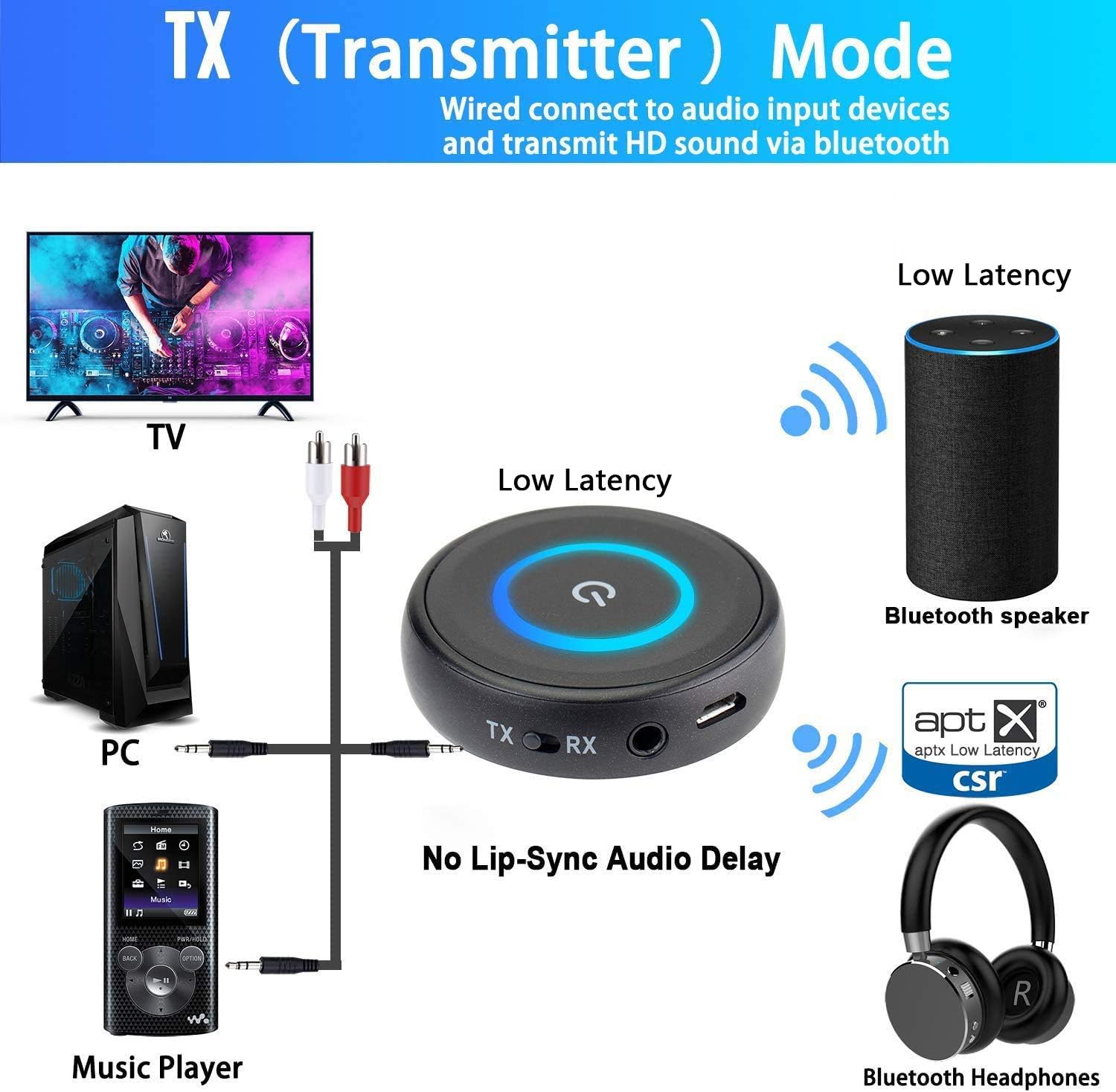
Image: The iDIGMALL BTI-018 device, 3.5mm audio cable, and RCA audio cable.
Características do produto
- Tecnoloxía Bluetooth 5.0: Ensures stable connection and wide compatibility.
- Funcionalidade 2 en 1: Cambia facilmente entre os modos de transmisor (TX) e receptor (RX).
- aptX Baixa latencia: Reduces audio delay to approximately 40ms, providing a synchronized audio-visual experience.
- Dual Stream Support: In TX mode, connect two Bluetooth headphones or speakers simultaneously.
- Reconexión automática: Automatically pairs with the last connected device upon power-on.
- Batería de longa duración: Up to 16 hours of operating time on a single charge.
- Deseño compacto: Small, lightweight, and portable.
Dispositivo rematadoview
Familiarize yourself with the buttons and ports on your iDIGMALL BTI-018:
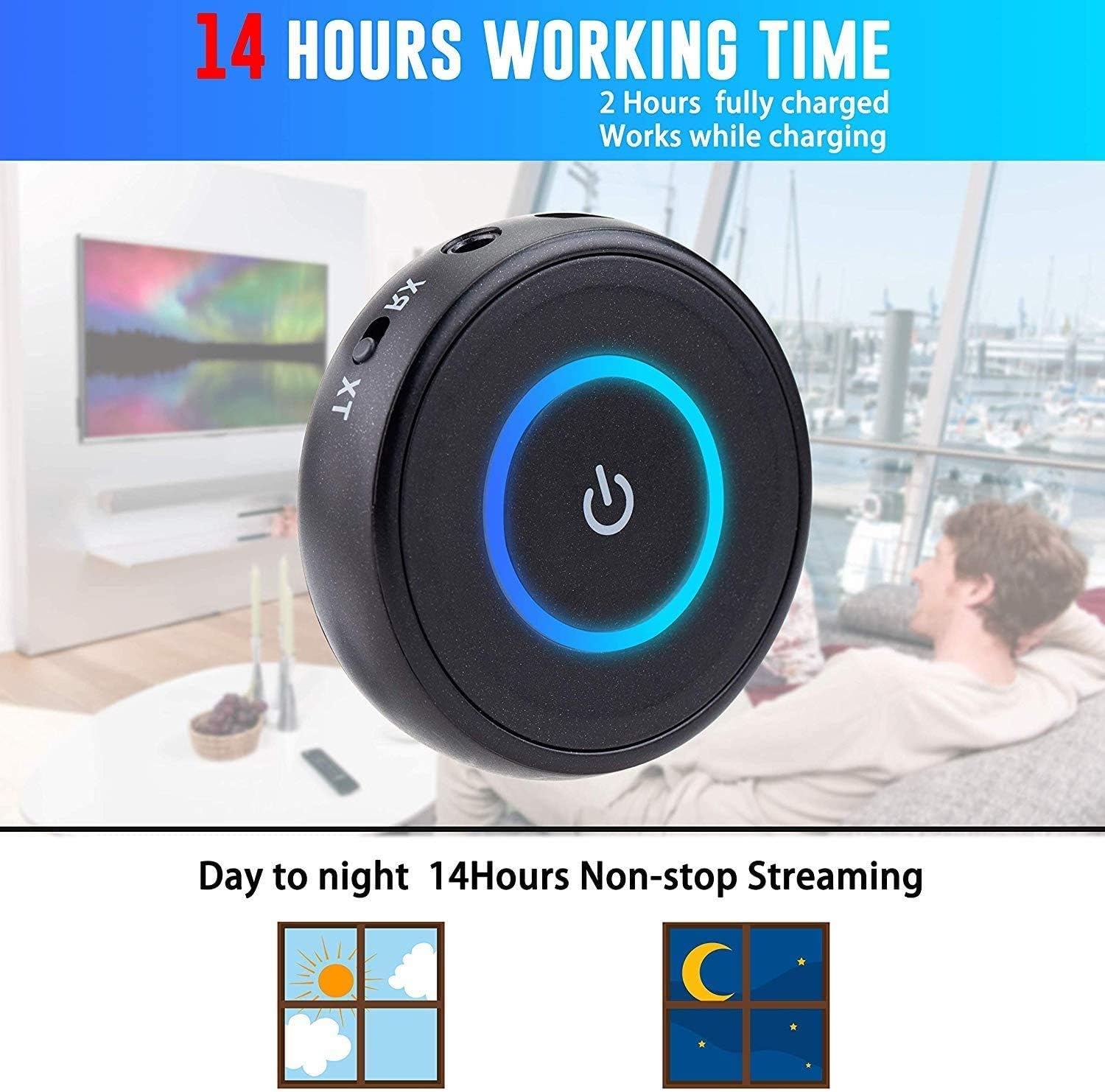
Image: The iDIGMALL BTI-018 showing the Multi-Function & Power Button, LED Light Indicator, Micro USB Charging Port, and 3.5mm Aux In / Out. The TX/RX mode switch is also visible.
- Multi-Function & Power Button: Úsase para acender/apagar, reproducir/pausar e emparellamento.
- Indicador de luz LED: Mostra o estado do dispositivo (emparellamento, conectado, cargando).
- Porto de carga micro USB: Para cargar a batería interna.
- 3.5mm Aux In / Out: Audio input/output port.
- Interruptor TX/RX: Slides to select Transmitter or Receiver mode.
Configuración e funcionamento
1. Cargando o dispositivo
- Conecta o cable de carga micro USB ao porto micro USB do dispositivo.
- Connect the other end of the USB cable to a USB power adapter (DC 5V) or a computer's USB port.
- The LED indicator will show red during charging and turn off when fully charged. A full charge typically takes about 2 hours.
- O dispositivo pódese usar mentres se carga.

Image: The iDIGMALL BTI-018 offers up to 14 hours of working time and can be used while charging.
2. Modo transmisor (TX)
In TX mode, the BTI-018 transmits audio from a non-Bluetooth device (e.g., TV, PC, MP3 player) to Bluetooth headphones or speakers.

Image: Diagram illustrating the iDIGMALL BTI-018 in TX (Transmitter) Mode, connecting to TV, PC, or Music Player and transmitting to Bluetooth speakers or headphones.
- Cambiar ao modo TX: Slide the TX/RX switch to the "TX" position.
- Conectar a fonte de audio: Use the 3.5mm audio cable or RCA cable to connect the BTI-018's 3.5mm Aux port to the audio output port of your non-Bluetooth device (e.g., TV headphone jack, PC audio out).
- Encendido: Press and hold the Multi-Function button for 3 seconds to power on the device. The LED will flash blue rapidly, indicating it's in pairing mode.
- Vincular co dispositivo Bluetooth: Put your Bluetooth headphones or speaker into pairing mode. Place them close to the BTI-018.
- Conexión: The BTI-018 will automatically search and connect to your Bluetooth device. Once connected, the LED will turn solid blue.
- Dual Headphone Pairing (Optional): To connect a second pair of Bluetooth headphones, put the second headphones into pairing mode. Then, double-press the Multi-Function button on the BTI-018. The LED will flash blue rapidly again, and it will connect to the second device. Both devices will then receive audio simultaneously.

Image: The iDIGMALL BTI-018 in TX Mode, demonstrating the ability to pair with two headphones simultaneously for shared listening.
3. Modo receptor (RX)
In RX mode, the BTI-018 receives Bluetooth audio from your smartphone or tablet and outputs it to wired speakers, car stereos, or wired headphones.

Image: Diagram illustrating the iDIGMALL BTI-018 in RX (Receiver) Mode, receiving audio from smartphones, laptops, or tablets and connecting to home stereo, car stereo, or wired headphones.
- Cambiar ao modo RX: Slide the TX/RX switch to the "RX" position.
- Conectar a saída de audio: Use the 3.5mm audio cable or RCA cable to connect the BTI-018's 3.5mm Aux port to the audio input port of your wired audio device (e.g., home stereo AUX-in, car stereo AUX-in, wired headphones).
- Encendido: Press and hold the Multi-Function button for 3 seconds to power on the device. The LED will flash blue rapidly, indicating it's in pairing mode.
- Emparellar con teléfono intelixente/tableta: On your smartphone or tablet, enable Bluetooth and search for new devices. Select "BTI-018" from the list of available devices.
- Conexión: Once connected, the LED will turn solid blue. You can now play audio from your smartphone/tablet through the connected wired audio device.
Mantemento
- Limpeza: Limpe o dispositivo cun pano suave e seco. Non empregue produtos de limpeza líquidos nin disolventes.
- Almacenamento: Garde o dispositivo nun lugar fresco e seco, lonxe da luz solar directa e de temperaturas extremas.
- Coidado da batería: To prolong battery life, charge the device fully before first use and at least once every three months if not used regularly. Avoid fully discharging the battery frequently.
- Evitar auga: Este dispositivo non é impermeable. Manteñao lonxe da auga e da humidade.
Resolución de problemas
- No Sound / Poor Sound Quality:
- Asegúrate de que todos os cables de audio estean conectados de forma segura.
- Check the volume levels on both the BTI-018 and the connected audio devices.
- Verify that the BTI-018 is in the correct mode (TX for transmitting, RX for receiving).
- Ensure the connected Bluetooth device (headphones/speaker) is powered on and paired correctly.
- Move the BTI-018 closer to the connected Bluetooth device to reduce interference.
- Non se pode emparellar cun dispositivo Bluetooth:
- Ensure the BTI-018 is in pairing mode (rapidly flashing blue LED).
- Make sure your Bluetooth device is also in pairing mode.
- Turn off and restart both the BTI-018 and your Bluetooth device.
- Clear previous pairing records on your Bluetooth device and try pairing again.
- Asegúrate de que ningún outro dispositivo Bluetooth estea a interferir co proceso de emparellamento.
- Audio Delay (Lip-Sync Issue):
- Ensure both the BTI-018 and your connected Bluetooth headphones/speaker support aptX Low Latency. If only one device supports it, the low latency feature will not be active.
- Some devices may have slight delays even with aptX LL. Try restarting both devices.
- Short Bluetooth Range:
- Bluetooth range can be affected by obstacles (walls, furniture) and interference from other wireless devices.
- Ensure there are no major obstructions between the BTI-018 and the connected Bluetooth device.
- Avoid placing the device near Wi-Fi routers, microwaves, or other strong signal sources.
Especificacións
| Modelo No. | BTI-018 |
| Versión Bluetooth | V5.0 |
| Pro compatiblefile | A2DP, AVRCP |
| Soporte de códec de audio | aptX-LL, aptX, SBC |
| Rango de operación | Clase 2, ata 33 pés / 10 m |
| Tempo de funcionamento | Ata 16 horas de tempo de reprodución |
| Tempo de carga | Aprox. 2 horas |
| Tecnoloxía de conectividade | Auxiliar, Bluetooth, RCA, USB |
| Peso do elemento | 0.05 libras (aprox. 21 g) |
| Dimensións (diámetro x alto) | 4.9 cm x 1.3 cm |

Image: The iDIGMALL BTI-018 showing its compact size with a diameter of 4.9cm, height of 1.3cm, and net weight of 21g.
Garantía e Soporte
iDIGMALL products are designed for reliability and performance. For specific warranty information, please refer to the warranty card included with your purchase or contact iDIGMALL customer support.
If you encounter any issues or have questions regarding your iDIGMALL BTI-018, please visit the official iDIGMALL website or contact their customer service for assistance. Always provide your product model number (BTI-018) when seeking support.