
PROTEAR EP8830
PROTEAR AM/FM Radio Headphones User Manual
Modelo: EP8830
Introdución
Thank you for choosing the PROTEAR AM/FM Radio Headphones. These headphones are designed to provide effective hearing protection with a Noise Reduction Rating (NRR) of 25dB, while also allowing you to enjoy your favorite AM/FM radio stations. They are ideal for use in noisy environments such as workshops, construction sites, or during yard work. This manual provides detailed instructions for setup, operation, maintenance, and troubleshooting to ensure optimal performance and safety.

Image: PROTEAR AM/FM Radio Headphones in yellow and black, showcasing the digital display and antenna.
Información de seguridade
It is crucial to understand and follow all safety guidelines to prevent injury and ensure proper use of your hearing protection headphones. These headphones are ANSI S3.19 CERTIFIED with an NRR of 25dB, meaning they effectively reduce hazardous noise levels.
- Always wear the headphones in noisy environments to protect your hearing.
- Ensure a snug fit to maximize noise reduction.
- Do not modify the headphones, as this may compromise their protective capabilities.
- Manteña as baterías fóra do alcance dos nenos e desfágase delas correctamente.

Image: A chart illustrating various noise levels (e.g., library, rainfall, chainsaw) and how the 25dB NRR of the headphones reduces the perceived sound level.
Noise Reduction ExampLe: If the environment noise level is 80dBA and the NRR is 25dB, the level of noise entering the ear is approximately 55dB.
Contido do paquete
Comprobe o paquete para asegurarse de que conteñan todos os elementos:
- 1 x PROTEAR AM/FM Radio Headphones
- 1 cable AUX de 3.5 mm
- 1 x Manual de usuario

Image: The product packaging, the headphones, the 3.5mm AUX cable, and the user manual are displayed, indicating the items included in the box.
Produto rematadoview
Familiarize yourself with the key components of your PROTEAR headphones:
- Pantalla LCD dixital: Shows frequency, time, and other settings.
- Antena: Extendable for improved radio signal reception.
- Botóns de control: AM/FM, SET, TUNE for radio functions.
- ON/OFF & Volume Knob: Powers the unit on/off and adjusts audio volume.
- AUX Port (3.5mm): Para conectar dispositivos de audio externos.
- Compartimento de batería: Contén 2 pilas AA.
- Diadema axustable: Para un axuste cómodo e seguro.
- Comfortable Ear Cushions: Designed for extended wear and effective noise blocking.

Image: A detailed diagram highlighting the antenna, LCD digital display, big button design, rotate-volume control, AUX port, and battery compartment.

Image: Demonstrates the adjustable nature of the headband, showing how it can be extended and retracted to fit various head sizes.
Configuración
Instalación de baterías
The PROTEAR headphones are powered by 2 AA batteries (not included).
- Locate the battery compartment on one of the ear cups.
- Gently open the battery compartment cover.
- Insira 2 pilas AA, asegurándose de manter a polaridade correcta (+/-) como se indica no interior do compartimento.
- Pecha a tapa do compartimento da batería de forma segura.

Imaxe: Primeiro plano view of the open battery compartment, showing where to insert the two AA batteries.
Instrucións de funcionamento
Acendido/apagado e control de volume
- To power on the headphones, rotate the ON/OFF/Volume knob clockwise until you hear a click and the LCD display illuminates.
- Continue rotating the knob clockwise to increase volume, and counter-clockwise to decrease volume.
- Para apagar, xire o botón en sentido antihorario ata que faga clic.
Radio Tuning and Presets
- Switching Bands (AM/FM): Press the 'AM/FM' button to toggle between AM and FM radio bands.
- Sintonización manual: Use the 'TUNE' buttons (up/down arrows) to manually adjust the frequency.
- Escaneo automático: Press and hold the 'TUNE' button for a few seconds to automatically scan for the next available station.
- Configuración predefinida: The headphones can store up to 8 AM and 8 FM stations.
- Sintonice a emisora desexada.
- Press the 'SET' button once. The preset number on the display will flash.
- Use the 'TUNE' buttons to select the desired preset number (1-8).
- Press 'SET' again to confirm and save the station to that preset.
- Recordando presets: Briefly press the 'SET' button to cycle through your saved preset stations.

Imaxe: Unha detallada view of the control panel, showing the AM/FM, SET, TUNE buttons, and the ON/OFF/Volume knob, along with the AUX port.
Connecting External Audio Devices (AUX)
You can connect an external audio device (e.g., MP3 player, smartphone) using the included 3.5mm AUX cable.
- Plug one end of the 3.5mm AUX cable into the AUX port on the headphones.
- Plug the other end into the headphone jack of your external audio device.
- The audio from your device will now play through the headphones. You can adjust the volume using both the headphone's volume knob and your external device's volume control.
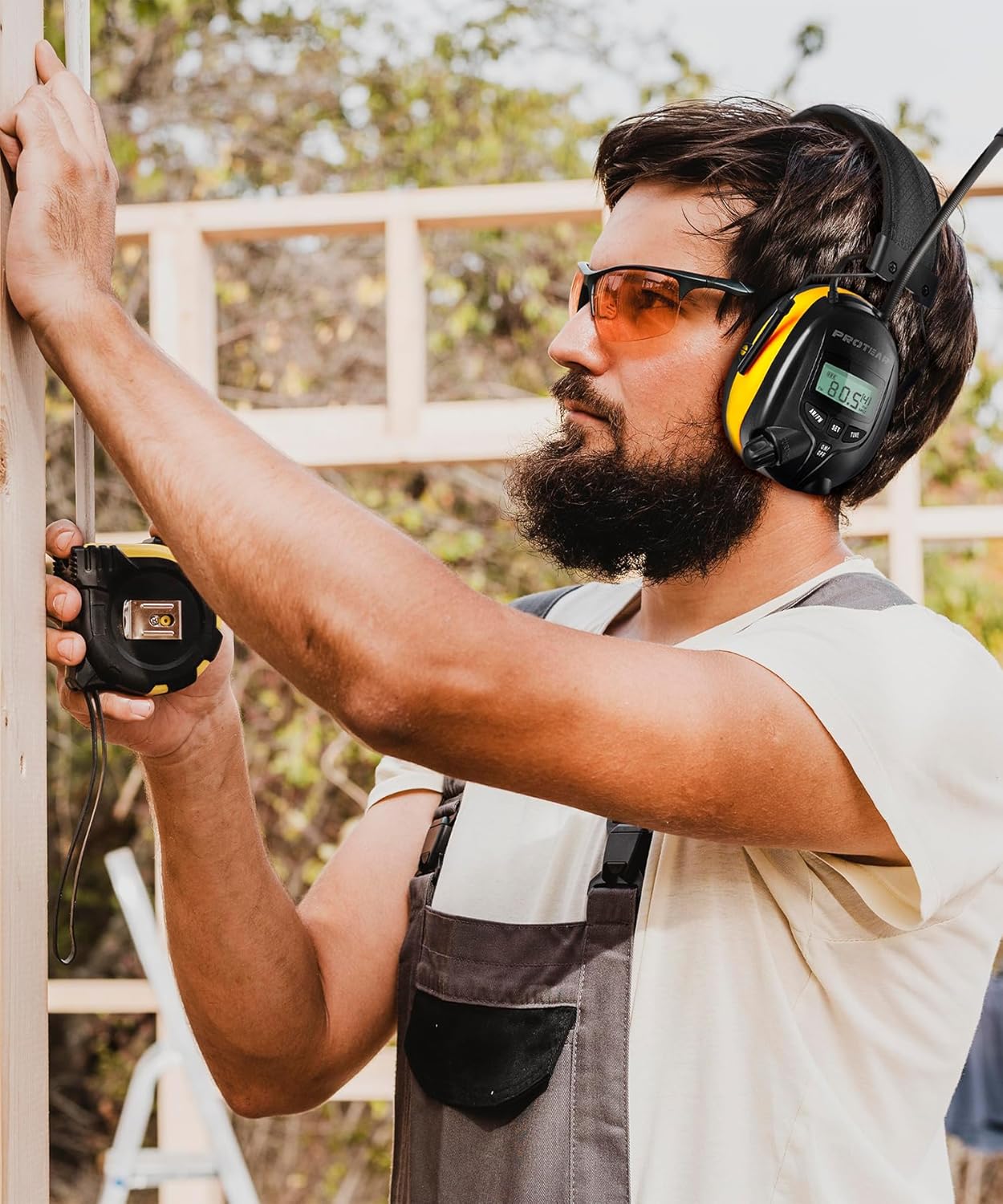
Image: A man wearing the PROTEAR headphones while engaged in construction work, demonstrating practical use in a noisy environment.
Mantemento
Proper maintenance will extend the life of your PROTEAR headphones:
- Limpeza: Limpe os auriculares cun suave, damp pano. Non use produtos de limpeza abrasivos nin mergullo en auga.
- Substitución da almofada: The snap-in design allows for easy maintenance and replacement of ear cushions if they become worn or damaged.
- Almacenamento: Store the headphones in a cool, dry place when not in use. Remove batteries if storing for extended periods to prevent leakage.
Resolución de problemas
| Problema | Causa posible | Solución |
|---|---|---|
| Sen poder | Dead batteries; Incorrect battery polarity | Replace batteries; Check battery orientation |
| Mala recepción de radio | Antena non estendida; Zona de sinal débil | Extend antenna fully; Try moving to a different location |
| Sen son da entrada AUX | Cable not fully inserted; Device volume too low; Incorrect cable | Ensure cable is fully inserted; Increase device volume; Use the provided 3.5mm AUX cable |
| Noise reduction not effective | Improper fit; Damaged ear cushions | Adjust headband for snug fit; Replace ear cushions if damaged |
Especificacións
- Modelo: EP8830
- Clasificación de redución de ruído (NRR): 25dB (ANSI S3.19 Certified)
- Fonte de enerxía: 2 pilas AA (non incluídas)
- Bandas de radio: AM/FM Digital Tuning
- Estacións predefinidas: Up to 8 AM and 8 FM
- Entrada de audio: Conector AUX de 3.5 mm
- Tipo de tecido: ABS
- Departamento: Adulto Unisex

Image: Highlights the digital LCD display, NRR 25dB rating, ability to store 8 AM and 8 FM stations, and power source of 2 AA batteries.
Garantía e Soporte
PROTEAR is committed to providing high-quality hearing protection products. We offer a GARANTÍA DE UN ANO against manufacturing defects from the date of purchase. This warranty covers defects in materials and workmanship under normal use.
For any questions, concerns, or assistance with your PROTEAR AM/FM Radio Headphones, please contact our customer support. We aim to provide a good solution and a pleasant shopping experience.
Información de contacto: Please refer to the contact details provided on the product packaging or the official PROTEAR websitio para obter a información de soporte máis actualizada.
PROTEAR is a vibrant and creative brand specializing in hearing protection products. As a factory, we are devoted to offering users top-notch hearing protection headphones and constantly improve quality and performance. Our ergonomic design ensures a comfortable, long-term wearing experience.
Ask a question about this manual
Ask about setup, troubleshooting, compatibility, parts, safety, or missing instructions. Manuals+ will review the question and use this page’s manual context to help answer it.