
Introdución
Thank you for choosing the AGPTEK M16SB 16GB Bluetooth MP3 Player. This manual provides detailed instructions for setting up, operating, and maintaining your device. Please read it carefully to ensure proper use and to maximize your listening experience.
Produto rematadoview
Familiarízate cos compoñentes e controis do dispositivo.

Imaxe: Fronte e lateral view of the AGPTEK M16SB MP3 player with numbered labels indicating each button and port function.
Definicións dos botóns:
- Volta: Navigates back to the previous menu.
- Bluetooth/FM Radio: Short press for Bluetooth, long press for FM Radio.
- Submenu/Screen-lock: Accesses submenus or locks/unlocks the screen.
- Móvete: Navigates up in menus.
- Previous/Fast rewind: Skips to the previous track or fast rewinds during playback.
- Baixar: Navigates down in menus.
- Next/Fast forward: Salta á seguinte pista ou avanza rapidamente durante a reprodución.
- Enter/Play/Pause: Confirms selection or plays/pauses media.
- Volume +: Aumenta o volume.
- Volume -: Diminúe o volume.
- Power on/off; Screen on/off: Powers the device on/off or turns the screen on/off.
Ports and Features:
- Card slot (TF): For Micro SD card expansion up to 128GB.
- Conector para auriculares: 3.5mm audio output for wired headphones.
- Porto micro USB: Para carga e transferencia de datos.
- Altavoz incorporado: For audio playback without headphones.
- Micrófono (MIC): For voice recording.
Configuración
1. Cargando o dispositivo
Before first use, fully charge the MP3 player. A full charge takes approximately 2 hours using a 5V/500mA charger or a computer USB port.

Imaxe: A person relaxing while listening to the MP3 player, with text indicating "2 HOURS for full charge" and "28-30 hours playtime".
- Connect the Micro USB cable to the player's Micro USB port and the other end to a USB power source.
- O indicador da batería na pantalla mostrará o estado de carga.
- Once fully charged, the device offers up to 28 hours of music playback (screen off, medium volume) or 5 hours via Bluetooth headphones.
2. Acendido/apagado
- Para acender, manteña premido o botón Botón de encendido (11) ata que se ilumine a pantalla.
- Para apagalo, manteña premido o botón Botón de encendido (11) ata que se apague o dispositivo.
- Unha pequena prensa do Botón de encendido (11) will turn the screen on or off.
3. Inserción dunha tarxeta Micro SD
The device has 16GB of internal memory and supports external Micro SD cards up to 128GB (not included).

Imaxe: Un detallado view of the MP3 player's side, highlighting the TF card slot with a Micro SD card partially inserted, indicating 16GB internal memory and support for up to 128GB external storage.
- Localiza o Card slot (TF) (12) on the side of the player.
- Insira suavemente a tarxeta Micro SD na ranura ata que faga clic.
- Para retirala, empurre lixeiramente a tarxeta cara a dentro ata que saia de golpe.
Instrucións de funcionamento
1. Navegación básica
- Usa o Move up (4) e Move down (6) buttons to navigate through menus.
- Preme o Enter/Play/Pause button (8) para seleccionar unha opción.
- Preme o Return button (1) para volver á pantalla anterior.
- Axuste o volume usando o Volume + (9) e Volume - (10) botóns no lateral.
2. Reprodución de música
The player supports MP3, WMA, OGG, APE, FLAC, WAV, AAC-LC, and ACELP audio formats.

Imaxe: A person holding the AGPTEK MP3 player, displaying the music playback interface with track information and a Bluetooth connection indicator.
- No menú principal, selecciona "Música".
- Browse by Artist, Album, Songs, Playlists, or Folder.
- Preme Enter/Play/Pause (8) para iniciar ou pausar a reprodución.
- Use Previous/Fast rewind (5) e Next/Fast forward (7) to change tracks or fast forward/rewind.
- Access submenus (e.g., Equalizer, Repeat Mode) by pressing the Submenu button (3) durante a reprodución.
3. Emparellamento Bluetooth
Connect your MP3 player to Bluetooth headphones or speakers for wireless audio.

Imaxe: An illustration demonstrating three audio output options for the MP3 player: wired headphones for private listening, the built-in speaker for sharing, and a Bluetooth speaker for party settings.
- No menú principal, selecciona "Bluetooth".
- Alternativamente, prema brevemente o botón Bluetooth/FM Radio button (2) to quickly enable Bluetooth.
- Ensure your Bluetooth device (headphones/speaker) is in pairing mode.
- O reprodutor buscará os dispositivos dispoñibles. Selecciona o teu dispositivo da lista para emparellalo.
- The player supports automatic reconnection to previously paired devices.
4. Radio FM
Listen to FM radio stations. Wired headphones must be connected as they act as the antenna.
- Connect wired headphones to the Earphone jack (13).
- No menú principal, selecciona "Radio FM".
- Alternatively, long press the Bluetooth/FM Radio button (2) to quickly enter FM Radio mode.
- Use the navigation buttons to scan for stations or select from presets.
- The radio function allows saving up to 30 preset stations and supports FM recording.
5. Outras funcións
- Gravadora de voz: Select "Record" from the main menu to use the built-in microphone for voice recording.
- Libro electrónico: Read TXT format e-books by selecting "E-book".
- Vídeo: Play AMV format videos by selecting "Video".
- Imaxe Viewer: Browse JPG, GIF, and BMP images by selecting "Pictures".
- Configuración: Access various device settings, including equalizer, volume limit, display brightness, and timed shutdown.
Mantemento
1. Actualización de firmware
Free firmware updates are available to improve device performance and add new features.
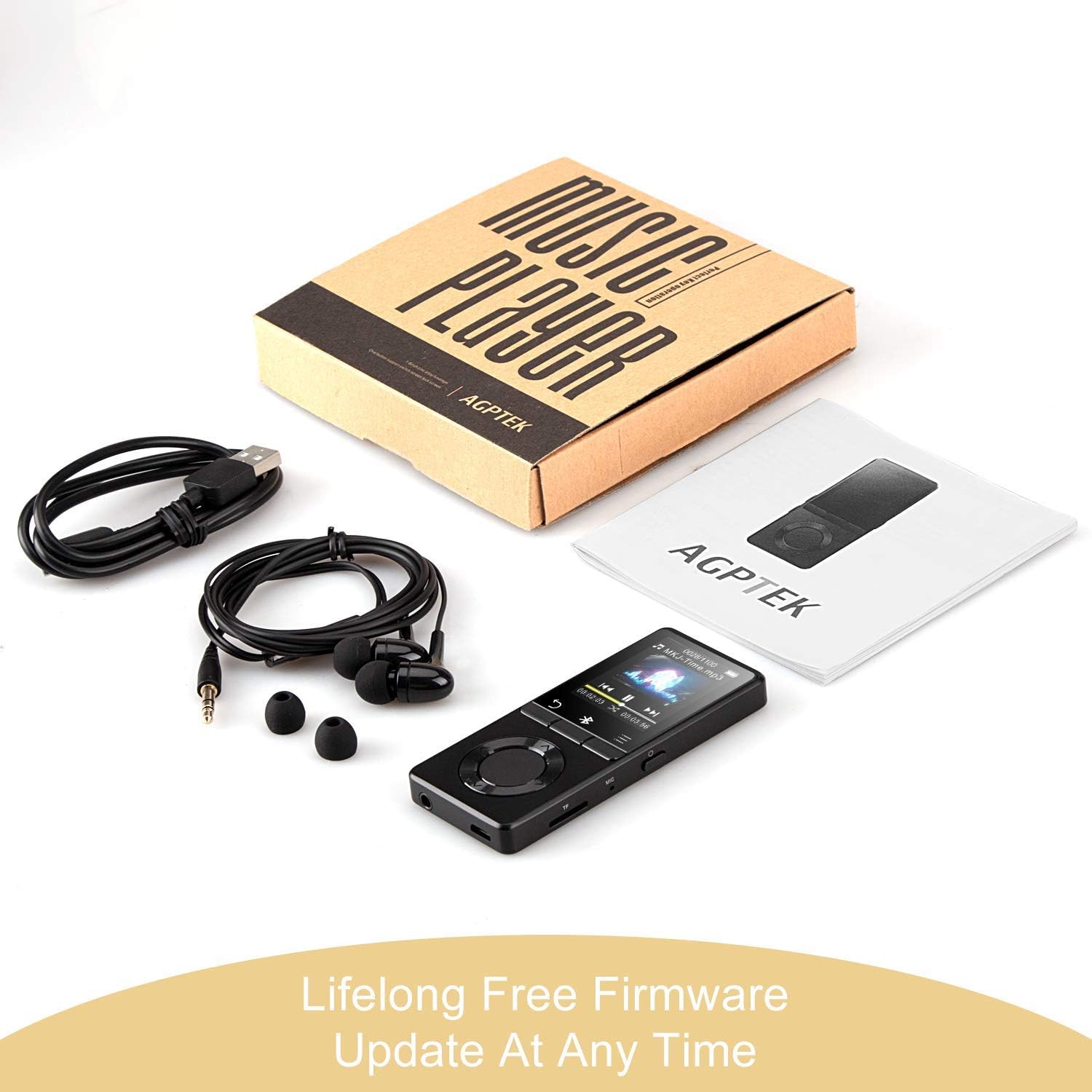
Imaxe: The AGPTEK MP3 player, its packaging, and included accessories (earphones, USB cable), emphasizing the availability of lifelong free firmware updates.
- Visit the official AGPTEK websitio web para obter o firmware e as instrucións máis recentes.
- Follow the provided instructions carefully to update your device.
2. Limpeza
- Use un pano suave e seco para limpar o exterior do dispositivo.
- Evite o uso de produtos de limpeza líquidos ou materiais abrasivos.
Resolución de problemas
- O dispositivo non se acende: Asegúrate de que a batería estea cargada. Conéctaa a un cargador e inténtao de novo.
- Sen son: Check volume levels. Ensure headphones are properly connected or Bluetooth device is paired and connected. If using the built-in speaker, ensure it is enabled in settings.
- Problemas de conexión Bluetooth: Ensure the Bluetooth device is in pairing mode and within range. Disconnect the MP3 player from other Bluetooth devices if it was previously paired elsewhere.
- Filenon estou xogando: Verify that the audio/video file format is supported (MP3, WMA, OGG, APE, FLAC, WAV, AAC-LC, ACELP for audio; AMV for video).
- O dispositivo non responde: Press and hold the Power button for 10-15 seconds to force a reset.
- Micro SD card not detected: Ensure the card is inserted correctly. Try reinserting or using a different card to rule out card issues.
- Issues during PC sync: Avoid altering files directly in the player's window while synced. Make changes on the PC, then re-upload. If the player crashes, perform a long press on the power button to reset.
Especificacións
| Marca | AGPTEK |
| Nome do modelo | AGPTEK 16GB Bluetooth 4.0 MP3 Player with Touch Buttons |
| Número de modelo | M16SB-EU |
| Tecnoloxía de conectividade | Bluetooth |
| Capacidade de almacenamento da memoria | 16 GB (expandable up to 128 GB with Micro SD card) |
| Cor | Negro |
| Tamaño da pantalla | 1.8 polgadas |
| Dispositivos compatibles | Headphones, Personal Computer |
| Tipo de medios | MP3 |
| Estándares de audio compatibles | AAC, ACELP, APE, FLAC, MP3, OGG, WAV, WMA |
| Estándares de vídeo admitidos | AMV |
| Supported Image Standards | JPG, GIF, BMP |
| Duración da batería (reprodución de música) | Up to 28 hours (screen off, medium volume) |
| Battery Life (Bluetooth Playback) | Ata 5 horas |
| Tempo de carga | Aprox. 2 horas |
Garantía e Soporte
AGPTEK is committed to providing reliable and high-quality products. While specific warranty details are not provided in this manual, AGPTEK offers free firmware updates and customer support.
- For any product issues or inquiries, please contact AGPTEK customer service.
- Refer to the official AGPTEK website for support contact information and the latest firmware updates.