
1. Introdución
The Zerone K-1028E is a universal remote control designed for use with a wide range of air conditioning units. This remote offers comprehensive functionality, including temperature adjustment, mode selection, fan speed control, and timer settings, providing a convenient replacement for lost or damaged original air conditioner remotes. Its compact design and clear LCD screen ensure ease of use.
2. Información de seguridade
- Non mesture pilas antigas e novas.
- Non mesture pilas alcalinas, estándar (carbón-zinc) ou recargables (níquel-cadmio).
- Retire as pilas se non vai usar o mando a distancia durante un período prolongado para evitar fugas.
- Manteña o mando a distancia lonxe da luz solar directa, de fontes de calor e de humidade.
- Evite deixar caer o mando a distancia nin someterlo a impactos fortes.
3. Produto rematadoview
The K-1028E remote control features an ergonomic design with clearly labeled buttons and a large LCD display for easy readability. It includes essential functions such as power, mode, temperature control, fan speed, and a dedicated light button.

This image displays the front of the Zerone K-1028E universal air conditioner remote control, highlighting its compact size with approximate dimensions of 13.3 cm in length, 5 cm in width, and 2.3 cm in thickness. The LCD screen and primary control buttons are visible.

A hand is shown holding the remote control, with the LCD screen clearly visible. The display shows a temperature setting of 26°C, along with icons indicating various modes and functions, demonstrating the remote in active use.
4. Configuración
4.1 Instalación da batería
- Abra a tapa do compartimento da batería na parte traseira do mando a distancia.
- Introduza dúas pilas AAA, asegurándose de manter a polaridade correcta (+ e -).
- Pecha a tapa do compartimento da batería de forma segura.
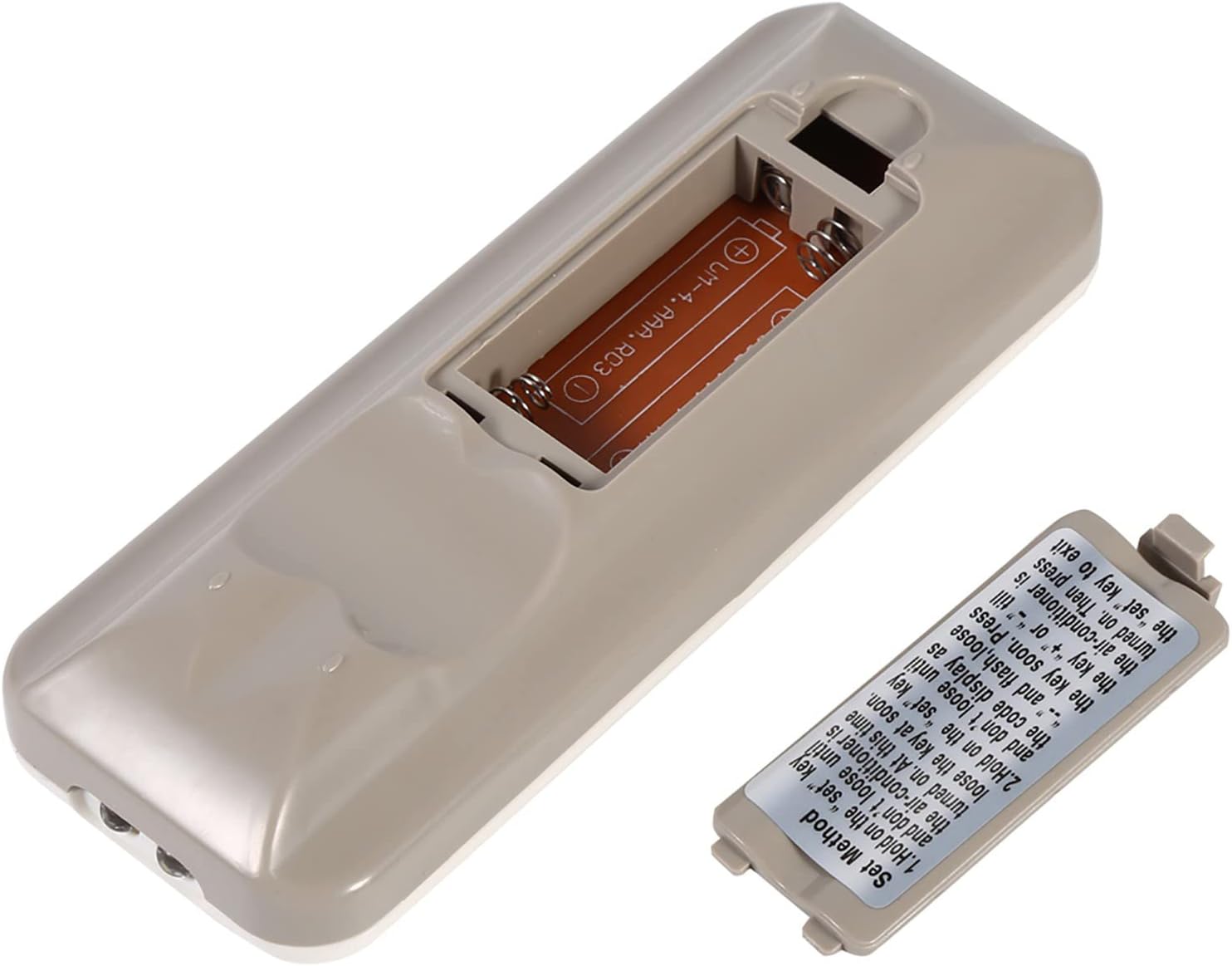
The back of the remote control is shown with the battery compartment cover removed, revealing the slot for two AAA batteries. This illustrates where to insert or replace the power source.
4.2 Programming the Remote (Automatic Search Method)
This method allows the remote to automatically search for the correct code for your air conditioner.
- Ensure your air conditioner unit is powered off.
- Manteña premido o SET button on the remote control. Continue holding until your air conditioner unit turns on. Once the air conditioner turns on, immediately release the SET botón.
- Alternatively, if the above step does not work, press and hold the SET button until the code display on the remote's LCD screen shows "--" and begins to flash. Release the SET botón.
- While the code is flashing, press the + or - buttons repeatedly until your air conditioner unit turns on.
- Once the air conditioner turns on, press the SET button again to confirm the code and exit the programming mode.
- Test all functions of the remote control to ensure proper operation. If some functions do not work, repeat the programming process to find a more compatible code.

Esta imaxe ofrece información detallada view of the 'Set Method' instructions sticker located on the back of the remote control. It outlines the steps for automatically programming the remote to an air conditioner unit.
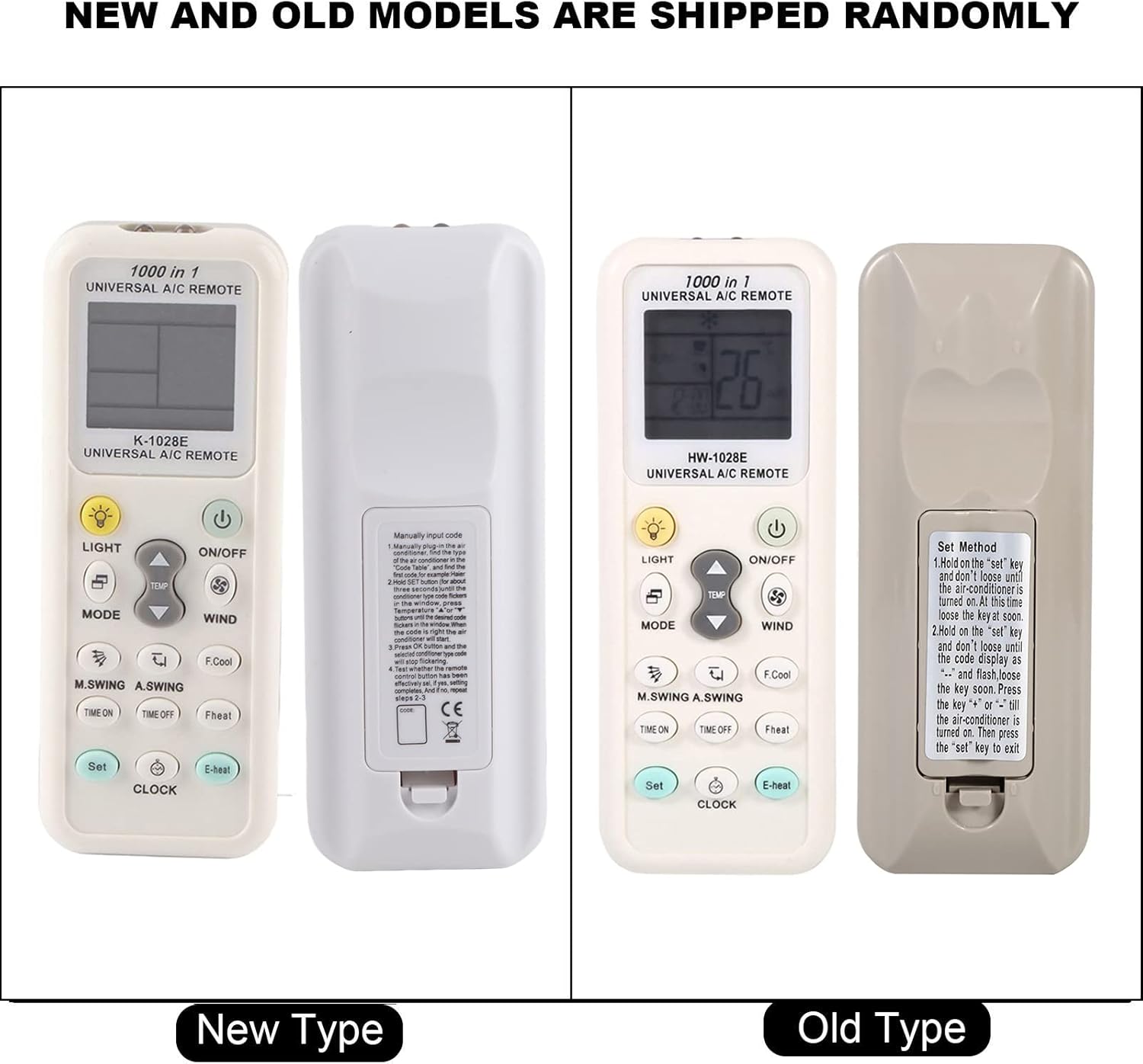
This image compares two versions of the K-1028E remote control, labeled 'New Type' and 'Old Type'. It illustrates slight variations in button arrangement and the instruction sticker on the back panel, indicating potential minor design updates over time. The programming method remains consistent.
5. Instrucións de funcionamento
- Botón ON/OFF: Prema para acender ou apagar a unidade de aire acondicionado.
- Botón MODE: Press to cycle through available operating modes: Auto, Cool, Dry, Fan, Heat.
- Botóns TEMP ▲/▼: Press to increase or decrease the desired temperature setting.
- WIND (Fan Speed) Button: Prema para axustar a velocidade do ventilador (por exemplo, Automático, Baixa, Media, Alta).
- M.SWING/A.SWING Button: Controls the horizontal or vertical swing of the air conditioner's louvers.
- TIME ON/TIME OFF Buttons: Used to set a timer for the air conditioner to turn on or off automatically.
- Botón LUZ: Activates or deactivates the backlight on the remote's LCD screen or the air conditioner's display light (if supported).
- Botón SET: Used for programming the remote and confirming settings.
- Botón RELOXO: Úsase para axustar a hora actual na pantalla do mando a distancia.
6. Mantemento
- Clean the remote control regularly with a soft, dry cloth. Do not use liquid cleaners or abrasive materials.
- If the remote control is not responding or the display is dim, replace the batteries.
- Garde o mando a distancia nun lugar fresco e seco cando non o use durante períodos prolongados.
7 Solución de problemas
- O control remoto non funciona: Ensure batteries are inserted correctly and are not depleted. Reprogram the remote using the automatic search method. Ensure there are no obstructions between the remote and the air conditioner's receiver.
- Funcionalidade limitada: If some functions do not work after programming, it may indicate that the selected code is not fully compatible. Try repeating the automatic search method to find an alternative, more compatible code.
- Problemas de visualización: If the LCD display is dim or incomplete, replace the batteries.
8. Especificacións
| Marca | Cero |
| Número de modelo | K-1028E |
| Peso do elemento | 0.704 onzas (aproximadamente 20 gramos) |
| Dispositivos compatibles | Aire acondicionado |
| Número máximo de dispositivos compatibles | 1 (Universal for many AC brands) |
| Característica especial | Compatibilidade universal |
9. Garantía e soporte
For warranty information or technical support, please refer to the documentation provided with your purchase or contact the retailer. Keep your purchase receipt as proof of purchase.