
1. Introdución
This user manual provides essential information for the safe and efficient operation of your new Candy MIC20GDFN Combination Built-in Microwave Oven. Please read these instructions carefully before using the appliance and retain them for future reference. Proper use and maintenance will ensure optimal performance and extend the lifespan of your microwave oven.
2. Instrucións de seguridade importantes
Cando se utilicen aparellos eléctricos, débense seguir as precaucións básicas de seguridade, incluíndo as seguintes:
- Le todas as instrucións antes de usar o aparello.
- Non poña en marcha o forno se a porta ou as xuntas da porta están danadas. Póñase en contacto co persoal de servizo cualificado para a súa reparación.
- Non quentar líquidos ou outros alimentos en recipientes pechados xa que poden explotar.
- Permitir que os nenos usen o forno sen supervisión cando se lle dean as instrucións adecuadas para que o neno poida usar o forno de forma segura e comprenda os perigos dun uso inadecuado.
- Use só utensilios axeitados para o seu uso en fornos microondas.
- Ao quentar alimentos en recipientes de plástico ou de papel, vixiar o forno debido á posibilidade de ignición.
- Se se observa fume, apague ou desenchufe o aparello e manteña a porta pechada para sufocar as chamas.
- Non cociñar en exceso os alimentos.
- Do not use the oven for storage purposes. Do not leave paper products, cooking utensils, or food in the oven when not in use.
- O forno microondas está destinado a quentar alimentos e bebidas. Secado da roupa e quecemento de almofadas quentadoras, chinelos, esponxas, damp panos e similares poden levar a risco de lesións, ignición ou incendio.
- The appliance must be earthed. Connect only to a properly earthed outlet.
3. Produto rematadoview
The Candy MIC20GDFN is a 20-liter combination built-in microwave oven designed for modern kitchens. It offers efficient microwave cooking with multiple functions, integrated seamlessly into your cabinetry.

Figura 3.1: Fronte view of the Candy MIC20GDFN built-in microwave oven, showcasing its sleek black finish and control panel on the right side.

Figure 3.2: The Candy MIC20GDFN microwave oven seamlessly integrated into a white kitchen cabinet, with the door closed and the digital display showing the time.

Figure 3.3: The Candy MIC20GDFN microwave oven with its door open, revealing a dish of food placed on the turntable inside, demonstrating its operational state within a kitchen setting.
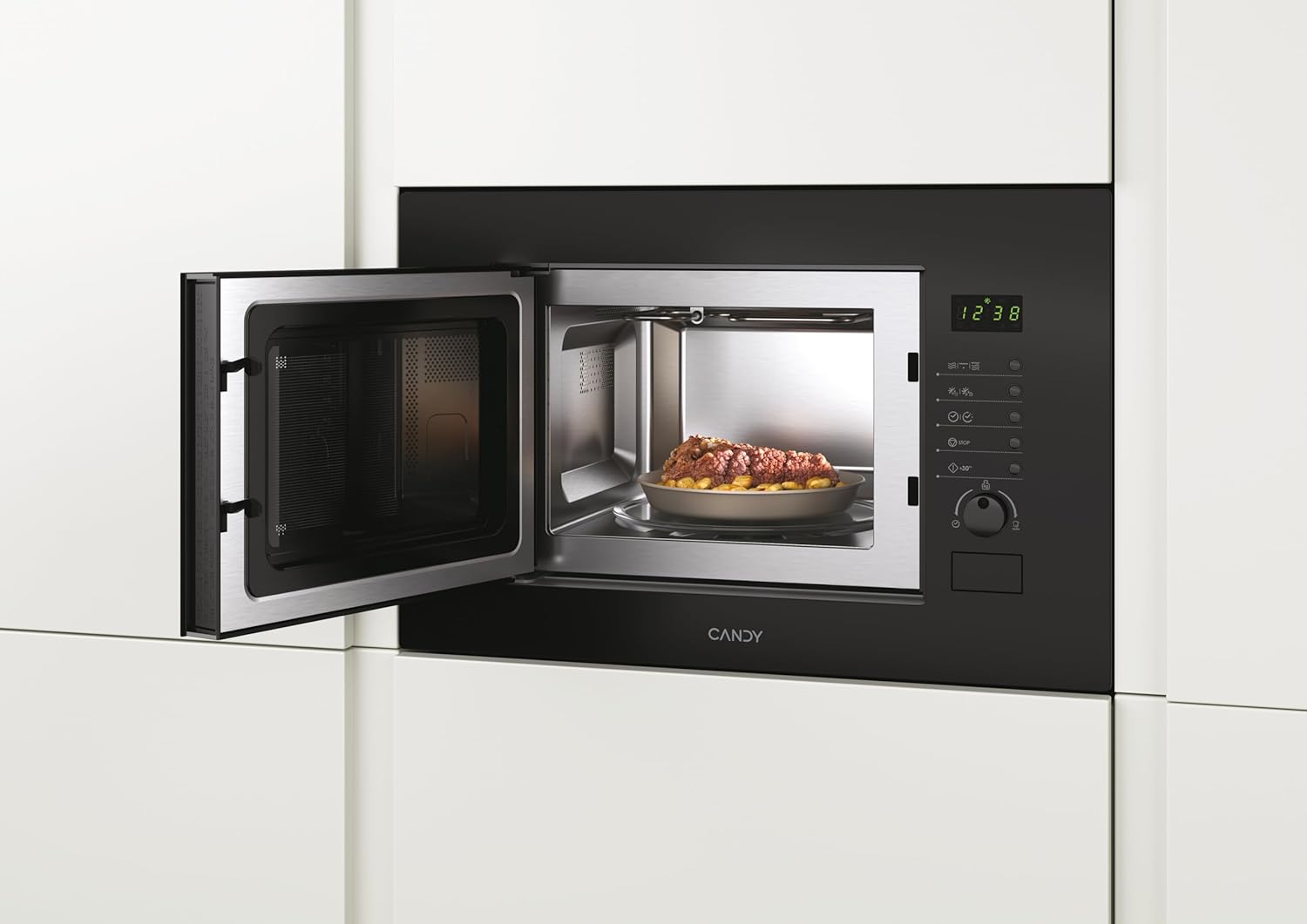
Figure 3.4: A closer interior view of the Candy MIC20GDFN microwave oven with the door open, showing the stainless steel cavity and the glass turntable, ready for use.
4. Configuración e instalación
This appliance is designed for built-in installation. Ensure that the installation is carried out by a qualified technician in accordance with the provided installation template and local regulations.
4.1 Desembalaxe
- Retire con coidado todos os materiais de embalaxe.
- Comprobe se o forno ten algún dano, como amoseduras ou unha porta desalinhada. Non o poña en funcionamento se está danado.
- Ensure all accessories, including the turntable and roller ring, are present.
4.2 Colocación e ventilación
- The microwave oven must be placed in a cabinet opening that meets the specified dimensions.
- Ensure adequate ventilation space around the appliance as per the installation guide to prevent overheating.
4.3 Conexión eléctrica
- Conecte o aparello a unha toma de corrente debidamente conectada a terra.
- Verifique que o voltage e a frecuencia coinciden coas especificacións da placa de características do aparello.
5. Instrucións de funcionamento
The Candy MIC20GDFN offers various cooking functions. Familiarize yourself with the control panel for optimal use.
5.1 Panel de control rematadoview
The control panel typically features a digital display, function buttons, and a rotary knob for setting time and power levels. Refer to Figure 3.1 for a visual representation.
5.2 Cocción básica no microondas
- Coloque os alimentos nun recipiente apto para microondas no prato xiratorio.
- Pecha a porta do forno de forma segura.
- Select the desired microwave power level using the appropriate button or rotary knob.
- Establece o tempo de cocción.
- Prema o botón Inicio para comezar a cociñar.
5.3 Función grella
A función grella é ideal para dourar e crocar os alimentos.
- Coloque os alimentos na grella (se a hai) ou nun prato resistente á calor.
- Selecciona a función grella.
- Set the grilling time.
- Prema o botón Inicio.
5.4 Cociña combinada
Combination cooking combines microwave and grill functions for faster cooking and browning results.
- Coloque os alimentos nun recipiente axeitado.
- Select the desired combination mode (e.g., Microwave + Grill).
- Set the cooking time and power levels as required.
- Prema o botón Inicio.
5.5 Función de desconxelación
A función de desconxelación permite desconxelar os alimentos conxelados de forma rápida e eficiente.
- Coloque os alimentos conxelados nun prato apto para microondas.
- Select the defrost function (by weight or time).
- Enter the weight of the food or the desired defrosting time.
- Prema o botón Inicio.
6. Mantemento e Limpeza
Regular cleaning and maintenance will ensure the longevity and hygiene of your microwave oven.
- Exterior: Limpar a superficie exterior cun pano suave eamp pano. Non use produtos de limpeza ou disolventes abrasivos.
- Interior: Limpar a cavidade interior con anuncioamp cloth after each use. For stubborn stains, place a bowl of water with lemon juice inside and microwave for a few minutes to loosen residue, then wipe clean.
- Porta e xuntas: Limpar a porta, as xuntas da porta e o panel de control cun pano suave eamp pano para eliminar calquera vertedura ou salpicadura.
- Prato xiratorio e anel de rolos: The glass turntable and roller ring can be removed and washed in warm soapy water or in a dishwasher. Ensure they are dry before placing them back in the oven.
- Nunca use limpadores a vapor.
7 Solución de problemas
If you encounter any issues with your microwave oven, refer to the table below for common problems and solutions. If the problem persists, contact customer support.
| Problema | Causa posible | Solución |
|---|---|---|
| O forno non arranca | Cable de alimentación non conectado; Porta non pechada correctamente; Fusible fundido ou disyuntor saltado. | Conecte o enchufe á toma de corrente; peche a porta con seguridade; comprobe o fusible ou reinicie o disxuntor. |
| A comida non se quenta | Nivel de potencia ou tempo de cocción incorrecto axustado; Non se utilizou un prato apto para microondas. | Axusta a configuración; usa utensilios de cociña axeitados. |
| A placa xiratoria non xira | Turntable not properly placed; Roller ring dirty or damaged. | Ensure turntable is correctly seated; Clean or replace roller ring. |
| Ruído inusual durante o funcionamento | Food container touching oven walls; Turntable or roller ring misaligned. | Reposition food container; Adjust turntable and roller ring. |
8. Especificacións
Technical specifications for the Candy MIC20GDFN Combination Built-in Microwave Oven:
- Marca: DOCE
- Modelo: MIC20GDFN
- Capacidade: 20 litros
- Dimensións do produto: 24 x 69 x 2.5 cm (Altura x Anchura x Profundidade)
- Peso: 15 kg
- Cor: Negro
- Características especiais: INF Programmable
- Fabricante: Doce
- Idioma: inglés
9. Garantía e soporte
Your Candy MIC20GDFN Combination Built-in Microwave Oven comes with a manufacturer's warranty. Please refer to the warranty card included with your purchase for specific terms and conditions. For technical support, service, or spare parts, please contact your local Candy service center or authorized dealer. Ensure you have your model number (MIC20GDFN) and purchase details available when contacting support.